M64Plus FZ Pro Emulator
- 535.00
- 4.9
- Installs
- 100.00K
- Price
- $3.99
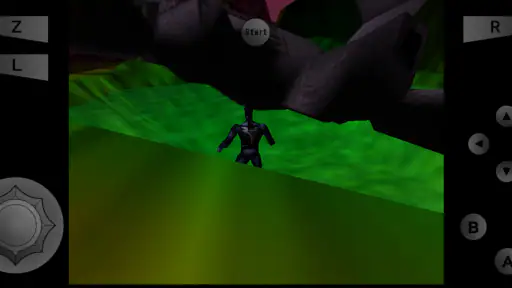
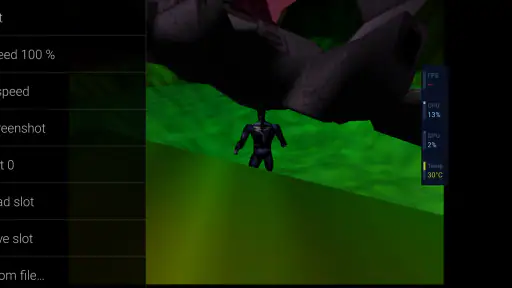
Screenshots
Analysis by Reviewed
I tend to judge an emulator less by its nostalgia factor than by how easily it fits into a real routine: can I get a game running, make it comfortable to play, and return to it later without turning setup into a project? That is the practical lens I’d use for M64Plus FZ Pro Emulator. It is a paid Android arcade game app from Francisco Zurita, built around emulating a 64-bit console, with online cloud backup as part of its appeal. The Pro edition costs $3.99, so the useful question is not simply whether it can bring back old games, but whether its convenience is worth paying for.
Start with the game files you plan to use
The most important practical detail is that an emulator is not a game collection. Before buying, I’d check that I have legally obtained game files ready and know where they are stored on my phone. That small bit of preparation can make the first session much smoother than installing the app and then searching around for files. It also helps set expectations: this is for people who want to run their own library, not for someone expecting a catalogue of included games.
For a first test, I’d add one game rather than import an entire collection at once. That makes it easier to confirm the file is recognized, try the controls, and see how the game feels on the device before spending time organizing everything. If the first title works well, I can then build a library around the games I actually want to revisit instead of filling the app with files I may never launch.
What the paid version asks you to weigh
This is not a free-to-paid comparison: the version reviewed here is priced at $3.99. I’d treat that as a straightforward purchase decision rather than assume there is a free tier or trial. The app has a 4.9 average from around 9.9K ratings, and more than 100K installs, which suggests plenty of players have chosen it, though popularity cannot guarantee that it will suit your device or your preferred games. It is rated Everyone, and its current release is version 3.0.332 (beta)-pro.
The value is clearest if you already have game files you are entitled to use and expect to return to them more than once. An emulator is only one part of that setup: you still need to bring your own games, and you may need to spend time organizing files and adjusting controls. If you want a ready-made catalogue with no setup, this is the wrong kind of purchase. If you have a small personal library and want it accessible on your Android device, paying once for an emulator can make more sense than repeatedly tolerating a less comfortable setup.
Getting Comfortable With Classic Games
The initial setup of the M64Plus FZ Pro Emulator is pretty straightforward. Once you download the app, which is available exclusively on Android, you can start loading your ROMs. If you're new to emulators, ROMs are essentially digital copies of your games. Just make sure you have the legal rights to the games you want to play. The app supports a variety of file formats, which is super convenient because you won’t have to worry about converting your files.
Performance and Usability
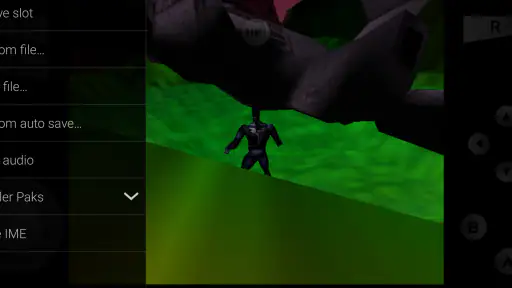
One of the first things I noticed was how smoothly the games ran. The emulator does an impressive job of replicating the original gaming experience. I didn’t experience any lagging, and the graphics were about as close to the real thing as you can get on a phone. The interface is user-friendly, making it easy to navigate through your game library and tweak settings to your liking. You can even connect Bluetooth controllers for a more authentic feel, which I found to be a game-changer.
More From Our News Desk

Clash of Clans Is Won Between the Battles

Android Auto Makes the Case for Quieter Car Software

MobiOffice: Transforming Mobile Productivity with Seamless Integration

EA SPORTS FC™ Mobile Soccer: Redefining Mobile Sports Gaming

How Microsoft OneDrive Became a Mobile Productivity Giant

How Google Translate Breaks Language Barriers Effortlessly
Making it work for your play style
For a quick session on a commute or while waiting for an appointment, touch controls are convenient because there is no extra hardware to carry. They are less convincing for games that rely on precise movement or several simultaneous inputs, where fingers can cover the screen and a physical controller is more comfortable. I would pair a Bluetooth controller at home, then keep touch controls for short, casual sessions rather than expecting one layout to feel ideal everywhere.
One useful workflow is to test a game briefly before investing time in a long playthrough. Check that it loads, that the controls feel manageable, and that the visual settings suit your phone; emulator performance can vary between devices and games. If something feels off, changing one setting at a time makes it easier to tell what helped. Cloud backup is especially relevant if you switch devices or want an extra layer of continuity, but I would still make sure I understand how my saves are being stored before relying on any backup as the only copy.
Small adjustments that make sessions easier
I’d take a few minutes to arrange the controls around the way I hold the phone, rather than assuming the default touch layout will suit every game. A layout that works for a slower adventure may feel cramped in a game that asks for quick, repeated inputs. I’d also try the screen settings in a short session before settling on them; the point is to make the image comfortable on a phone, not to chase a setting that looks impressive but makes play harder to follow.
There is a useful trade-off between convenience and consistency. Touch controls are always with you, while a Bluetooth controller can make longer sessions more comfortable but adds something to carry and connect. If I expect to play mostly at home, I’d set up the controller first and treat touch as a backup. If I’m only dipping into a game while away from home, I’d keep expectations modest and choose titles that remain enjoyable without precise physical inputs.
Features That Stand Out
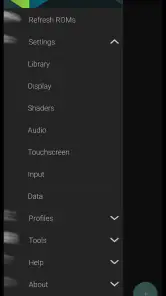
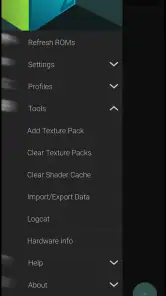
What sets this emulator apart from others are its customizable settings. You can adjust the graphic resolution, frame rates, and even apply cheats if you’re looking to spice things up. The app also offers save and load states, which means you can pick up right where you left off without any hassle. It’s those little details that enhance the gaming experience and keep you coming back for more.
Save states are particularly handy when a classic game expects you to reach a checkpoint or finish a long stretch in one sitting. I’d use them as a practical pause button, not as a replacement for the game’s normal save system: keeping both options in mind gives you flexibility if you move between sessions or devices. Cheats can also be useful for revisiting a difficult section, but they may change the intended challenge, so I’d leave them off on a first playthrough and turn to them only when frustration outweighs the fun.
Another noteworthy feature is the built-in support for multiplayer. Yes, you heard me right! You can now challenge your friends or complete strangers to a game of your choice. It's a fun way to relive those competitive days without having to gather everyone in the same room.
Cloud backup and keeping a playthrough together
Cloud backup is most useful when I think about the annoying moments it might prevent: changing phones, reinstalling an app, or wanting to continue a longer game away from the device where I began. It is a convenience layer, not a reason to skip sensible save habits. Before relying on it, I’d make a short test with a game I’m comfortable pausing, then check that the save I expect to keep is available after the relevant backup step.
For someone who rarely changes devices and plays one short game at a time, cloud backup may not be a major reason to choose this purchase. For someone who switches between devices or likes having a longer playthrough ready to resume, it can make the emulator feel more dependable as part of a routine. The benefit is in reducing friction around continuing, rather than changing what the original game is like.
Where it fits among emulator choices
Compared with playing on original hardware, this app is the more portable option: an Android phone can keep a library and controls close at hand, while a dedicated console offers the feel of playing on its original setup. Against other mobile emulators, the practical distinction here is the combination of customizable playback, save states, multiplayer support, and cloud backup. Those extras matter most to someone who will use them; a player who only wants to launch one game occasionally may prefer a simpler option rather than paying for features they will ignore.
There is no universal winner between a phone emulator and original hardware. I’d choose the phone when portability and the ability to pause or adjust a session matter more than the familiar feel of a dedicated setup. I’d choose original hardware if that physical experience is the whole point, or if I don’t want to manage game files and settings. Compared with a simpler mobile emulator, this one makes more sense when its extra flexibility is part of my regular play; otherwise, those options can be unnecessary complexity rather than a benefit.
A realistic use case is picking up a game for a few minutes during a lunch break, saving when time runs out, then continuing at home with a controller. That flexibility is the core convenience I would pay for. It still depends on having compatible game files and a device that handles the titles you want, so I wouldn’t buy it expecting every game to behave identically or assuming a phone will feel like a television and console setup.
What to check before settling in
If a game does not feel right on the first try, I would separate the possible causes instead of changing several things at once. First, confirm the file opens; next, see whether the issue is tied to controls or to how the image runs; then adjust one relevant setting and try again. This is a more useful troubleshooting habit than repeatedly changing everything, because it tells you whether the fix improved play or merely changed how it looks.
It is also worth being realistic about the phone itself. The app runs on Android, with a minimum operating system requirement of 6.0, but that alone does not promise identical results on every device. If smooth play is essential to you, testing a title you already know is a sensible first step. I would not plan a long session around an untested game until I knew how it behaved with my preferred controls and settings.
Final Thoughts
All in all, the M64Plus FZ Emulator delivers a fantastic retro gaming experience. It's like having a mini-game console in your pocket. Whether you’re looking to relive childhood memories or discover classics for the first time, this app has got you covered. Just a heads up, though: diving back into these games might consume more of your time than you expect. But hey, who’s complaining?
If you’re ready to take a trip down memory lane, this emulator is definitely worth the download. So, grab your ROMs, sync your controller, and get ready for some serious nostalgia. Happy gaming!
Who should buy it, and who should pass
I’d recommend it to Android players who already have legally obtained game files, enjoy adjusting how older games look and play, and will use conveniences like save states or cloud backup. It is also a better fit for someone who wants to use a controller at home but still have the option of quick touch-screen sessions away from it. The Everyone age rating makes it broadly accessible, though the practical setup still suits people comfortable managing their own game files.
I’d skip it if you want games included, expect a console-like experience with no configuration, or mainly play on iOS; this is an Android app. I’d also think twice if your priority is exact original hardware behavior or a physical controller in every setting. For a focused retro library on an Android phone, the $3.99 price is reasonable if you will use its flexibility. If your interest is only a single brief experiment, the purchase may be harder to justify. My verdict is simple: buy it for a library you plan to revisit, and pass if you want instant, ready-to-play convenience.
M64Plus FZ Pro Emulator Frequently Asked Questions
Does M64Plus FZ Pro Emulator need an internet connection to play?
M64Plus FZ Pro Emulator is intended for playing games through emulation, while its cloud backup feature can help keep saves backed up online. You can enjoy the core experience as an emulator, but an internet connection is relevant when using online features such as cloud backup or connecting with other players. Consider whether those features fit how you plan to play.
Do I need to own game files before using M64Plus FZ Pro Emulator?
Yes, you need game files to load and play games in the emulator. M64Plus FZ Pro Emulator does not replace the games themselves; you provide compatible files and select them from within the app. Make sure you understand the legal requirements for obtaining and using game files in your location before downloading or loading them.
What is the M64Plus FZ Pro Emulator?
The M64Plus FZ Pro Emulator is an advanced gaming application designed to emulate Nintendo 64 games on Android devices. It offers a robust performance, allowing users to play their favorite N64 games with enhanced graphics and customizable controls. This emulator supports a wide range of game formats, ensuring a seamless gaming experience for classic game enthusiasts. It is an arcade game developed by Francisco Zurita and is available for $3.99.
How do I install games on the M64Plus FZ Pro Emulator?
To install games on the M64Plus FZ Pro Emulator, you first need to obtain legally owned ROM files of your favorite N64 games. Once you have the ROM files, you can load them into the emulator by navigating to the 'Load ROM' option within the app. It’s important to ensure your ROMs are compatible with the emulator for optimal performance. The app acts as the player for those files rather than supplying the games.
Is the M64Plus FZ Pro Emulator compatible with all Android devices?
While the M64Plus FZ Pro Emulator is designed to work on most Android devices, compatibility can vary based on the device’s hardware capabilities. To ensure smooth gameplay, it's recommended to use it on devices with a modern processor and adequate RAM. Older devices might experience lag or be unable to run certain games smoothly. The app requires Android 6.0 or later, so check your device’s version before downloading.
Pros
- High compatibility with N64 games.
- Customizable control layout.
- Supports multiplayer via netplay.
- Frequent updates and bug fixes.
- User-friendly interface.
Cons
- Occasional performance issues.
- Requires high-end device for smooth performance.
- Limited support for ROM hacks.
- Ads in free version can be intrusive.
- Some features locked behind paywall.
- Category
- Arcade
- Version
- 3.0.332 (beta)-pro