M64Plus FZ Emulator
- 6.64K
- 4.7
- Installs
- 10.00M
- Price
- Free
Screenshots
Analysis by Reviewed
Playing classic 64-bit console games on a modern Android phone sounds simple until you actually try it. The difficult part is not only getting a game running; it is making the controls, display, save habits, and performance feel comfortable enough for a real session. That is where M64Plus FZ Emulator earns its place. Developed by Francisco Zurita, this free arcade game is built around emulating a certain 64-bit console, and in my experience its biggest strength is giving familiar games a practical home on a touchscreen device.
I would not describe it as a universal retro-gaming solution, because it has one very specific job. When that job matches what you want, the app can be far more useful than a general collection of old games or a basic emulator that only proves a title can launch. When it does not match your needs, the setup work and touch controls can become a real barrier. My view is that this is an app for people who already know which console library they want to revisit, not for someone looking for a casual game to open without preparation.
Its real value is focused emulation
The central capability is emulation: the app recreates the behavior of a 64-bit console so compatible games can run on Android hardware. That distinction matters. You are not downloading a new arcade game with its own levels and rules. You are using a tool that sits between your phone and your legally obtained game files, translating what the original console expected into something the phone can display and control.
That focused approach is the reason I find it more interesting than a generic retro app. A broad collection may be easier for a quick browse, but it often hides the actual systems underneath. Here, the purpose is clearer. You choose the game you want to revisit, configure the emulator around it, and then spend your time playing rather than searching through unrelated material.
The app has been available since July 21, 2016, which helps explain why it has become familiar to a large Android audience. It has passed 10 million installs and holds a 4.7 average from around 138 thousand ratings. Those figures do not guarantee that every title will behave perfectly on every phone, but they do suggest that the app has found a substantial audience among people interested in this particular kind of emulation.
It is also rated for Everyone and is free to use. That makes trying it less intimidating, especially if you are unsure whether your phone, controller, or personal game library will suit the experience. Still, “free” should not be confused with “instant.” The app removes the purchase barrier, but it does not remove the decisions involved in organizing games, choosing controls, and adjusting expectations.
What the capability changes on a phone
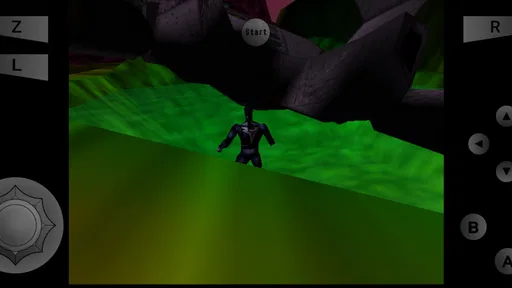
On a dedicated console, the controller and display were designed around one another. On a phone, neither assumption holds. The screen may be narrow, the virtual buttons may cover part of the action, and the phone may be held in a way that makes long sessions uncomfortable. The emulator’s job is therefore more than starting software. It has to make an old console experience workable in a completely different environment.
More From Our News Desk

 Gmail
GmailGmail in a Busy Inbox: Who Benefits Most?
From first account to crowded workday, Gmail earns its place through dependable search and flexible sorting—but its best fit depends on how much inbox maintenance you can tolerate.

 Prime Video
Switching to Prime Video: What Changes in Your Viewing Routine
Prime Video can make a compelling second home for streaming, but switching means learning a different catalog, rental layer, and route from browsing to playback.

 Universal TV Remote Control
Universal TV Remote Control Works Best as a Reliable Backup
A phone remote earns its place through quick setup and reliable habits. Here is how to get more from Universal TV Remote Control—and where its limits show.

 Weather - By Xiaomi
Weather by Xiaomi Review: Clear at a Glance, Less Clear Up Close
Xiaomi’s weather app makes everyday forecasts quick to scan, but its calm surface can leave useful details and recovery paths harder to find than they should be.

 X
XX Under Pressure: Can It Recover When Posting Goes Wrong?
A resilience-focused review of X, examining setup, mistaken posts, interruptions, weak connections, and the gaps that matter when recovery needs to be dependable.

 Clash of Clans
Clash of Clans Is Won Between the Battles
Its raids are quick; its community is a long-term project of coordination, teaching, rivalry, and shared responsibility—with all the friction that entails.
Latest News



I noticed that this changes which games feel natural to play. Titles that depend on broad movement and a small number of clearly separated actions can adapt reasonably well to a touchscreen. Games that demand precise camera control, quick combinations, or constant use of several buttons are much less forgiving. The same emulation capability can feel excellent in one game and awkward in another, so judging the app only by whether a title opens is too shallow.
A physical controller can make a major difference. With one connected, the phone becomes closer to a compact console, and the emulator’s purpose becomes easier to appreciate. Without one, I would treat the virtual controls as a convenience for short sessions rather than automatically assuming they can replace a proper gamepad. That is not a failure unique to this app; it is an unavoidable trade-off when console controls are placed on glass.
How I approach the first setup
The smoothest workflow begins before launching a game. I keep my game files organized in a dedicated location, use clear filenames, and avoid mixing unrelated console files into the same folder. That small amount of preparation makes the library easier to understand and prevents the first session from turning into a hunt through badly named files.
It is important to remember that an emulator is not the same thing as a game collection. I would only use game files that I am entitled to use, and I would not expect the app itself to supply commercial games. This distinction is especially important for newcomers who see an emulator and assume it works like a normal all-in-one download. It does not. The software provides the emulation environment; the user remains responsible for the content they load.
After that, I test one game at a time instead of importing everything immediately. This makes troubleshooting far easier. If a game has visual problems, unusual controls, or performance issues, I can identify the problem without wondering whether a crowded library or a complicated configuration caused it. It also gives me a chance to decide whether the game is genuinely enjoyable on my current device rather than merely technically compatible.
My practical tip is to begin with a short session and pay attention to three things: whether the controls feel reachable, whether the image is comfortable to watch, and whether returning to the game is straightforward. A title that runs well but is painful to resume is not a good everyday choice. This is one of the less obvious strengths of thinking about the emulator as a personal setup rather than a one-tap utility.
What everyday play feels like
Imagine a quiet commute or a short break at home. I open the emulator, choose a game I already know, and play for fifteen minutes. In that situation, the app can be excellent because it gives an old favorite a portable form without asking me to unpack a console. The value is not just nostalgia; it is the convenience of having a familiar game available on hardware I already carry.
That scenario works best when the game is forgiving and the phone is already configured. If I have to adjust controls every time, search for files, or remember which display setting suits a particular title, the convenience fades quickly. For short sessions, a stable personal routine matters more than having endless options.
For longer play, I would use a stand or a comfortable grip if possible. Holding a phone flat in both hands can become tiring, especially when the virtual controls occupy screen space. A controller improves the experience even further, but it also changes the portability advantage: now I need to carry another accessory and keep it charged. The emulator makes portable play possible, but it cannot eliminate the physical compromises of portable hardware.
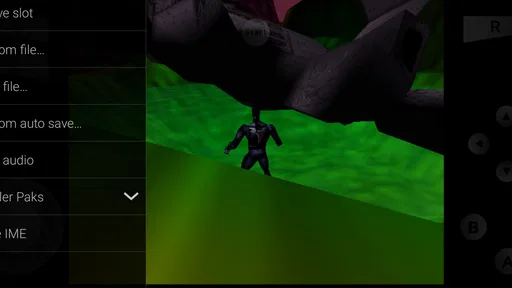
Another useful habit is to treat saves carefully. I do not rely on a single save state for an important game. I keep normal in-game progress when the title supports it and use emulator-based quick saves as a convenience rather than as my only backup. Save states are powerful because they let me pause at awkward moments, but they can also create confusion if I overwrite the wrong point or move files without understanding where progress is stored.
The best scenario for this emulator
The strongest use case is a player who owns or has access to a small, familiar library and wants to revisit it on Android. That person benefits from the app’s narrow focus because there is no need to learn several different systems or install a separate tool for every console. The emulator becomes a dedicated place for one style of retro play.
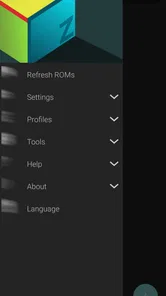
I also think it suits someone who enjoys adjusting a setup until it feels personal. The first few minutes may involve deciding between touchscreen play and a controller, arranging the library, and finding a comfortable display orientation. Once those choices are made, the experience becomes much more direct. The effort is front-loaded, which rewards people who expect to return to the same games repeatedly.
It is less convincing for a person who wants a completely frictionless arcade app. If your ideal experience is tapping an icon and immediately playing a self-contained game, an emulator may feel like work. A modern arcade title or a curated retro collection is likely to be a better fit because it handles the content and presentation for you.
Families should also consider the age rating in context. The app itself is rated Everyone, but the nature of the experience depends on the game files a user loads. I would treat the rating as describing the application, not as a guarantee that every possible game used with it will suit every player.
Where it compares well with alternatives
Compared with a general retro-gaming hub, this emulator offers a clearer purpose. You are not depending on a subscription-style catalog or a curated selection chosen by someone else. You build the experience around your own library and preferences. That is a strength for ownership and control, but it also means you take on more responsibility for finding, organizing, and maintaining the content.
Compared with playing on original hardware, the phone wins on convenience. It is easier to carry, easier to keep nearby, and potentially easier to use during a spare moment. Original hardware still has the advantage of authentic controls and a more natural connection to the games. If accurate physical input is your priority, the emulator paired with a controller is closer to the goal than touchscreen play, but it is still a substitute rather than a perfect replacement.
Compared with a different emulator aimed at another console, there is no meaningful advantage in asking this app to do the wrong job. Its appeal comes from its specialization. If your library belongs to another system, you should choose software designed for that system instead of expecting this one to become a universal answer. That is an important trade-off: focus can improve the experience when your needs line up, while limiting it when they do not.
Trade-offs I noticed during use
The first trade-off is simplicity versus control. An emulator can offer a more personal setup than a fixed game app, but every extra choice creates another opportunity for confusion. New users may wonder why one game feels smooth while another needs different handling. I recommend resisting the urge to change everything at once. Adjust one aspect, test it, and keep notes about what helped.
The second is portability versus comfort. A phone is always close by, but a touchscreen is not automatically a good game controller. Short sessions are easier to tolerate than extended ones, and games with demanding input expose the weakness quickly. A controller solves much of the problem, though it adds equipment and reduces the spontaneity of playing anywhere.
The third is convenience versus file management. Keeping a personal library organized gives you control and makes the emulator feel dependable. At the same time, it means you should understand where your files and saves live before changing phones or cleaning storage. I would make a backup of important progress before moving folders or resetting a device, because a tidy routine is safer than assuming every transfer will preserve everything automatically.
Performance is another area where expectations should remain realistic. The app may run very well on one phone and feel less comfortable on another, even when both appear modern. The result can depend on the game, the device, the chosen controls, and the amount of visual adjustment you are willing to accept. I would not buy a phone solely for this emulator without testing the games that matter to me first.
There is also a difference between technical success and enjoyable play. Seeing a title load is only the beginning. Audio, image stability, input response, and the ability to save and resume all affect whether I want to return. This is why I prefer evaluating one or two favorite games deeply rather than judging the app by a large number of launches.
Who gets the most from it
The best audience is made up of retro players who understand what console they want to emulate, already have legitimate game files, and are willing to spend a little time creating a comfortable setup. Those users gain portability without giving up the ability to choose their own games. They are also more likely to appreciate the focused design instead of seeing the lack of unrelated systems as a limitation.
It is a good choice for someone who wants to revisit a particular game during travel, keep a compact library on an Android phone, or use a controller with a portable screen. It can also suit a technically curious player who enjoys comparing touchscreen layouts, testing different ways to save, and refining the experience from one game to the next.
I would suggest skipping it if you do not want to manage game files, dislike virtual controls, or expect every title to work perfectly without adjustment. I would also choose another option if your main interest is a different console family. In those cases, the app’s specialization becomes a restriction rather than a benefit.
Francisco Zurita’s emulator is therefore best understood as a focused tool, not a magic shortcut. Its free price and Everyone rating make it approachable, while its strong reception—around 6.6 thousand written reviews alongside its high average—shows that many users find the concept worthwhile. My recommendation is simple: try it with one game you genuinely want to play, use a controller if you have one, and judge the experience by comfort and reliability rather than by the excitement of a successful first launch.
For the right player, that approach turns a phone into a surprisingly capable place for revisiting a specific 64-bit console library. For everyone else, the setup may feel like unnecessary effort. The real strength is not breadth but focused, repeatable access to the games you already care about.
M64Plus FZ Emulator Frequently Asked Questions
Can I save my progress in M64Plus FZ Emulator?
M64Plus FZ Emulator is designed to run Nintendo 64 games, and saving progress can depend on the game and the emulator features you use. Many games have their own in-game save system; emulator save states may also be available for picking up from a particular point. Check the controls and menus while a game is running so you understand which saving options apply to your setup.
Do I need an internet connection to use M64Plus FZ Emulator?
The main purpose of M64Plus FZ Emulator is to run Nintendo 64 game files on a compatible Android device, rather than provide an online game service. Once the app and the files you intend to use are available on your device, gameplay is generally local. You may still need internet access for downloading the app or managing related files, depending on how you set up your library.
Can I use M64Plus FZ Emulator on an iPhone or iPad?
M64Plus FZ Emulator is designed for Android devices, including compatible phones and tablets. It is not intended for iPhone or iPad, so iOS users should not expect to install or use this Android app on their device. If you have an Android phone or tablet, check that it meets your needs and remember that game performance can vary with its hardware.
Is M64Plus FZ Emulator suitable for younger players?
The app has an Everyone content rating, but it is an emulator rather than a collection of games. What a player can access depends on the game files they choose to use, so parents should consider the content of those titles as well as the app itself. M64Plus FZ Emulator is listed as free and is in the arcade category.
What is M64Plus FZ Emulator, and what devices does it support?
M64Plus FZ Emulator is an Android application designed to run Nintendo 64 games on compatible phones and tablets. It is intended for Android devices rather than iPhone or iPad, and performance can vary considerably depending on the processor, graphics hardware, Android version, and available memory. Newer devices generally provide smoother gameplay and better compatibility.
Pros
- Accurate Nintendo 64 emulation on many modern Android devices.
- Supports save states for quickly resuming games.
- Offers customizable on-screen controls and controller mapping.
- Includes multiple video plugins for performance and compatibility tweaks.
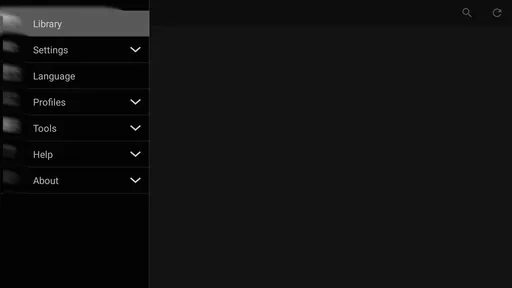
- Can organize locally stored ROMs into an accessible game library.
Cons
- Only available for Android
- with no official iOS version.
- ROM files are not included and must be obtained legally by the user.
- Some games require trial and error with graphics settings.
- Touch controls can feel awkward for precision-heavy games.
- Advanced options may be confusing for users new to emulation.