ePSXe for Android
- 5.44K
- 4.6
- Installs
- 1.00M
- Price
- $3.75
Screenshots
Analysis by Reviewed
I think the key to enjoying ePSXe for Android is treating it less like a game you simply open and more like a small, personal PlayStation setup. Once the game files, BIOS and controls are in order, it can make familiar adventures easy to pick up away from a television. The appeal is real, but so is the preparation: this suits a player who wants particular older games, not someone looking for an instant mobile arcade distraction.
Who will enjoy this kind of setup?
I think the best fit is someone who already knows which older PlayStation games they want to revisit and is comfortable arranging their own game files. If you mainly want a quick arcade game that installs and starts immediately, this is a different sort of commitment: ePSXe is an emulator, not a library of included games. The practical appeal is having familiar console games available when you have a few spare minutes, without needing to sit in front of a television.
A realistic use for me would be a quiet commute or a wait between appointments. I would pick a game I already own, check that its files are in place before leaving home, and use a controller if I expected to play for more than a short stretch. That small bit of preparation matters: searching for files or adjusting controls while out is less enjoyable than opening a game that is ready to go. Touch controls suit brief sessions, but games that rely on accurate timing or several simultaneous inputs are easier with physical buttons.
The Setup Experience
Getting started with ePSXe for Android was a breeze. First off, you need to download the app from the Play Store, and once that's done, the real fun begins. This app is basically an emulator, which means you'll need to get ROMs for the games you want to play. Now, legally speaking, you should only download ROMs of games you own. I won't judge, but you know, just saying!
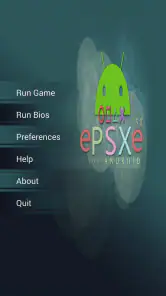
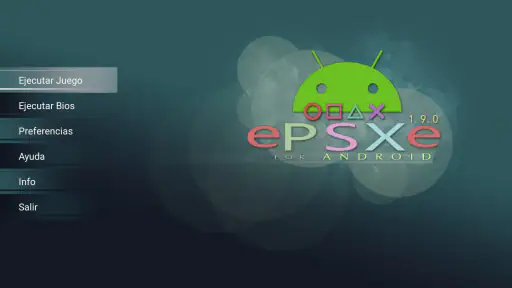
Once you've got your games ready, loading them up on ePSXe is straightforward. The app's interface is user-friendly, and you'll be guided through setting up the BIOS files – don't worry, it's not as technical as it sounds. I felt like a tech wizard navigating through the setup, and trust me, if I can do it, so can you!
Make setup repeatable, not fiddly
For a smoother routine, I would keep the game files I’m entitled to use and the required BIOS files organized in a place that is easy to find, then test one game before importing a large collection. That makes it much easier to tell whether a problem comes from setup or from a particular title. I’d also note which control layout feels comfortable for each kind of game rather than changing button positions every time I play; consistency is more useful than endlessly chasing a perfect arrangement.
The app is made by epsxe software s.l. and sits in the paid end of the arcade category, at $3.75. Its Everyone age rating is reassuring for families, although that label doesn’t change the fact that players need to source their own game files responsibly. The current version is 2.0.17, and it runs on Android 2.3 or later. It has been available since Aug 29, 2012, and its audience is substantial: over a million installs, a 4.6 average from around 56,000 ratings, and roughly 5,400 written reviews. I see that reputation as a useful sign of long-running interest, not a promise that every game will behave identically on every phone.
More From Our News Desk

Clash of Clans Is Won Between the Battles

Android Auto Makes the Case for Quieter Car Software

MobiOffice: Transforming Mobile Productivity with Seamless Integration

EA SPORTS FC™ Mobile Soccer: Redefining Mobile Sports Gaming

How Microsoft OneDrive Became a Mobile Productivity Giant

How Google Translate Breaks Language Barriers Effortlessly
Gameplay and Features
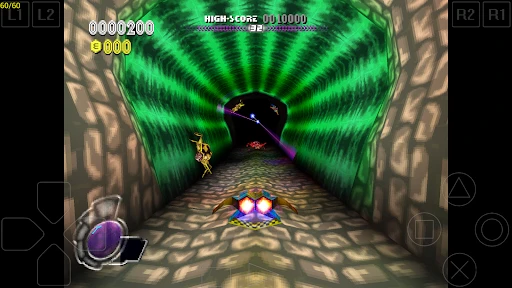
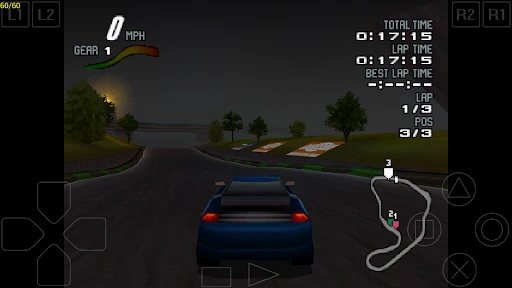
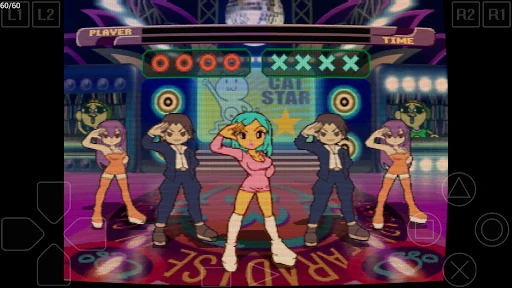
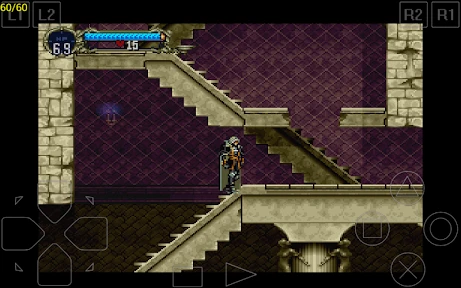
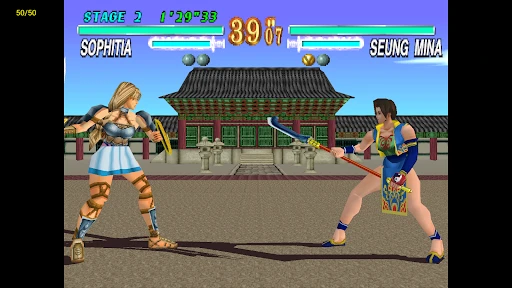
The real magic of ePSXe is in the gameplay. The app supports a wide range of PlayStation games, from classics like "Crash Bandicoot" to "Final Fantasy VII." The graphics are surprisingly good for an emulator, and the sound quality is on point. It's like I'm back in the 90s, sitting cross-legged in front of the TV, controller in hand.
What I really appreciated was the customizable controls. You can tailor the on-screen buttons to your liking or even better, connect a Bluetooth controller for that authentic feel. I tried both, and while the on-screen controls are decent, nothing beats the tactile feedback of a real controller.
Make shortcuts serve the game
My useful habit would be to treat save states as a convenience for practice and interruptions, not as a replacement for every normal save. In a game with clear save points, I’d use those for longer-term progress and keep a state for a difficult section or a short session I might need to stop suddenly. This gives me a fallback without making every restart depend on one temporary snapshot. Before relying on a state, I’d also make sure I can load it again; a quick check is better than discovering a problem after a long play session.
For controller play, I’d test the layout in a low-pressure area before reaching a boss or a tricky platforming section. A Bluetooth controller can make long sessions more comfortable, but it also means carrying and pairing another device. If portability and instant access matter more than precision, touch controls keep the setup simpler. That trade-off is why I wouldn’t call one control method universally better.
Another nifty feature is the save state functionality. You can save your progress anytime, which is a lifesaver for those tricky parts in a game. No more starting over from the beginning or waiting for a save point. It's these little things that make the gaming experience so much smoother.
Build a dependable play routine
I’d make the first session a test run rather than a serious attempt to finish a chapter. Start a game, check that the image and sound seem right, try the controls in a safe spot, and save and reload once. That short routine answers the practical questions that matter before a longer session: can I find the game again, does my chosen input method feel workable, and can I resume without guesswork? It also avoids confusing an unfamiliar game’s opening with an emulator issue.
For a short break, I’d choose a title with clear stopping points and use touch controls if the game handles them comfortably. For a longer evening, I’d pair a controller, settle into a consistent button layout and rely on the game’s own saves for ongoing progress, with a state as a quick convenience. This is a small distinction, but it changes how reliable the setup feels: a state is handy for pausing life, while ordinary saves are easier to understand when returning after several days.
A Few Things to Keep in Mind
While ePSXe for Android is a fantastic app, it's not without its quirks. Some games may not run perfectly, and you might encounter the odd glitch here and there. It's part of the emulation territory, I guess. But honestly, the occasional hiccup is a small price to pay for the joy of reliving these classic games.
This is also where it differs from the usual alternatives. A native mobile arcade game is generally easier to start and built around touch input, while a general-purpose emulator may ask for more setup and experimentation. I’d choose ePSXe when the goal is specifically to play a PlayStation title and I value familiar controls and save states. I’d choose a regular phone game for a no-preparation break, or a console and television when I want the largest screen and a more relaxed, shared session.
When a different option makes more sense
The choice depends on what I want from the next half hour. If I want to tap an icon and begin without preparing files or learning a game’s controls, a native phone game is the more sensible pick. If I want the feel of an older PlayStation game and can spend a little time setting up, this emulator has a clearer purpose. And if the point is playing together across a living room screen, a phone is a compromise: the portability that makes it convenient also means a smaller display and a more personal session.
I’d also skip it if I don’t already have a specific game in mind or if the idea of sorting out game files and BIOS setup sounds like a chore. The purchase gets the emulator, not a ready-made collection, so the cost is only one part of the effort. On the other hand, someone returning to one or two well-loved games can avoid clutter by preparing only those titles first. There’s little benefit in moving a large library onto the phone before confirming that the games I actually plan to play work as expected.
Where expectations matter
One common question is whether paying for the app means the games are included. It doesn’t: I’d plan on supplying game files and handling the BIOS setup separately. Another is whether a particular title will run flawlessly; I wouldn’t assume that, because emulation can vary by game and device. If a title stutters or shows a glitch, I’d test another game before changing several settings at once. Changing one thing at a time makes it easier to identify what actually helped.
For someone choosing between touch and controller play, my advice is simple: start with the controls already on hand, then add a Bluetooth controller only if precision or comfort is getting in the way. And if you’re wondering whether this is a good first emulator, the guided setup makes it approachable, but it still suits a patient user better than someone who expects a one-tap catalog of ready-to-play games. That distinction is the most important thing to understand before buying.
Settings worth checking before settling in
I wouldn’t start by changing every available option just because an emulator has settings. A better approach is to leave the initial setup alone, try a game, and adjust only when there is a specific problem or comfort issue to solve. If controls feel awkward, change the layout and test it; if a game behaves oddly, compare with another title before assuming a global setting is responsible. Keeping changes deliberate makes it easier to return to a setup that worked.
It is also worth keeping the phone’s role in mind. Playing on a touchscreen means fingers can cover part of the action, and virtual buttons do not provide the physical landmarks of a controller. I’d use touch for games where movement and timing are forgiving, then switch to a controller for sustained play or inputs that demand accuracy. That is not a flaw unique to this app so much as the practical trade-off of taking a console experience onto a phone.
The older minimum Android requirement makes the app accessible to a broad range of devices on paper, but it does not guarantee that every phone will feel equally comfortable or deliver identical results. I’d judge the experience by the actual game and device together, not by the age of the operating system alone. A quick trial with one title is more useful than assuming that compatibility means every game will be smooth.
The app is a paid one, which might put off some folks, but in my opinion, it's worth every penny for the nostalgia trip it offers. Just make sure your phone has decent specs for smooth performance, especially for the more graphically demanding titles.
My verdict for a returning PlayStation player
In conclusion, if you're a fan of classic PlayStation games and want to enjoy them on the go, ePSXe for Android is an absolute gem. It's like having a slice of gaming history in your pocket. So, grab your favorite ROMs, fire up the app, and get ready to dive back into those beloved gaming worlds. Happy gaming!
Who I’d recommend it to
I’d recommend it most to a returning PlayStation player who has a clear shortlist of games, enjoys making a setup feel familiar and is willing to test controls before settling into a longer session. The strongest use case is not replacing every kind of mobile game; it is keeping a particular console experience close at hand. The combination of portability, controller support and save states can make revisiting an old game fit more naturally into a busy day.
My practical recommendation is to start small: prepare one game, confirm the BIOS and files are recognized, try both the on-screen layout and a controller if one is available, then check that saving and resuming feel dependable. If those steps feel satisfying rather than irritating, the app is likely a good match. If they feel like too much work for a casual break, I’d spend that time with a native mobile game instead. That is the honest dividing line: ePSXe rewards a little care, but it cannot remove the setup that comes with emulation.
Sources:
- App fact-check source: ႵciteႵturn0search0Ⴕ
- Cross-check: ႵciteႵturn0search1Ⴕ
ePSXe for Android Frequently Asked Questions
How much storage space should I leave available before installing ePSXe?
It is sensible to leave room not only for the app but also for the PlayStation game files you plan to use. The emulator launches games from files stored on your device, so the space needed can vary with your game collection. Check your device’s available storage before adding files, and keep them organized so they are easy to find when you browse from the app.
Can I use ePSXe for Android with touchscreen controls?
Yes. ePSXe supports a virtual touchscreen pad, so you can play without connecting a separate controller. Touch controls are convenient when you want to start a game quickly, although the layout may feel different from a physical gamepad, especially in games that call for precise input. You can also consider an external controller if you prefer physical buttons.
What should I know about game files and BIOS before downloading ePSXe?
ePSXe is an emulator rather than a collection of PlayStation games. To play, you need compatible game files on your device, and the setup instructions call for loading BIOS and game ROM files. Make sure you understand how to obtain and use those files lawfully where you live, and have them ready before expecting to launch a game.
Is ePSXe for Android still receiving updates, and which version is current?
The current version is 2.0.17. If you are deciding whether to install it, check that your Android device meets the minimum requirement and review the version shown on the download page before proceeding. Keeping an app up to date can help you use its available features, while compatibility with a particular game can still depend on the files and setup you use.
Does ePSXe for Android require an internet connection to play?
ePSXe is an Android game emulator for playing PlayStation games, and the basic play setup uses game files stored on your device. Once the app and the files you need are available, you can launch a game from your device’s storage. An internet connection may still be needed for tasks such as downloading the app or obtaining files, but it is not part of the core gameplay itself.
Pros
- Supports various file formats
- Fast and smooth emulation
- Customizable controls
- Enhances graphics quality
- Wide compatibility with PS1 games
Cons
- Requires BIOS file to run
- Interface looks outdated
- Some games may lag
- Limited customer support
- In-app ads can be intrusive
- Category
- Arcade
- Version
- 2.0.17