Dominoes: Classic Tile Game
- 546.00
- 4.5
- Installs
- 500.00K
- Price
- Free

Screenshots

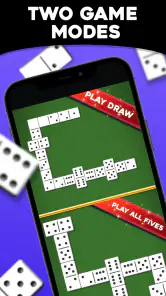




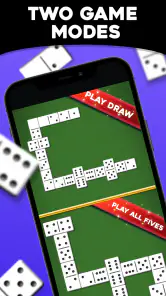

Analysis by Reviewed
When I want a board game that rewards a little thought without demanding a long setup, dominoes is an easy choice. Dominoes: Classic Tile Game brings that familiar tile play to a phone, so I can take a turn during a quiet break or settle into a longer match. Its straightforward idea is appealing, though how comfortable it feels depends on whether the screen and pace suit you.
Seeing the board and finding your way around
I found the visual approach easy to follow: the tiles stand out as the central focus, and the interface keeps attention on the current play rather than burying the game in complicated menus. That helps when I want to glance at the board, make a decision, and carry on. MobilityWare has kept the basic experience approachable, which is useful for someone learning dominoes as well as for a regular player who simply wants a familiar game.
There is still a difference between seeing a physical set spread across a table and viewing tiles on a phone. A larger screen may feel more comfortable for someone who has trouble distinguishing small details, while anyone who relies on magnification may find that enlarged content leaves less of the board visible at once. I’d try a short session before committing to long games, especially if screen readability is important to you.
Touch, sound, and the pace of play
Moving tiles by touch makes the game feel direct, but it also means that careful taps matter. If precise finger movement is difficult, playing on a smaller phone could be less comfortable than using a tablet or choosing a physical domino set with larger pieces. I would take my time rather than rushing a move; a relaxed pace is one of the advantages of a turn-based board game.
The game’s turn structure can suit people who prefer to think before acting, but it is not the same as playing around a table with conversation and tactile pieces. If you are sensitive to screen stimulation or simply want a break from your device, a real set is the better fit. For a quiet solo session, though, the digital format avoids the need to gather players or lay out tiles.
The Gameplay Experience
From the moment I launched Dominoes: Classic Tile Game, I was impressed by its clean and intuitive interface. The developers have done a fantastic job of keeping things simple yet visually appealing. The tiles are easy to see and move around, which is crucial for maintaining the flow of the game. The app offers several different modes, including Classic, All Fives, and Block, so there's something for everyone.
Classic Mode
If you’re a purist, Classic Mode is where you’ll want to spend your time. It’s the traditional game we all know and love, with a user-friendly interface that makes it easy to play against the computer or friends. I found the AI to be quite competent, providing a solid challenge, but not so difficult that it becomes frustrating.
More From Our News Desk

Weather by Xiaomi Review: Clear at a Glance, Less Clear Up Close

X Under Pressure: Can It Recover When Posting Goes Wrong?

Clash of Clans Is Won Between the Battles

Android Auto Makes the Case for Quieter Car Software

MobiOffice: Transforming Mobile Productivity with Seamless Integration

EA SPORTS FC™ Mobile Soccer: Redefining Mobile Sports Gaming
For a newcomer, Classic is also the sensible place to learn the rhythm of matching tiles before trying a variation. I’d play a few unhurried rounds and concentrate on the open ends: getting used to those choices makes later decisions in All Fives feel less like guesswork. If your main goal is to practise against an opponent without coordinating schedules, the computer option is a practical alternative to waiting for a friend.
All Fives and Block Modes
For those looking to mix things up, the All Fives mode adds a fun twist by scoring points for multiples of five. It adds an extra layer of strategy that keeps you on your toes. Block Mode, on the other hand, is all about getting rid of your tiles as quickly as possible, with the winner being the first to use all their tiles. Both modes offer a fresh take on the classic game.
These variations give me a reason to choose a mode based on the kind of attention I have available. All Fives suits a session when I want to calculate scoring as the layout changes; Block is a better pick when I want a more immediate contest around using my hand. If you are playing with someone who knows only one set of rules, agree on the mode first so the extra scoring logic does not interrupt the game.
Multiplayer Options
This app truly shines when it comes to its multiplayer capabilities. I was able to connect with friends easily, and the game ran smoothly without any noticeable lag. There’s also a chat feature, so you can banter and strategize with your friends while you play. It’s perfect for those long-distance game nights or when you just want to have some fun from the comfort of your couch.
That social option is most useful when both people already know the rules and can make time for a match. If you want spontaneous conversation with people nearby, a physical set may feel warmer and more natural; if friends are in different places, playing on a phone removes the need to be at the same table. I’d treat chat as a bonus rather than the main reason to play, since the strongest part of the experience is still the domino decision-making.
A practical fit for everyday play
A realistic use for me is a short break between tasks: I can start a round, focus on the tiles, and return to what I was doing once I’m done. The computer opponent is useful when nobody else is free, while friend play makes more sense when I want a shared activity. Compared with other digital board-game choices, this one is specifically for dominoes rather than a collection of unrelated games, so it is a better fit for someone who wants these familiar rules than for a player looking for lots of different activities.
It is free, rated for Everyone, and developed by MobilityWare. The game has a 4.5 average from around 16,000 ratings, with more than 500,000 installs. It was released on July 29, 2022, and version 1.3.0.914 requires Android 5.1 or later. Those details make it an easy option to try on a compatible Android device, but the rating alone cannot tell you whether its touch controls and presentation will work for your needs.
Small habits that make a better match
I find it useful to decide what I want from a session before opening a round. If I have only a little time, a focused game against the computer keeps the activity self-contained; if I’m arranging a match with a friend, I set aside enough time to enjoy the conversation as well as the moves. That distinction helps prevent a social game from feeling like another task squeezed between notifications.
In All Fives, I would pause briefly before laying a tile and check how the exposed ends affect the score, rather than treating the move as a simple way to shed a piece. In Block, I pay more attention to which suits remain available and avoid spending a tile just because it fits immediately. These are small habits, but they make the modes feel meaningfully different and help a newer player understand why a legal move is not always the best move.
One practical trade-off of playing digitally is that the game handles the layout and scoring, which reduces the bookkeeping that can slow a casual table game. That convenience is especially welcome when I’m learning or returning after a long break. The flip side is that I do less physical sorting and handling, so someone who enjoys arranging a hand of tiles may find the phone version less satisfying even when the rules are familiar.
Choosing the right setting
The game fits a quiet waiting room, a train ride, or a pause at home when I can give the board a little attention. For a commute, I’d choose a seat and a moment when I can look at the screen safely; it is not a good activity while walking or doing anything that needs my eyes and hands elsewhere. A round also works better when I can finish it without being interrupted repeatedly, since returning mid-game may take a moment to reconstruct my plan.
For households with different levels of experience, Classic can make a useful starting point because its matching logic is easier to explain than the scoring twist in All Fives. I would still check that everyone is comfortable with the screen and touch interaction before making it the group’s default. When the goal is teaching children or sharing a game with someone who prefers large physical pieces, a tabletop set can be clearer and more sociable.
Compared with broad collections of digital board games, this is a more focused choice: it gives dominoes the attention rather than asking me to browse several unrelated games. That focus is a strength if I know what I want to play, but a limitation if I like changing genres from one evening to the next. A physical set remains the better alternative for face-to-face play, while another game app may suit someone who values variety over a dedicated domino experience.
Where the experience may fall short
The strongest reason to skip it is also straightforward: if you do not enjoy dominoes, the three modes will not turn it into a broad board-game collection. Even a competent computer opponent cannot reproduce the feel of reading a friend’s expressions or handling real tiles. And while a clear layout is helpful, it does not guarantee comfortable play for every person or screen size. If small touch targets, visual fatigue, or device use are concerns, a physical set or a different game format may be a better choice.
I’d also separate convenience from accessibility: being playable on a phone does not automatically make a game easy for every ability or situation. Try a brief session in the setting where you expect to use it, and see whether you can comfortably distinguish the tiles and make selections. That simple check is more useful than assuming a familiar game will feel the same on every device.
It is also worth being realistic about the social side. Playing with friends can make a remote match feel shared, but it will not offer the same effortless turn-taking as sitting around one table. If the other person is unavailable, the solo option gives me a way to play anyway; if my main priority is conversation, a voice or in-person game night may be a better use of the time.
My verdict
Overall, Dominoes: Classic Tile Game does a fantastic job of bringing a beloved game into the digital age. It’s accessible, fun, and offers just the right amount of challenge to keep you coming back for more. So, whether you’re a domino aficionado or just looking for a new game to pass the time, give this app a try. You won’t be disappointed!
For me, it is best for people who already enjoy dominoes and want a convenient solo match or a way to play with friends at a distance. It is less suited to anyone seeking many game genres, a fully tactile experience, or controls they can verify will meet a particular access need before trying them. If that describes you, a real set or another board-game app may be the more satisfying choice; otherwise, I’d start with Classic and see whether the screen feels right.
Dominoes: Classic Tile Game Frequently Asked Questions
Can I learn how to play Dominoes: Classic Tile Game if I am new to dominoes?
Yes. The basic idea is easy to pick up: take turns placing tiles so matching numbers of dots meet at the ends of the chain. The published description presents it as a classic domino game, so newcomers can start with that familiar format and learn through play. Thinking ahead about which tiles to keep or place adds strategy as you become more comfortable.
How long does a match of Dominoes: Classic Tile Game take?
A match’s length depends on the tiles in play, the choices players make, and the rules of the mode you choose. The game is built around turn-based tile placement, which makes it easy to play at a relaxed pace rather than requiring quick reactions. If you have only a short break, you can start a game and see how far the match goes.
Who developed Dominoes: Classic Tile Game, and what kind of game is it?
Dominoes: Classic Tile Game is a board game developed by MobilityWare. Its focus is the familiar tile-matching pastime, presented as a digital game with competitive opponents. If you enjoy thinking ahead, spotting useful plays, and deciding when to hold or place a tile, its classic format should feel approachable while still offering room for strategy.
What is the main objective of Dominoes: Classic Tile Game?
The main objective of Dominoes: Classic Tile Game is to match tiles with the same number of dots at their ends. Players take turns placing their tiles on the board to create chains, aiming to be the first to use all their tiles or block their opponents, depending on the variant being played. It's a strategic game that requires planning and foresight to outmaneuver opponents.
Can I play Dominoes: Classic Tile Game offline?
Yes, Dominoes: Classic Tile Game can be played offline. This feature is great for those who want to enjoy the game without an internet connection. You can play against AI opponents, allowing you to practice and hone your skills anytime, anywhere. This makes it perfect for travel or when you're in areas with limited connectivity.
Pros
- Offers various game modes for variety.
- Simple
- intuitive user interface.
- Low storage requirements.
- No intrusive ads during gameplay.
- Multiplayer mode is smooth and enjoyable.
Cons
- Limited customization of game tiles.
- Occasional lag in multiplayer mode.
- No online leaderboard feature.
- Lacks detailed game statistics.
- Requires internet for multiplayer mode.
- Category
- Board
- Version
- 1.3.0.914













