Blossom Color: Floral Serenity
- 1.48K
- 4.8
- Installs
- 1.00M
- Price
- Free
Screenshots





Analysis by Reviewed
I look at Death Park Coloring Games as a choice for people who want a low-pressure creative activity with a spooky theme, rather than a full horror game. The key question is whether coloring eerie artwork sounds relaxing to you. If you enjoy making small visual choices at your own pace, this board-style game may be a pleasant change from puzzles that demand constant attention.
What to consider before choosing it
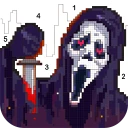
Its focus is narrow by design: the appeal comes from coloring images linked to ghosts, skeletons and Day of the Dead themes. That gives the experience a clearer identity than a general coloring app, but it also means the theme needs to be your kind of thing. I would choose it for a short creative break, not as a substitute for a horror adventure with exploration, scares or a story to follow.
It is free to install, with optional in-app purchases ranging from $1.99 to $59.99 per item. I’d treat that range as a reason to check purchase details before tapping, especially if a child will be using the game. Its Teen content rating is also worth considering for families: the spooky imagery may suit older kids and teens better than younger children, depending on their comfort with horror-themed art.
Unleashing Your Inner Artist
When I first stumbled upon Death Park Coloring Games, I was intrigued by the concept of combining horror themes with creative expression. The app opens up a gallery of spine-chilling images waiting to be brought to life with your choice of colors. Whether you’re a fan of haunted houses or creepy clowns, there’s something for every horror aficionado.
Features That Stand Out
One of the first things you’ll notice is the app’s user-friendly interface. It’s incredibly easy to navigate, which means you can jump right into coloring without any hassle. The app offers a wide range of coloring tools, from basic brushes to intricate patterns, allowing you to customize your artwork to your heart’s content.
Another highlight is the diverse color palette. With so many shades at your disposal, you can create anything from a subtle ghostly glow to a vibrant, terrifying masterpiece. Plus, the app provides a helpful zoom feature, ensuring even the smallest details are perfect.
Why It’s Worth Your Time
What I love about Death Park Coloring Games is that it’s more than just a coloring app; it’s a stress-buster and a creative outlet. After a long day, there’s something incredibly satisfying about zoning out and focusing on bringing these creepy images to life. It’s a unique way to unwind, especially if you’re a fan of horror themes.
More From Our News Desk

 Instagram
Instagram’s Power Comes From Its Place in Your Phone
A close look at how Instagram turns Meta’s reach, recommendation systems and everyday camera habits into durable platform power—and what that costs users.

 Gmail
GmailGmail in a Busy Inbox: Who Benefits Most?
From first account to crowded workday, Gmail earns its place through dependable search and flexible sorting—but its best fit depends on how much inbox maintenance you can tolerate.

 Prime Video
Switching to Prime Video: What Changes in Your Viewing Routine
Prime Video can make a compelling second home for streaming, but switching means learning a different catalog, rental layer, and route from browsing to playback.

 Universal TV Remote Control
Universal TV Remote Control Works Best as a Reliable Backup
A phone remote earns its place through quick setup and reliable habits. Here is how to get more from Universal TV Remote Control—and where its limits show.

 Weather - By Xiaomi
Weather by Xiaomi Review: Clear at a Glance, Less Clear Up Close
Xiaomi’s weather app makes everyday forecasts quick to scan, but its calm surface can leave useful details and recovery paths harder to find than they should be.

 X
XX Under Pressure: Can It Recover When Posting Goes Wrong?
A resilience-focused review of X, examining setup, mistaken posts, interruptions, weak connections, and the gaps that matter when recovery needs to be dependable.
Latest News



The app is developed by Fancy Games Studio, and its 4.7 average from around 7,200 ratings suggests that many players enjoy the concept. It has passed a million installs, giving it a substantial audience for a themed coloring game. The current version is 1.0.54, and it runs on Android 7.0 or later.
How it fits into a real day
I can imagine opening it during a quiet stretch after dinner, choosing one image, and coloring for a few minutes without needing to plan a long session. The zoom option is useful when an area feels fiddly: I’d work on the small details first, then zoom back out to check whether the colors still read well together. For a more deliberate result, I’d pick a limited palette before starting instead of changing shades at random. That keeps a ghostly image coherent without making the activity feel like a chore.
Compared with broad coloring apps, this one’s strongest distinction is its horror-oriented subject matter. A general coloring collection is a better fit if you want varied themes or a calmer, less macabre mood; a conventional board game is better if you want rules, turns and a clear win condition. Here, the reward is the finished picture and the process of making it your own. That trade-off makes it a good choice for casual creative downtime, but not for someone looking for strategic play.
A Few Tips to Get the Most Out of It
If you’re new to coloring apps, start with simpler images to get the hang of the tools. Don’t be afraid to experiment with different color combinations; sometimes the most unexpected pairings can lead to the coolest results. And remember, it’s all about having fun and letting your imagination run wild!
One practical consideration is that detailed coloring takes patience, especially if you prefer carefully controlled results. I’d avoid starting a complex image when I only have a minute to spare; a small section is a more satisfying stopping point. The game is also not the right pick if you dislike spooky imagery, need a strongly structured challenge, or want a coloring experience whose themes change widely from one session to the next.
Who will enjoy the focused theme
I’d point this toward someone who already likes Halloween decorations, ghost stories, skeleton illustrations or the bold visual motifs associated with Day of the Dead. The appeal is not simply that the pictures are dark; it is that the subject gives you a consistent mood to work within. If you enjoy making a palette feel eerie, playful or unexpectedly bright against a macabre subject, that constraint can be more inspiring than a blank page.
It can also suit people who find open-ended drawing a little intimidating. A coloring image gives you a defined starting point, so the creative decision is manageable: choose a shade, fill a region, and see how the composition changes. I find that kind of guided creativity useful when I want to make something without needing to invent the whole scene myself.
Small-session workflow and practical trade-offs
For a short break, I would choose an image before I have only a few minutes left, then set a simple goal such as finishing one visible area or deciding on the main colors. That avoids the familiar frustration of beginning a detailed picture and stopping almost immediately without feeling that I made progress. If I have more time, I’d use the zoom to handle tight sections, then step back periodically; details can look appealing up close but become too busy when viewed as part of the whole image.
A useful creative trade-off is to decide early whether I want the artwork to feel recognizable or deliberately strange. Colors that echo familiar real-world objects can make a skeleton or ghost easier to read, while an unusual palette can make the same image feel more fantastical. Neither approach is automatically better, but choosing one direction before filling many regions can prevent a finished picture from feeling accidental.
The app’s narrow subject range is also a practical limit. If I’m in the mood for landscapes, animals or everyday scenes, a broader coloring collection will give me more variety. If I want to draw from scratch, a sketching tool is a better match. This game sits between those options: it offers a specific set of spooky imagery and coloring tools, so its value depends on wanting that combination rather than expecting an all-purpose art studio.
Choosing between coloring and other games
The board-game category label may lead some people to expect competition or tactical decisions, but I would approach this as a creative coloring activity instead. It does not replace a tabletop-style game night, a strategy title or a puzzle built around solving a sequence of problems. Choose it when the process of filling artwork is the point; choose a conventional board game when you want clear rules, turns, and an outcome to work toward.
Against other coloring options, the main decision is theme versus breadth. A general-purpose coloring app may be more useful if you like switching between very different subjects, while a drawing app gives you more freedom at the cost of having to create your own shapes and composition. I’d choose this one when its horror-inspired art is exactly the mood I want, not because it is the most flexible option for every creative task.
Purchases, age and expectations
The game costs nothing to install, but its optional purchases span from $1.99 to $59.99 per item. I would not treat “free” as a promise that every part of the experience is included; before confirming a purchase, I’d read the on-screen details and make sure the amount is right. That is especially sensible on a shared device, where a younger player might tap through a purchase prompt without thinking about its cost.
The Teen rating makes it worth considering the player’s comfort with spooky art rather than assuming that every child will find the theme harmless. A parent can look at the imagery together with the child and decide whether ghosts and skeletons feel fun or unsettling. For a younger child who prefers friendly animals or bright everyday scenes, I would pick a gentler coloring app instead.
It is an Android game from Fancy Games Studio. Its current version is 1.0.54, and the minimum Android requirement is 7.0. Its 4.7 average, drawn from around 7,200 ratings, and more than a million installs suggest that the idea has found an audience, but I would still judge it by whether its particular subject matter matches your taste. Popularity cannot make a narrow theme feel right if you would rather color something else.
When I would skip it
I would pass if I wanted a frightening game with tension, exploration or a storyline. The spooky visuals are a theme for coloring, not a reason to expect the experience of a horror adventure. I’d also skip it if I get impatient with carefully filling small areas, or if I prefer a goal that can be won or lost rather than a picture that gradually comes together.
It may be a poor fit for anyone who wants a fresh mix of subjects every time they open a coloring app. The strong identity is its advantage, but the same focus can become repetitive if ghosts, skeletons and related imagery are not subjects you return to willingly. In that case, a broader collection would likely earn a place on your device more often.
For someone who does enjoy the theme, though, the focused artwork can make choosing a session easier. There is no need to decide among unrelated categories before getting started; I can settle on a spooky image and spend my attention on how I want it to look. That simplicity is appealing when I want a small creative task rather than another game demanding a long commitment.
A clear recommendation
In conclusion, if you’re on the hunt for a creative app that combines the thrill of horror with the joy of coloring, Death Park Coloring Games is definitely worth checking out. It’s a delightful mix of spooky and fun, perfect for anyone looking to add a little haunt to their art. So grab your virtual paintbrush and dive into this eerie coloring adventure!
Blossom Color: Floral Serenity Frequently Asked Questions
Is Death Park Coloring Games free to download, and what should I know about its costs?
Death Park Coloring Games is free to download, so you can try its horror-themed coloring experience without paying upfront. Optional in-app purchases are available, with prices ranging from $1.99 to $59.99 per item. These purchases are separate from the initial download, so check the purchase details before confirming anything, particularly if children or other family members use your device.
What kind of artwork and coloring experience can I expect?
The game is centered on coloring spooky, horror-inspired pictures, with themes that include spirits, skeletons, ghosts, and Day of the Dead designs. Its store description also presents the experience as color by number, making it suited to players who enjoy filling in themed artwork in a guided way. The overall appeal is more about creative coloring than action or traditional board-game play.
What is Death Park Coloring Games and how does it work?
Death Park Coloring Games is an interactive coloring application designed with a horror theme, focusing on the chilling environment of Death Park. Players can choose from a variety of spooky images to color, using different brushes and color palettes. The game is user-friendly and provides an engaging experience for horror enthusiasts who enjoy art and creativity.
Is Death Park Coloring Games suitable for children?
Death Park Coloring Games is rated Teen and is primarily designed for older players because of its horror theme. Its spooky subjects, including skeletons and ghosts, may be unsettling for younger children, so parents should use their judgment before allowing them to play. The coloring format is creative, but the themed imagery is still worth considering when deciding whether it is appropriate for a child.
Does Death Park Coloring Games require an internet connection to play?
No, Death Park Coloring Games does not require an internet connection to play. Once downloaded, users can enjoy coloring the images offline. However, some features like updates or sharing colored images with friends might require an internet connection.
Pros
- Wide variety of horror-themed illustrations.
- Intuitive and user-friendly interface.
- Offline mode available for on-the-go coloring.
- Regular updates with new content.
- No intrusive ads during gameplay.
Cons
- Limited color palette options.
- Some illustrations are paywalled.
- No multiplayer or sharing features.
- Occasional lag on older devices.
- In-app purchases can be pricey.