Zen Color - Color By Number
- 23.18K
- 4.6
- Installs
- 10.00M
- Price
- Free

Screenshots

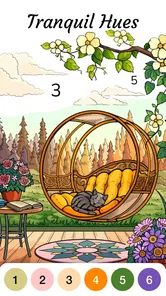
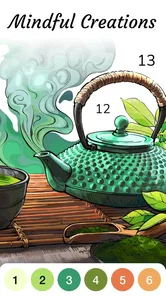
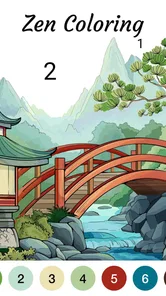

Analysis by Reviewed
I find the clearest way to judge Zen Color - Color By Number is to ask whether its simple, guided coloring suits the way you want to relax. It is a board game from Oakever Games, free to start, and its appeal is less about making original art than about filling in a picture one numbered space at a time. That structure can make it easier to begin than a blank canvas, though it also means the app makes many of the creative choices for you.
Finding your way around the pictures
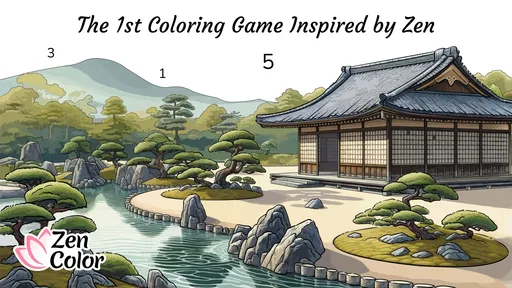
The first useful distinction is between choosing an image and working through it. The gallery gives you designs to pick from, then the numbered sections and palette provide a clear next step. I like that this reduces decision-making when I only have a few minutes and do not want to plan colors or sketch anything. If you enjoy choosing every shade and shaping a picture yourself, though, a free-form drawing app or a physical coloring book will feel less restrictive.
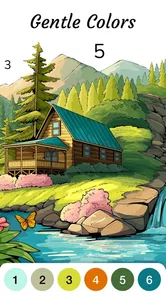
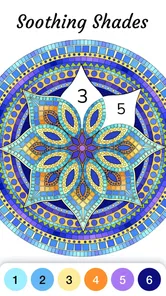
Once I start a picture, I find it helpful to scan the palette before tapping around. That gives me a sense of which color I am working on and helps me avoid aimless tapping when a section is small or easy to overlook. A practical routine is to finish one color at a time, then pause and check the overall image before moving on. This keeps the activity orderly, but it may feel repetitive if you prefer continuous brushwork or quick, dramatic changes.
Readability, touch, and sensory comfort
The numbered layout offers a useful visual prompt: I do not have to remember a color plan, because the matching number guides the next action. Still, intricate art can require careful attention to small spaces. If close visual detail is tiring for you, start with a simpler-looking image rather than assuming every picture will be equally comfortable. The game’s guided approach helps with the task itself, but it does not remove the need to see and tap individual areas.
The slow, repeated tapping can suit someone who wants a low-pressure activity, especially during a quiet break. It is not automatically comfortable for every hand or sensory preference, however. Long sessions may become tedious, and a person who dislikes repetitive touch or screen-focused tasks may prefer a different way to unwind. I would treat it as a short, optional pause rather than a replacement for rest that gets you away from a device.
When it fits into an ordinary day
For me, the best use case is a small gap in the day: waiting for a meal, taking a breather between tasks, or settling in before bed. I can choose a picture, fill a few sections, and stop without needing art supplies or a setup. That makes the format convenient, but it is still a screen activity; if your aim is to take a break from screens, a paper coloring book is the better choice.
It is also worth thinking about what you want from a coloring game. Compared with open-ended art apps, this one offers more direction and less room to experiment with composition or color. Compared with a printed book, it keeps the palette and numbered areas together on screen, but it does not provide the tactile feel of pencils and paper. I would recommend it to people who like guided, contained tasks; anyone seeking a creative tool with full control should look elsewhere.
More From Our News Desk

 Gmail
GmailGmail in a Busy Inbox: Who Benefits Most?
From first account to crowded workday, Gmail earns its place through dependable search and flexible sorting—but its best fit depends on how much inbox maintenance you can tolerate.

 Prime Video
Switching to Prime Video: What Changes in Your Viewing Routine
Prime Video can make a compelling second home for streaming, but switching means learning a different catalog, rental layer, and route from browsing to playback.

 Universal TV Remote Control
Universal TV Remote Control Works Best as a Reliable Backup
A phone remote earns its place through quick setup and reliable habits. Here is how to get more from Universal TV Remote Control—and where its limits show.

 Weather - By Xiaomi
Weather by Xiaomi Review: Clear at a Glance, Less Clear Up Close
Xiaomi’s weather app makes everyday forecasts quick to scan, but its calm surface can leave useful details and recovery paths harder to find than they should be.

 X
XX Under Pressure: Can It Recover When Posting Goes Wrong?
A resilience-focused review of X, examining setup, mistaken posts, interruptions, weak connections, and the gaps that matter when recovery needs to be dependable.

 Clash of Clans
Clash of Clans Is Won Between the Battles
Its raids are quick; its community is a long-term project of coordination, teaching, rivalry, and shared responsibility—with all the friction that entails.
Latest News



Getting Started with Zen Color
First things first, downloading Zen Color - Color By Number was a breeze. Available on both Android and iOS, I found it super easy to get it up and running. Right off the bat, the app greets you with a delightful array of intricate designs. The interface is clean and straightforward, which is perfect if you’re just looking to unwind without any fuss.
The Color by Number Experience
The main attraction here is the color by number feature, obviously. The app provides you with a variety of images ranging from simple patterns to complex artworks. Each section of the image is numbered, and all you have to do is match the numbers with the color palette provided. It’s almost therapeutic, watching your creation come to life with each tap.
What I found particularly cool is that Zen Color doesn’t limit you to a specific style. Whether you’re into landscapes, animals, or abstract art, there’s something for everyone. Plus, they keep adding new images regularly, so you never run out of things to paint. It’s like having a never-ending coloring book in your pocket!
Why Zen Color is a Must-Try
Now, you might be wondering, what’s so special about this app? Well, for starters, it’s not just about the coloring. Zen Color is also about finding a bit of calm in your hectic day. The app’s soothing background music and the satisfaction of completing a picture make it a perfect stress-reliever.
I also appreciate how Zen Color incorporates little motivational quotes as you color. It’s a nice touch that makes the experience more than just about the art. It’s about taking a moment for yourself, which I think we could all use a little more of.
Making a session easier to manage
I find the most useful approach is to decide what “done for now” means before opening a picture. It might be completing one color, filling a handful of sections, or finishing the whole image if I have the time. That small boundary keeps a relaxing activity from turning into an obligation. The number-matching structure makes it easy to resume the same kind of task after a pause, but the artwork can still invite you to keep going longer than planned.
For a busy day, I would choose an image that looks uncluttered at a glance and treat it as a short attention reset rather than a project to complete. If I am tired, I would avoid starting with dense-looking areas: repeatedly locating tiny spaces can become work instead of a break. This is a practical trade-off of guided coloring. It removes the pressure of inventing an image, but the act of finding and tapping each target remains part of the experience.
Who benefits from the guided format?
This is a particularly sensible choice for people who enjoy coloring but hesitate when faced with an empty page. The numbered prompts supply a clear next move, so the task can feel approachable without requiring drawing skill or a plan for the composition. It can also suit someone who wants a quiet activity alongside a low-key routine, provided screen use itself is comfortable for them.
I would be more cautious recommending it to someone who needs very large targets, strong control over the visual presentation, or a way to create without repeated touch. I also would not choose it for a child or adult looking for a competitive board-game session: the appeal here is patient image completion, not a contest or a strategic match. The Everyone rating indicates broad age suitability, but personal comfort with small visual details and screen interaction still matters.
Cost, compatibility, and expectations
The game is free, with in-app purchases priced at $9.99 per item, so I would decide in advance whether you are happy to stick with the free experience or spend on optional extras. Its Everyone age rating makes it broadly suitable, while the current version is 1.64.2 and the minimum operating system requirement is 7.0. It has a 4.7 average from around 180,000 ratings, and over 10 million installs; those figures suggest a widely used option, but they do not tell you whether its pace and visual style will suit you personally.
If you are unsure whether to keep playing, try a short session with one picture and notice how the small numbered areas feel on your device. That is a better test than judging only by a finished image: the repeated selection is the core activity. For a person who finds that rhythm calming, the guided format is the point. For someone who wants quick interaction, a competitive challenge, or unrestricted drawing, it may not hold attention for long.
How it compares with other ways to color
Among digital coloring options, the key distinction is how much of the work the app decides for you. A blank-canvas art app gives you more freedom, but you must supply the idea, choose the colors, and manage the tools. A paper color-by-number book also provides direction, while giving you a physical surface and a break from screens. This game sits between those choices: it offers a guided task on a device, which is convenient when carrying pencils or setting up a workspace would be a nuisance.
That convenience has limits. A phone or tablet remains the surface you look at and touch, so a small display can make detailed regions harder to work through. If you have a larger device available, it may be a more comfortable way to inspect intricate pictures, though I would still test a sample image first. The best comparison is not which option is universally better, but whether you want the ease of numbered digital filling or the control and tactile feedback of making marks yourself.
Wrapping Up My Zen Color Review
To sum it up, if you’re looking for a fun and relaxing way to unwind, I’d highly recommend giving Zen Color - Color By Number a shot. It’s easy to use, endlessly entertaining, and it adds a splash of creativity to your day. Whether you’re a seasoned artist or just looking for a new hobby, this app might just become your go-to digital escape.
So, why not give it a try? Dive into the world of colors and enjoy a little slice of tranquility with Zen Color - Color By Number.
Who is likely to enjoy it?
I see it working best for someone who likes a little structure, appreciates a calm pace, and wants to pick up and put down a picture without preparing materials. It is less suited to people who need highly flexible visual controls, dislike close detail, or want to create something from a blank page. My recommendation is simple: approach it as a guided coloring break, not as a full-featured art studio or a substitute for offline downtime.
My inclusive verdict
What I value most is that the numbered workflow makes the next action legible: I can focus on matching a section rather than holding a complex set of artistic decisions in mind. That can lower the barrier to starting, especially for someone who finds open-ended drawing intimidating. But the same design depends on visual tracking and precise touch, so it will not suit every ability or every device equally well.
My practical recommendation is to test the interaction, not just the finished pictures. Pick an image that appears manageable, work through a few areas, and notice whether the numbers and tapping feel comfortable at your usual screen distance. If that process is pleasant, the game offers an easy way to fit guided coloring into a spare moment. If locating small spaces or repeating taps becomes tiring, choosing a paper activity or a more flexible creative tool is a reasonable alternative—not a failure to enjoy coloring.
Zen Color - Color By Number Frequently Asked Questions
Can I play Zen Color - Color By Number at my own pace?
Yes. Zen Color is designed as a relaxing coloring game inspired by Zen, with number-guided pictures rather than fast-paced or competitive play. You can work through the sections of an image at a comfortable pace, making it a suitable choice for a quiet break or a little downtime. The experience centers on coloring, so it does not require you to race against other players.
Is Zen Color - Color By Number suitable for a quick break or longer coloring sessions?
It can work for either. The number-based format lets you make progress on a picture in short stretches, while the variety of sections in an image can also give you something to return to for a longer, more focused session. Since the game is built around calm coloring rather than timed competition, you can choose how long to play based on your mood and available time.
How much storage space does Zen Color - Color By Number need?
Zen Color - Color By Number is a coloring game, so the amount of space it uses can depend on the app itself and the pages you download for coloring. If your device is nearly full, it is sensible to check available storage before installing and leave room for additional content. The game is free to download, and it is available for devices running Android 7.0 or later.
Who developed Zen Color - Color By Number, and what kind of game is it?
Zen Color - Color By Number is a board game developed by Oakever Games. Its focus is relaxed, number-guided coloring rather than competition or fast-paced play, making it a gentle option for short breaks or quiet downtime. The game is free to download and is rated for Everyone, so its overall presentation is intended to be suitable for a broad audience.
What is Zen Color - Color By Number, and how does it work?
Zen Color - Color By Number is a relaxing coloring app that allows users to immerse themselves in coloring by numbers. The app provides a variety of intricate images and patterns, which are divided into sections marked by numbers. Users match these numbers with the corresponding color to complete the picture, making it an enjoyable and stress-relieving experience. It's perfect for those seeking a creative outlet without the hassle of traditional coloring.
Pros
- Intuitive user interface
- Large variety of coloring templates
- Relaxing and stress-reducing
- Offline mode available
- Frequent updates with new content
Cons
- Ads can be intrusive
- Limited free features
- Occasional app freezes
- In-app purchases can be costly
- Some templates require internet