Train your Brain - Attention
- 1.82K
- 4.5
- Installs
- 5.00M
- Price
- Free
Screenshots
Analysis by Reviewed
I tend to reach for a quick puzzle when I have a few spare minutes, and a focused set of attention games can feel more satisfying than endlessly scrolling. Train your Brain - Attention is a free trivia game from Senior Games that puts short mental challenges at the center. I find it best approached as a casual way to concentrate for a little while, rather than as a promise of measurable changes to intelligence or everyday memory.
What a quick session feels like
The appeal is immediacy: this is the sort of game I would open while waiting for a bus or taking a short break, not something that needs a long, planned session. Its attention-focused activities give a spare moment a clear purpose. If you enjoy puzzles that ask you to notice details or keep your concentration on a task, that basic loop is likely to suit you. If you want a deep story, competitive multiplayer, or a long-term collection of unlocks, a different kind of game will be a better fit.
I would also keep expectations realistic. A game can give me practice focusing on its own challenges, but that does not automatically mean I will become more attentive in every part of life. I like it as a small, enjoyable mental break, not as a substitute for sleep, study habits, or professional support when concentration is a serious concern.
How it fits into everyday play
From the moment I launched Train your Brain - Attention, I was greeted with a user-friendly interface that was both inviting and straightforward. No need to spend ages figuring out what to do, which is always a plus in my book. The app promises to boost your cognitive functions through a series of engaging activities, and it certainly delivers.
The Gameplay Experience
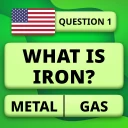
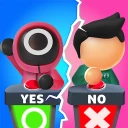
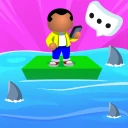
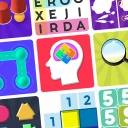
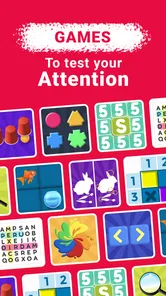
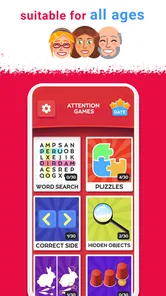
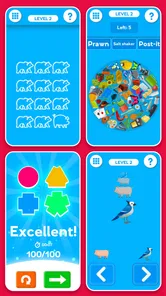
The app offers a variety of games designed to challenge and improve different aspects of your attention and concentration. Whether it’s focusing on visual cues or performing quick mental math, each game is crafted to test your limits. I found myself particularly engrossed in the memory exercises, which are both challenging and fun. They not only test your recall abilities but also enhance them over time.
One useful way to play is to treat each visit as a short, deliberate break: put other distractions aside, finish a challenge, and then decide whether you actually want another round. That makes it easier to notice when you are playing attentively versus tapping through automatically. It also helps if you are using the game between tasks; a quick puzzle can mark a pause, but I would not open it when I need to keep track of a time-sensitive errand or conversation.
Speed, load, and device expectations
For this kind of lightweight-feeling puzzle routine, I would expect the experience to work best in brief sessions rather than as a demanding game played for hours. I cannot infer exact loading times or battery use from the game’s format alone, so I would judge those on your own phone. If a session feels sluggish, closing other active apps and reopening the game is a sensible first check before assuming the game itself is at fault.
More From Our News Desk

Weather by Xiaomi Review: Clear at a Glance, Less Clear Up Close

X Under Pressure: Can It Recover When Posting Goes Wrong?

Clash of Clans Is Won Between the Battles

Android Auto Makes the Case for Quieter Car Software

MobiOffice: Transforming Mobile Productivity with Seamless Integration

EA SPORTS FC™ Mobile Soccer: Redefining Mobile Sports Gaming
It is rated for Everyone and lists Android 7.1 as its minimum operating system, so it is aimed at a broad audience while still having a device-compatibility floor. The current version is 2.8.5. I would check that your device meets the OS requirement before installing, especially if you keep an older phone in service. The game is free to start, with in-app purchases ranging from $0.99 to $4.49 per item; I would look at the purchase prompts carefully if you prefer a strictly no-spend experience.
Making short sessions work better
A realistic use case is the awkward ten-minute gap before an appointment: I can open the game, focus on a challenge, and stop when it is time to leave. I would avoid starting a round while boarding a crowded bus or crossing a station, though, because visual attention belongs on the surroundings in those moments. For a calmer commute, it works better once I am seated and can give the screen my attention without rushing.
I also find it useful to decide on a stopping point before opening any quick-play game. One activity can be a neat reset between work blocks; continuing indefinitely can turn that reset into another way to postpone the task. If I am tired, I would choose a low-pressure session or skip it rather than treating a weak result as evidence that I have lost ability. Fatigue, interruptions, and unfamiliarity with a particular challenge can all affect how a round feels.
For someone sharing a phone with a child, the Everyone rating is reassuring about the intended content audience, but it does not remove the need to supervise purchases. I would check the device’s purchase controls and explain that optional prompts are not part of a required puzzle. That small bit of preparation is more useful than assuming a free download can never lead to spending.
Why It Stands Out
What sets this app apart from others is its unique approach to cognitive training. While many apps promise to improve your brain power, Train your Brain - Attention does so in a manner that is both entertaining and scientifically grounded. The games are based on research, ensuring that the time you spend playing isn’t just for fun—it's also beneficial for your mental acuity.
Compared with general trivia games, its emphasis is more on attention and concentration than on memorizing a broad range of facts. Compared with elaborate brain-training apps, the straightforward presentation may be easier to pick up casually, though players who want detailed coaching or a highly structured training plan may prefer an option built around those priorities. I would choose based on whether I want a quick mental challenge or a more guided program, rather than assuming one style is universally better.
There is a useful distinction between this kind of focused puzzle and a conventional quiz. A quiz is usually most satisfying when I know the subject or enjoy recalling facts; attention challenges are a better match when I want to concentrate on what is happening in front of me. Neither is automatically more educational. If I want to learn history or science, I would choose a subject-based quiz; if I want a brief task that asks me to pay close attention, this game’s angle makes more sense.
It is also different from a paper puzzle book. A book is easier on the battery and can be used without a screen, while this game offers an interactive activity I can carry on the phone I already have. The trade-off is that a phone brings notifications and other distractions. I get more from a session when I silence interruptions or place the phone in a quieter setting, rather than expecting the game itself to create concentration around me.
Personal Touch and Progress Tracking
One of my favorite features is the personalized progress tracking. It allows you to see how much you’ve improved over time. This not only keeps you motivated but also gives you tangible proof of your progress. Plus, the app adjusts the difficulty of the games as you improve, which keeps things challenging and engaging.
Progress indicators are most useful to me as a record of how I am doing within the game, not as a clinical measure of attention. A practical tip is to compare your results across similar sessions instead of drawing conclusions from one unusually easy or difficult round. That keeps the feedback in perspective and can make it more rewarding to return without turning every play session into a test.
If I want to make that comparison fairer, I try to play under roughly similar conditions: not while half-watching a show, and not in the middle of a noisy interruption. I would also look for a pattern over several visits rather than chase a perfect score. This is a small but important distinction: the numbers can help me notice my own in-game consistency, while they cannot tell me why a particular day felt harder or establish how I will perform on unrelated tasks.
Another great thing about this app is its portability. Whether you're on a commute or waiting in line, you can easily whip out your phone and get a quick brain workout in. It’s like having a personal brain gym in your pocket!
Reliability and practical device limits
For a game built around short challenges, reliability matters less as a headline feature than as a simple question: can I open it when a spare moment appears and get into a round without fuss? I would judge that through ordinary use on my own device, since performance can vary with the phone, available storage, and what else is running. I would not treat a single slow launch as proof of a lasting problem; I would close and reopen the app, then see whether the issue happens again.
If it does become unresponsive, I would first allow it to settle rather than repeatedly tapping the screen. Then I would restart the game and check that the phone has enough free space and is not under unusual load. These are sensible first steps for a mobile game, not a guarantee that every issue has the same cause. I would avoid promising myself that progress will always recover in a particular way, and would not clear app data as an early troubleshooting step if I cared about local progress.
The Android 7.1 minimum makes compatibility an important check for people keeping older devices in use. Meeting that minimum does not mean every older phone will feel equally quick, so I would consider the device’s general condition too. If a phone already struggles to switch between apps, a game with brief sessions may still be usable, but it is worth being realistic about the experience rather than expecting a newer handset’s responsiveness.
I would also separate the game’s performance from the phone’s environment. A notification arriving mid-challenge, low battery mode, or a busy background can make a short session feel less smooth, even when the game is behaving normally. If performance is a deciding factor, I would test it during the kind of ordinary break when I expect to play, not only in ideal conditions. That gives a better sense of whether it fits my routine.
Who will enjoy it, and who may not
I would recommend it to someone who likes bite-sized puzzles, wants a low-commitment way to occupy a short wait, or prefers attention exercises to fact-based quiz rounds. Its 4.3 average rating across around 92,000 ratings, along with more than 5 million installs, suggests that it has found a sizeable audience. Senior Games released it on November 2, 2018, and the game has accumulated around 1,800 written reviews.
I would skip it if you dislike repeating compact challenges, expect guaranteed real-world cognitive gains, or want a social trivia contest with opponents. If you are deciding whether it can be used by a child, its Everyone content rating makes the intended audience broad; as with any game that includes optional purchases, I would still keep an eye on spending settings and prompts.
It is a particularly sensible fit for people who want an activity with a clear beginning and end, rather than an open-ended feed. I would be less likely to recommend it to someone who is already trying to reduce phone use and finds any mobile game tempting to keep open. In that case, a printed puzzle or a short walk may offer the same change of pace with fewer screen distractions.
For a player who likes competition, the choice depends on what kind. Someone who enjoys beating personal records may find the progress feedback motivating, but someone who wants to compare scores live with friends should choose a multiplayer trivia game instead. This is not a drawback for every player; it is simply a different reason to play, and knowing which kind of motivation works for you can prevent a mismatch.
For parents or caregivers, I would treat the game as a casual activity to share or try, not as a formal lesson or a substitute for schoolwork. A child who enjoys spotting patterns and concentrating on small tasks may find it engaging, while another may prefer a story game or a creative app. The broad age rating is one useful sign, but personal interest still matters more than the label when deciding whether a game will hold someone’s attention.
The Final Verdict
In conclusion, Train your Brain - Attention is a fantastic app for anyone looking to give their brain a bit of a boost. It’s engaging, scientifically backed, and most importantly, fun! If you're in the market for an app that not only entertains but also enhances your cognitive abilities, then this is definitely worth a try. So go ahead, download it, and start training your brain today!
My more measured recommendation is to try it for the kind of short break it is suited to, and decide whether its particular challenges make you want to return. The game is free to download, though optional purchases are available, so I would keep that in mind when setting expectations or handing over a device. I would not buy it as a promise of broad cognitive improvement; I would consider it if I wanted an accessible, attention-themed puzzle on Android and was happy to judge its value by how enjoyable and convenient it feels in my own routine.
Train your Brain - Attention Frequently Asked Questions
Is this game suitable for someone looking for short, casual brain-training sessions?
Train your Brain - Attention is built around brain-training games intended to improve attention and focus skills. Its trivia-game format may suit players who want light mental challenges rather than a story-driven adventure. If you enjoy exercises that ask you to concentrate and respond to a challenge, its general approach could be a good match for casual play.
Who makes Train your Brain - Attention, and what kind of game is it?
Train your Brain - Attention is a trivia game developed by Senior Games. Its focus is attention and concentration: the short description calls it a way to train your brain, while the main idea is to improve attention and focus skills through brain-training games. It may appeal to players looking for light mental challenges rather than a story-driven adventure.
What is Train your Brain - Attention?
Train your Brain - Attention is a cognitive training app designed to enhance your focus, memory, and problem-solving skills through a series of fun and challenging exercises. It offers a variety of brain games that target attention improvement and cognitive agility, making it suitable for all age groups who wish to boost their mental acuity.
Is Train your Brain - Attention available for both Android and iOS devices?
Yes, Train your Brain - Attention is available for download on both Android and iOS platforms. Users can find the app on Google Play Store for Android devices and the Apple App Store for iOS devices, ensuring a wide range of accessibility for different smartphone users.
What should I know about the age rating and device requirements before downloading?
Train your Brain - Attention is rated Everyone, so it is presented as suitable for a broad audience. On Android, it requires version 7.1 or later. Checking your device's operating system before downloading can help you avoid compatibility issues and decide whether the game is appropriate for the people who will be using it.
Pros
- Enhances cognitive skills effectively.
- User-friendly interface for easy navigation.
- Variety of challenging puzzles and games.
- Daily exercises to boost mental agility.
- Suitable for all age groups.
Cons
- Contains in-app purchases.
- May require internet connection.
- Some ads might be intrusive.
- Limited features in free version.
- Occasional bugs in updates.