Quiz Of Kings: Trivia Games
- 1.03K
- 4.3
- Installs
- 5.00M
- Price
- Free

Screenshots

Analysis by Reviewed
I’d approach Quiz Of Kings: Trivia Games as a quick, competitive trivia game rather than a quiet study tool. That difference matters: it is most appealing when I have a few spare minutes and feel like testing what I know, while a topic-by-topic learning app may suit me better when I want a structured lesson. It is a free trivia game from Morteza Salmanpour, rated for Everyone, with a 4.4 average from around 176,000 ratings and over 5 million installs. Optional in-app purchases range from $0.99 to $29.99 per item, so I’d check purchase prompts carefully if I’m handing my phone to a child.
Where a trivia session can get stuck
The most demanding part of a head-to-head quiz is not necessarily the question itself; it is answering under time pressure. I can know a fact and still hesitate over wording or rush into a mistake. That makes the competitive format lively, but it can frustrate anyone who prefers to think through an answer without a clock pushing them along. If I’m playing to relax, I’d treat a missed question as part of the game rather than a measure of what I know.
Another practical snag is expectation. A broad quiz can move between subjects, and a strong result in one area does not guarantee an easy round in another. I’d choose a category when I want to lean into a favorite subject, and use a random quiz when variety matters more than control. For a very focused revision session, a specialist quiz app or a book is likely a better fit.
Setup checks before blaming the game
The game is listed for Android 7.0 and later, and its current version is 1.20.6819. Before troubleshooting, I’d check that the device meets that minimum and that the installed app is up to date. If a quiz or social interaction seems slow, I’d also check whether the connection is stable; a live match depends more on a usable connection than a solo paper quiz does. These simple checks help separate an app issue from a device or network hiccup.
It is also worth deciding what kind of session I want before starting. If I have only a short break, a quick round is an easy way to make use of it; if I want to challenge a friend, I should allow enough time to finish the match rather than beginning as I’m about to leave. That small bit of planning makes the competitive side feel more fun and less like an interruption.
Recovering a session and choosing the right alternative
If a round behaves unexpectedly, I’d avoid tapping repeatedly or starting several actions at once. First I’d give the screen a moment, check the connection, and then reopen the game if it remains unresponsive. If the issue keeps returning, noting when it happens and what I was doing is more useful than guessing at a cause. For interruptions outside the game, such as a weak signal during a commute, a downloaded offline quiz or a printed quiz book is the safer choice.
Compared with a conventional solo quiz, this game’s appeal is the social competition: friends, teams, and real-time play can make familiar questions feel more involving. The trade-off is that a head-to-head session is less flexible than answering at my own pace. I’d recommend it to people who enjoy a little rivalry and varied general knowledge, but not to someone who wants guaranteed offline play, calm self-paced study, or a tightly controlled syllabus.
More From Our News Desk

 Instagram
Instagram’s Power Comes From Its Place in Your Phone
A close look at how Instagram turns Meta’s reach, recommendation systems and everyday camera habits into durable platform power—and what that costs users.

 Gmail
GmailGmail in a Busy Inbox: Who Benefits Most?
From first account to crowded workday, Gmail earns its place through dependable search and flexible sorting—but its best fit depends on how much inbox maintenance you can tolerate.

 Prime Video
Switching to Prime Video: What Changes in Your Viewing Routine
Prime Video can make a compelling second home for streaming, but switching means learning a different catalog, rental layer, and route from browsing to playback.

 Universal TV Remote Control
Universal TV Remote Control Works Best as a Reliable Backup
A phone remote earns its place through quick setup and reliable habits. Here is how to get more from Universal TV Remote Control—and where its limits show.

 Weather - By Xiaomi
Weather by Xiaomi Review: Clear at a Glance, Less Clear Up Close
Xiaomi’s weather app makes everyday forecasts quick to scan, but its calm surface can leave useful details and recovery paths harder to find than they should be.

 X
XX Under Pressure: Can It Recover When Posting Goes Wrong?
A resilience-focused review of X, examining setup, mistaken posts, interruptions, weak connections, and the gaps that matter when recovery needs to be dependable.
Latest News



Getting to Know Quiz Of Kings
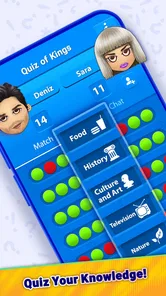
At first glance, this trivia game may seem like your typical quiz app, but its appeal is the mix of varied questions and competition with other players. The game is associated with trivia fans around the world, and its subjects include history, science, pop culture, and sports. That range makes it easier to find a familiar starting point, though it also means a session may move beyond the topics where I feel strongest.
Gameplay and Features
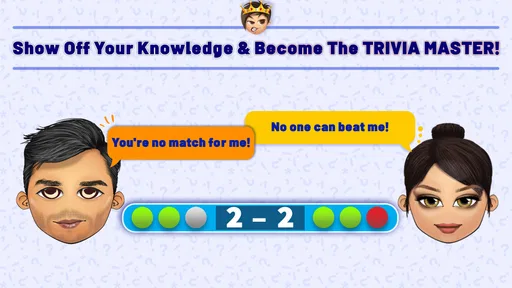
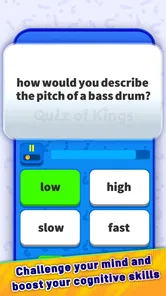
The gameplay is straightforward yet incredibly addictive. You start by selecting a category or jumping into a random quiz, competing against other players in real time. The time pressure adds an exhilarating twist as you race against the clock to outsmart your opponents. One of the standout features is the ability to create your own quizzes, which adds a personal touch and keeps the content fresh and exciting.
What’s more, the app supports multiple languages, making it accessible to a global audience. The interface is user-friendly, with a smooth and intuitive design that even the least tech-savvy users can navigate with ease. I found myself quickly getting the hang of it and diving into quizzes without any hassle.
The Social Element
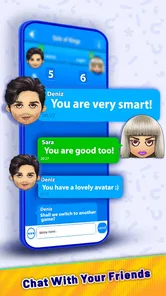
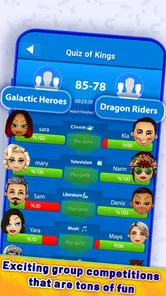
One of the aspects I absolutely love about this app is its social element. You can connect with friends, challenge them to a quiz duel, or join teams to compete in tournaments. It’s a fantastic way to keep the competitive spirit alive while bonding over shared interests. The chat feature is a nice touch, allowing players to communicate and strategize in real time.
Making a short session count
A useful way to fit the game into an ordinary day is to treat it as a small shared activity rather than something to leave running in the background. For example, if a friend and I are waiting for food or taking a break between errands, we can agree to play a duel and focus on the questions instead of scrolling separately. I’d avoid starting when one of us has to leave at any moment: the match format is more satisfying when both players can give it their attention.
There’s also a practical choice between picking a category and letting a quiz be random. If I’m playing with someone whose interests I know, a familiar subject can make the match feel welcoming and give us a common point of comparison. When I’m playing alone or want a less predictable challenge, a random selection is a better way to encounter topics I might otherwise skip. Neither approach guarantees that every question will feel equally approachable, so I try not to treat a single result as a verdict on my knowledge.
Creating a quiz offers a different kind of use from simply answering questions. I’d use it to turn a shared interest into a friendly challenge—for instance, preparing questions around a film series or a school subject before inviting someone to play. The trade-off is that writing good questions takes thought: they should be clear, have an answer that can be judged unambiguously, and suit the other player’s knowledge. It is more rewarding as a personal activity than as a shortcut to a ready-made lesson.
Who will enjoy it, and who may not
I think the strongest audience is people who enjoy general knowledge but get more motivated when another person is involved. Friends can use a duel as a light, low-effort way to compete, while teams may appeal to players who like sharing the experience rather than relying only on their own strengths. The Everyone age rating makes the game broadly accessible, but I’d still keep an eye on in-app purchase prompts when a child is using my device; free to install does not mean every optional purchase is free.
It is a weaker fit for someone preparing for a specific exam, learning a language through a planned curriculum, or looking for a quiet reference tool. A dedicated study app can organize material into lessons and track a particular learning goal more directly. Likewise, a paper quiz or an offline game is a safer choice when I know I’ll be without a reliable connection. The social, competitive character is the point here, but that same character is a limitation if I want complete control over timing and subject matter.
Compared with many solo trivia alternatives, the main distinction is the emphasis on playing against other people, with categories, teams, and chat adding a social layer. That can make familiar questions more exciting and give me a reason to return with friends. A solo quiz is usually the more convenient option when I want to pause freely, play without coordinating with anyone, or work through questions at my own pace. I’d choose based on the kind of session I want, not on an assumption that one format is always better.
When a glitch may have another cause
If a match feels delayed, I’d first consider the conditions around the phone rather than assuming the game itself is broken. A weak or changing connection can interfere with anything that relies on live interaction, and a device that is busy with other tasks may also feel less responsive. I’d close anything I no longer need, check the connection, and try again when I can give the game a steadier moment. If the problem appears only in one place or during one stretch of travel, that pattern is useful when deciding whether the cause is local connectivity.
For a screen that appears stuck, patience is better than repeatedly pressing buttons. I’d wait briefly, confirm the phone is responding, then close and reopen the game if necessary. If it happens again, I’d note whether it occurred during a match, while opening a particular screen, or after the connection changed. That simple record helps me describe the issue clearly if I seek help, and it avoids making several changes at once without knowing which one mattered.
Before installing or updating, I’d check that the phone meets the Android 7.0 minimum and has room to complete the process. The game’s current version is 1.20.6819, so checking for an available update is a sensible early step if something behaves oddly. These checks won’t solve every possible issue, but they are more useful than assuming every interruption is caused by a question or match. For a player using an older device, confirming compatibility first can save time.
Why You Should Try It
If you’re someone who enjoys learning new things in a fun and interactive way, this app is definitely worth a try. The variety of questions and categories ensures that you’re constantly learning something new, while the competitive aspect keeps you coming back for more. Plus, the app regularly updates its question bank, so you’ll never run out of new trivia to explore.
In summary, Quiz Of Kings: Trivia Games offers a refreshing take on the classic trivia game. Its engaging gameplay, social features, and diverse question categories make it an app that’s hard to put down. Whether you’re killing time on your commute or looking to challenge your brain, this app has got you covered. Give it a go, and you might just find yourself hooked!
My practical verdict is that I’d install it for quick, social trivia sessions, especially if I already have friends who enjoy a bit of competition. Its 4.4 average from around 176,000 ratings suggests that many players find the format appealing, and the 5M+ installs show that it has reached a substantial audience. Those figures are useful context, not a guarantee that every player will like a timed match or every question they encounter.
The game is free to install, and optional purchases are priced from $0.99 to $29.99 per item. I’d be comfortable trying it without treating a purchase as necessary to decide whether the format suits me, and I’d review any prompt before confirming it. For a family device, that quick check matters more than the broad age rating alone, especially if younger players may tap through screens quickly.
In the end, I’d choose this over a conventional solo quiz when the goal is to challenge a friend, share a team activity, or make a spare moment lively. I’d choose a focused learning app, offline quiz, or book when I need a dependable study plan, uninterrupted play, or time to think without a clock. That distinction makes the game easier to recommend honestly: it works best as social entertainment with a trivia streak, not as a replacement for every kind of quiz or learning tool.
Quiz Of Kings: Trivia Games Frequently Asked Questions
How much storage space does Quiz Of Kings: Trivia Games need?
Before downloading any game, it is sensible to check that your device has room for it. Quiz Of Kings: Trivia Games is a mobile trivia game, and the amount of space it uses can vary by device and over time. If storage is tight, reviewing your available space before installing can help prevent interruptions during setup or later use.
Is Quiz Of Kings: Trivia Games available on both Android and iOS?
Quiz Of Kings: Trivia Games is described as a mobile game for Android and iOS, so players can look for it on either platform. The available version and installation requirements depend on the device you use. Android users should also check the minimum software requirement before downloading, while iOS users can check compatibility in the store on their device.
Is Quiz Of Kings: Trivia Games suitable for children?
Quiz Of Kings: Trivia Games is a trivia game rated for Everyone, so its stated content rating makes it suitable for a broad audience. Its question-and-answer format can appeal to players who enjoy testing general knowledge, though children may find some topics more interesting than others. As with any game featuring online competition, parents may want to consider whether multiplayer play is appropriate for their child.
What is Quiz Of Kings: Trivia Games?
Quiz Of Kings: Trivia Games is an engaging and interactive mobile trivia game available on Android and iOS. The game allows players to compete with friends or random opponents in various trivia categories, testing their knowledge across multiple subjects. It features a user-friendly interface and offers a fun and educational experience for trivia enthusiasts.
Is Quiz Of Kings: Trivia Games free to play?
Yes, Quiz Of Kings: Trivia Games is free to download and play. However, the game includes in-app purchases for additional features or to enhance the gaming experience. These purchases can include items like extra lives, special trivia packs, or ad-free gameplay. While not necessary to enjoy the game, they can add value for dedicated players.
Pros
- Engaging trivia challenges
- Multiplayer mode with friends
- Wide range of topics
- Regular updates
- User-friendly interface
Cons
- Ads can be intrusive
- Requires internet connection
- Limited offline features
- Occasional bugs
- In-app purchases needed