Pixel Coloring-Color by number
- 221.00
- 4.4
- Installs
- 1.00M
- Version
- 1.39.3

Screenshots



Analysis by Reviewed
Alright, folks! Let's dive into the colorful world of Pixel Coloring-Color by number. If you're looking for a way to unwind after a long day or just want to channel your inner artist, this app might just be your new best friend. It’s a color-by-number app that brings simplicity and creativity together in a digital format. I’ve spent some time playing around with it, and here’s the scoop.
Getting Started with Pixel Fun
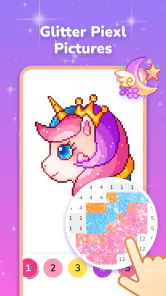
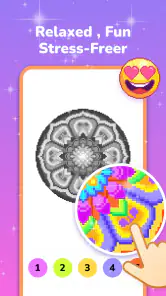
The first thing you'll notice when you open Pixel Coloring-Color by number is how user-friendly it is. You don’t need to be a tech wizard to figure this one out. The app greets you with a library of images ranging from intricate mandalas to cute animals and landscapes. Simply select an image, and you're ready to start coloring.
Coloring Made Easy
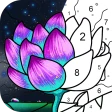
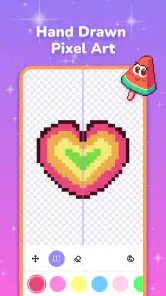
Now, I know some of us might be hesitant to try digital art, thinking it’s going to be complicated or require a lot of skill. But trust me, this app makes it super easy. Each image is divided into tiny squares, each with a number that corresponds to a color in the palette. Just tap the number and watch as your masterpiece comes to life. It’s as simple as that!
Features to Color Your World
One of the standout features of this app is its extensive library. Whether you're in the mood for something simple or something more challenging, there’s an image for every mood and skill level. Plus, new images are added regularly, so you’ll never run out of things to color. Another cool feature is the ability to share your completed works with friends. So, if you’re proud of your latest creation, you can easily show it off on social media.
Another aspect I love is the soothing background music. It’s like having your own little zen garden right in your pocket. The app also lets you turn off the music if you prefer to listen to your own playlist while coloring.
My Personal Take
Personally, I found Pixel Coloring-Color by number to be a great way to relax and unwind. It’s perfect for when you need a break from the hustle and bustle. Plus, it’s a fantastic way to jumpstart your creativity without the mess of traditional coloring. I found myself getting lost in the process, and before I knew it, I had spent hours coloring away. It’s so satisfying to see a blank canvas slowly transform into a vibrant piece of art.
So, if you're looking for a new hobby or just want to try something different, give this app a shot. It's a fun, relaxing way to pass the time and create something beautiful. Happy coloring!
Pros
- Great variety of coloring pages.
- User-friendly interface.
- Relaxing and stress-relieving.
- Regular content updates.
- Offline mode available.
Cons
- Contains ads.
- Limited free content.
- In-app purchases required.
- Occasional crashes.
- Color palette could be expanded.