Pastimes - Mini Games
- 427.00
- 4.4
- Installs
- 500.00K
- Price
- Free
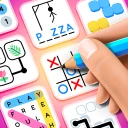
Screenshots

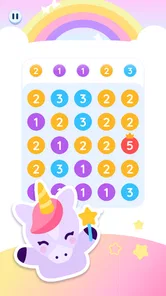
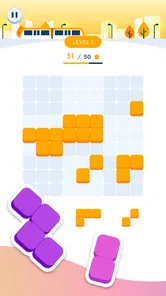

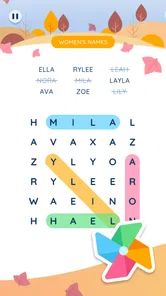
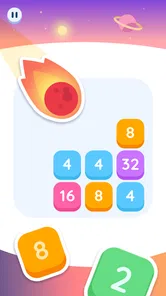
Analysis by Reviewed
Pastimes - Mini Games is the kind of trivia game I reach for when I want a short break rather than a demanding gaming session. It comes from Puzztime!, is free to start, and is aimed at Everyone, so the basic appeal is easy to understand: open it, choose a small pastime, and spend a few relaxed minutes testing yourself or simply keeping your mind occupied.
What makes it worth considering is its broad, family-friendly positioning. This is not presented as one large adventure with a complicated story to learn. It is a collection of lightweight activities, which makes the experience more approachable for a first-time player. I found that the best way to judge it is not by asking whether it can replace a deep puzzle game, but whether it gives me an uncomplicated way to fill a spare moment.
What to expect when you first open it
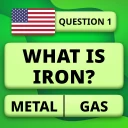
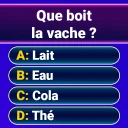
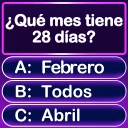
The game’s store summary focuses on daily pastimes and relaxing mini games, and that description sets the right expectation. I would not install it looking for a long campaign, competitive esports-style play, or a single puzzle mechanic that keeps becoming more complex. Its strength is variety within a casual format. You can dip in, try an activity, and stop without feeling that you have abandoned an important mission.
That makes the game particularly suitable for people who enjoy short trivia sessions, casual brain training, or simple entertainment shared around the house. A parent can introduce it to a child who wants something accessible, while an adult may use it during a coffee break or while waiting for an appointment. The Everyone rating supports that broad audience, although younger players may still benefit from an adult helping them understand any purchase prompts that appear.
The current version is 6.1.2, and the app has already reached over 500 thousand installs. Its average rating is 4.4 from roughly 6 thousand ratings, which suggests that many players find the overall concept appealing. I treat those figures as a useful sign of interest rather than a guarantee: a person who wants deep trivia content may still find the experience lighter than expected.
One important trade-off appears immediately in the format. Mini games are convenient because they do not demand much time, but that same brevity can make them feel less rewarding if you prefer a clear sense of long-term progression. If your ideal trivia app has extensive subject categories, detailed explanations after every answer, or a serious leaderboard culture, a dedicated quiz app may suit you better.
Starting without overthinking the choice
My advice for a first session is to resist the temptation to judge the whole game from the opening activity. A collection of pastimes naturally contains different moods and levels of appeal. One may feel more like a knowledge test, while another may work better as a calming distraction. Try the first option offered, then deliberately sample another before deciding whether the game belongs on your device.
More From Our News Desk

 Gmail
GmailGmail in a Busy Inbox: Who Benefits Most?
From first account to crowded workday, Gmail earns its place through dependable search and flexible sorting—but its best fit depends on how much inbox maintenance you can tolerate.

 Prime Video
Switching to Prime Video: What Changes in Your Viewing Routine
Prime Video can make a compelling second home for streaming, but switching means learning a different catalog, rental layer, and route from browsing to playback.

 Universal TV Remote Control
Universal TV Remote Control Works Best as a Reliable Backup
A phone remote earns its place through quick setup and reliable habits. Here is how to get more from Universal TV Remote Control—and where its limits show.

 Weather - By Xiaomi
Weather by Xiaomi Review: Clear at a Glance, Less Clear Up Close
Xiaomi’s weather app makes everyday forecasts quick to scan, but its calm surface can leave useful details and recovery paths harder to find than they should be.

 X
XX Under Pressure: Can It Recover When Posting Goes Wrong?
A resilience-focused review of X, examining setup, mistaken posts, interruptions, weak connections, and the gaps that matter when recovery needs to be dependable.

 Clash of Clans
Clash of Clans Is Won Between the Battles
Its raids are quick; its community is a long-term project of coordination, teaching, rivalry, and shared responsibility—with all the friction that entails.
Latest News



This is also where the app’s family angle becomes practical. Instead of treating it as a solitary score chase, I would use it as a turn-taking game: one person answers, another checks the result, and everyone moves on when the activity stops being fun. That approach works especially well when nobody wants to commit to a full board game or a long multiplayer session.
Getting through the first setup comfortably
Because this is a free game, the installation decision is relatively easy, but “free” does not mean every possible item inside the app is free. In-app purchases range from 49 cents to $14.99 per item. I recommend treating the first visit as an evaluation period: play normally, learn how the activities work, and decide later whether anything paid would genuinely improve your experience.
For families, I would make that decision before handing the phone to a child. The age rating is Everyone, which makes the content broadly approachable, but age suitability and purchase awareness are different things. A child may understand a trivia question perfectly well and still tap a purchase button without understanding its consequence. Keeping the first session supervised is a simple way to avoid that confusion.
The minimum operating-system requirement is Android 7.1, so the game can be considered by people using older compatible Android devices as well as newer phones. On a first launch, I would give the app a moment to settle rather than immediately closing it if the opening feels unfamiliar. Casual game collections often need a little exploration before their structure becomes obvious.
A useful setup habit is to decide what you want from the session. If I have only five minutes, I choose one activity and stop after a successful attempt. If I am playing with someone else, I keep the phone visible and agree that the goal is entertainment rather than proving who knows the most. This small change prevents the game from turning a relaxed break into an unnecessarily tense competition.
Finding the first meaningful success
For a new player, success should not mean achieving an impressive score immediately. I define the first useful win as completing one pastime, understanding why the answer or result worked, and knowing how to return to the wider selection. That gives you a working mental map of the app instead of leaving you with a single lucky tap.
I would begin by reading each prompt fully before touching an answer. In a fast, casual format, it is easy to react to a familiar word and miss the actual question. If the game presents a choice between answers, I pause long enough to eliminate the options that clearly do not fit. This is a simple technique, but it turns the first session into a genuine trivia exercise rather than random guessing.
Once an activity ends, take note of how the app communicates the result. Some players naturally want to replay a mistake, while others prefer to move to a different pastime. My recommendation is to replay only when you can identify what confused you. Repeating the same choice without thinking may feel active, but it does not help you learn the game’s rhythm or improve your knowledge.
A realistic everyday scenario would be using it during a ten-minute wait before an appointment. I would open the game, select one short activity, complete it without switching constantly, and then close the app after the result. That workflow is better than trying to explore every option at once. It keeps the session relaxing and makes the game feel like a useful pocket pastime rather than another application demanding attention.
How to make the first session work for a group
When I play a casual trivia game with another person, I prefer to alternate who reads and who answers. That removes the pressure of one player controlling the entire phone and gives both people a reason to stay engaged. With children, I would also explain that a wrong answer is part of the activity, not a reason to rush through the next screen.
The broad age rating makes this shared approach possible, but the game may still land differently with different age groups. Adults who enjoy obscure facts may want more difficulty than a family-focused pastime provides. Younger players may enjoy the quick feedback but need help with reading, vocabulary, or interpreting a question. The app is therefore best viewed as a flexible shared activity, not a perfect difficulty match for everyone.
Common confusion and the limits of the format
The first possible misunderstanding is expecting a full trivia database with the depth of a specialist quiz platform. Pastimes - Mini Games is more casual than that. Its appeal comes from accessible activities and easy entry, not from building an encyclopedic study routine. If you are preparing for a formal quiz competition, I would use a dedicated learning resource instead and keep this game for relaxation.
A second point of confusion is the difference between variety and progression. Having several mini games can make each visit feel fresh, but variety alone does not guarantee a strong long-term goal. I would not choose this title primarily for character development, a story campaign, or a carefully structured ladder of increasingly difficult stages. It is a better fit for players who enjoy changing activities without needing a large reward system around them.
There is also a practical question about purchases. Since individual in-app items can cost from 49 cents up to $14.99, I would avoid tapping through screens automatically. Read what an item is meant to do and ask whether it solves a problem you actually have. In a game built around short pastimes, paying for something is most defensible when it removes a specific annoyance or adds value you will use repeatedly, not simply because the button appears at the right moment.
Another limitation is that casual play can become repetitive for a player who spends long stretches in the app. The same relaxed structure that works during a brief break may feel thin during an extended evening session. My solution is to use it in small portions and rotate it with another type of entertainment. That keeps the activities from losing their charm and matches the design’s pick-up-and-play character.
Players should also be comfortable with an experience that may not always feel intellectually demanding. Trivia can mean serious knowledge testing, but here it sits inside a wider mini-game package. If you want every question to teach you something substantial, look for an app that emphasizes explanations and subject depth. If you want a quick prompt, a light challenge, and a reason to put the phone down afterward, this game makes more sense.
Who should try it, and who should skip it
I would recommend it to families looking for a simple shared activity, casual players who dislike complicated controls, and trivia fans who enjoy small bursts rather than marathon sessions. It also suits people who want a free starting point before deciding whether they are willing to spend anything on optional items. The developer, Puzztime!, has positioned the game around approachable pastimes, and that focus is clear in the way I use it.
I would skip it if your priority is a serious competitive ranking system, a large educational curriculum, or a single puzzle mode with deep mastery. I would also choose another game if you need a completely uninterrupted experience with no purchase-related decisions. The presence of optional items does not make the app unsuitable, but it means I would be more cautious when sharing the device with children or less experienced users.
Compared with a traditional trivia app, this title feels broader and less academic because it places trivia-style play beside other relaxed mini activities. Compared with a pure puzzle game, it is less focused and may not offer the same satisfaction of mastering one mechanic. Its middle ground is the main reason to install it: you get a casual collection that can adapt to your mood, but you give up some depth in exchange for that convenience.
What to do after the first successful session
After completing the first activity, I would create a simple rotation rather than repeatedly choosing the same pastime. Try one activity that feels familiar, one that tests a different kind of attention, and one that you find less immediately appealing. This helps you discover whether the collection has enough variety for your habits instead of judging it solely by the opening experience.
If you enjoy playing with relatives, set a natural stopping point before beginning. For example, agree to take one turn each and compare reactions afterward. This keeps the game from becoming a source of arguments over speed or accuracy. It also makes the short-session design work in its favor: everyone gets a clear chance to participate, and nobody has to stay for an entire evening.
For solo use, I suggest keeping the app as a deliberate break rather than an automatic fallback whenever you feel bored. Open it with a small goal, such as completing one activity carefully or trying a mode you have not used. When that goal is done, stop if you feel satisfied. This approach gives the game a useful place in a daily routine without allowing a collection of tiny activities to consume more time than intended.
My overall impression is positive, with a clear qualification. Pastimes - Mini Games is an approachable free trivia and mini-game option for relaxed, family-friendly sessions, and its 4.4 average from about 6 thousand ratings reflects a concept that connects with many players. I like it most when I use it in short bursts, explore more than one activity, and keep purchase decisions separate from the excitement of a new game.
The best reason to install it is simple: it offers an easy first step into casual play without asking you to learn a complicated system. Just keep your expectations aligned with that promise. It is not the strongest choice for deep study, intense competition, or a long progression journey. For a quick mental diversion, a shared family break, or a few minutes of everyday entertainment, though, it is a sensible app to try.
Pastimes - Mini Games Frequently Asked Questions
What age rating does Pastimes - Mini Games have?
Pastimes - Mini Games is rated Everyone, which makes it suitable for a broad audience. Its focus on relaxing mini-games may appeal to families looking for a simple shared activity, as well as players who want a casual break. The age rating is useful to consider before downloading, but parents may still want to look over the app and supervise younger children’s use.
Who developed Pastimes - Mini Games, and is it actively maintained?
Pastimes - Mini Games is developed by Puzztime! The game’s current version is 6.1.2, and it was released on December 2, 2024. Those details can help you identify the app and check that you are looking at the intended download before installing. Keeping the game updated through its official app-store page is a sensible way to receive available version changes.
What is Pastimes - Mini Games?
Pastimes - Mini Games is a casual gaming app that brings together a selection of short, easy-to-play activities in one place. It is designed for quick entertainment rather than long gaming sessions, making it suitable for passing time during breaks, while traveling, or whenever you want something simple without a complicated learning curve. The available mini-games may vary depending on the app version and device.
Is Pastimes - Mini Games suitable for children?
The app can be appealing to children and families because its mini-games are generally simple to understand and do not require advanced gaming skills. However, parents should check the current age rating, content details, advertising policy, and privacy information on the Google Play Store or Apple App Store before installing it. Some versions may include ads or optional purchases, so parental supervision is recommended.
Does Pastimes - Mini Games require an internet connection?
Some mini-games may work without a constant internet connection, which makes the app convenient for offline moments such as flights or areas with weak reception. Nevertheless, an internet connection may be needed for the initial download, advertisements, updates, analytics, or certain features. Offline availability can differ between versions, so it is best to test the games after installation rather than assuming every activity works completely offline.
Pros
- Quick mini-games are ideal for short breaks or casual play.
- Simple controls make the app accessible to a wide range of players.
- The variety of activities helps prevent the experience from feeling repetitive.
- Lightweight gameplay generally suits older or less powerful devices.
- It offers an easy way to play without learning complicated rules.
Cons
- Some mini-games may feel too basic for experienced players.
- Replay value can depend heavily on personal interest in each activity.
- Frequent interruptions may affect the flow of shorter game sessions.
- The app may become repetitive after extended daily use.
- Progression and rewards may feel limited compared with larger game titles.