Lichess beta
- 74.00
- 3.9
- Installs
- 500.00K
- Price
- Free

Screenshots
Analysis by Reviewed
I approach a chess app differently depending on the moment: sometimes I want a quick game, and sometimes I want to understand why I lost the last one. Lichess beta is built for both kinds of visits, with online and offline chess at its core. It is a free board game from lichess.org, and its appeal is less about dressing chess up than making it easy to return to the board when I have a spare moment.
Where the beta stands today
The beta label is worth keeping in mind. The current version is 0.15.11, and the game’s release date was May 16, 2024. Those details tell me which build I am considering, but they do not, by themselves, prove what has changed between releases. I would treat the version as a useful reference when discussing a problem or checking whether my app is current, rather than as a promise that a particular new feature has arrived.
For a chess player choosing between this and a conventional mobile chess game, the clearest distinction is its open-source identity and its online-and-offline focus. It has an average rating of 3.9 from around 2,700 ratings, with about 74 written reviews, and has passed 500,000 installs. I read those figures as signs of an established audience, not as a guarantee that every player will like the interface or find the same opponents and routines useful.
The User Experience
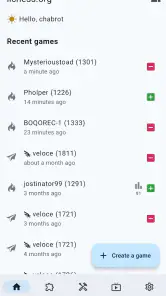
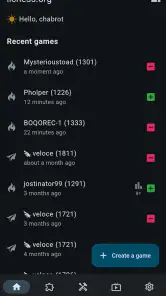
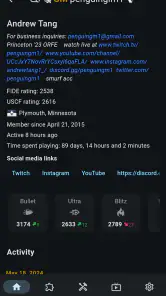
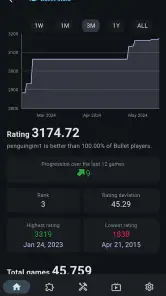
Let me tell you, the user interface of Lichess beta is clean, intuitive, and just plain beautiful. From the moment you open the app, you're greeted with a straightforward menu that doesn't waste your time with unnecessary fluff. It’s like the app knows exactly what you want – to play chess! The board is clear, the pieces are easy to move, and every tap feels responsive. Whether you’re a seasoned grandmaster or just starting out, the app caters to all skill levels with ease.
Game Modes Galore
One of the coolest things about Lichess is its variety of game modes. Feel like a quick blitz? They’ve got you covered. Want to take your time and think through every move in a classic game? You can do that too. And for those who enjoy a bit of flair, there are even unique modes like Chess960 and Atomic chess. It’s like having a chess buffet at your fingertips, and I can't get enough of it!
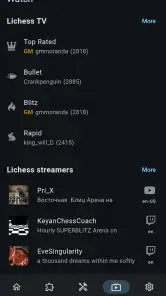
Additionally, the online multiplayer feature is superb. You can challenge friends or random opponents from around the globe. The matchmaking is pretty quick, and the competition is stiff, making every victory feel like a real achievement.
Making a game fit the moment
The choice of format matters more on a phone than it first appears. A short game can fit a break, but only if I can give it my attention from start to finish; a notification or a crowded commute can make a live match feel like an obligation rather than a relaxing diversion. When I know I may be interrupted, I prefer a puzzle or an offline session, where I can focus without worrying about an opponent waiting for my next move.
More From Our News Desk

Weather by Xiaomi Review: Clear at a Glance, Less Clear Up Close

X Under Pressure: Can It Recover When Posting Goes Wrong?

Clash of Clans Is Won Between the Battles

Android Auto Makes the Case for Quieter Car Software

MobiOffice: Transforming Mobile Productivity with Seamless Integration

EA SPORTS FC™ Mobile Soccer: Redefining Mobile Sports Gaming
A practical routine is to decide on the session before opening the board: one puzzle, one relaxed game, or a review of a position that bothered me. That small choice keeps the many options from turning into aimless tapping. It also helps a newer player avoid measuring progress by wins alone. A puzzle can reveal whether I spotted a tactical idea, while a game review can show whether I repeatedly miss the same kind of threat.
Learning that fits into a real routine
For someone new to chess, having several modes in one place can be exciting but also a little distracting. I’d start with a familiar, slower game rather than jumping straight into a variant: it gives me room to learn how the board and controls feel before adding unusual rules. A short puzzle session is a more manageable habit than trying to study for an hour, especially on a commute or while waiting for an appointment.
For an existing player, a useful routine is to play one game, review a turning point, and then stop. That keeps analysis connected to a decision I actually made instead of becoming aimless browsing. The trade-off is that a board full of possible lines can tempt me to examine every move; I get more value by first identifying the moment I felt uncertain and checking that position carefully.
Learn and Improve
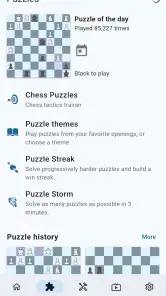
For those looking to improve their game, Lichess beta is a treasure trove of learning tools. With puzzles that test your strategic thinking and analytical skills, you can sharpen your game with each passing day. There are also lessons available that cater to various levels, ensuring that everyone can learn something new. I’ve personally found myself getting lost in these puzzles, each one feeling like a mini-battle of wits.
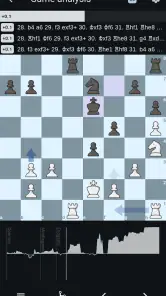
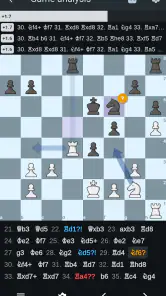
Moreover, the app offers an analysis board where you can review your games move by move. It’s a fantastic way to spot mistakes and learn from them. Trust me, there’s nothing quite like seeing where your strategy went awry and plotting to avoid the same pitfalls in the future.
Getting more from review and practice
When I review a game, I try not to treat the analysis board as a machine that will make me a better player just by showing lines. I first replay the position without help and name the danger I missed: a hanging piece, an exposed king, or a tactical opportunity. Only then do I compare that instinct with the analysis. This makes the review more memorable because I am diagnosing my own thought process, not simply looking at a better move.
Puzzles work best for me as a focused warm-up rather than proof of overall strength. Solving one can sharpen pattern recognition, but it does not automatically address endgame technique or the habit of rushing in a full match. I would alternate puzzle practice with games and short reviews, especially if I keep making the same mistake. The benefit of having play and study together is convenience; the risk is mistaking activity for a balanced training plan.
Choosing the right way to play
Compared with a dedicated chess clock or a physical board, a phone game is much easier to carry and start, but it cannot replace the feel of moving pieces across a table. Online play is a good fit when I want an opponent without arranging a meetup; offline play matters when I expect unreliable connectivity or simply want to practise away from a live match. I would still choose an in-person club or a book-led study session if I wanted conversation, structured coaching, or time away from screens.
For a realistic weekday use, I might open the app during a quiet break, solve a puzzle, and save a longer game for when I can concentrate. If I am interrupted often, a fast match may be the wrong choice: chess needs attention, and leaving a game mid-thought is frustrating. A slower format suits a calm evening better, while a short puzzle gives me a clear stopping point.
How it compares with other chess choices
Compared with a simple chess app that concentrates on playing against a computer or offers only a basic board, this one makes more sense to me when I want online opponents and practice tools alongside ordinary games. A physical set is still better for teaching across a table or sharing a casual game without screens. A dedicated course can be a better fit when I need a guided sequence of lessons and a clear curriculum, rather than a broad place to play and explore.
The open-source aspect is another meaningful difference for players who care about the project’s development model, although it is not a gameplay feature by itself. I would not choose an app solely because it is open source; I would still judge whether its interface, available modes, and routines suit me. Here, that identity complements the practical appeal of a free chess game, but the best choice depends on whether I value flexibility or a more tightly directed learning path.
Trade-offs and who should skip it
The variety is a strength, but it also means a beginner may need to choose a simple starting point instead of treating every mode as equally useful. Players who mainly want a guided, step-by-step course may prefer a dedicated teaching app. Someone who wants a polished social experience centered on a local group may be happier with a club’s preferred platform. I see this game as strongest for people who want to play, practise, or review chess in one mobile place, rather than for someone seeking a complete substitute for coaching.
It is also sensible to separate a smooth session from a guarantee of flawless performance on every device or network. Matchmaking depends on being online, and interruptions can spoil the rhythm of a live game; offline access is helpful, but it serves a different purpose from finding a remote opponent. The game is rated for Everyone and supports Android 8.0 or later, so I would check that requirement before installing on an older device. Its free price lowers the barrier to trying it, though the most important question is whether its chess-first approach suits how I like to learn and play.
Questions worth answering before you install
Can I use it without a reliable connection? The online side needs connectivity, while the game’s offline focus gives it a role when I cannot get online. I would think of those as two different situations rather than expect offline play to provide the same experience as matchmaking. If finding an opponent is the goal, I would wait until I have a stable connection; if I just want time with the board, offline use is the more sensible option.
Is it suitable if I am new to chess? Yes, I think it can be, provided I begin with the familiar rules and do not let the menu of variants distract me. Puzzles and lessons can support practice, but a new player who wants a carefully sequenced teaching course may find a specialist learning app easier to follow. Can it replace a club or coach? It can make practice more convenient, but not the shared discussion, personal feedback, or in-person play that those offer.
What I would watch as a regular player
Because this is a beta build, I would keep an eye on how the app develops rather than assume each update changes a specific part of the experience. If I run into friction, I would note the version number and the exact step that caused it; that makes feedback more useful than simply saying the app feels different. For established players, changes to familiar navigation can matter as much as new options, so I would take a moment after an update to confirm where my usual game and review routines now begin.
That cautious approach does not make the app less appealing. It just sets a fair expectation: the current experience is the one to judge, while future refinements remain possibilities, not promises. If you are comfortable with that distinction and want a mobile chess companion from lichess.org, this is an easy one to try.
Performance and Accessibility
Performance-wise, Lichess beta is smooth sailing. The app runs without a hitch, and I haven’t encountered any bugs or crashes. It’s available on both Android and iOS, meaning you can jump into a game whether you’re on a smartphone or tablet. Plus, it's free, which is always a bonus, and there are no pesky ads interrupting your concentration – a huge plus in my book!
In conclusion, Lichess beta offers a rich chess experience that caters to both casual players and serious enthusiasts. Whether you’re looking to kill some time or seriously up your chess game, this app has got you covered. So, grab your phone, download it, and get ready to make your next move in the world of chess. You won’t regret it!
Lichess beta Frequently Asked Questions
Is Lichess beta suitable for someone who has never used a chess app before?
Lichess beta is a chess game for Android, and its open-source online and offline focus may appeal to newcomers as well as experienced players. You can explore it as a way to play chess digitally, while remembering that a beta build is still being tested. If you are new to chess apps, expect an experimental experience rather than assuming every screen or feature will feel as polished as a stable release.
What is Lichess beta, and how does it differ from the regular Lichess app?
Lichess beta is a testing version of the popular Lichess app, which is an open-source chess platform. The beta version allows users to try out new features and improvements before they are officially released. It is intended for users who want to experience the latest updates and provide feedback to the developers. However, being a beta version, it may contain bugs or unfinished features. Unlike the regular Lichess app, the beta version is more experimental and may not be as stable.
Is Lichess beta free to use, or are there any costs involved?
Yes, Lichess beta is free to use just like the regular Lichess app. Lichess operates on a non-profit basis and is completely free of advertisements and paywalls. Users can enjoy all the features of the app without any hidden costs. The platform relies on donations and contributions from its community to maintain its operations, so users are encouraged to support the platform if they find it valuable.
Can I use my existing Lichess account to log into the Lichess beta app?
Yes, you can use your existing Lichess account credentials to log into the Lichess beta app. Since it is essentially the same platform, your username and password will work seamlessly across both the regular and beta versions. This means that all your game history, ratings, and profiles will be accessible in the beta app. However, keep in mind that any changes or new features you experience in the beta might not immediately reflect on the regular version.
What kind of new features can I expect in Lichess beta?
Lichess beta often includes experimental features and updates that are being tested before their official release. Users can expect to see enhancements in the user interface, new game modes, improved performance, and bug fixes. The exact features can vary depending on the current development focus. Participating in the beta gives users a chance to provide feedback on these new tools and improvements, helping shape the future of the app.
Pros
- Free to use with no ads.
- Open-source platform.
- Offers various game modes.
- Strong community support.
- Detailed analysis tools.
Cons
- Occasional server issues.
- Limited tutorials for beginners.
- Some features need improvement.
- Interface can be overwhelming.
- No offline mode.
- Category
- Board
- Version
- 0.15.11











