Jigsaw Puzzles - Fancy Jigsaw
- 521.00
- 4.9
- Installs
- 1.00M
- Price
- Free

Screenshots
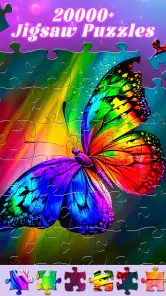
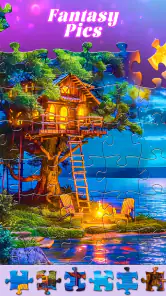



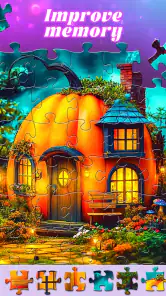


Analysis by Reviewed
When several people share a tablet or phone, a jigsaw game can become an easy little household ritual: one person starts an image, and someone else may want a turn later. I like that kind of low-pressure activity, but shared use also calls for realistic expectations. I wouldn’t assume that progress, preferences, or personal photos are separated between players unless I had checked how the app behaves on the device.
Making a shared puzzle session work
A useful household routine is to treat a puzzle as a shared activity with a clear stopping point. Before starting, agree whether the next person can continue the same image or choose another one. That simple decision matters when someone wants to finish a picture alone while another person sees the tablet as available for a quick turn. If keeping one puzzle intact is important, it may be better to finish it together rather than leave the device unattended between sessions.
For a realistic evening, I’d put the tablet on a stand in a common room and let each person add pieces for a few minutes while waiting for dinner. That turns the game into an optional shared pastime instead of asking everyone to sit down for a full session. It works best when no one minds a puzzle being completed at a relaxed pace; people who want uninterrupted concentration may enjoy playing on their own device instead.
A puzzle break that fits shared routines
A practical way to use a digital puzzle is to agree on one image for a short session, then leave the device available for the next person. That works well during a quiet afternoon or while waiting for dinner, especially when everyone is happy to take turns rather than keep separate records. If you’re choosing a puzzle for someone else, let them pick the picture and difficulty; that small choice makes the activity feel inviting instead of like a task.
Compared with a physical jigsaw, a phone or tablet avoids sorting and storing loose pieces, which is handy in a busy home. It also lacks the tactile feel of cardboard pieces spread across a table, so it won’t replace that experience for people who enjoy handling a real puzzle. I’d choose the digital version for a compact, tidy break, and a physical puzzle when the pleasure is as much about working together around the table as finishing the image.
Set device and purchase boundaries first
Before handing the device to a child, older relative, or guest, I’d check the app’s current screens together and decide which settings and purchases are appropriate. The game is rated Everyone, but that age label isn’t a substitute for household rules or adult guidance. In-app purchases are available, with items ranging from about seven dollars to seventy dollars, so I’d make sure the device’s purchase settings suit the people using it. The game itself is free to download.
I’d also treat a shared device as a shared space: avoid assuming that a personal gallery or individual account boundary exists, and don’t add private photos unless you’re comfortable with how they may appear on that device. This is especially useful to remember if several people take turns or if the tablet sometimes goes to visitors. A quick conversation about who chooses images, who can make purchases, and when the device is available can prevent more friction than any puzzle tip.
More From Our News Desk

Clash of Clans Is Won Between the Battles

Android Auto Makes the Case for Quieter Car Software

MobiOffice: Transforming Mobile Productivity with Seamless Integration

EA SPORTS FC™ Mobile Soccer: Redefining Mobile Sports Gaming

How Microsoft OneDrive Became a Mobile Productivity Giant

How Google Translate Breaks Language Barriers Effortlessly
Choosing a comfortable first session
When I introduce a jigsaw game to someone who hasn’t played one on a touchscreen, I’d keep the first session short and let them explore the way pieces move before setting a goal to finish. A small, clear image is a better introduction than a busy scene: it makes it easier to understand how the picture is coming together without turning the first attempt into a test of patience. If the controls feel awkward, that is useful feedback about whether the person would prefer a larger screen or a physical puzzle.
It also helps to separate “more challenging” from “more enjoyable.” A larger piece count can demand more attention, but it won’t suit every player or every moment. For a quick break, I’d choose a level that can be paused without losing the pleasure of the activity. For a longer, focused session, I’d choose an image with enough visual variety to keep different sections easy to distinguish.
Hey there, fellow puzzle enthusiast! If you've got a penchant for piecing things together, then you're in for a treat. Let's dive into the world of Jigsaw Puzzles - Fancy Jigsaw, a delightful app that's bound to tickle your brain and soothe your soul.
Why this jigsaw game suits a quiet break
Picture this: a lazy Sunday afternoon, a cozy corner in your room, and a virtual pile of jigsaw pieces waiting to be assembled. That's exactly the vibe you'll get with Jigsaw Puzzles - Fancy Jigsaw. It's not just a game; it's an experience. The app offers a vast collection of stunning puzzles, each one more captivating than the last. Whether you're a novice or a seasoned puzzler, there's something for everyone.
What the puzzle collection offers
First off, let's talk about the incredible variety of puzzles. From breathtaking landscapes to adorable animals, the app covers a wide range of themes. You can even customize the difficulty level to match your mood. Feeling adventurous? Crank up the challenge with more pieces! The app also features a nifty option to create your own puzzles from your personal photo gallery. How cool is that?
That photo option deserves a little thought in a household setting. I’d use an image that everyone on the device is comfortable seeing, rather than a private snapshot that might be awkward when a child or guest opens the game. It can also make a thoughtful shared activity: choose a familiar picture together, then let each person work on it in turn. Before doing so, I’d check the app’s screens and device settings so I understand how the selected image is handled and who can access the device.
But wait, there's more! The user interface is smooth and intuitive, making navigation a breeze. Plus, the app syncs seamlessly across devices, so you can pick up right where you left off, whether you're on your phone or tablet. Did I mention the soothing background music? It's like a gentle lullaby, setting the perfect ambiance for your puzzle-solving escapade.
How I’d coordinate play across a household
When several people want a turn, I’d agree on one simple handoff rule: leave the current puzzle as it is, or finish the session by choosing a fresh image for the next player. That avoids the small but common annoyance of someone returning to find a different picture open. If different family members use different devices, the cross-device sync described in the game can make continuing elsewhere convenient, but I’d still establish whose progress is being continued before switching screens.
For a household that values separate progress, this may not be the ideal arrangement. Shared access and synced play can be convenient, but they are not the same thing as individual profiles or private player spaces. I’d avoid relying on the game to keep everyone’s activity distinct. If that boundary matters, use separate devices where practical, or choose a puzzle routine that doesn’t depend on maintaining individual records.
My Personal Take
Now, let me share a bit of my personal journey with this app. As someone who loves puzzles, I've tried my fair share of apps, but Fancy Jigsaw truly stands out. It's like having a puzzle gallery at your fingertips. The satisfaction of completing a puzzle is second to none, and this app delivers that joy in spades.
What I particularly love is the attention to detail. The pieces click into place with a satisfying snap, and the high-resolution images are a feast for the eyes. Plus, there's a sense of accomplishment as you watch the beautiful image come together piece by piece. It's a wonderful way to relax, unwind, and give your brain a gentle workout.
Who will get the most from it
I’d point this toward people who enjoy visual sorting and want a quiet activity they can return to in short sessions. It’s a natural fit for someone who likes to work at their own pace, including an older relative who would rather choose an image and concentrate than follow fast-moving action. The Everyone rating makes the age context broad, but I’d still help a child choose an appropriate image and use the device’s purchase safeguards; an age label doesn’t explain how a particular household wants its shared screen used.
It is less compelling for players looking for a story, head-to-head competition, or a game built around frequent social interaction. Compared with other digital jigsaws, the appeal here is the combination of a large image selection, adjustable challenge, and the option to use a personal picture. Someone who mainly wants tactile teamwork may be happier with a tabletop puzzle, while someone seeking a structured campaign or competitive goals should look elsewhere in the board-game category.
Small choices that make puzzles easier to resume
One practical trick is to pick the image before deciding how long to play. Strongly contrasting areas give your eyes landmarks, making it easier to return after a phone call or household interruption. If the scene is mostly one color, the puzzle may require more careful piece-by-piece inspection; that can be satisfying when you have time, but frustrating when you only have a few minutes. Matching the picture to the session is often more useful than automatically choosing the highest difficulty.
I’d also think about the screen the player will use. A tablet gives pieces and image details more room than a small phone, which can make a longer session more comfortable. A phone is handy for brief waits, but it may not be the best choice for anyone who finds small touch targets tiring. If the game is for an older family member, let them try it at their usual screen brightness and orientation before assuming the controls will feel natural.
Age, trust, and a sensible first try
Mentha Games’ board game has a 4.9 average from around four thousand ratings, and it has passed a million installs. It was released in November 2024, and its current version is 1.0.0. Those figures suggest that it has found an audience, but they don’t tell me whether every puzzle style or control choice will suit a particular player. I’d judge it by trying a short session and seeing whether the piece handling feels comfortable on your screen.
The game is free to start, and its content rating is Everyone. I’d still treat that as a broad age guide, not a substitute for checking the experience with the person who will play. On a shared family device, the adult responsible for purchases should decide whether in-app spending is allowed before the game is handed over. That is especially relevant when the device is used independently by children or visitors, since a pleasant puzzle session should not come with a surprise purchase.
Who will enjoy it, and who may prefer another option
I’d recommend it most to someone who wants a large selection of ready-made images and a calm activity that can be picked up in spare moments. The advertised library is substantial, which is useful if you tire quickly of repeating the same scenes. It may be less suitable for players who want competitive goals, a story, or a social multiplayer format; a jigsaw is deliberately a quieter kind of game, and this one is best approached for the process rather than a race to finish.
One useful trade-off is difficulty: more pieces can make a puzzle absorbing, but they can also turn a short break into a longer commitment. I’d begin with a manageable setting, then raise it only when I have time to focus. For a child or older family member, the best choice may be the simplest comfortable level rather than the hardest available one. If touch controls are difficult on a small phone, a larger tablet may be the more pleasant way to play.
Where it sits beside other puzzle options
Against a physical jigsaw, this game wins on tidiness and convenience: there are no loose pieces to gather up when the table is needed again, and an image can be ready for a spare moment. A physical set wins on texture and the easy social cues of everyone looking at the same table. Against a general-purpose puzzle app, Fancy Jigsaw’s personal-photo option and broad image library are meaningful reasons to try it, while players who care most about separate profiles, a specific challenge format, or a highly structured progression should compare alternatives carefully before settling in.
There is a trade-off in using personal images, too. A familiar photo can make the puzzle feel more personal, but it may be harder to solve if the picture has large areas that look alike. For a first attempt, I’d choose an image with distinct subjects and colors; save a more subtle photograph for a longer session. That small selection decision can make the difference between a relaxing activity and a task that stalls.
A household verdict
Overall, I see Fancy Jigsaw as a convenient option for households that want a peaceful, turn-taking activity, not as a replacement for every kind of puzzle night. Its free entry point makes it easy to try, while optional purchases mean I’d set clear boundaries before sharing it with younger players. I’d install it for image variety and quick access, but choose a physical puzzle when the main goal is hands-on collaboration. Used with sensible device and purchase expectations, it can make an ordinary quiet moment feel a little more engaging.
My recommendation is to start with one short session, choose a clear image, and see who in the household actually enjoys the touchscreen format. If the pleasure comes from the picture gradually taking shape, this is an easy game to keep around for quiet breaks. If your household needs firm separation between players, or the appeal depends on tactile pieces and face-to-face teamwork, another format will be a better fit. That distinction is more useful than treating any one jigsaw app as a universal choice.
Jigsaw Puzzles - Fancy Jigsaw Frequently Asked Questions
Is Jigsaw Puzzles - Fancy Jigsaw free to download, and does it include optional purchases?
Jigsaw Puzzles - Fancy Jigsaw is free to download, so you can try the game without paying upfront. It also includes optional in-app purchases, with items priced from $6.99 to $69.99. These purchases may appeal if you want to expand or personalize your experience, but consider the available purchase options before making them.
Is Jigsaw Puzzles - Fancy Jigsaw suitable for children and older players?
The game has an Everyone content rating, and its store summary presents it as a collection of jigsaw puzzles for seniors. Jigsaw puzzles can be enjoyed at different ages, though the best fit depends on the individual player and their preferences. If you are choosing it for someone else, its puzzle-focused format and age rating are useful points to consider.
What platforms is Jigsaw Puzzles - Fancy Jigsaw available on?
Jigsaw Puzzles - Fancy Jigsaw is available for both Android and iOS platforms. Users can download it from the Google Play Store for Android devices and the Apple App Store for iOS devices. This ensures that a wide range of users can enjoy the app's features across different mobile devices.
Does Jigsaw Puzzles - Fancy Jigsaw offer different difficulty levels?
Yes, Jigsaw Puzzles - Fancy Jigsaw offers multiple difficulty levels to cater to players of all ages and skill levels. Whether you are a beginner looking for a relaxing puzzle experience or an expert seeking a challenging puzzle, the app provides varying levels of complexity to enhance your gaming experience.
Are there in-app purchases in Jigsaw Puzzles - Fancy Jigsaw?
Jigsaw Puzzles - Fancy Jigsaw does include in-app purchases. While the app is free to download and play, users have the option to purchase additional puzzle packs and premium features to enhance their gaming experience. This allows users to customize their puzzle collection and enjoy various themes and styles.
Pros
- High-quality puzzle images.
- Offers daily new puzzles.
- Variety of difficulty levels.
- Smooth and intuitive interface.
- Offline mode available.
Cons
- Contains in-app purchases.
- Ads may interrupt gameplay.
- Limited free puzzle options.
- Requires large storage space.
- No multiplayer feature.

- Category
- Board
- Version
- 1.0.0