Find Differences: Spot it!
- 26.00
- 4.6
- Installs
- 100.00K
- Price
- Free

Screenshots


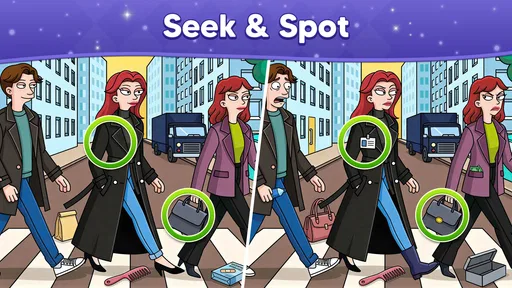
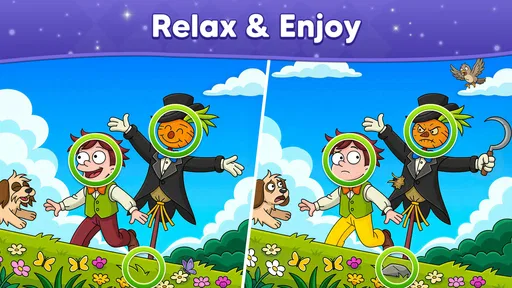
Analysis by Reviewed
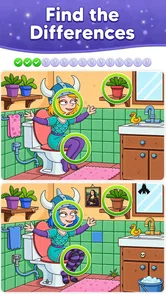
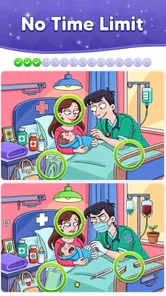
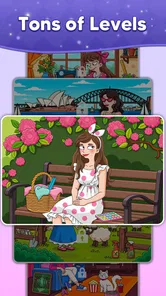
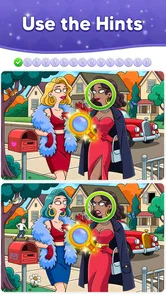
I usually know within a few minutes whether a spot-the-difference game suits my mood: I want to look closely, make a choice, and see whether I noticed something real. Find Differences: Spot it! is a trivia-style puzzle game built around that simple exchange. Its animated scenes give the familiar picture-comparison task a little extra life, while the basic aim remains easy to grasp. I can start without learning a story or a complicated set of controls, which makes it an approachable choice when I want a short, focused diversion.
Start with the whole picture, then narrow your search
When I approach a new pair of pictures, I try not to inspect every corner at once. I compare the overall layout first, then scan matching areas in a steady pattern. That small change in approach helps more than randomly tapping around: it gives my eyes a route and makes a missed detail less likely. If you tend to jump straight to the most colorful object, try checking the quieter edges and background too; those are exactly where a visual puzzle can make you slow down.
The game’s animated-picture premise gives this familiar find-the-difference format a livelier feel than a static page of drawings. Its basic challenge remains easy to explain to a friend: compare what you see, spot what does not match, and keep going. I like that clarity for short breaks, when I want a task that is engaging without needing to remember a story, manage a team, or learn a complex set of rules.
There is also a useful distinction between playing to relax and playing to be precise. If I am only trying to unwind, I can take the pictures at my own pace and enjoy the search. If I want a sharper challenge, I deliberately slow down and verify each suspected difference before tapping. That turns the same scene into a small attention exercise rather than a race. I would not treat it as a formal training tool, but it can be a pleasant way to practise looking carefully.
For a practical everyday use, it suits the few minutes while waiting for a drink, sitting in a waiting room, or taking a break between chores. I can begin with a clear goal and stop once I have finished the moment’s puzzle, rather than needing to reach a particular point in a long adventure. That makes it easier to fit into a busy day than a game that expects sustained sessions or punishes me for putting it down.
The feedback keeps each search moving
Spotting a genuine difference gives the loop its satisfying beat: I inspect, make a choice, see whether I was right, and return to the image with a little more information. The feedback matters because it separates confident observation from a guess. Each correct find removes uncertainty from the scene; a mistaken tap, by contrast, is a reminder to look again instead of assuming that every visual oddity is the answer.
My most useful tactic is to compare one region at a time, moving from top to bottom or left to right. I also check the same feature in both pictures before committing, especially when an illustration contains several similar objects. This reduces careless taps and makes the puzzle feel fairer. When I get stuck, I avoid staring harder at the same central detail; shifting to a less obvious part of the picture often gives my eyes a fresh comparison.
More From Our News Desk

 Instagram
Instagram’s Power Comes From Its Place in Your Phone
A close look at how Instagram turns Meta’s reach, recommendation systems and everyday camera habits into durable platform power—and what that costs users.

 Gmail
GmailGmail in a Busy Inbox: Who Benefits Most?
From first account to crowded workday, Gmail earns its place through dependable search and flexible sorting—but its best fit depends on how much inbox maintenance you can tolerate.

 Prime Video
Switching to Prime Video: What Changes in Your Viewing Routine
Prime Video can make a compelling second home for streaming, but switching means learning a different catalog, rental layer, and route from browsing to playback.

 Universal TV Remote Control
Universal TV Remote Control Works Best as a Reliable Backup
A phone remote earns its place through quick setup and reliable habits. Here is how to get more from Universal TV Remote Control—and where its limits show.

 Weather - By Xiaomi
Weather by Xiaomi Review: Clear at a Glance, Less Clear Up Close
Xiaomi’s weather app makes everyday forecasts quick to scan, but its calm surface can leave useful details and recovery paths harder to find than they should be.

 X
XX Under Pressure: Can It Recover When Posting Goes Wrong?
A resilience-focused review of X, examining setup, mistaken posts, interruptions, weak connections, and the gaps that matter when recovery needs to be dependable.
Latest News



A small refinement is to pause after a correct find and reorient before continuing. I look at the remaining picture as a whole again, rather than assuming the next difference must be near the last one. That prevents one discovery from anchoring my attention in a single corner. It is especially useful when I am playing in a noisy place: a deliberate reset of my gaze helps me resume after an interruption without tapping at a detail I only half checked.
The rhythm is deliberately uncomplicated, which is both a strength and a limitation. There is no need to master a broad control scheme before the actual puzzle begins. On the other hand, players who want elaborate mechanics, a changing set of puzzle rules, or a story that develops between challenges may find this focused format too narrow. Its pleasure comes from visual checking itself, not from layers of systems around it.
Because the task is based on pictures, the experience also depends on how comfortably you can inspect small details on your screen. I would play somewhere with enough light and hold the device at a readable distance rather than trying to solve a scene while walking or glancing down in a hurry. That is not a special trick so much as a realistic limitation of this kind of game: the more distracted I am, the more likely I am to miss something or tap without being sure.
Small wins, and why I want one more round
The reward here is the feeling of resolving a visual problem. Each correct discovery makes the image easier to understand, and finishing a scene gives a natural stopping point. I find that more satisfying than a puzzle that keeps interrupting the solving process with unrelated tasks. The reward is modest by design: if you need character upgrades, competitive rankings, or a deep progression system to stay interested, this is probably not the right pick.
It works particularly well for people who enjoy picture puzzles but do not want to carry a book of them around. It can also be a low-pressure choice to share with a child or another casual player, though I would still let the person holding the device set the pace. The listed age guidance is Everyone, and the game’s visual premise is approachable for a broad audience. For a group, taking turns calling out likely differences can make a brief session sociable, even though the core activity remains an individual act of observation.
That turn-taking idea works best when nobody rushes the person holding the phone. One person can describe a suspected area without tapping, then the player can check both images and decide. It keeps the game collaborative without turning it into a shouting match over every small detail. For a solo player, the same habit can be useful in reverse: quietly naming what I am comparing, such as “the object on the left” or “the shape near the edge,” helps me keep track of where I have already looked.
Compared with printed spot-the-difference pages, a phone game is easier to pick up and put away, and the animated presentation feels more active than a static sheet. Compared with broad trivia apps, this is much less about recalling facts and much more about noticing what is in front of you. That focus is helpful if general-knowledge quizzes feel stressful or if you simply want a visual diversion. The trade-off is variety: someone looking for word puzzles, factual questions, or a mix of mini-games should choose a broader puzzle collection instead.
I also think it is worth being honest about the limits of the format. A picture-search game can feel repetitive if you play for a long stretch, because the central task stays recognizable even when the artwork changes. I get more from it in short bursts than from trying to turn it into an all-evening game. If you reach a point where you are tapping automatically rather than genuinely comparing the pictures, that is a good time to stop and return later.
A clean reset makes short sessions easy
One reason I can imagine starting another round is that the basic challenge is instantly understood again: there is a new picture to inspect, and I can apply what worked last time. The reset is mental as much as practical. I do not have to reconstruct a complicated plan; I can begin with a fresh scan, use a more systematic route, and see whether I notice details faster. That repeatability is appealing when I have only a small pocket of free time.
It also means this game is easy to recommend selectively. If a friend likes visual puzzles and wants something lightweight, I would suggest giving it a try. If they prefer fast reflexes, rich narrative, or puzzle mechanics that change substantially from one round to the next, I would point them elsewhere. The right fit depends less on how much time someone has than on whether they enjoy patient comparison.
For example, if I have a short wait before an appointment, I can start a scene, scan it methodically, and stop after reaching a natural finish rather than opening a longer game that leaves me reluctant to put it down. If I am tired and my focus is poor, I would choose something less dependent on tiny visual distinctions instead. The useful question is not simply whether I have a spare minute, but whether I have enough attention to enjoy looking closely.
Find Differences: Spot it! is free to download, and Greyfun Games is the developer. The game has a 4.6 average from around 190 ratings, with more than 100,000 installs. Those figures suggest that it has found an audience, but I would treat them as background rather than a guarantee that every player will enjoy the same simple loop. Its content rating is Everyone, and the current release is version 1.0.8; it requires Android 7.1 or later. Optional in-app purchases are listed at $9.99 per item, so anyone who prefers to keep spending tightly controlled should check purchase prompts carefully and stick to the free experience if that suits them.
The practical question is whether you need to pay to enjoy the core idea. Since the game is free, I would start there and judge it by how much pleasure you get from comparing the scenes, rather than assuming a purchase is necessary. The listed purchase price is a meaningful consideration for a casual puzzle: if an optional item does not solve a specific annoyance for you, there is no reason to buy it just to make a short-break game feel more complete.
As with any game that offers optional purchases, I would make that decision deliberately rather than in the middle of a session. If you are setting it up for a child, checking purchase prompts together is a sensible way to avoid an accidental spend. For an adult who simply wants a quick picture puzzle, the free download gives a low-commitment way to see whether the format is enjoyable before deciding whether anything else matters to them.
As for who should skip it, I would not choose this for someone who dislikes careful visual searching, needs a strong sense of narrative progress, or wants every session to introduce a different kind of challenge. It is also a poor match for distracted play, since the whole point is to notice details that can disappear when your attention is elsewhere. A crossword or word quiz is a better alternative if you would rather work with language; a more expansive puzzle game is better if you want evolving rules and a longer-term project.
My verdict on the repeatable puzzle loop
I like the straightforward cycle: inspect a scene, test a possible difference, get feedback, enjoy the small win, and decide whether I have time for another. Its strongest quality is that it does not ask for much before letting me play, while its main weakness is that the same visual task may wear thin for people who need broader variety. Used in short sessions, it makes a thoughtful little break and gives me a reason to return when I want something focused but not demanding.
I would recommend it to casual players who enjoy comparing pictures and appreciate games that are easy to start and easy to pause. I would not recommend it as a substitute for a deep trivia challenge or a varied puzzle collection. If that distinction sounds right for you, the free version is a sensible way to see whether the search-and-feedback rhythm clicks; if it does, the next round has a clear purpose, and if it does not, you will know quickly without needing to learn a complicated game first.
Find Differences: Spot it! Frequently Asked Questions
What is Find Differences: Spot it! about?
Find Differences: Spot it! is a visual puzzle game where you compare two similar pictures and look for the details that do not match. Differences may involve small changes in an object, color, shape, or part of the scene, so careful observation matters more than quick guessing. The exact themes and puzzle options can vary by version, but the basic goal is to identify every difference shown in each level.
Is Find Differences: Spot it! free to play?
The game may be available to download for free, but a free download does not necessarily mean every feature or activity is free. Many puzzle games support themselves with advertisements and may offer optional in-app purchases, such as hints or other extras. Check the current store listing on Google Play or the App Store for pricing, purchase details, and any regional differences before installing.
Can I play Find Differences: Spot it! offline?
Some stages of a spot-the-difference game may work without an internet connection once they are available on your device, but offline access can depend on the specific version and how its content is delivered. Features such as ads, rewards, downloads, or online events may require connectivity. If offline play is important to you, check the game’s store description and test access after installation rather than assuming every feature works offline.
Does Find Differences: Spot it! include hints, a timer, or difficulty options?
The available assistance and challenge settings depend on the edition of Find Differences: Spot it! you download. A version may provide hints for difficult differences, limit mistakes, or add a timer, while another may offer a more relaxed experience. Review the in-game menus and store screenshots to see what is included. If hints are limited or tied to rewards, consider that before relying on them to finish levels.
Is Find Differences: Spot it! suitable for children, and what should parents check?
Picture-comparison puzzles are generally easy to understand and can suit a wide range of ages, but suitability depends on the images, advertisements, and online or purchase features in the particular release. Parents should check the age rating and privacy information on the app’s store page, then review ad and in-app purchase settings on the device. For younger players, parental controls can help prevent unintended purchases or exposure to unsuitable advertising.
Pros
- Simple rules make it easy to start playing right away.
- Short rounds fit well into quick breaks.
- Careful observation helps train visual attention.
- A variety of pictures keeps puzzles from feeling repetitive.
- No special gaming skills are needed to enjoy it.
Cons
- Small visual details can be hard to spot on phone screens.
- Some puzzles may feel repetitive after extended play.
- Timed challenges can make the game feel stressful.
- Ads may interrupt the flow of play.
- Hints can reduce the satisfaction of solving puzzles unaided.