Block World 3D: Craft & Build
- 321.00
- 4.4
- Installs
- 10.00M
- Price
- Free

Screenshots
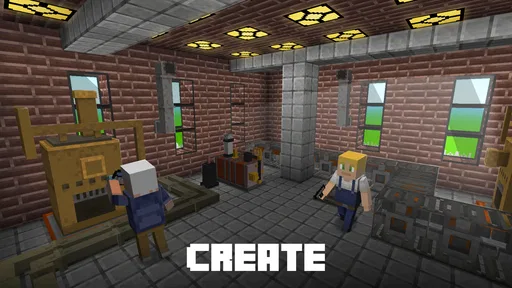
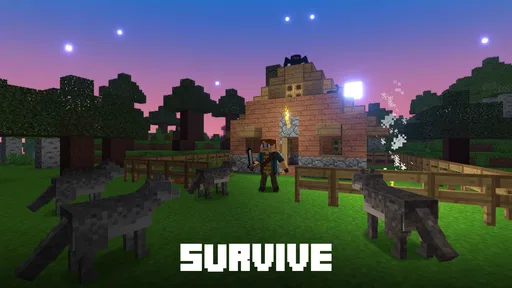
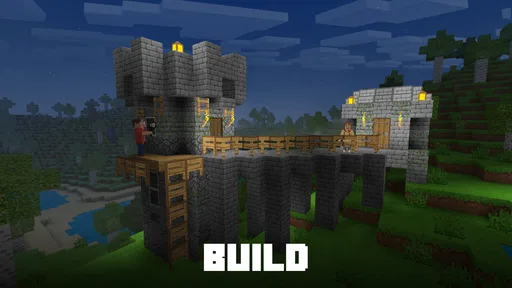
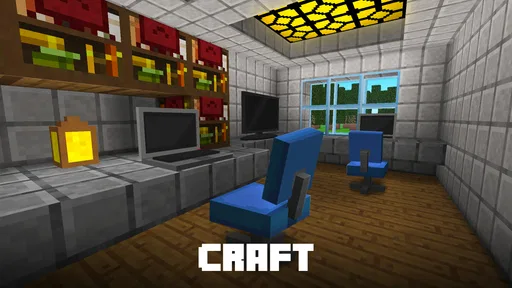
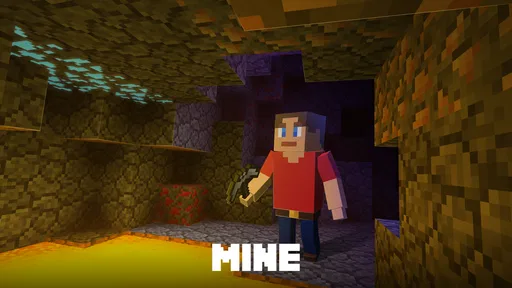
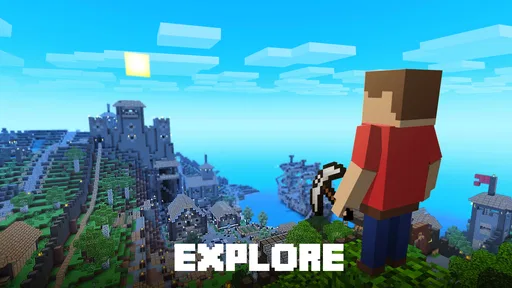
Analysis by Reviewed
I can see the appeal of Block World 3D: Craft & Build in a household where one person wants to shape a little world and another would rather roam around it. It is an arcade game with open-ended building and survival elements, so it gives you more to do than simply place blocks—but it also asks you to decide how you want to spend your time. I find that freedom enjoyable when I have a clear small goal, such as making a shelter or exploring nearby terrain. If I open it expecting a guided story or a quick match, the lack of a fixed objective can feel less welcoming.
One world, different ways to spend a short session
For shared-device use, the game works best as a turn-taking activity rather than a promise that everyone will automatically share progress. One player can build a simple base while another explores, then they can talk about what to add next. That makes a brief session feel purposeful: decide on one task, finish it, and leave the world in a state the next player can understand. I would not assume that two people can collaborate in the same world at once just because the game is online; check the available play options before planning a joint session.
A realistic evening might look like this: a child spends a little time gathering materials and laying out a shelter, then hands the device to an adult who helps make the space easier to navigate. The useful part is not just the construction. It is the small planning conversation—what needs to be built first, what can wait, and how much exploring is worth doing before returning. That can make the game a pleasant shared activity, provided everyone agrees on whose turn it is and whether changing another person’s work is acceptable.
Compared with a typical arcade game built around repeated rounds and score chasing, this one gives more room for personal projects. Compared with a more structured building adventure, it may offer less direction to someone who wants a clear sequence of missions. I like that trade-off when I want to experiment without a timer; I would choose a more goal-led game when I want the software itself to guide the next step.
Make a shared device feel less shared-up
One practical way to keep turn-taking calm is to agree on a recognizable stopping point before anyone starts. “Finish the shelter entrance” is easier to hand over than “play until it feels done,” because the next person can see what the previous player intended. I would also let the builder choose a landmark or a simple layout that makes the project easy to recognize at a glance. That small choice matters when a sibling or adult is only joining for a few minutes and does not want a long explanation before contributing.
For a household that often passes one phone or tablet around, it is worth treating the world as a shared workspace, not as a private notebook. If players care about keeping a particular creation unchanged, agree on that before handing over the device. If they are happy for others to alter it, make that explicit too. This is more useful than assuming a game’s open-world design will settle ownership questions for you.
Keep expectations and device boundaries clear
The first useful household decision is to treat access to the game and ownership of a world as separate questions. A shared phone or tablet can make it easy to take turns, but that does not establish whose creations or choices should be treated as personal. Before a younger player starts a long build, I would agree on whether others may edit it, whether exploration is part of the same project, and what to do when a session ends. Those simple rules prevent the most common shared-device frustration: returning to a changed world without knowing why.
More From Our News Desk

 Gmail
GmailGmail in a Busy Inbox: Who Benefits Most?
From first account to crowded workday, Gmail earns its place through dependable search and flexible sorting—but its best fit depends on how much inbox maintenance you can tolerate.

 Prime Video
Switching to Prime Video: What Changes in Your Viewing Routine
Prime Video can make a compelling second home for streaming, but switching means learning a different catalog, rental layer, and route from browsing to playback.

 Universal TV Remote Control
Universal TV Remote Control Works Best as a Reliable Backup
A phone remote earns its place through quick setup and reliable habits. Here is how to get more from Universal TV Remote Control—and where its limits show.

 Weather - By Xiaomi
Weather by Xiaomi Review: Clear at a Glance, Less Clear Up Close
Xiaomi’s weather app makes everyday forecasts quick to scan, but its calm surface can leave useful details and recovery paths harder to find than they should be.

 X
XX Under Pressure: Can It Recover When Posting Goes Wrong?
A resilience-focused review of X, examining setup, mistaken posts, interruptions, weak connections, and the gaps that matter when recovery needs to be dependable.

 Clash of Clans
Clash of Clans Is Won Between the Battles
Its raids are quick; its community is a long-term project of coordination, teaching, rivalry, and shared responsibility—with all the friction that entails.
Latest News



I would also set a practical stopping point before play, especially for younger children. Open-ended crafting can make “one more thing” feel reasonable because there is always another wall, path, or area to explore. A small target—finish the entrance, make the shelter usable, or explore only until the next landmark—helps keep a casual session from drifting on. This is a play habit, not a built-in timer or parental feature, so adults should manage it themselves.
The game is free to download, with optional in-app purchases listed from $0.99 to $99.99 per item. On a device used by several people, I would check the purchase settings and make sure everyone understands that free access does not mean every optional item is free. That is especially relevant if a child can use the device without an adult nearby. I would not let a young player make purchase decisions independently; the adult responsible for the device should handle those boundaries.
There is also a practical trade-off in the online framing. A connection-dependent activity is less suitable for a commute, a waiting room, or any situation where the network is uncertain than a game known to work offline. I would test the intended setup before relying on it for travel or quiet-time use. That avoids discovering at the moment you need a distraction that the available connection does not suit the session.
Choose a task that survives interruptions
Short, interrupted sessions suit small builds better than ambitious plans. I would start with a basic shelter or a clearly bounded improvement, then leave the next action obvious—for example, a path that still needs finishing or a section of wall that remains incomplete. This creates a natural handoff if dinner, a call, or another household task interrupts play. It also reduces the temptation to wander indefinitely when the original purpose was simply to make a little progress.
That approach is especially useful for children who are learning to share a device. Rather than promising that everyone will get equal progress, take turns choosing the task: one person picks the project, the next decides how to improve it. The difference is small, but it gives each player a meaningful role without requiring anyone to agree on every block or route.
Coordination matters more than elaborate plans
When several people share a world or take turns, a little coordination goes a long way. I recommend agreeing on a visible project rather than giving everyone a vague instruction to “build something.” For example, one person can focus on a shelter’s outline while the next adds a path or organizes the surrounding space. Even without assuming any special collaboration tools, the shared goal gives players a way to contribute without undoing each other’s work.
A second useful habit is to leave a short spoken handoff: what was changed, what is unfinished, and what should not be moved. This matters more in an open sandbox than in a round-based game because the value of a session often lies in the world someone leaves behind. If the device changes hands frequently, keep the project modest enough that everyone can recognize its purpose. A huge build may be impressive, but it is harder for a casual participant to understand or continue.
Exploration and construction can compete for attention. If one player keeps wandering while another expects steady progress on a shared build, the mismatch can become irritating. I would separate those moods: use one session for scouting and another for building, or agree that exploring is the main activity for that turn. This small adjustment makes the game more cooperative in practice, even when players have different ideas of what “playing together” means.
For a solo player, the same approach helps avoid aimless sessions. I like choosing a modest objective before I begin and stopping once it is complete. That turns a broad world into a sequence of satisfying tasks without pretending the game has a mission structure it may not provide. If you enjoy inventing your own projects, the freedom is a strength; if you need the game to continually tell you what to do, it may feel like work rather than relaxation.
Who will appreciate the open-ended pace
I think the best audience is someone who likes making their own brief, concrete goals and is content to switch between building and looking around. It can suit a creative player who wants a casual project, or a family member who enjoys taking a turn and suggesting one change rather than mastering a long progression. It is less appealing if you measure a session by a score, a level completed, or a sequence of objectives supplied by the game itself.
That distinction also helps when choosing between this and other arcade options. A round-based game is easier to pick up for a few minutes and put down with a clear finish. A more directed building adventure is better for players who want the next task spelled out. Here, the reward is having room to decide what counts as progress, and the cost is that a player may need to supply the plan themselves.
Age, trust, and who will enjoy it
The content rating is Teen, so I would not treat the game as automatically suitable for every child simply because its world is made of blocks. A parent should consider the age guidance alongside the child’s maturity, comfort with online play, and ability to follow household rules about purchases and shared devices. The game is published by Funburstgame LTD, and its audience is broad: it has a 4.4 average from around 89,000 ratings and more than 10 million installs. Those figures suggest substantial interest, but popularity is not a substitute for deciding whether its open-ended play fits a particular household.
For a younger player, I would begin by sitting nearby and seeing how they respond to the survival and exploration side, rather than judging it only by its building premise. The right question is whether they enjoy making their own goals and can handle the freedom responsibly. If they become frustrated without instructions, or if online play is not appropriate for your situation, a more tightly guided, offline-friendly building game may be a better choice.
The game’s current version is 12.1.41, and it runs on Android 7.1 or later. That is useful when considering an older household device, but compatibility alone does not guarantee that the experience will feel comfortable on every screen or in every network setting. I would install it on the device most likely to be used, check that controls feel manageable for the intended player, and avoid promising a shared session until the connection and play arrangement have been tried.
Because this is an online open-world game, I would talk with children about not sharing personal details with strangers and about asking an adult if an interaction makes them uncomfortable. That is sensible guidance for online play in general, not a claim about a particular chat or safety feature. In a shared household, adults should also be clear about whether the game is played under one person’s account or another arrangement, rather than assuming that each player has a separate identity or private progress.
Make the first session a suitability check
I would use the first session to watch for three things: whether the player understands the basic controls, whether the survival and roaming elements feel comfortable, and whether they can stop when the agreed task is finished. These are more helpful signals than whether they immediately make something impressive. If the player needs constant direction or becomes unsettled by the online context, it is reasonable to choose a calmer, more structured option instead.
For adults deciding whether to install it on an older device, the minimum operating system is only the first checkpoint. Try the game on the actual screen and connection the household plans to use, then see whether the intended player can manage it without frustration. That quick trial is particularly valuable before making it the default activity for travel or for a shared family tablet.
My household verdict
I would recommend Block World 3D: Craft & Build to someone who enjoys inventing projects, switching between roaming and building, and making their own structure for a session. It is a particularly good fit when a family wants a low-pressure activity that can prompt conversation and turn-taking. The key is to keep the goal small, set expectations about changing each other’s work, and handle purchase boundaries before handing over a shared device.
I would skip it for a player who wants a tightly scripted adventure, a guaranteed offline pastime, or a fast arcade loop with a clear win condition. Its open-ended nature is both its main attraction and its biggest hurdle: it rewards imagination, but it can leave less self-directed players unsure what to do next. A more structured alternative is likely to feel better for someone who wants missions and steady direction; a conventional arcade game is the simpler pick for quick rounds.
Overall, I see it as a flexible sandbox rather than a ready-made family activity. It can work well across ages when an adult stays attentive to the Teen rating, online context, optional purchases, and shared-device expectations. If your household is comfortable setting those boundaries—and enjoys leaving a small creative project for the next person—this free arcade game is worth trying. If you need clear objectives or dependable solo play without a network, choose something more focused.
Block World 3D: Craft & Build Frequently Asked Questions
What is Block World 3D: Craft & Build?
Block World 3D: Craft & Build is a sandbox game centered on exploring a block-based world, gathering materials, and building structures. It gives players room to create at their own pace, whether they want to put together a simple shelter or experiment with larger designs. The exact activities and available features may vary by version, so check the current store listing before downloading.
Is Block World 3D: Craft & Build free to download, and does it include purchases or ads?
The game may be available to download without an upfront purchase, but that does not necessarily mean every feature is free. Mobile games can include advertisements, optional in-app purchases, or both, and their availability can differ between Android and iOS versions or change with updates. Review the listing for your device to see current pricing and purchase details, and check your device’s settings if you want to manage spending.
Can I play Block World 3D: Craft & Build offline?
Whether the game works without an internet connection can depend on its current version and which features you want to use. Core building or exploration may be accessible offline in some versions, while ads, online features, or certain content can require a connection. If offline play matters to you, check the game’s store description and test it in airplane mode after installation rather than assuming every mode is available without internet.
Is Block World 3D: Craft & Build suitable for children?
Its block-building and creative gameplay may appeal to younger players, but suitability depends on the child and the current version’s content. Before downloading it for a child, review the age rating, screenshots, and store description, and look for details about advertising, in-app purchases, or online interactions. Parents can also use device-level controls to limit purchases and screen time, especially if a child will play without supervision.
Which devices support Block World 3D: Craft & Build, and how can I check compatibility?
Compatibility depends on the version of the game and the requirements of your particular device. Before installing, open the official Google Play or Apple App Store listing and check the supported operating system, required storage, and any stated device restrictions. Keeping your operating system up to date may help avoid installation problems, but older or lower-powered devices can still have performance limitations even when the game is listed as compatible.
Pros
- Creative building lets you shape structures block by block.
- Exploration offers room to discover different areas and resources.
- Survival mode adds goals beyond simply constructing.
- Controls are designed for touchscreen play.
- A free-to-play option makes it easy to try.
Cons
- The block-based visuals may feel dated to some players.
- Progress can involve repetitive resource gathering.
- Ads or in-app purchases may interrupt the experience.
- Touch controls can be less precise for detailed builds.
- Online features may depend on a stable connection.