Words More -Ultimate Crossword
- 290.00
- 4.7
- Installs
- 100.00K
- Price
- Free
Screenshots
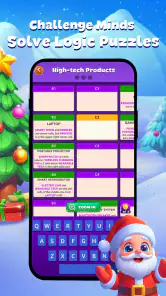
Analysis by Reviewed
I like knowing what kind of word game I’m opening before I settle in: Words More - Ultimate Crossword is built around filling in crossword answers, so the appeal is the small satisfaction of spotting a word and seeing it fit. It’s a free game from Joy Vendor, and its simple premise makes it easy to approach even if you haven’t played a crossword on your phone before. The first useful goal is modest: open a puzzle, try the clues, and let the letters you know help you work out the ones you don’t.
A gentle first step into crossword solving
If you’re new to phone crosswords, I’d treat your first session as a chance to learn the game’s rhythm, not as a test of vocabulary. Start with the clues that feel familiar, then let each answer give you crossing letters for nearby spaces. You don’t need to understand every clue immediately; the useful skill is noticing how one confident answer can make another clue easier.
A realistic first win might happen while you’re waiting for a coffee or sitting through a short commute. Rather than trying to finish a whole puzzle in one go, I’d fill a few clear answers, pause when the remaining clues feel uncertain, and come back later with fresh eyes. That approach makes the game easier to fit into a day and helps avoid turning a relaxing word puzzle into a frustrating obligation.
What to expect from the puzzles
This is a word game for people who enjoy clues, spelling, and gradually working through a puzzle rather than racing through action. Its Everyone age rating makes it suitable for a broad audience, and the 4.7 average from around 4.8 thousand ratings suggests it has found an appreciative group of players. That’s reassuring, but I’d still judge it by whether its crossword rhythm suits you: it rewards patience more than quick reflexes.
That slower pace is also why it works differently from a word-search game. A word search is usually about scanning a grid for a visible sequence; here, you have to interpret a clue, test a possible answer, and use the intersecting letters to check your reasoning. If you like the moment when a half-solved grid starts to make sense, that process is the main attraction. If you prefer quick rounds with an obvious end point, this style may feel too thoughtful.
Getting started without overthinking it
When I first downloaded Words More - Ultimate Crossword, I wasn't sure what to expect. You know how sometimes these word games can be a bit, well, boring? But this one really caught my attention. The game is packed with a variety of crossword puzzles that range from easy to challenging, ensuring that you’re never bored. I love how the levels gradually increase in difficulty, making it perfect for both beginners and seasoned wordsmiths.
The current version is 1.3.7, and the game is free to install. I’d start by treating the first puzzle as a warm-up rather than trying to prove how quickly I can solve it. Read across the clues, enter the answers you feel confident about, then use the intersecting letters as evidence when a clue is less obvious. That simple order helps turn a blank grid into a set of smaller, manageable decisions.
More From Our News Desk

Weather by Xiaomi Review: Clear at a Glance, Less Clear Up Close

X Under Pressure: Can It Recover When Posting Goes Wrong?

Clash of Clans Is Won Between the Battles

Android Auto Makes the Case for Quieter Car Software

MobiOffice: Transforming Mobile Productivity with Seamless Integration

EA SPORTS FC™ Mobile Soccer: Redefining Mobile Sports Gaming
Making a first session feel manageable
For a first-time player, the best way to get a meaningful result is to separate clues into three groups in your head: answers you know, answers you can narrow down, and answers you should leave alone for now. I’d enter the clear ones first, then revisit the second group after a few crossings appear. The third group is not a failure; it is simply where the puzzle needs more context.
One small habit makes a noticeable difference: before changing an answer, check every crossing it affects. A word that seems plausible on its own can create awkward letters in neighboring answers, while a less obvious alternative may fit the whole section better. Thinking about the grid as a connected set of clues, rather than a row of unrelated guesses, is the most useful skill to carry into later puzzles.
Engaging Gameplay
A practical first-session routine is to stop when you’ve made progress but feel yourself guessing. On a bus ride or during a short break, I’d solve the obvious entries first, check what their letters reveal, and save any uncertain answer for another pass. This is more satisfying than tapping at the same clue repeatedly, and it gives you a clear point to return to if you need to put your phone away.
Features That Stand Out
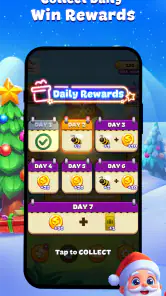
One feature that I particularly enjoy is the daily challenge. Every day, there's a new crossword puzzle that you can tackle, which keeps things fresh and exciting. Plus, completing these challenges earns you rewards, which is a nice little incentive to keep playing.
Another cool thing is the hint system. Stuck on a word? No worries. You can use the hints to give you a nudge in the right direction, but be careful, they're limited, so you must use them wisely!
Using hints without spoiling the solve
Because hints are limited, I’d keep one in reserve for a clue that blocks several connected answers, rather than spending one on a single word I can revisit later. Before using it, check whether the crossing letters have already narrowed down the possibilities. That makes a hint more valuable: it can unlock a section of the grid instead of simply confirming a guess. If you prefer a game that lets you solve everything unaided, this limited supply may feel restrictive; if you like a gentle nudge, it gives you a way past a stubborn patch.
I’d also decide what kind of help I actually want before spending a hint. Sometimes I want to get unstuck and keep moving; at other times, I’d rather leave a clue unfinished and enjoy working it out later. Since the hints are limited, using them only when they restore momentum helps preserve the satisfying part of solving. If you find yourself reaching for help on every unfamiliar clue, it may be worth slowing down and looking again at the crossings first.
Visuals and Interface
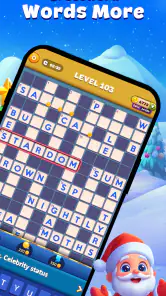
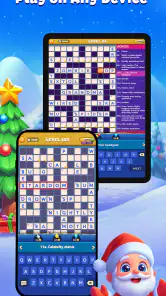
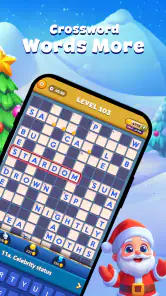
The interface is clean and user-friendly, which makes navigating through the app a breeze. The visuals are simple yet effective, focusing on the letters and words without unnecessary distractions. This simplicity is part of what makes the game so enjoyable—it’s all about the words!
The app also runs smoothly without any annoying lags or crashes, at least in my experience. This might not sound like a big deal, but trust me, when you're in the zone trying to solve a particularly tricky puzzle, the last thing you need is for the app to freeze up!
Playing in short visits or longer sessions
The crossword format lends itself to two different habits. For a quick break, I’d aim to make progress on a small patch of the grid rather than chase completion. For a longer session, I’d work through the answers in passes: fill what is clear, use crossings to revise uncertain entries, and only then decide whether a hint is worth using. The second approach is less likely to make a difficult clue feel like a dead end.
It is also a better fit for players who enjoy returning to an unfinished task. If you want every round to be self-contained and finished before you put your phone down, an incomplete grid can feel like loose business. I find the option to pause mentally useful, but it depends on whether you enjoy picking a puzzle back up or prefer a fresh, quick round each time.
Where it fits among word games
Compared with a paper crossword, this gives me a more guided, phone-friendly way to work through clues, with hints available when I hit a wall. Compared with word-search games or fast vocabulary rounds, it asks for more deliberate clue-solving and crossing-letter logic. That makes it a good pick for a quiet commute, a waiting-room pause, or a short evening wind-down, but not the best choice if you want competitive play, a frantic pace, or a completely open-ended puzzle book.
There is a trade-off in that guided feel. A paper puzzle lets you choose any grid and work in whatever order you like, while a phone game can make it easier to return to a puzzle and get a nudge when you need one. On the other hand, players who enjoy setting their own difficulty or choosing a particular crossword style may prefer a dedicated puzzle book or another crossword app built around those choices. I’d choose this one for a straightforward mobile puzzle session, not as a replacement for every kind of crossword experience.
Who is likely to enjoy it—and who may not
I’d recommend it to casual crossword fans, people who like learning through clues, and anyone who wants a calm activity that can be picked up between other tasks. It can also suit a first-time solver who would rather build confidence gradually than start with a newspaper-style puzzle that feels intimidating. The daily challenge gives a regular reason to return, while the crossing-letter method offers a practical way to make progress even when a clue is unfamiliar.
I’d steer away from it if your main goal is head-to-head competition, rapid-fire rounds, or an entirely freeform puzzle experience. It may also be a poor fit if you dislike limited hints or prefer to choose every puzzle’s difficulty yourself. The key question is whether you enjoy filling a grid by reasoning through clues: if that part sounds appealing, the simple setup is welcoming; if it sounds like homework, another kind of word game will probably suit you better.
Cost, audience, and a sensible next step
The game has over 100 thousand installs, and in-app purchases range from $0.99 to $99.99 per item. I’d begin with the free play and decide whether the daily routine and hint balance work for me before considering any purchase. It’s a sensible fit for casual crossword fans, learners who enjoy building confidence one answer at a time, and anyone who wants a compact mental break. I’d skip it if I mainly want a multiplayer contest or dislike limited hints and guided progression.
One practical point for families is that the game is rated Everyone, but the purchase options are still worth keeping in mind if a child will be playing on a shared device. I’d let a new player explore the free experience first and make sure they understand that hints are a limited resource. That keeps the first session focused on the puzzle itself and avoids treating a purchase as the default solution whenever a clue is difficult.
For someone deciding whether to keep it installed, I’d use the daily puzzle as a simple trial rather than committing to a long session. If you look forward to a new set of clues and enjoy using crossings to solve them, it is probably earning its place on your phone. If you open it several times and find that the slower pace feels like a chore, there is little reason to force it; a word search or a short anagram game may be a better match for the kind of break you want.
Why You Should Try It
If you're a fan of word games or just looking for something new to pass the time, I definitely recommend giving Words More - Ultimate Crossword a try. It’s a great way to improve your vocabulary and spelling skills while having fun. Plus, it's one of those games that you can play at your own pace, whether you have a few minutes or a few hours to spare.
In conclusion, Words More - Ultimate Crossword offers a perfect blend of entertainment and mental exercise. So, grab your phone, download the app, and start playing. You might just find yourself addicted to finding the right words!
Words More -Ultimate Crossword Frequently Asked Questions
Can I play Words More - Ultimate Crossword without an internet connection?
Yes. Words More - Ultimate Crossword supports offline play, so you can work through puzzles when you do not have an internet connection. That makes it a convenient option for travel or quiet moments away from Wi-Fi. Online features such as comparing leaderboard positions may require a connection, but the core puzzle-solving experience can be enjoyed offline.
Is Words More - Ultimate Crossword suitable for children and family play?
Words More - Ultimate Crossword is a word puzzle game intended for a broad audience, making it an approachable choice for family members who enjoy crosswords. Its content rating is Everyone, and the focus is on solving clues and building words. Players can choose puzzles at different difficulty levels, so newer solvers and more experienced crossword fans can both find a suitable challenge.
What does Words More - Ultimate Crossword cost, and are there optional purchases?
The game is free to download and play, with optional in-app purchases available. These purchases are priced from $0.99 to $99.99 per item, so it is worth checking the purchase details before confirming anything. You can start playing without paying, while purchases may offer additional ways to support or customize your experience.
What is Words More - Ultimate Crossword?
Words More - Ultimate Crossword is an engaging mobile game that challenges players to solve crossword puzzles with various difficulty levels. It combines classic word puzzle elements with modern features, making it suitable for all ages. With its intuitive interface and diverse puzzle categories, it offers hours of entertainment and brain exercise.
Is Words More - Ultimate Crossword free to play?
Yes, Words More - Ultimate Crossword is free to download and play. However, it offers in-app purchases that allow players to buy hints, remove ads, or unlock additional puzzle packs. While these purchases enhance the gaming experience, they are entirely optional, and players can enjoy the game without spending any money.
Pros
- Engaging and challenging puzzles.
- User-friendly interface with intuitive controls.
- Regular updates with new puzzles.
- Supports multiple languages.
- Minimal ads ensure smooth experience.
Cons
- Limited free puzzles available.
- Requires internet for daily puzzles.
- Occasional app crashes reported.
- Some puzzles are too easy for experts.
- In-app purchases can be costly.
- Category
- Word
- Version
- 1.3.7













