Trivia Spin-Guess Brain Quiz
- 461.00
- 4.4
- Installs
- 1.00M
- Price
- Free
Screenshots
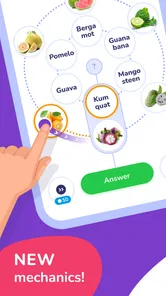

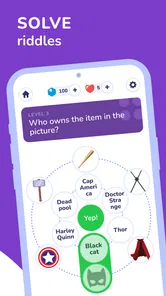
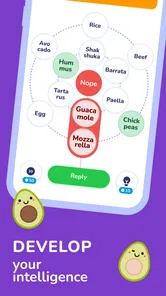
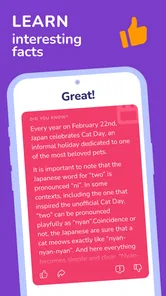
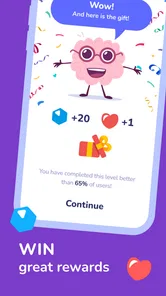
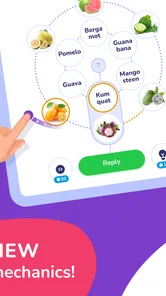

Analysis by Reviewed
I tend to judge a trivia game by a simple question: does it make a spare few minutes feel enjoyable, or does it turn every round into a chore? Trivia Spin-Guess Brain Quiz is aimed at the first kind of session. It is a free trivia game from Severex, and its mix of broad quiz subjects and a spinning category selector gives it a casual, pick-up-and-play feel. I would consider it when I want a light quiz on my phone rather than a deep course in one subject.
Choosing the right kind of quiz
Before settling on any trivia app, I’d think about whether I want variety, focused learning, or competition that depends on my own question choices. Trivia Spin leans toward variety: the wheel decides where a round goes, so it suits players who enjoy switching topics and taking a chance on what comes next. If I’m trying to study a particular subject, I’d choose a more focused quiz instead; a random category is part of the appeal here, but it is not a reliable study plan.
That distinction also helps answer who should skip it. Someone who dislikes surprises, wants detailed explanations after every answer, or prefers carefully chosen question sets may be happier elsewhere. I see this as a way to play with general knowledge, not as a substitute for a textbook or a structured learning app.
Let’s Dive Into the World of Trivia
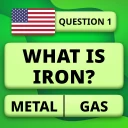
Right from the get-go, the app gives off a vibrant vibe with its colorful interface. It’s like stepping into a quiz show, minus the pressure of cameras and a live audience. The Trivia Spin-Guess Brain Quiz app is designed to test your knowledge across a variety of topics. Whether you're a science buff, a history enthusiast, or someone who knows a little about a lot, this app has something for everyone.
How It Works
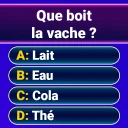
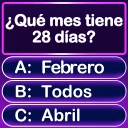
The app is structured around a spinning wheel that randomly selects a category for you to answer. This element of surprise keeps things fresh and exciting. It’s like spinning the wheel on a game show, and trust me, the thrill never gets old! Once your category is chosen, you’re presented with a series of questions that range from easy-peasy to "Wait, how do I know this?" It’s a rollercoaster of "I got this" and "Oh no!" moments.
The category draw has a useful side effect: it can expose gaps in what I know instead of letting me stay in familiar territory. My practical tip is to treat an unexpected category as a prompt to notice which subjects you enjoy, not as a verdict on how smart you are. For a short session while waiting for a bus or taking a break, that small change in expectation keeps the wheel’s randomness fun rather than frustrating.
The Social Side
One of the coolest features is the ability to challenge friends. You can invite them to join your trivia pursuits, making it a fun and interactive experience. Plus, the app keeps track of scores, so you always know who’s the reigning trivia king or queen. Social interaction is a big plus here, adding a layer of competition and camaraderie.
More From Our News Desk

 Gmail
GmailGmail in a Busy Inbox: Who Benefits Most?
From first account to crowded workday, Gmail earns its place through dependable search and flexible sorting—but its best fit depends on how much inbox maintenance you can tolerate.

 Prime Video
Switching to Prime Video: What Changes in Your Viewing Routine
Prime Video can make a compelling second home for streaming, but switching means learning a different catalog, rental layer, and route from browsing to playback.

 Universal TV Remote Control
Universal TV Remote Control Works Best as a Reliable Backup
A phone remote earns its place through quick setup and reliable habits. Here is how to get more from Universal TV Remote Control—and where its limits show.

 Weather - By Xiaomi
Weather by Xiaomi Review: Clear at a Glance, Less Clear Up Close
Xiaomi’s weather app makes everyday forecasts quick to scan, but its calm surface can leave useful details and recovery paths harder to find than they should be.

 X
XX Under Pressure: Can It Recover When Posting Goes Wrong?
A resilience-focused review of X, examining setup, mistaken posts, interruptions, weak connections, and the gaps that matter when recovery needs to be dependable.

 Clash of Clans
Clash of Clans Is Won Between the Battles
Its raids are quick; its community is a long-term project of coordination, teaching, rivalry, and shared responsibility—with all the friction that entails.
Latest News



For a realistic group use, I’d bring it out during a relaxed get-together when everyone is happy to take turns and laugh at the answers they miss. The scorekeeping gives a simple shared goal, but it may not satisfy a group that wants elaborate team formats or a host-controlled quiz night. I’d also agree on whether to play casually or keep score seriously before starting; that avoids turning a quick game into an argument over who is winning.
What Makes It Stand Out?
Aside from the engaging gameplay, the app's design is intuitive and user-friendly. Even if you’re not tech-savvy, navigating through the app is a breeze. The developers have done a fantastic job making sure everything is straightforward, which is perfect for when you’re in the heat of a trivia battle.
Its broad appeal is reflected in its 4.3 average from around 14,000 ratings, with over a million installs. The game is rated for Everyone, and its current version is 2.1, with Android support from version 8.0. Those details make it approachable for a wide range of players, though the rating alone cannot tell me whether any particular question set will match my interests.
There is also a useful choice between this sort of all-rounder and conventional trivia alternatives. A static question bank can be better when I want to practise a subject repeatedly, while a head-to-head quiz built around fixed topics may suit friends who want more control over the matchup. Here, the wheel is the defining trade-off: it supplies variety without much planning, but it can land on a subject that is not everyone’s favourite. I would use it for spontaneous play and choose a more specialised option for deliberate revision.
Making a short session work
The game’s broad subject mix makes it particularly suitable for moments when I don’t want to decide what to play in advance. On a coffee break, for example, I can open it with no topic prepared and let the wheel set the direction. That’s a different kind of convenience from a quiz app that asks me to choose a subject first: less control, but less faffing around before the actual questions begin.
I’d also use it as a low-pressure icebreaker with one friend. Rather than planning a whole evening around a quiz, we could take turns answering and let a surprising category become the conversation starter. If one of us misses a question, the useful follow-up is to talk through what made the answer unexpected, rather than treating the score as a serious contest. That makes the format work for mixed knowledge levels, provided everyone is comfortable with a little uncertainty.
For solo play, the wheel can help me avoid repeatedly choosing only subjects I already enjoy. A simple way to get more out of that is to notice which categories feel energising and which ones make me want to quit. That personal pattern can help me decide whether I want a broad trivia game or a focused alternative next time. It is not a substitute for tracking learning, but it is a practical way to make a casual game feel less like random tapping.
Where another trivia style may suit you better
Trivia games tend to serve different moods. A focused quiz is the better tool if I have a specific topic in mind and want question after question on it. A party quiz with a host may be a better fit when a group wants everyone to answer the same prompts together. A competitive quiz centred on chosen subjects can make a fairer matchup for friends who have very different interests. The spin-based approach makes more sense when I value surprise over careful control.
That distinction matters if you are deciding what to install rather than simply trying a free game. If you want corrections and explanations that help you understand why an answer is right, I would look for a learning-oriented quiz. If you want a game that reliably sticks to logos, songs, countries, or flags, check whether a specialised alternative is more aligned with that particular interest. The appeal here is the breadth of trivia, not a promise that every round will focus on one chosen theme.
The social element also has a boundary: being able to challenge friends and follow scores can add a shared aim, but it is not the same as having a fully managed quiz night. For a larger group, I’d choose a format where everyone can participate at the same time and the host can shape the questions. For two people trading turns, the lighter approach is easier to start without preparation.
Progress, pace, and spending
The app also offers various levels and achievements, which are perfect for keeping you motivated. It’s rewarding to see your progress as you climb the trivia ranks. And for those who love a little challenge, the app offers timed quizzes to really test your quick thinking skills.
Timed play changes what the game asks of me: recognising an answer quickly matters alongside knowing it. If I’m playing with someone who needs more time to read or think, I’d keep the session informal rather than treating speed as a measure of knowledge. The game is free to start, with in-app purchases ranging from $0.99 to $19.99 per item, so I’d check the purchase options before tapping through if I prefer to keep entertainment spending predictable.
For someone wondering whether it is worth trying, I’d say the low-friction format is the strongest reason: I can choose it for a brief break, a friendly challenge, or a change from scrolling. It was released on December 15, 2023, and the 361 written reviews sit alongside its broader rating count; that gives a sense of an established audience, but personal taste in question topics still matters more than popularity when deciding whether to keep playing.
What to consider before switching
If you already use another trivia game, the main switching cost is not learning a complicated system; it is giving up the habits and subject control you may have built around your current choice. Someone who has a favourite topic ready to practise might find the random selection less efficient. On the other hand, if you often spend longer choosing a category than answering questions, letting the wheel decide could make it easier to start a quick session.
I would try it alongside an existing quiz rather than deleting a focused study tool straight away. Use this game when you want variety, and keep the specialised option for deliberate practice or a format that better suits your group. That division of roles avoids expecting one casual title to cover every kind of trivia. It also gives you a fair sense of whether the surprise element is genuinely enjoyable or merely novel for the first few rounds.
For families or mixed-age groups, the Everyone rating is a useful starting point, but I would still check that the style suits the people playing together. The rating speaks to age suitability, not to whether a child or adult will enjoy the pace, topics, or competitive feel. Taking turns and keeping the score light makes more sense than assuming every player wants the same level of challenge.
Final Thoughts
Overall, the Trivia Spin-Guess Brain Quiz app is a delightful addition to any trivia lover’s arsenal. It combines fun, knowledge, and a dash of friendly competition into an app that’s hard to put down. Whether you’re killing time on a commute or just looking to flex your brain muscles, this app has you covered. So, why not give it a spin? You might just surprise yourself with how much you know!
My recommendation is strongest for casual players who like mixed topics, quick rounds, and a little friendly scorekeeping. I would choose another kind of quiz if I needed reliable subject practice, more control over categories, or a slower pace than timed questions allow. For everyone else, this is an easy one to try when a spare moment opens up; just treat the random wheel as part of the fun, and keep purchases optional rather than assuming they are needed to enjoy a round.
Trivia Spin-Guess Brain Quiz Frequently Asked Questions
Does Trivia Spin-Guess Brain Quiz suit casual players as well as trivia fans?
Yes. Trivia Spin-Guess Brain Quiz is built around short trivia challenges, so it can suit someone looking for a quick game as well as a player who enjoys testing general knowledge. Its Everyone age rating makes it suitable for a broad audience. The topics range across different areas, and the spinning format gives each round a light, game-like feel rather than making it feel like a formal quiz.
What does the game’s spin mechanic do?
The spin mechanic determines which category you tackle next: spin the wheel, land on a topic, and answer a question. That changing focus helps keep play varied and gives each round a simple structure to follow. The game also promotes guessing logos, songs, countries, and flags, alongside a millionaire-style quiz experience, so its trivia is not limited to a single kind of question.
What devices can run Trivia Spin-Guess Brain Quiz?
Trivia Spin-Guess Brain Quiz is available for Android and iOS, so you can play on a compatible phone or tablet. The Android version requires Android 8.0 or later. It is a trivia game from Severex, and its Everyone age rating makes it suitable for a broad audience. Check that your device meets the platform requirements before downloading.
What is Trivia Spin-Guess Brain Quiz about?
Trivia Spin-Guess Brain Quiz is an engaging trivia game designed to test your general knowledge across various topics. Players spin a wheel to land on different categories, answering questions to earn points. It's suitable for all ages and offers a fun, challenging way to learn new facts and compete with friends. The app is available on both Android and iOS, making it accessible to a wide audience looking for entertainment and education.
Is Trivia Spin-Guess Brain Quiz free to play?
Yes, Trivia Spin-Guess Brain Quiz is free to download and play. However, it may offer in-app purchases for players who wish to enhance their game experience with additional features or to remove ads. These purchases are optional, and players can enjoy the full game without spending any money, making it accessible to everyone. Optional in-app purchases range from $0.99 to $19.99 per item, so check the purchase details before confirming anything.
Pros
- Engaging and challenging quiz questions.
- Variety of categories to choose from.
- Interactive multiplayer mode available.
- User-friendly and intuitive interface.
- Regular updates with new content.
Cons
- Requires internet connection to play.
- Contains in-app purchases.
- Occasional ads may disrupt gameplay.
- Limited free content without purchases.
- Frequent updates can be large in size.