Spelling Bee: Spelling Quiz
- 258.00
- 4.6
- Installs
- 500.00K
- Price
- Free
Screenshots
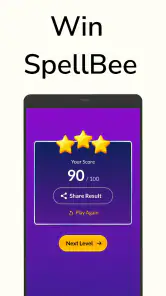
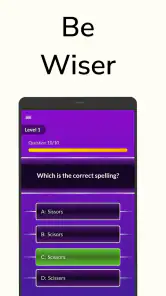
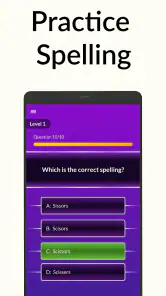
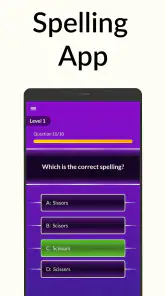
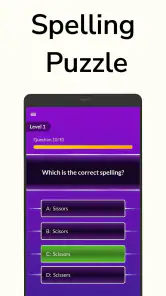
Analysis by Reviewed
I enjoy trivia games that give me something useful to do in short bursts, and Spelling Bee: Spelling Quiz fits that idea better than most quick-play titles. It is a free spelling game from Happy-verse, built around recognizing and producing English words rather than simply tapping through general-knowledge questions. After spending time with it, I see it as a lightweight practice tool first and a casual game second: easy to open, simple to understand, and most rewarding when I use it regularly instead of expecting a deep campaign.
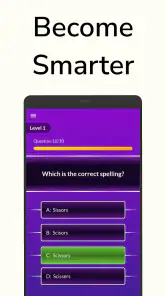
The central appeal is straightforward. You are challenged to spell words correctly, so each round asks for attention to letter order, familiar patterns, and the small differences that often trip up English learners. That makes the game useful for someone building confidence in English, a student wanting extra practice outside class, or a fluent speaker who likes word-based challenges. It is also suitable for a family setting because its content rating is Everyone.
My overall impression is positive, although I would not treat it as a complete language course. It can reinforce spelling awareness, but it does not replace reading, writing, pronunciation practice, or a structured vocabulary program. Its value comes from making one narrow skill easy to revisit. If that is the skill you want to work on, the focused format is a strength rather than a limitation.
How the current version feels in everyday use
A focused trivia game rather than a full English lesson
The game belongs to the trivia category, but its trivia is more practical than a quiz about history, science, or entertainment. The subject is the spelling of English words, which changes the way I play. I am not relying only on memory of facts; I am checking whether I can reconstruct a word accurately under the pressure of a question.
That distinction matters when deciding whether to install it. Someone looking for broad quiz subjects will probably find the experience too narrow. Someone who repeatedly makes spelling mistakes, is learning English, or wants a quick vocabulary-related challenge will understand the purpose immediately. I like that the concept does not need a long tutorial. The store short description is simply “Spelling Bee,” and the actual premise is just as direct.
In an everyday situation, I could use it while waiting for an appointment or during a short break when I do not want to begin a larger game. A few rounds can become a small mental reset, but they also give me a reason to notice which kinds of words cause trouble. I would make a note of those words afterward and use them in a sentence. That turns a quick game session into a more useful learning routine instead of leaving the result as a disposable score.
What makes the word challenges worthwhile
The strongest part of this format is the feedback loop between an answer and a mistake. When I spell a word incorrectly, the error is more informative than a wrong answer in a general trivia quiz because it shows exactly where my recall broke down. I may know the word when reading it but hesitate when producing it, or confuse a vowel pattern that looks familiar. Those are different problems, and spelling practice exposes them quickly.
A useful approach is to avoid rushing through every prompt. I first say the word quietly, break it into sounds or familiar parts, and then consider the letters before answering. That habit is especially helpful for English learners because pronunciation alone is not always a reliable guide to spelling. The game cannot do all of that thinking for me, but it creates a compact place to practise it.
I also found that the best sessions are not necessarily the longest ones. Once concentration drops, I start guessing based on visual familiarity rather than spelling knowledge. Short sessions make it easier to remember the words that caused difficulty. For a child, parent, or teacher using the game as a supplement, discussing one or two mistakes afterward may be more valuable than chasing a perfect run.
Who will get the most from it
I would recommend it most strongly to casual learners who want English spelling practice without opening a formal study app. It can also suit younger players, provided an adult chooses an appropriate pace and treats the game as practice rather than an academic assessment. The Everyone rating makes it approachable for a broad audience, but age suitability does not guarantee that every word will match a particular learner’s level.
Fluent English speakers may enjoy it as a small brain-training activity, especially if they like word puzzles and want something less demanding than a full quiz competition. The challenge is not limited to beginners: familiar words can still be surprisingly easy to misspell when presented quickly or without context.
I would skip it if my main goal were pronunciation, conversation, grammar, or a complete vocabulary syllabus. A flashcard system may be better for controlled repetition, while a dictionary-based tool may be better for definitions, examples, and pronunciation. A general trivia app is the better choice for variety. This game earns its place when spelling itself is the target.
How it compares with common alternatives
Compared with a standard spelling worksheet, the game feels less formal and easier to start. I do not need to prepare a list or decide which words to study before opening it. That convenience is its main advantage over paper exercises. The trade-off is that a worksheet can be customized precisely for a school unit, a child’s mistakes, or professional vocabulary, while a fixed game experience is less personal.
Compared with flashcards, the quiz format adds a little more tension and makes recall feel active. Flashcards are usually better when I want to repeat the same difficult words until they become automatic. This game is better for variety and spontaneous testing, but I would not rely on it alone for deliberate memorization.
Compared with a language-learning course, it is much lighter. That is good when I have five minutes and do not want lessons, streaks, or a broader curriculum. It is also the reason its educational reach is narrower. I would pair it with reading and writing rather than asking it to carry the whole learning process.
What the version and release history suggest
The game was released on May 11, 2022, and the current version is 5.9. That combination suggests a product that has continued beyond its initial launch rather than remaining frozen at its first release. I see the version number as evidence of ongoing maintenance and iteration, but not as proof that the game has become a full-featured learning platform.
For an existing user, moving through several versions can matter in practical ways even when the basic idea remains unchanged. A familiar spelling activity is easier to return to because I do not have to relearn the purpose each time. At the same time, a higher version number should not create unrealistic expectations about advanced teaching tools. The core experience is still best judged by how useful and comfortable the word practice feels today.
New users should therefore install it for the current spelling challenge, not for a promised future direction. Existing players can reasonably watch later updates for clearer progression, better handling of difficult words, and improvements that make practice more informative. Those are sensible areas to monitor without assuming that they have already been added.
Practical details before installing
The game is free to download and requires Android 5.0 or later, so it is accessible on many older Android devices as well as newer ones. That is helpful if I want to give it a try without committing to a subscription or replacing an older phone. The developer is Happy-verse, and the game has passed half a million installs, which indicates that it has reached a substantial audience for such a focused spelling title.
Its average rating is 4.6 from around 4.2 thousand ratings, with around 258 written reviews. I treat those figures as a useful sign of broad satisfaction, not as a guarantee that every learner will find the difficulty or presentation ideal. Ratings can tell me that the basic concept works for many people; my own decision still depends on whether I want spelling practice rather than a more expansive game.
There are in-app purchases priced from $4.90 to $19.00 per item. The free entry point is therefore important, but I would still check the purchase screen carefully before confirming anything. The presence of optional paid items may be a minor annoyance for someone who wants a completely uninterrupted free experience. It is also worth considering whether the free version already provides enough practice for my needs before spending money.
Small strategies that improve the experience
My first tip is to separate recognition from recall. If I see a word and think it looks familiar, I pause and mentally spell it before selecting an answer. That prevents me from confusing “I have seen this word” with “I can spell this word.” The difference is particularly useful for learners who read more English than they write.
My second tip is to keep a personal error list outside the game. I would write the missed word, the incorrect version I used, and a short sentence containing the correct spelling. This adds context that a short quiz may not provide and makes later review more efficient. It also reveals patterns, such as repeated confusion with double consonants or endings, instead of treating every mistake as unrelated.
My third tip is to use the game at two different speeds. During a first session, I would answer naturally to see what I know without preparation. In a later session, I would slow down and apply spelling strategies deliberately. The first approach measures instinct; the second develops control. Mixing them gives me more information than always trying to achieve the highest possible result.
A fourth useful workflow is to match the game with real writing. After playing, I might write a short message, journal entry, or shopping list using several words I struggled with. If I can spell a word in isolation but not in a sentence, the problem is not fully solved. This simple transfer step is where the game becomes more than a sequence of isolated prompts.
Where the experience still has limits
The narrow focus is both the reason to use the game and the main reason some people will lose interest. Spelling alone can become repetitive if I want changing subjects, story progression, character development, or competitive multiplayer. The game is not a substitute for a broad trivia collection, and I would not choose it for a group party where everyone wants to answer different kinds of questions.
There is also a learning limitation in practising words without much surrounding context. Knowing the correct letters does not automatically mean knowing what a word means, how formal it is, or how it sounds in conversation. I would like to see spelling practice connected more clearly with definitions, example sentences, and pronunciation support, but I would not assume those elements are central to the current product.
Difficulty can be personal as well. A word that is useful for an English learner at one level may be too easy for an advanced speaker or too difficult for a beginner. Without tailoring my own word list, I may occasionally encounter a session that feels mismatched. That is when a specialized vocabulary course or teacher-selected exercise becomes the better option.
The purchase model is another point to consider. Free access lowers the barrier to testing the game, but optional items can complicate the experience for users who prefer a single upfront price. I would use the free version long enough to decide whether the practice is genuinely helping before considering any paid content. For a child’s device, an adult should also manage purchasing decisions rather than assuming that “free” means there will never be a payment prompt.
What I would watch in future updates
Because the current version is 5.9, I would pay attention to whether future releases deepen the learning value without making the quick-play format cumbersome. The most meaningful improvements would be tools that help me understand mistakes, revisit difficult words, and see progress over time. Those changes would strengthen the bridge between a casual quiz and a dependable spelling practice routine.
I would also watch for better balance between accessibility and challenge. A useful update would preserve the immediate simplicity that makes the game approachable while giving returning players more reason to continue. Optional difficulty choices, clearer progression, or more deliberate review would be valuable directions, but they should be judged by how well they support spelling rather than by how many features are added.
Existing users should not feel pressured to change their routine simply because a new version appears. If the current game already helps them notice and correct spelling mistakes, it is doing its main job. New users can start with the same modest expectation: this is a focused practice game, not a complete language-learning system. That honest framing prevents disappointment and makes its small strengths easier to appreciate.
My recommendation
I recommend Spelling Bee: Spelling Quiz to anyone who wants a free, low-commitment way to practise English spelling on Android. Its Everyone rating, broad device compatibility, and simple trivia format make it easy to try, while the continued development from its 2022 release to version 5.9 gives the product a sense of ongoing attention.
I would especially suggest using it alongside a notebook, reading habit, or writing exercise. That combination turns each missed answer into something actionable and helps prevent the game from becoming mindless tapping. It is also the right way to judge its educational value: not by whether I can finish a round, but by whether I remember and use the troublesome words later.
The best reason to choose it is focused spelling practice without the weight of a full course. The best reason to look elsewhere is equally clear: if I need pronunciation, grammar, definitions, personalized vocabulary, or a wide range of trivia subjects, another app will serve me better. For the specific job it sets out to do, though, this is a friendly and practical little game that I would keep available for short practice sessions.
Pros
- Short daily rounds make it easy to play during spare moments.
- Helpful hints can guide players without immediately giving away answers.
- Word difficulty increases gradually
- supporting steady skill development.
- Clean visuals keep attention focused on the letters and puzzle board.
- Replay value is strong for users who enjoy improving their word scores.
Cons
- Some advanced words may feel unfamiliar or overly dependent on vocabulary.
- Repeated puzzles or similar word patterns can reduce long-term variety.
- Hint systems may become less useful when answers are especially obscure.
- Small letter tiles may be uncomfortable on compact phone screens.
- Progress can feel slow for players seeking faster rewards or competition.
- Category
- Trivia
- Version
- 5.9