Mix & Paint
- 1.83K
- 4.7
- Installs
- 10.00M
- Version
- 4.0.0
Screenshots


Analysis by Reviewed
Hey there, fellow art enthusiasts! Let's dive into the vibrant world of Mix & Paint, an app that’s sure to unleash your inner Picasso. Whether you’re a seasoned artist or just looking to dabble in some color therapy, this app has something for everyone.
Getting Started with Mix & Paint
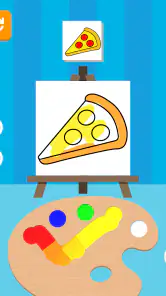
First off, let me tell you how easy it is to get started. You download it, open it up, and boom—you’re greeted with a digital canvas that just begs to be painted on. The interface is super friendly, even for those who might be a bit tech-challenged (no judgment here!).
Exploring the Features
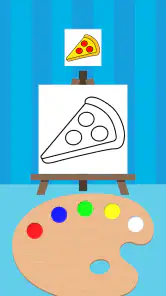
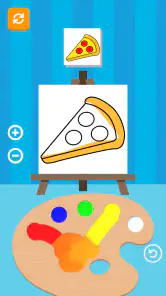
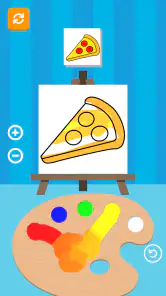
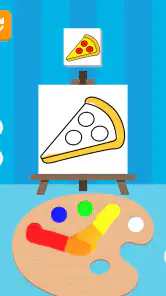
Now, let’s talk about the features. You have a plethora of brushes, colors, and tools at your disposal. The color mixing feature is particularly impressive. It lets you blend colors as if you were mixing real paint on a palette. It’s almost therapeutic, watching the colors swirl and come to life. I spent hours just experimenting with different shades and tones.
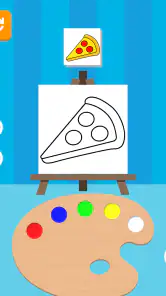
Another neat feature? The app allows you to upload your own sketches and bring them to life with color. I found this particularly useful for planning out color schemes before committing to real-life projects. Plus, you can easily share your creations on social media directly from the app, so you can show off your masterpiece to the world with just a tap.
Why You’ll Love It
Honestly, what really sets Mix & Paint apart is how it caters to both beginners and professional artists. It’s like having a mini art studio in your pocket. The app’s design is intuitive, and the performance is smooth, with no noticeable lag even when using complex tools. This makes the creative process not just easy, but genuinely enjoyable.
The community aspect is also worth mentioning. There’s a built-in feature where you can join art challenges, see others’ work, and interact with a community of fellow art lovers. It’s a fantastic way to gain inspiration and improve your skills. Plus, it's always nice to get feedback from people who share your passion.
Final Thoughts
In conclusion, Mix & Paint is a delightful app that truly celebrates creativity. It’s accessible, fun, and packed with features that make digital painting a joy. Whether you’re killing time on your commute or seriously working on your digital art skills, this app is a must-have. So go ahead, give it a try, and maybe you’ll discover a hidden talent you never knew you had!
Pros
- Intuitive user interface for easy navigation
- Wide range of colors and brushes available
- Supports high-resolution image exports
- Regular updates with new features
- Compatible with stylus for precision painting
Cons
- Limited free version features
- Occasional app crashes
- Requires internet for full functionality
- Ads in the free version can be disruptive
- High battery consumption during use
- Category
- Arcade
- Version
- 4.0.0