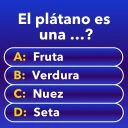
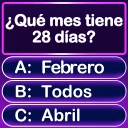
Mindblow: Guess the Word!
- 1.38K
- 4.5
- Installs
- 1.00M
- Price
- Free

Screenshots
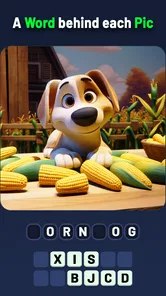
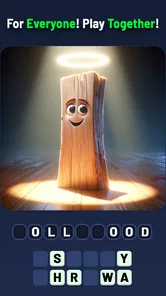
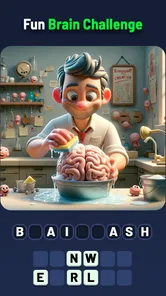
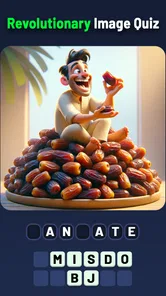


Analysis by Reviewed
Ever had one of those days where you just want to kick back and have some fun while also giving your brain a little workout? Well, that's exactly what Mindblow: Guess the Word! offers. This engaging app is a word puzzle game that not only entertains but also challenges your vocabulary skills. Let me take you on a little tour of what makes this app a fantastic pick for both casual and hardcore puzzle enthusiasts.
What the free price does—and doesn’t—tell you
I like that the game is free to download, so you can try its picture-and-word trivia style without paying upfront. It also has in-app purchases, with listed items ranging from $1.99 to $99.99 each. That is a broad span, so I would treat optional spending as a personal choice rather than assume you need to buy something to enjoy the puzzles. If you prefer to avoid purchases, check the prompts on any purchase screen before confirming anything, especially if a child will be playing.
That distinction matters: free access makes it easy to see whether the clue style suits you, but it does not tell you how much play you will get without spending or what each purchase contains. I wouldn’t budget for add-ons before trying the game. First see whether the regular puzzle flow feels satisfying and whether you actually want hints when a clue slows you down.
Getting Started with Mindblow
Once you download and install Mindblow: Guess the Word!, you're greeted with a vibrant, user-friendly interface. The initial setup is a breeze. You can jump right into the action with just a few taps. No need to sign up or create an account, which is a huge plus for those who want to dive into gaming without any fuss.
Gameplay Experience
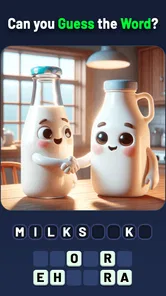
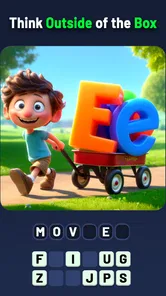
The game is structured around guessing words based on given clues. Sounds simple, right? But as you progress, the puzzles get trickier, and the clues more cryptic. It’s like your own mini version of a word-based escape room. What I love about the game is its pacing. It starts easy to get you hooked, and gradually the difficulty ramps up, keeping you constantly engaged. It’s perfect for when you’ve got a few minutes to spare, or even if you want to sit down for a longer session.
Furthermore, the game rewards you with coins upon solving puzzles, which you can use to get hints if you find yourself stuck. It's a neat feature that helps keep the momentum going without making you feel frustrated. Plus, the app occasionally throws in some surprise bonus rounds which are both challenging and rewarding!
How I’d use the hints
Hints are most useful when I have a plausible answer but cannot connect it to the clue, rather than when I have not looked carefully at the image or wording yet. I’d take a moment to name what I can see, then consider whether the intended word might refer to an action, a phrase, or a less obvious association. That small pause can make solving feel earned and save coins for a genuinely stubborn puzzle. If I’m playing with someone else, I’d also ask them for one guess before using a hint; a fresh perspective can be more fun than revealing help immediately.
More From Our News Desk

Weather by Xiaomi Review: Clear at a Glance, Less Clear Up Close

X Under Pressure: Can It Recover When Posting Goes Wrong?

Clash of Clans Is Won Between the Battles

Android Auto Makes the Case for Quieter Car Software

MobiOffice: Transforming Mobile Productivity with Seamless Integration

EA SPORTS FC™ Mobile Soccer: Redefining Mobile Sports Gaming
This is also where the game’s picture-based premise differs from a standard word grid or crossword. Those alternatives usually reward spelling knowledge, crossing letters, or long-form deduction. Here, the appeal is making a quick connection between an image and a word. I’d pick it for visual association and short bursts, but choose a crossword or a larger word-search if I wanted a more systematic puzzle or a longer, uninterrupted challenge.
Visuals and Sound
The visual aesthetics are another highlight. The graphics are clean and colorful without being too flashy, which is perfect for keeping your focus on the word puzzles. The animations are smooth, contributing to a seamless gaming experience. And let’s not forget the sound effects – they’re subtle yet effective, enhancing the overall feel without being intrusive. The background music is gentle and helps maintain a relaxed gaming atmosphere.
Who is likely to get the most out of it?
I can see this working well for someone who likes trivia but doesn’t want every round to depend on remembering dates, names, or specialist facts. The image clue gives you something concrete to inspect, while the answer still asks you to make a leap. It also makes an easy shared activity: on a quiet commute, during a short wait, or while relaxing at home, one person can describe what they notice and another can offer a guess. For a family game, the Everyone age rating is reassuring, though I’d still keep an eye on purchase prompts if younger players use the device.
For example, if I had a few minutes before meeting a friend, I’d open a puzzle, look for the most obvious objects first, and say possible answers aloud rather than stare at the screen waiting for inspiration. If we disagreed, we could explain what detail led us to each guess. That turns a quick solo game into a small conversation without needing a lengthy setup. It is less suitable for someone who wants competitive multiplayer, detailed narrative, or a strict test of general-knowledge facts; the central attraction is solving the visual word clue.
Small habits that make short sessions better
I’d treat each puzzle as a quick observation exercise rather than try to guess immediately. First, identify the image’s obvious elements; next, look for an unusual relationship between them; then test whether that relationship could point to a familiar word or expression. This is a useful routine for a picture clue because the first object you notice may be only part of the intended idea. It also makes a shared round more enjoyable: each person can explain a different interpretation instead of simply calling out answers.
For a short break, I’d stop after a puzzle rather than begin another automatically if I only have a minute or two. That keeps the game convenient when I’m waiting in line or between tasks, and avoids turning a casual diversion into something I feel obliged to finish. On a longer, relaxed session, I’d be more willing to sit with a difficult clue before using coins for help. The best approach depends on whether I’m playing to fill time or to puzzle something out.
What the format can and cannot offer
Image-based word trivia sits between general-knowledge quizzes and conventional word puzzles. Compared with a quiz that asks factual questions, it asks me to interpret what I see rather than recall a specific fact. Compared with a crossword, it gives less emphasis to crossing letters and methodical grid-solving. That makes it approachable when I want an immediate visual prompt, but it may feel less satisfying if I enjoy building an answer through a network of clues.
The same distinction matters for learning. I might encounter words or associations that prompt me to think, but I would not choose this as a substitute for a language-learning tool or a structured vocabulary resource. If my goal is to practise spelling, track progress through lessons, or study definitions in a planned sequence, another kind of app is the better fit. Here, the pleasure is the moment a picture and a word suddenly make sense together.
What to expect from the release
The game is from Kidding Box Studio, has a 4.4 average from around 18,000 ratings, and has passed one million installs. It was released on December 30, 2023; version 2.4.1 is the current version, and it requires Android 5.1 or later. Those details make it a well-established option to consider, though popularity alone cannot tell you whether you’ll enjoy its particular clue style. I’d judge it by a few puzzles rather than by its audience size.
One practical question is whether it fits a quick break or demands a long session. Its puzzle format is naturally easy to dip into, and the original experience describes both short play and longer sessions, so I would use it flexibly rather than reserve a large block of time. If you want a game that steadily teaches formal vocabulary or tracks a structured learning plan, this is not the one I’d choose: solving word clues can exercise associations, but it is not the same as a dedicated language course.
Questions I’d consider before installing
Does it suit a child or a family round? The Everyone age rating makes it suitable for a broad audience, and the visual clues can give different ages something to discuss. I’d still supervise purchase prompts if a child is playing, since optional items are available. Is it useful without paying? It is free to download, so I’d begin there and decide from actual play rather than assume that purchases are necessary. The listed purchase range is wide, which is another reason to check what is being offered before confirming anything.
Does it need a long stretch of attention? I’d use it for short, self-contained puzzle breaks, while keeping a longer session for a time when I’m happy to work through several clues. Is it a social game? It can be fun to solve aloud with another person, but I would not pick it expecting a dedicated competitive multiplayer experience. And if I get stuck, I’d first revisit the picture and try a second interpretation; hints are better saved for a clue that remains stubborn after a genuine attempt.
Why You Should Try It
If you’re someone who loves word games or just enjoys a good mental challenge, this app is a no-brainer. It offers a delightful mix of fun, challenge, and brain exercise. It’s one of those games that you can pick up anytime, anywhere, and immediately get engrossed in. Plus, it’s a fantastic way to improve your vocabulary while having fun.
In conclusion, it is a must-try for anyone who enjoys word games. Its combination of challenging puzzles, delightful visuals, and engaging gameplay makes it a standout choice in the crowded world of mobile word games. Whether you're looking to kill some time or seriously improve your word skills, it has got you covered.
My buy-or-skip take
I’d try it if I wanted a free, low-commitment trivia game built around visual word clues, especially for casual breaks or shared guessing. I’d skip it if I were looking for a deep crossword-style challenge, a formal vocabulary course, or a game whose main draw is competition with other players. The paid items make it worth checking purchase choices carefully, but they don’t change my basic recommendation: start without spending, see whether the puzzles click for you, and only consider an add-on if you know what it offers and genuinely want it.
Mindblow: Guess the Word! Frequently Asked Questions
What devices and software versions can run Mindblow: Guess the Word!?
Mindblow: Guess the Word! is available for Android and iOS devices. For Android, the game requires version 5.1 or later, so check your device’s software version before downloading. It is a mobile trivia game built around picture clues and hidden words, making it a fit for players who want a word puzzle they can play on a phone or tablet.
How much space does Mindblow: Guess the Word! need, and is it a large download?
Before downloading, it is sensible to check the available storage on your device, particularly if you keep many apps or games installed. Mindblow: Guess the Word! is a mobile trivia game, but the amount of storage it uses can depend on the device and the version you install. You can review the download details on your device’s app store before proceeding.
What kind of game is Mindblow: Guess the Word!?
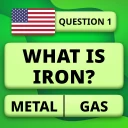
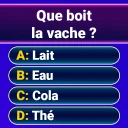
Mindblow: Guess the Word! is a trivia game centered on pictures and hidden words. Its premise is to look at an image, work out what word it suggests, and use your reasoning to solve the puzzle. If you enjoy visual clues and word-guessing challenges, this format offers a straightforward way to test your observation and vocabulary skills.
Is Mindblow: Guess the Word! free to download?
Yes, Mindblow: Guess the Word! is free to download. It also offers optional in-app purchases, with items ranging from $1.99 to $99.99. You can start playing without paying, then decide for yourself whether any available purchases are worthwhile for your play style. Checking purchase options before confirming a transaction is a sensible way to keep control of spending.
What is the main objective of Mindblow: Guess the Word?
Mindblow: Guess the Word! is a fun and challenging word puzzle game where the main objective is to guess the hidden word based on the provided clues. Players must use their vocabulary skills and logic to deduce the correct word, progressing through increasingly difficult levels. It's a fantastic way to exercise your brain and enhance your language skills while enjoying an engaging gameplay experience.
Pros
- Engaging word puzzles
- Simple
- intuitive interface
- Improves vocabulary
- Offline play available
- Regular updates
Cons
- Ads can be intrusive
- Limited free hints
- Repetitive levels
- In-app purchases
- No multiplayer mode