Fill Words: Word Search Puzzle
- 104.00
- 4.6
- Installs
- 10.00M
- Price
- Free
Screenshots

Analysis by Reviewed
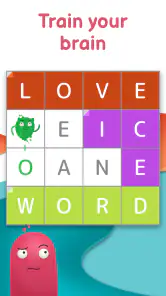
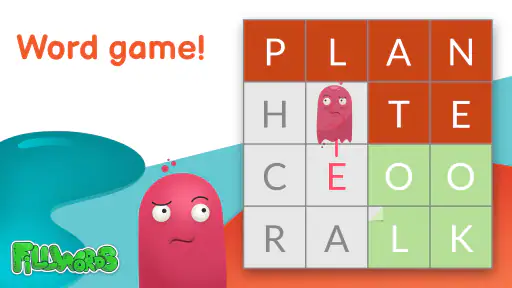
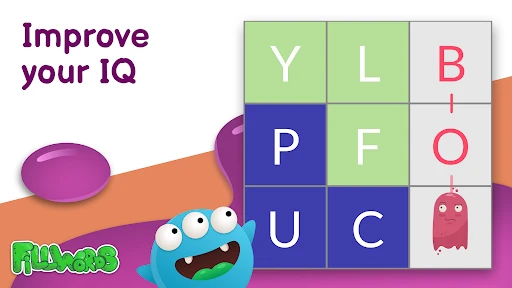
When I want a quick word puzzle rather than a long game session, I look for something I can start immediately and put down just as easily. Fill Words: Word Search Puzzle is built around that simple appeal: scan a letter grid, spot its words, and keep moving through the puzzles. Its early goals are easy to understand, so I can spend my attention on the search instead of learning a complicated set of rules.
Getting Started with Fill Words
As soon as I launched the app, I was greeted with a sleek and colorful interface that’s both inviting and intuitive. Navigating through the menus felt like a breeze, which is a big plus for someone like me who doesn’t want to spend ages figuring out how to start a game. The app offers a variety of word search puzzles that range from easy to challenging, catering to both beginners and seasoned players alike.
Game Mechanics and Features
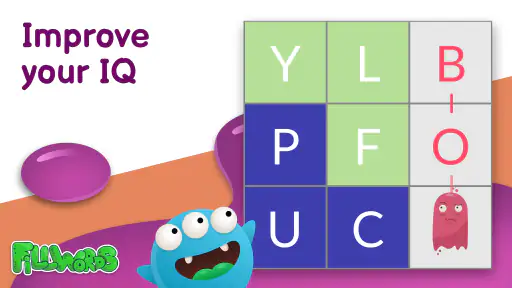
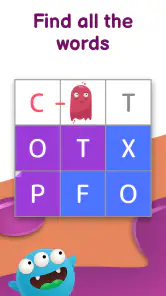
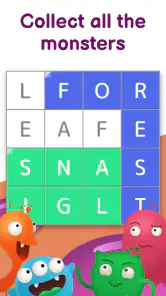
The core of Fill Words: Word Search Puzzle revolves around finding hidden words in a grid of letters. Sounds simple, right? But don’t let that fool you! As you progress, the puzzles become more intricate, demanding a keen eye and a sharp memory. A feature I found particularly engaging is the daily challenges. These are a great way to keep the content fresh and provide a reason to check in every day.
For a practical routine, I’d use a regular puzzle when I have a few spare minutes and save a daily challenge for a moment when I want a clearer target. That split makes the game easier to fit around a commute or a short break without turning every session into a commitment. If you tend to lose your place when interrupted, it’s worth finishing a grid before switching tasks; word-search play is most satisfying when I can keep the letter patterns in mind.
I also appreciated the hint system. It’s like having a trusty sidekick when you’re stuck on a particularly tricky word. But beware, those hints are limited, so use them wisely!
My tip is to give a grid one deliberate scan in each direction before reaching for a hint. I look for unusual letter combinations and check the edges, where a word can be easier to overlook when I focus only on the center. This keeps hints for genuine standstills rather than using them to hurry through a puzzle. The trade-off is that a careful search takes longer, but it also preserves the small satisfaction of finding a word myself.
One small habit helps me avoid turning a relaxing puzzle into a frustrating one: I pause briefly when I keep circling the same letters. A fresh look often makes a missed pattern stand out, whereas tapping hints in quick succession can make the solve feel less earned. I also treat an unfamiliar word as a chance to notice its spelling, not as proof that I need to memorize a vocabulary list. This is a light word game, and it works best when I let the grid set the pace.
More From Our News Desk

Weather by Xiaomi Review: Clear at a Glance, Less Clear Up Close

X Under Pressure: Can It Recover When Posting Goes Wrong?

Clash of Clans Is Won Between the Battles

Android Auto Makes the Case for Quieter Car Software

MobiOffice: Transforming Mobile Productivity with Seamless Integration

EA SPORTS FC™ Mobile Soccer: Redefining Mobile Sports Gaming
How the Challenge Holds Up
The rising difficulty gives the game a basic sense of momentum: early puzzles let me settle into the search, while more intricate grids ask for more patience and attention. That gradual shift is useful for a casual player, but it also means the challenge is mainly about observation and persistence. If you want strategic choices, a story, or a competitive ladder to chase, a different kind of word game will probably suit you better.
Daily challenges offer a reason to return, but I’d treat them as an optional routine rather than a demand. On a busy day, a single puzzle can be enough; on a relaxed evening, I can continue for longer. That flexible pace is one of the game’s strengths. Its retention appeal comes from the pleasure of completing another search, not from a progression system I’d recommend planning my day around.
For an everyday example, I might open it while waiting for an appointment, finish a puzzle, and close it when my name is called. That is a better fit than starting a session when I need uninterrupted concentration. The game rewards scanning carefully, so noisy surroundings or frequent interruptions can make a tricky grid feel more irritating than relaxing.
The difficulty is also a reason to be selective about when I play. A simple grid can suit a brief pause, but a more demanding one is better for a quiet moment when I can give it steady attention. I wouldn’t open it expecting every puzzle to be equally quick, or judge the game by whether I finish one while distracted. The satisfying challenge is gradual and visual, not a test of how fast I can tap.
Progress here is easy to read in the most direct way: I solve a puzzle and move on to another. That clarity is welcome for someone who dislikes tracking several objectives, but it may feel thin if unlocks and long-term milestones are what keep you playing. I don’t need a complicated reward loop to enjoy a word search, yet I can see why players who want a stronger sense of account-wide advancement might lose interest.
Why You'll Love It
For someone who loves word games, this app is a goldmine. The satisfaction of finding that last word in a complex puzzle is immensely rewarding. Plus, the app doesn’t just stop at being fun – it’s also educational. You’ll find yourself learning new words and improving your vocabulary without even realizing it.
Compared with a crossword, this is a more visual, less clue-driven way to spend a few minutes: I’m searching for letter patterns instead of working through definitions. Compared with word games built around spelling words from a rack of letters, the appeal here is scanning a grid rather than inventing combinations. That makes it a good choice for people who enjoy spotting patterns, though players who want tougher vocabulary tests may prefer those alternatives.
Another thing worth mentioning is the app’s offline mode. Whether you’re on a plane or out camping, you can still get your puzzle fix without needing an internet connection. That’s a huge win in my book!
For a trip or a place with unreliable access, being able to play without a connection makes it a handy option to have ready. I’d still choose another game if my main goal were social competition or a fresh narrative, since the pleasure here is the self-contained act of solving each grid. The most useful question to ask is whether you want a quiet search puzzle you can dip into, rather than a game that gives you a larger world to manage.
It also suits people who like word play but don’t always want to produce answers from scratch. In a word-building game, I may be trying combinations and judging which one scores best; here, my task is to recognize what is already hidden. That difference makes this a gentler option when I want to focus without planning several moves ahead. If I’m in the mood for a proper test of vocabulary or deduction, though, a crossword or a more strategic word game gives me more to chew on.
A useful way to decide whether it fits your routine is to ask what you want from a short session. If the answer is a clear, self-contained search, this format is a natural match. If you want to compete with friends, follow a story, or feel that each visit changes how you play, I’d choose another category instead. The appeal is deliberately narrow, and that focus is both its charm and its limitation.
Who It Suits—and What to Expect
This is a word game from Lunapp Studio, and its broad, approachable format makes sense for casual players as well as people who already enjoy word searches. It is free to play, rated for Everyone, and supported by optional in-app purchases priced from $0.99 to $7.99 per item. I’d start without spending: the core appeal is the act of finding words, and purchases are worth considering only if they fit how you choose to play.
The game has a 4.6 average from around 315,000 ratings and over 10 million installs, signs that it has reached a large audience. It was released on June 27, 2014, and version 4.7.5 requires Android 6.0 or later. Those details make it straightforward to check whether it fits an Android device, while the relaxed puzzle format is the more important deciding point for me.
If you enjoy quick, low-pressure observation games, I’d give it a try. If you dislike scanning letter grids, need every puzzle to offer a new mechanic, or prefer a strong competitive goal, I’d skip it in favor of a crossword, a word-building game, or a more structured challenge. The game’s progression works best when the puzzle itself is enough motivation.
For a household with different ages, the Everyone rating makes the game an easy one to consider, and the basic task is simple to explain: look through the letters and find the words. That doesn’t mean every grid will suit every player equally well. Younger or less experienced players may enjoy the straightforward search, while someone who wants a demanding language exercise may find the emphasis on spotting patterns too light.
It is also worth being clear about what “free” means here. I can begin without paying, while optional purchases are available; I’d avoid buying anything until I know whether the ordinary puzzle loop holds my interest. Because hints are limited, I’d first try slowing down and scanning systematically rather than assuming a purchase is needed to make progress. That approach keeps the decision in my hands and helps me judge the game on its basic appeal.
When choosing between this and another word puzzle, I’d use the session I actually want as the test. Pick this if you prefer a grid, visual searching, and a small task you can complete on your own. Pick a crossword if clues and definitions are the fun part, or a competitive word game if you want other people and scores to shape the session. None is universally better; they ask for different kinds of attention.
My Progression Verdict
Overall, Fill Words: Word Search Puzzle is a fantastic addition to any puzzle lover’s collection. It’s challenging, educational, and incredibly addictive. If you’re ready to give your brain a workout and enjoy some quality word-finding fun, this app is definitely worth a download. So, what are you waiting for? Dive into the world of word puzzles and see how many challenges you can conquer!
My recommendation comes with one caveat: its steady search-and-solve rhythm is the point, not a drawback to overcome. I find it most enjoyable when I treat each completed grid as a small finish line instead of expecting a bigger reward after every session. For a calm break built around word spotting, that is a satisfying progression; for a game with deeper systems, I’d look elsewhere.
For me, the best reason to keep it installed is convenience rather than a grand promise of endless novelty. I can return when I want a focused little task, use a hint only after a fair attempt, and stop once the grid is done. The daily challenge can give that visit a clear purpose, but skipping a day doesn’t need to feel like falling behind. That low-pressure relationship is more appealing than a routine that makes leisure feel like homework.
So I’d recommend giving it a try if finding words in a letter grid sounds satisfying on its own. It is a particularly sensible pick for short waits, quiet breaks, and anyone who likes puzzles without a long tutorial or a competitive commitment. I’d pass if I were looking for story, social play, or a deeper sequence of unlocks. For the right mood, though, the simple goal and steady increase in challenge are enough to make another puzzle feel worthwhile.
Fill Words: Word Search Puzzle Frequently Asked Questions
Does Fill Words: Word Search Puzzle offer a way to track progress?
If you enjoy seeing how you move through a word game, it is worth checking how the game presents its puzzles and levels after installing it. Fill Words: Word Search Puzzle centers on finding words in letter grids, so its play is organized around completing puzzles. The store description presents it as a relaxing word-search activity, making it suitable for short sessions as well as a longer break.
Can beginners enjoy Fill Words: Word Search Puzzle?
Yes. The central idea is familiar to anyone who has tried a word search: look through a grid of letters for words and select them. That makes it approachable for players who are new to mobile word games, while the puzzle format still gives word-game fans a reason to keep playing. Its Everyone content rating also reflects its broad intended audience.
Is Fill Words: Word Search Puzzle suitable for quick play sessions?
The word-search format is a natural fit for picking up a puzzle when you have a little time to spare. You can focus on searching a letter grid rather than learning complicated controls, so the basic activity is easy to understand. The game’s store summary describes it as a way to relax with a word search, which also makes it appealing for a casual break.
Who makes Fill Words: Word Search Puzzle, and how established is it?
Fill Words: Word Search Puzzle is made by Lunapp Studio. It has been available since June 27, 2014, and has reached over 10 million installs. Its average rating is 4.6 from around 315,000 ratings, giving prospective players a sense of its reach and reception. Those figures can be useful context, though whether the puzzles suit you is a matter of personal preference.
What kind of game is Fill Words: Word Search Puzzle?
Fill Words: Word Search Puzzle is a word game for players who enjoy searching for words among letters. Its store description invites fans of wordplay to relax with a word search puzzle, making it a straightforward option to consider if you want a casual activity centered on words. The game is free to download, and its content rating is Everyone.
Pros
- Engaging gameplay keeps players hooked.
- Variety of word puzzles enhances learning.
- Simple interface for easy navigation.
- Regular updates with new content.
- Offline mode available for on-the-go play.
Cons
- Limited hints can frustrate some players.
- Ads may interrupt gameplay experience.
- Some puzzles are too easy for experts.
- In-app purchases can be pricey.
- Requires frequent internet for updates.
- Category
- Word
- Version
- 4.7.5











