DIY Keyboard
- 1.53K
- 4.6
- Installs
- 50.00M
- Price
- Free

Screenshots
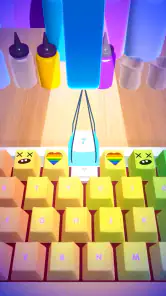

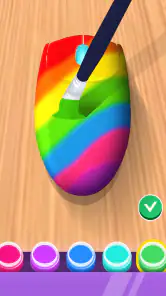

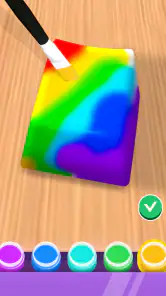

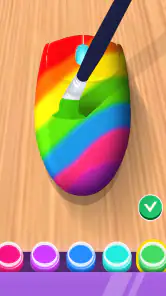
Analysis by Reviewed
I approached DIY Keyboard as a playful design game rather than a guide to buying or assembling real hardware. That distinction matters: its appeal is in imagining a keyboard and experimenting with a look, not in making a practical shopping plan. As a casual simulation from CrazyLabs LTD, it suits short creative breaks better than anyone expecting a detailed mechanical-keyboard workshop.
Start with a look, not a parts list
The most useful way to approach a design session is to choose a mood first—bright, understated, or deliberately mismatched—then make a few changes and see whether the whole keyboard still feels coherent. That small bit of planning keeps customization from turning into random tapping. I’d also take a moment to compare color choices across the full layout instead of judging a keycap on its own; a combination that looks fun in isolation can feel busy when repeated across the board.
That makes the game a good fit for someone who enjoys visual tinkering, wants an easy creative activity, or is curious about keyboard aesthetics without committing to physical parts. It is less suitable if you want a typing test, a serious build planner, or reliable advice for purchasing compatible components. For those jobs, a dedicated keyboard layout tool or real-world enthusiast guide is a better match.
Small decisions, clearer results
I find this kind of design play works best when I decide what I want to learn from a session before changing anything. For example, I might explore whether a calmer palette feels better than a high-contrast one, rather than trying to create a finished design immediately. That turns a string of taps into a useful comparison and makes it easier to remember why one version appealed to me.
There is also a practical trade-off between variety and focus. Trying many looks can be enjoyable, but too many simultaneous changes make it harder to judge the result. I’d keep one element consistent while testing another, especially with colors or sounds, then revisit the original choice if the new version feels less balanced. This simple approach helps when you have only a short break and want to finish with a clear favorite.
Discovering the Features
First off, the DIY Keyboard app is a treasure trove of features. Whether you’re a beginner or a seasoned keyboard enthusiast, there’s something here for everyone. The app’s interface is super user-friendly, making it easy to navigate through all the options. You can choose from a wide variety of switches, keycaps, and layouts. It’s like playing dress-up for your keyboard!
Customization Galore
One of the standout features has to be the customization options. You can mix and match different parts to your heart’s content. Want a different color scheme? No problem. Fancy some RGB lighting? You got it! The app even lets you test out different sounds for your keys. I spent hours tweaking and playing around with different combinations. It’s like being a kid in a candy store, only better.
More From Our News Desk

Weather by Xiaomi Review: Clear at a Glance, Less Clear Up Close

X Under Pressure: Can It Recover When Posting Goes Wrong?

Clash of Clans Is Won Between the Battles

Android Auto Makes the Case for Quieter Car Software

MobiOffice: Transforming Mobile Productivity with Seamless Integration

EA SPORTS FC™ Mobile Soccer: Redefining Mobile Sports Gaming
Make each experiment count
The sound preview is especially useful as a comparison tool: I’d change one choice at a time and listen again, rather than swapping several elements together and guessing which change made the difference. Treating each version as a small experiment makes it easier to settle on a favorite. The trade-off is that trying combinations can become its own loop; if you only want a quick result, set a simple goal—such as choosing a color palette—and stop once it feels right.
A realistic use is a few minutes while waiting for a ride or taking a study break: sketch out a look, compare a couple of options, then return to what you were doing. It’s low-pressure creative play, not a project that needs a long uninterrupted session. If you’re hoping to translate a design directly into a real purchase, remember that a visual choice in a game is not the same as confirming fit, materials, or compatibility in the physical keyboard market.
A good fit for a quick creative break
Imagine waiting for a friend at a café with a few minutes to spare. I’d use that time to try a restrained color scheme, listen to a couple of sound options, and decide whether the result feels playful or too busy. The useful part is not producing a perfect design in one sitting; it is having a low-stakes way to test an idea and leave with a clearer sense of what I like.
This also makes the game easy to share casually with someone who enjoys accessories, color coordination, or desk setups, even if they do not own a mechanical keyboard. It gives you a visual topic to discuss without requiring specialist knowledge. On the other hand, someone who wants a game with long-term goals, demanding challenges, or a detailed simulation of running a workshop may find this kind of open-ended customization too light.
Community and Sharing
What’s more, the DIY Keyboard app has a vibrant community section. You can share your creations, get feedback, and even draw inspiration from other users’ builds. It’s like a social network but specifically for keyboard lovers. The sense of community really adds an extra layer of fun and learning to the whole experience.
Use inspiration without losing your own direction
Looking at other builds can help when you’re stuck, but I’d use them as a starting point rather than a template. Pick one detail you like—perhaps a contrast or an overall theme—and then make the rest your own. That keeps browsing from replacing the actual design play. If sharing is not your thing, the core attraction is still the process of trying combinations; you do not need to treat every creation as something to publish.
For a more deliberate workflow, I’d make a quick mental note of what caught my eye in another design, then leave the example and rebuild the idea in my own way. That is more satisfying than endlessly scrolling for a ready-made answer, and it can reveal whether I genuinely like a particular color pairing or only liked how it looked in someone else’s composition. The social side is most useful as a source of prompts, not as a scorecard for judging your own taste.
Learning Curve and Resources
If you’re new to the mechanical keyboard scene, don’t worry. The app comes packed with tutorials and guides that’ll have you assembling like a pro in no time. I found the step-by-step guides particularly helpful. They’re detailed and easy to understand, making the whole process a breeze.
In case you get stuck, there’s also a helpful FAQ section and a support community where you can ask questions and get advice. It's like having a personal keyboard mentor at your fingertips!
What it can—and cannot—teach
I’d treat the guides as an approachable introduction to the ideas behind keyboard customization, not as a substitute for checking details before building a real board. The game’s strongest lesson is visual: how a layout, keycap choice, and color scheme can work together. Someone planning an actual purchase should still verify practical details independently rather than assuming a game choice guarantees a real-world match.
That distinction is important if you are comparing it with other options in the simulation category. A general building or management game usually asks you to balance resources, complete objectives, or progress through a larger system. This one is more appealing when the reward you want is visual experimentation with a keyboard theme. If practical knowledge is the goal, specialist layout tools and hands-on hardware resources have a clear advantage; if you want a playful way to explore style, the focused subject is the point.
It is free, rated for Everyone, and works on Android 6.0 or later; its current version is 2.2.0.8. The game has a 4.6 average from around 177,000 ratings and has passed 50 million installs. Those details make it easy to consider as a casual try, though they don’t change the central question: do you enjoy designing keyboard looks for their own sake?
Who should choose it—and who should pass
I’d recommend giving it a try if you enjoy arranging colors, comparing visual styles, or sampling different keyboard sounds without having to buy anything. It can also suit a younger player or a beginner curious about keyboard aesthetics, since the Everyone age rating makes its intended audience broad. For someone already researching a real build, though, it should be a source of inspiration rather than a planning authority.
I’d skip it if you need accurate compatibility guidance, a realistic typing experience, or a structured game with a strong sense of progression. It is also not the best substitute for a drawing app if your main aim is unrestricted illustration, or for a hardware configurator if you need practical parts information. The best choice depends on the task: this game is for playful keyboard design, while those alternatives are better suited to their specific jobs.
Final Thoughts
All in all, the DIY Keyboard app offers an incredibly satisfying experience for anyone interested in mechanical keyboards. Whether you’re looking to build your first keyboard or just want to customize an existing one, this app has got you covered. It’s fun, informative, and incredibly rewarding. So why not give it a try? You might just end up with a keyboard that’s as unique as you are!
My recommendation is strongest for anyone who likes hands-on visual choices but does not need the result to function as a real keyboard. If your main goal is practical hardware research, use a dedicated tool or trusted specialist resources instead; if you simply want a light simulation to explore styles and sounds, this is a more enjoyable place to start. I’d go in for the creative process, keep expectations grounded, and leave once the experimenting stops being fun.
DIY Keyboard Frequently Asked Questions
Can I use the keyboards I create outside the game?
DIY Keyboard is a simulation game built around making custom keyboard designs, so its main appeal is creating and exploring keyboard art. If you are downloading it primarily to change the keyboard you use for everyday typing, keep in mind that the creative game experience and a system-wide keyboard replacement are not necessarily the same thing. Consider whether you want a design activity or a typing tool before installing.
What age rating does DIY Keyboard have, and should parents review it first?
DIY Keyboard is rated for Everyone, making it suitable for a broad audience. Parents may still want to look over the app with younger children and review its permissions and settings before use. That is particularly sensible for any app associated with keyboard customization, since keyboard-related permissions can involve interaction with typing on a device. A quick check can help families decide whether it fits their preferences.
Is DIY Keyboard suitable for children?
DIY Keyboard is rated for Everyone, so it is intended for a broad audience, including younger players. It is a simulation game centered on making custom keyboard designs, which makes its creative premise easy to understand. Parents may still want to check the app’s device permissions and settings before a child uses it, especially because keyboard apps can interact with typing on the device.
What is DIY Keyboard and what does it offer?
DIY Keyboard is a mobile application designed for users who enjoy customizing their typing experience. The app provides a platform where you can design your own keyboard themes, choose from a variety of fonts, colors, and backgrounds, and create a unique typing interface tailored to your personal style. It is an excellent tool for those looking to add a personal touch to their device.
Is DIY Keyboard user-friendly for beginners?
Yes, DIY Keyboard is designed to be user-friendly even for beginners. The app includes a straightforward interface with intuitive controls that make it easy to navigate. It also offers step-by-step guides and tutorials to help users create their own customized keyboards without any prior experience. Whether you're tech-savvy or a novice, you'll find it easy to use.
Pros
- Highly customizable layouts
- Wide range of color themes
- Supports various languages
- User-friendly interface
- Regular updates enhance features
Cons
- Limited free features
- Some themes require purchase
- Occasional app crashes
- High battery usage
- Ads in free version
- Category
- Simulation
- Version
- 2.2.0.8