Craft Pro Mini Exploration
- 4.00
- 3.9
- Installs
- 100.00K
- Price
- Free
Screenshots
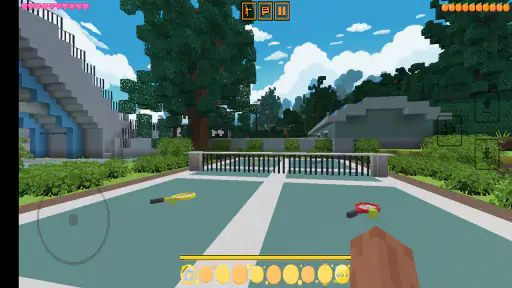
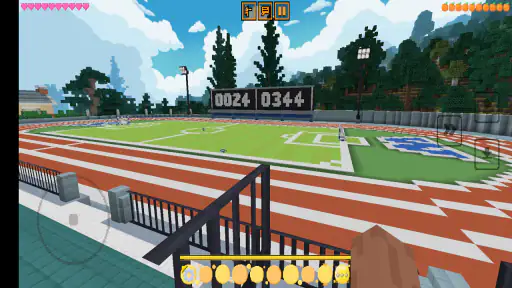
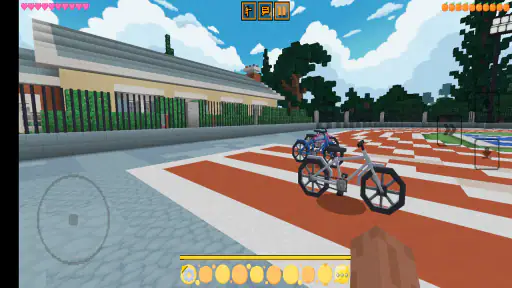
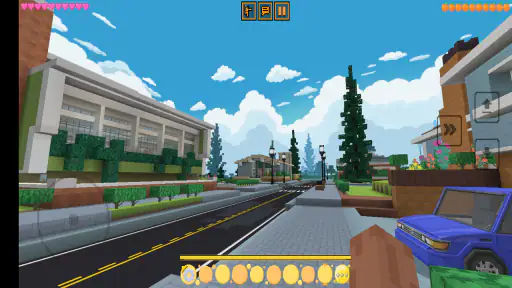
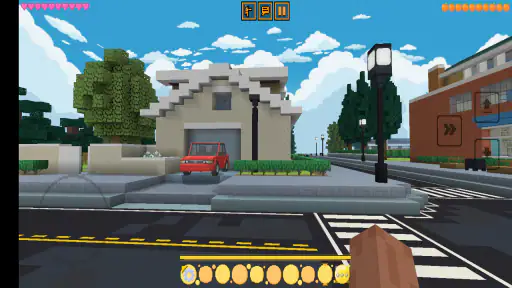
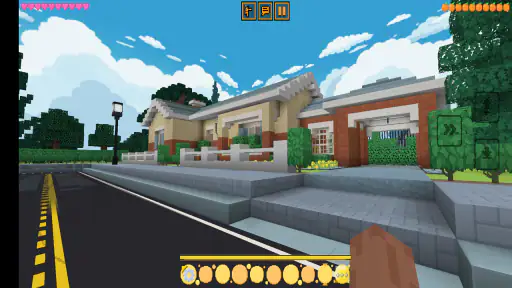
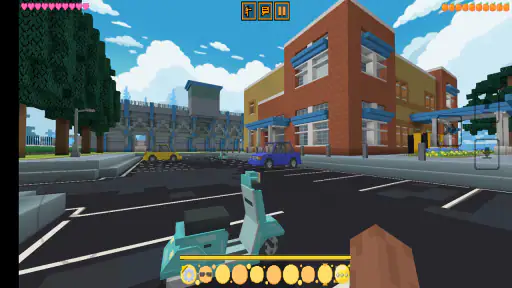
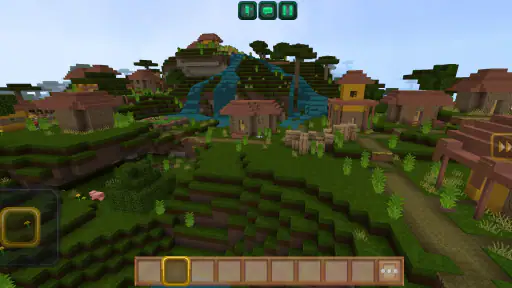
Analysis by Reviewed
Craft Pro Mini Exploration is a free 3D sandbox game from SentGames that I found easiest to understand when I stopped treating it like a traditional trivia title and approached it as a small, open-ended building space. Its store description is brief, but the important practical point is clear: this is aimed at players who want to explore, arrange, and experiment rather than follow a tightly scripted campaign. I spent time learning its basic rhythm, checking the available options, and looking for ways to make short sessions feel more purposeful.
The game is listed for Everyone, runs on devices using Android 6.0 or later, and currently appears as version 2.25. It is also free to try, which makes the decision simple for curious players: install it, test the controls, and see whether the compact sandbox style suits you. I would not approach it expecting the depth of a large premium construction game. I would approach it as a lightweight creative playground that can work well when I have a few minutes and want to make something without a long setup.
How I settled into the basic building routine
My first useful discovery was that the game rewards a simple routine. I began by looking around before placing anything, identifying a workable area and deciding what I wanted the space to become. That small pause matters. In a sandbox with limited room or a simple interface, placing items immediately can leave an untidy layout and make later changes harder to judge. I got better results by choosing a central point first, then building outward in a clear direction.
For a new player, the most comfortable starting project is not an ambitious town. A compact shelter, a marked path, or a small outdoor scene gives enough structure to learn movement and placement without creating a confusing mess. I used the first few minutes to test how accurately I could position objects, how easily I could turn around, and whether I preferred working from the ground up or shaping the surrounding area first.
That approach also answers an important question: is this suitable for casual play? In my experience, yes, provided you enjoy making your own goals. There is no need to reserve a long evening for it. A short session can have a clear purpose, such as improving one corner, creating a simple route, or rebuilding an awkward section. The game feels less satisfying if I open it without any intention and simply place random objects.
A realistic everyday use case is a short break between tasks. I can start with one small objective, spend a few minutes arranging a scene, and stop when that objective is complete. This is different from a trivia game, where progress comes from answering questions, and different from a large survival sandbox, where preparation and resource management may dominate the session. Here, the value comes from the freedom to decide what a finished moment looks like.
I recommend keeping early builds deliberately small. A compact design reveals the control layout and the game’s sense of scale much faster than a sprawling project. It also makes mistakes less frustrating. If a wall, path, or group of objects feels wrong, I can correct it without having to cross a huge map or undo a long chain of decisions.
What to check before starting a serious project
Before I began treating a build as something worth refining, I tested the basic actions in an empty area. I checked movement, camera turning, object selection, placement, and removal wherever those actions were available to me. This is a practical habit rather than a glamorous one, but it prevents a common mistake: designing a detailed structure before knowing how easily it can be edited.
I also learned to leave a little working space around anything important. Crowding the first layer can make it difficult to see what I am doing, especially when several objects overlap visually. A clean perimeter gives me room to approach the build from different angles and makes later adjustments less annoying. This is one of the most useful habits for beginners because it improves control without requiring any advanced knowledge.
Another helpful workflow is to separate construction from decoration. I first establish the shape and movement through the area, then add visual details. When I mixed both tasks together, I spent too much time rearranging small elements that had to move anyway. Building in passes is faster: layout first, structure second, finishing touches last.
Players wondering whether they need previous sandbox experience should not worry. The game is approachable if they are comfortable experimenting. The challenge is not learning a complicated rule system; it is developing patience with positioning and learning to create personal goals. Someone who wants a guided tutorial, a strong narrative, or a clearly marked sequence of missions may find the open-ended format less motivating.
Settings and controls worth checking early
I would not skip the settings area, even in a small game. The most important options are the ones that affect comfort: sound, control behavior, display preferences, and any available sensitivity or interface adjustments. I prefer to make these changes before starting a detailed build because uncomfortable camera movement can make ordinary placement feel much harder than it should.
Camera sensitivity deserves particular attention. If turning feels too quick, precise construction becomes tiring because I keep overshooting the angle I want. If it feels too slow, looking around a build takes unnecessary effort. I found that the best choice depends on the device and the way I hold it, so I recommend testing the setting while standing beside a structure rather than changing it in isolation.
Sound is another small but useful check. I often lower or mute audio when playing during a break, while keeping enough feedback to understand that an action has registered. If I am playing at home, I may prefer more sound because it makes the session feel less flat. The point is not that one setting is correct; it is that a comfortable setup helps me focus on planning instead of fighting the interface.
Display options can matter on smaller screens. A crowded view makes it harder to judge distances and identify the exact object I want to change. If the game offers interface adjustments, I would try them before making a large build. Even a minor improvement in visibility can reduce accidental placements and make navigation around corners easier.
I also suggest checking the game after an update rather than assuming every personal preference will remain ideal. The current version is 2.25, and a version change can be a good reason to revisit controls and display choices. I am not saying the game requires constant maintenance; I simply find that a quick settings check is cheaper than adapting to an uncomfortable layout for an entire session.
One of my more useful habits was creating a short control test area. I used a few basic placements to compare movement, turning, and editing from different angles. That area became a reference point whenever I returned after a break. Instead of relearning the controls inside a complicated build, I could spend a moment there and then move on to the project I actually cared about.
Small adjustments that improve repeat sessions
I found it helpful to use the same starting position whenever possible. Repeating the opening routine makes the game feel more predictable: check the surroundings, confirm the controls, choose one task, and work in a single direction. This sounds simple, but it reduces the mental clutter that comes from beginning a new session without a plan.
Another practical adjustment is to decide whether a session is for exploration or construction. Trying to do both at once can make progress feel scattered. On an exploration session, I focus on learning the space and noticing useful areas. On a construction session, I stay near the chosen site and avoid wandering unless I need a new viewpoint. This division helped me finish more small projects instead of collecting half-started ideas.
For touch players, I recommend using slower, deliberate movements when placing something near an edge or beside another object. Fast swipes are fine for looking around, but they are less reliable when precision matters. I also try to approach a placement from a consistent direction. That gives me a better sense of depth and makes repeated arrangements easier to reproduce.
There is a trade-off here. A more controlled method is slower at the beginning, while a faster method feels exciting but can create corrections later. I prefer the controlled approach for anything I want to keep. For temporary experiments, I move quickly and accept that the result may be rough. That distinction keeps the game from becoming unnecessarily demanding.
Faster patterns for building with less frustration
Once I understood the basic workflow, I started using repeatable patterns instead of making every decision from scratch. The first is a simple grid-like mindset: I choose a line, place the main elements along it, and only then add variation. Even when the game does not provide a formal grid, thinking in rows and sections helps keep a scene readable.
This is especially useful for paths and small structures. I place the route first, then position the surrounding elements so the space has a clear direction. A build with a visible entrance and a sensible route feels more complete than one with more objects scattered everywhere. The insight is that organization creates the impression of detail; adding more items is not always the best improvement.
I also use a two-pass correction method. After completing a section, I walk around it from more than one angle and look for three things: blocked movement, uneven spacing, and objects that draw attention for the wrong reason. I fix the largest problem first, then stop if the scene already works. This prevents endless polishing and keeps small sessions manageable.
Another efficient pattern is to duplicate an idea visually rather than trying to make every part unique. Repeating a shape, spacing, or arrangement gives the build a consistent identity. I then change one element to avoid a completely mechanical appearance. This saves time and makes the result look intentional, which is valuable in a game where the player supplies most of the creative direction.
For players who like experimenting, I recommend keeping a “test corner” separate from the main project. I use it to try unusual placements, check how objects look together, and decide whether a design is worth moving into the finished area. This protects the main build from impulsive changes and turns experimentation into a repeatable process rather than random trial and error.
Shortcuts, where available through the control layout, are most useful when they reduce repeated travel between common actions. I pay attention to which actions I perform constantly and arrange my play around those habits. I do not try to memorize every possible command. Learning the few actions that support my chosen style is more effective than chasing speed for its own sake.
This is where Craft Pro Mini Exploration differs from many conventional trivia games. Trivia titles usually test recall, timing, or recognition, while this game asks me to set a goal and judge my own result. It also differs from larger sandbox alternatives that may offer deeper systems, bigger worlds, or more demanding progression. The advantage here is accessibility and a lighter commitment; the cost is that players seeking a long-term challenge may run out of personal projects sooner.
How I decide whether a build is finished
I used to keep changing a project simply because there was no formal finish line. A better rule is to define completion before I begin. For a small shelter, completion might mean a clear entrance, usable surrounding space, and a coherent shape. For an outdoor scene, it might mean a route, a focal point, and enough empty space for the layout to breathe.
This rule is useful for younger players as well as adults. Since the content rating is Everyone, families can consider it as a creative activity, but the experience will depend on whether the player enjoys self-directed play. I would introduce it by suggesting a concrete task rather than saying “build anything.” A prompt such as creating a tiny home, a simple path, or a recognizable landmark gives the session a starting point without taking away freedom.
I would also avoid judging the game by the first rough build. The initial session is mostly about learning how the world responds to movement and placement. The second or third project is a better test because I can focus on design instead of basic control discovery. If the process still feels empty after trying a few clearly defined projects, the game may simply not match the player’s preferred style.
Where the sandbox becomes limited
The same openness that makes the game approachable can also make it feel thin for experienced players. I enjoy having control over my own objectives, but I occasionally wanted stronger direction or a more substantial reason to return. Players who need missions, character progression, competitive targets, or a rich survival loop should look toward a different kind of sandbox game.
There is also a difference between freedom and depth. A game can let me place and explore without offering enough systems to keep advanced players engaged indefinitely. Craft Pro Mini Exploration works best when I treat it as a compact creative tool rather than a complete replacement for a large construction platform. That expectation matters more than the free price, because no-cost access does not automatically make a shallow session satisfying.
Device comfort is another consideration. A 3D environment can be more tiring on a small screen than a simple quiz interface, particularly when I spend a long time adjusting camera angles. Players with older or less comfortable devices should begin with short sessions and check whether movement feels manageable. Since the minimum operating system is Android 6.0, the compatibility range is broad, but compatibility alone does not guarantee the same comfort on every handset.
I also think about audience before recommending it. I would suggest it to someone who likes arranging spaces, testing ideas, and making small visual scenes. I would skip it for a player who wants immediate rewards, a fixed story, or a large collection of questions. The trivia category may attract people expecting quizzes, but the actual appeal is the 3D sandbox format, so checking that expectation is important before downloading.
The public response gives the game a 3.9 average from around 700 ratings, with a small number of written reviews shown alongside it. I read that as a reason to keep expectations measured rather than as a final verdict. The rating suggests that the experience works well for some players and less well for others, which matches my impression: the game’s enjoyment depends heavily on whether the player values open-ended creation more than guided content.
Its audience is not tiny, with over 100,000 installs, but popularity should not be confused with depth. I see that reach as evidence that the low barrier to entry is appealing. The free model makes experimentation easy, yet I would still recommend deciding what kind of session I want before opening it. That one habit makes the difference between a purposeful creative break and a few unfocused minutes.
When another option is the better choice
If I want a quick mental challenge, a conventional trivia game is a better fit because it gives me questions and immediate feedback. If I want a long construction project with extensive progression, a larger sandbox title is likely to offer more room for mastery. If I want a story, I would choose an adventure game with authored objectives. Craft Pro Mini Exploration sits between these expectations: it offers a simple 3D space for personal projects, and that simplicity is both its strength and its boundary.
I would also choose something else if I needed reliable multiplayer interaction, a competitive ranking system, or a detailed creative toolkit. I do not install this game for those reasons. I install it when I want to make a small scene, explore at my own pace, and stop without feeling that I have abandoned a complicated campaign.
My verdict after developing a repeatable play style
After settling into a routine, I found the game more enjoyable than its very short store wording suggests. The best experience comes from combining a few practical habits: test the controls in a safe area, adjust comfort settings early, separate exploration from construction, build in passes, and define what “finished” means before placing the first object. None of these habits requires hidden knowledge, but together they make the sandbox feel much more deliberate.
My main recommendation is to treat each session as a small design exercise, not an endless world that must impress you immediately. Start with one clear project, keep the layout compact, and use a test area for experiments. This approach reduces frustration and lets the game’s accessible side show through. It also helps experienced players decide quickly whether the available freedom is enough for their preferred level of challenge.
SentGames has made a free 3D experience that is easy to sample and friendly to players who enjoy self-directed creativity. I like it most as a short-session builder, a casual activity for experimenting with space, and a gentle introduction to sandbox thinking. I would not recommend it as a substitute for a deep construction game, a quiz collection, or a story-driven adventure.
For me, the final decision is straightforward: download it if you want a lightweight place to explore and create without a demanding commitment. Give it a focused first project rather than waiting for the game to tell you what to do. If that freedom feels motivating, Craft Pro Mini Exploration can become a pleasant repeat-play option. If you need constant goals or complex systems, its simplicity will probably become the reason you move on.
Pros
- Simple controls make exploration easy for younger or casual players.
- Creative building encourages imagination without requiring advanced gaming skills.
- Mini-sized worlds load quickly on many Android and iOS devices.
- Offline play is useful when traveling or without a stable connection.
- Block-based visuals are colorful and easy to understand at a glance.
Cons
- Limited world size may feel restrictive during longer play sessions.
- Repetitive tasks can reduce variety after the initial exploration.
- Some features may require in-app purchases or display advertisements.
- Basic graphics may feel dated compared with newer sandbox games.
- Performance can vary on older devices
- especially in larger areas.
- Category
- Trivia
- Version
- 2.25