

Craft Builder: 3D Block World
- 60.00
- 3.7
- Installs
- 1.00M
- Price
- Free

Screenshots
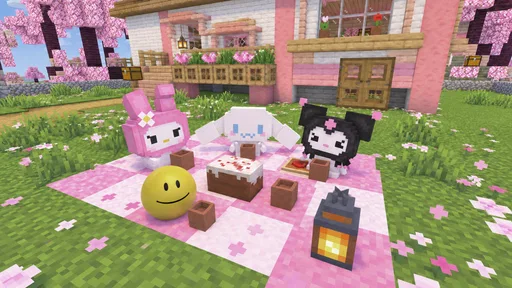
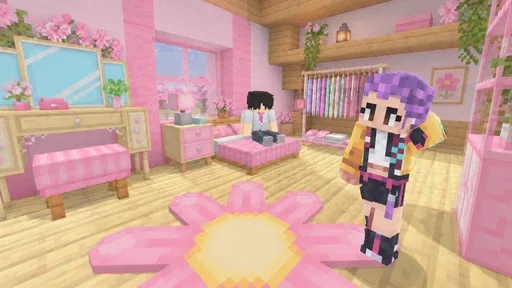
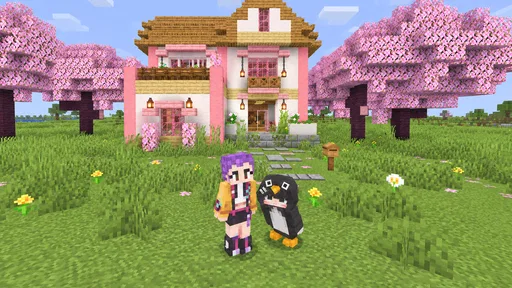
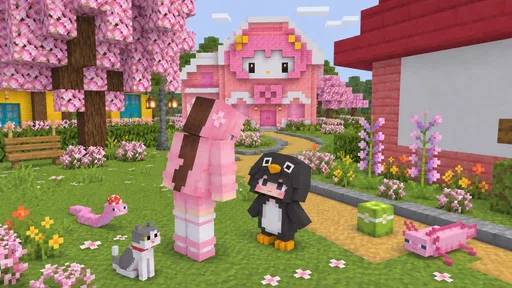
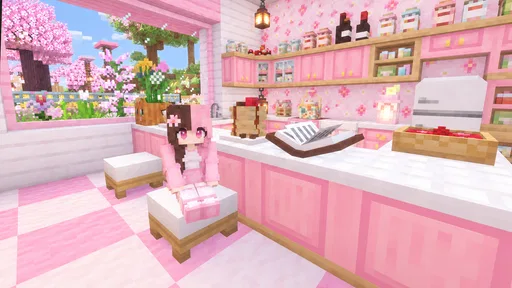
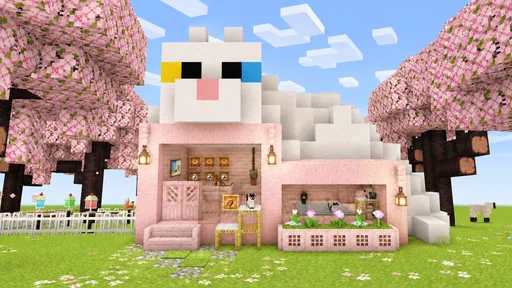
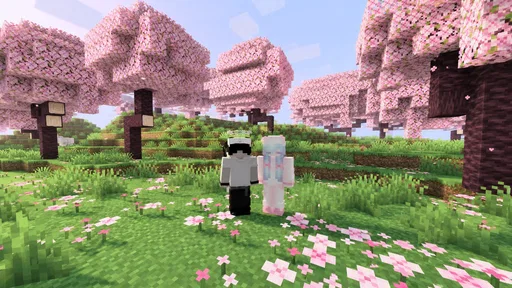
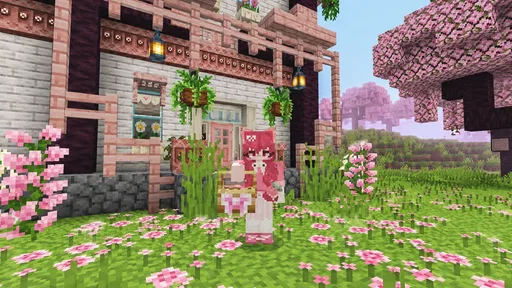
Analysis by Reviewed
I’m drawn to block-building games when I want room to experiment without needing a long tutorial or a tightly scripted objective. Craft Builder: 3D Block World aims at that open-ended kind of play: it is a simulation game built around exploring a three-dimensional block world and making things within it. My first impression is that the appeal is less about being rushed toward a finish line and more about deciding what to do with a stretch of free time.
That freedom comes with a trade-off. A blank world can be inviting if you already enjoy inventing projects, but it can feel directionless if you expect missions, a clear progression path, or a steady stream of goals. I’d approach Craft Builder: 3D Block World as a casual creative sandbox, not as a story-driven adventure or a competitive building challenge.
What the free download does—and doesn’t—promise
The game is free, is published by Coup Coup LTD, and has an Everyone age rating. It has a 3.7 average from around 1,800 ratings, with more than a million installs. Those figures suggest that plenty of players have tried it, while the average also gives me a reason to keep expectations measured rather than assume it will suit every builder.
The key purchase detail is straightforward: the game costs nothing to download. That is useful if you want to test whether its particular take on block crafting clicks with you before committing money. It does not, by itself, tell me whether optional purchases, ads, or other spending are part of play, so I would not treat “free” as a promise that every part of the experience is entirely payment-free.
That distinction matters in a building game. A player may be happy to spend a little on a title they use often, while another may prefer a clean, no-cost sandbox. Since those possibilities are not established here, my practical advice is to check the purchase details shown on your device before handing a younger player the game or setting expectations about spending. The Everyone rating is reassuring about age suitability, but it is not a substitute for checking how a particular app handles purchases.
A good fit for small creative sessions
The open-world format is easiest to enjoy when I set my own modest aim. Rather than starting with an elaborate castle, I’d pick a small build that can be completed in one sitting: a compact shelter, a simple entrance, or a tiny scene with a clear shape. That gives the session a satisfying endpoint even if the game itself does not impose one.
This kind of approach is especially practical on a phone or tablet, where interruptions are normal. If I have a short break, I can focus on one corner or one structural problem instead of feeling that I must finish an entire grand design. For a longer session, the same world can become a place to try a more ambitious layout. The useful question is whether you enjoy supplying your own goals; if you do, an open canvas can feel relaxing rather than empty.
More From Our News Desk

 Instagram
Instagram’s Power Comes From Its Place in Your Phone
A close look at how Instagram turns Meta’s reach, recommendation systems and everyday camera habits into durable platform power—and what that costs users.

 Gmail
GmailGmail in a Busy Inbox: Who Benefits Most?
From first account to crowded workday, Gmail earns its place through dependable search and flexible sorting—but its best fit depends on how much inbox maintenance you can tolerate.

 Prime Video
Switching to Prime Video: What Changes in Your Viewing Routine
Prime Video can make a compelling second home for streaming, but switching means learning a different catalog, rental layer, and route from browsing to playback.

 Universal TV Remote Control
Universal TV Remote Control Works Best as a Reliable Backup
A phone remote earns its place through quick setup and reliable habits. Here is how to get more from Universal TV Remote Control—and where its limits show.

 Weather - By Xiaomi
Weather by Xiaomi Review: Clear at a Glance, Less Clear Up Close
Xiaomi’s weather app makes everyday forecasts quick to scan, but its calm surface can leave useful details and recovery paths harder to find than they should be.

 X
XX Under Pressure: Can It Recover When Posting Goes Wrong?
A resilience-focused review of X, examining setup, mistaken posts, interruptions, weak connections, and the gaps that matter when recovery needs to be dependable.
Latest News



A realistic routine might be to open the game after dinner, decide to shape a small courtyard, and stop once its outline feels right. The next time, I could return to add a path or adjust the surrounding space. Treating one visit as a single design decision makes it easier to pick up the project after an interruption, rather than trying to remember a complicated plan or finish everything at once. That’s a practical way to make a sandbox fit ordinary spare time.
I would also choose a project based on the amount of attention I have, not just the amount of time. A quick session is better suited to sketching a footprint or testing whether a shape looks balanced; a more focused stretch can be used to expand it. This distinction helps avoid the familiar frustration of beginning a large idea when I’m tired and then feeling that I’ve made little progress. Small, visible changes can be satisfying even when the larger build remains unfinished.
Progress without a built-in deadline
In a sandbox, progress is often personal: a rough idea becomes a recognizable object, and a patch of space starts to feel like a place. I find that more satisfying when I keep a mental or written note of the next step. For example, I might decide to finish an outline first, then add height, and leave decoration for another session. Breaking a project into visible stages reduces the temptation to keep changing the plan before anything is complete.
There is also a real risk of losing momentum. If you rely on unlocks, missions, or escalating challenges to tell you what to do next, self-directed building may not provide enough structure. I would not recommend choosing this over a level-based crafting game if the main pleasure you want is beating objectives and receiving a clear reward after each one. Here, the draw is the freedom to shape a project, not a guaranteed sequence of milestones.
A helpful habit is to build a small prototype before investing time in a large idea. Try the scale and layout of a room or structure in a limited area, then decide whether the concept is enjoyable to expand. That saves effort if your first plan turns out to be awkward, and it keeps experimentation low-pressure. It is a general building workflow, not a special feature claim: the point is to make the most of an open-ended game by planning in manageable pieces.
One useful design check is to pause and view a build from more than one angle before adding detail. A shape that seems convincing while I’m concentrating on one side may look lopsided when considered as a whole. In a block-based world, simple proportions carry much of the visual effect, so checking the outline early is more valuable than decorating a structure that still feels awkward. This is an easy way to avoid spending time polishing the wrong version of an idea.
Another trade-off is between improvising and keeping a plan. Building freely can be the most enjoyable part, but changing direction repeatedly can make a project feel scattered. I’d keep one central purpose for each session—such as making a clear entrance or defining a boundary—while leaving smaller choices open. That gives the work enough structure to move forward without turning a relaxing activity into a checklist.
How it compares with other block-building choices
Compared with a survival-focused crafting game, a creative sandbox is appealing when you want to spend your attention on shaping a world rather than managing threats or resources. Craft Builder’s store summary emphasizes exploration and crafting in an open three-dimensional block world, so I would consider it when the building itself is the main event. If you specifically want survival pressure, equipment progression, or a strong narrative, look for a game that clearly centers those systems instead.
It also occupies a different space from a guided builder with levels and puzzles. Those games can be better when you want compact goals and a sense of completion without having to invent a project. Craft Builder sounds more suitable for players who are comfortable asking themselves, “What would be fun to make next?” That freedom can be its strongest point for a patient player and its biggest hurdle for someone who prefers direction.
For younger players, the Everyone rating and free download make it an approachable candidate to investigate, but I would still look at the actual device-store purchase information and play alongside them at first. That gives you a chance to see whether the controls and open-ended format suit them, rather than assuming that an age rating means the game will automatically be easy to navigate or engaging for every child.
There is a practical middle ground for families: suggest a small, recognizable project rather than simply handing over an open world and asking what to build. A house for a favorite toy, a little garden, or a simple landmark gives a child a starting idea without dictating every choice. I’d watch how they respond: some players quickly take the idea in their own direction, while others may want clearer prompts than this sort of sandbox naturally provides.
If you are choosing between this and a structured building app, think about what you want the game to do for you. A puzzle builder supplies the brief and often makes each stage feel complete; an open world gives more room to decide what counts as a finished project. Neither approach is automatically better. For a relaxed creative break, the latter can be more personal, while a player with only a few minutes and no ideas ready may get more immediate satisfaction from a game with defined tasks.
Fairness, spending, and what I’d check first
I can say that the game is free to install; I cannot responsibly turn that into a claim about its full purchase model. The sensible approach is to open the store page on your platform and review any listed in-app purchase information before installing, particularly if you want a strictly no-spend experience. I would also avoid judging fairness by the download price alone: whether spending affects play is a separate question that needs clear purchase details.
Likewise, I would not assume there is competitive play or a paid advantage simply because this is a crafting game. Nothing in the confirmed description establishes a leaderboard, multiplayer contest, or competitive economy. If fair competition is your priority, that is a reason to inspect the game itself and its current store information before deciding, not a basis for guessing how it works.
When I assess fairness in a creative game, I separate two questions: can I enjoy the basic activity without spending, and does paying change access or convenience in a way I care about? The download being free answers neither question on its own. Checking the purchase disclosures before installing is the most reliable first step, and after opening the game I’d pay attention to whether any spending prompt interrupts the kind of building I want to do. That is a personal check, not a claim about how this title presents purchases.
For a parent or anyone managing a shared device, I’d make that check before the first play session, not after a child has already started exploring. It is also worth agreeing in advance whether purchases are allowed, since “free to download” can otherwise create different expectations between the person installing a game and the person playing it. That small bit of preparation can prevent confusion without assuming that a purchase will be necessary.
The most useful first-session test is simple: see whether the game lets you get to the kind of building you enjoy, whether its pace feels comfortable, and whether the available options make you want to continue. If you find yourself spending the session unsure what to do, that is meaningful feedback. You may be happier with a builder that provides a tutorial, a sequence of challenges, or a more explicit creative brief.
Version, platform, and a measured trust verdict
The current version is 0.5.5, and the minimum operating-system requirement is listed as version 9. Before downloading, I’d check that your device meets that requirement and that the game is available for your particular platform. A compatible operating system is only a starting point; the most reliable way to judge the experience is to try a small build and see whether the game’s controls and presentation work for you.
My overall view is cautiously positive for the right player. Craft Builder: 3D Block World makes sense as a free-entry simulation for someone who likes open-ended building, wants to experiment at their own pace, and can bring their own ideas. The rating and number of players show that it has attracted a substantial audience, but they do not remove the need to decide whether this style of play suits you.
I’d recommend giving it a try if you enjoy turning a vague idea into a block-built scene and don’t need the game to dictate every next step. I’d steer away if you want a polished-feeling progression ladder, survival stakes, or clearly documented spending and competitive rules before you begin. Start small, check purchase details on your device, and let your first project—not the promise of an enormous world—tell you whether this is the kind of builder you’ll return to.
In practical terms, I would treat the first visit as a compatibility test for your taste, not as a commitment to a long project. Choose one small shape, see whether the act of arranging blocks holds your attention, and notice whether you naturally begin imagining what to make next. If that happens, the open format is doing its job for you. If you need a prompt at every turn, that is a good reason to choose a more guided alternative rather than blaming yourself for not enjoying an unstructured style.
The game is best suited to someone who likes making their own brief: casual builders, players who enjoy visual experimentation, and anyone who finds a simple creative task calming. It is less compelling for people who want a story to follow, a measurable challenge to beat, or a clear reward loop after every short session. I’d also be cautious about recommending it to a child who becomes frustrated when a game does not explain what to do next; the age rating does not guarantee that the open-ended format will be a match.
My trust verdict is therefore measured rather than sweeping. The free download makes it easy to consider, and the broad audience indicates that many people have at least tried it, but neither fact tells me whether its purchase model or style will fit a particular household. I’d verify spending details, confirm device compatibility, and then judge the game on the simple question that matters most: does building in this world give you enough freedom to enjoy it without leaving you wishing for a clearer plan?
Craft Builder: 3D Block World Frequently Asked Questions
What is Craft Builder: 3D Block World?
Craft Builder: 3D Block World is a sandbox-style building game centered on exploring a block-based environment and creating structures from available materials. It is designed for players who enjoy open-ended play rather than a fixed story or a sequence of required missions. Before downloading, check the app-store listing for the current description and screenshots, since modes, features, and content can differ between versions.
How do you play Craft Builder: 3D Block World?
The basic appeal is gathering or using building blocks to shape the world, then experimenting with designs such as houses and other structures. Controls and progression can vary by device and release, so the introductory prompts are useful when you first start. If you are expecting a complex crafting simulator, review the store description to confirm which crafting and survival systems are actually included.
Does Craft Builder: 3D Block World require an internet connection?
Whether the game works offline may depend on its current version and how particular features are delivered. Some building activities may be available without a connection, while ads, updates, online features, or other services can require internet access. Check the app-store listing and test the game before relying on offline play, especially if you plan to use it while travelling or with limited mobile data.
Is Craft Builder: 3D Block World free to download, and does it include ads or purchases?
The download price and monetization can vary by platform, region, and version. A game listed as free may still show advertisements or offer optional in-app purchases, and those details can change after updates. Review the Google Play or App Store listing for current pricing, purchase information, and age-rating notes before installing. If a child will play, consider checking purchase permissions and parental controls.
Which devices can run Craft Builder: 3D Block World, and is it suitable for children?
Compatibility depends on the device, operating-system version, available storage, and the requirements shown on the relevant app-store page. Check those requirements before downloading, as older phones and tablets may not be supported or may perform differently. The block-building theme may appeal to younger players, but suitability also depends on the current content, advertising, and purchase options, so adults should review the rating and privacy details.
Pros
- Easy-to-learn block-building controls make it accessible to new players.
- A creative sandbox lets you build freely without following a fixed storyline.
- 3D environments give your structures a sense of depth.
- A range of blocks supports varied designs and building styles.
- Relaxed gameplay suits short
- casual play sessions.
Cons
- Large builds can take considerable time to complete.
- Touch controls may feel less precise than mouse-and-keyboard controls.
- The block-based visuals may not appeal to every player.
- Creative play can feel aimless without specific goals or challenges.
- Performance may vary depending on your device.











