Buzzy Party: Social Party
- 11.00
- 4.6
- Installs
- 500.00K
- Price
- Free

Screenshots
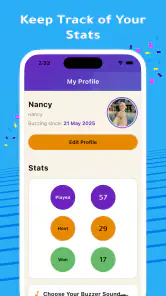
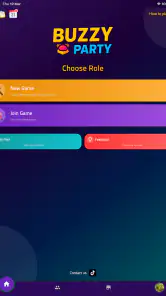
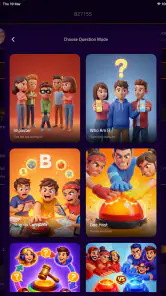
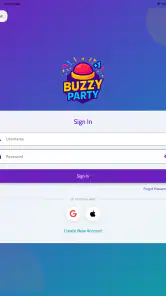
Analysis by Reviewed
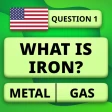
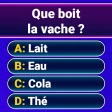
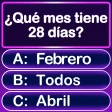
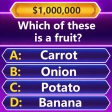
I enjoy trivia games most when they remove the pressure to be perfect and make it easy for a group to start playing. Buzzy Party: Social Party takes that approach with a casual multiplayer format built around questions, quick decisions, and buzzer-style moments. I found it most appealing as a flexible party game rather than as a serious knowledge test: it can fill a quiet evening, add energy to a gathering, or give friends something simple to do together online.
The game comes from Buzzy Party and sits in the trivia category. It is free to install, rated for Everyone, and has reached over 500K installs. Its average rating is 4.6 from around 3.1K ratings, which suggests that the basic idea connects well with a broad audience. I would still approach it with the right expectations. This is not the kind of app I would choose for deep solo study or carefully structured competitive play. Its strength is the shared reaction: someone answers too quickly, another player spots the obvious clue, and the room suddenly becomes much louder.
How I use it when a group is ready to play
My preferred workflow is deliberately simple. I open the game before everyone is fully settled, let players gather, and explain the basic rhythm before starting a proper round. That small preparation matters because party games lose momentum when the first few minutes are spent asking where to tap or who is supposed to answer. Buzzy Party works best when one person takes responsibility for getting the session moving instead of handing the phone around without a plan.
For an in-person gathering, I treat it as a shared activity rather than a game that one person happens to be hosting. The phone or tablet should be visible, the players should agree on how they will respond, and everyone should understand whether the group is playing for points, bragging rights, or simply laughs. The casual design makes this easy, but a little structure prevents the most confident player from taking over every moment.
The online option changes the mood. Friends do not need to be in the same room, so it can work as a quick connection between people who want something more interactive than a chat. I would use it for a short break or an informal evening, not for a long appointment where everyone expects a carefully balanced tournament. The appeal is that the barrier to entry is low: trivia gives people an immediate subject to react to, even when they have not spoken recently.
The offline possibility is especially useful for gatherings where the internet is unreliable or where people do not want to depend on every player having a separate device. I like having that flexibility because party games often fail for practical reasons rather than design problems. If the group is already together, keeping the session local and uncomplicated is usually better than forcing everyone through a more elaborate setup.
One everyday scenario shows where the game fits. Imagine a few friends waiting for food at home while conversation starts to slow down. Instead of choosing a lengthy board game, one person can bring up a round and let the questions create an easy topic. Players can join in at their own comfort level, and the session can end after a few turns without leaving a complicated campaign unfinished. That stop-and-start quality is one of the reasons I would recommend it for casual plans.
You May Like

Clash of Clans Is Won Between the Battles

Android Auto Makes the Case for Quieter Car Software

MobiOffice: Transforming Mobile Productivity with Seamless Integration

EA SPORTS FC™ Mobile Soccer: Redefining Mobile Sports Gaming

How Microsoft OneDrive Became a Mobile Productivity Giant

How Google Translate Breaks Language Barriers Effortlessly
The best first habit is to decide what kind of session you want before launching the round. A relaxed family game, a noisy friend-group challenge, and a remote catch-up all benefit from different expectations. If nobody is trying to create a formal competition, the buzzer element becomes a source of comedy rather than an argument about tiny advantages.
Settings that deserve attention before the first serious round
I would not rush straight into repeated games without checking the available setup choices. Even small adjustments can affect whether the experience feels welcoming or chaotic. The useful question is not “which setting is best?” but “what does this particular group need?” Younger players, mixed-age families, competitive friends, and remote participants may all need a slightly different starting point.
For a family session, I would favor clarity over speed. Give players time to understand the question and avoid creating an atmosphere in which slower readers feel punished. For experienced friends, a faster rhythm can be more entertaining, especially when the group enjoys the pressure of responding before someone else does. The trade-off is obvious: speed makes the game exciting, but it also makes mistakes and misunderstandings more likely.
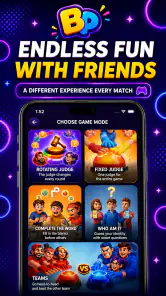
It is worth checking whether the selected game format suits the number of people present. A buzzer-style activity can feel lively with several participants, but a very small group may prefer a more conversational approach. With too many voices, the person holding or viewing the device may become the unofficial referee. I recommend agreeing on a simple rule for disputed answers before beginning, because resolving every disagreement in the middle of a round drains the fun faster than a difficult question does.
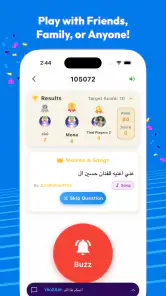
Sound and visibility are practical concerns that are easy to overlook. In a crowded room, buzzer feedback may be hard to hear, while in a quiet room an overly enthusiastic group can make it difficult for everyone to follow the next question. I usually place the device where all players can see it and ask people not to crowd around the screen. This is not a hidden trick; it is simply a better physical arrangement for a game that depends on quick shared reactions.
On a remote session, I would agree on a communication method before starting. Players should know whether they will speak normally, use a call alongside the game, or rely on the game’s own interaction flow. The point is to avoid talking over the question. If audio becomes messy, the trivia itself becomes secondary, and even a good round feels disorganized.
The age rating of Everyone makes the game suitable for broad household use, which is useful when adults and children are sharing the same session. I would still choose the group and pace thoughtfully. An age rating does not guarantee that every question will be equally interesting to every person, so mixed groups may enjoy alternating between quick answers and short discussions after a question.
Faster patterns that improve a casual session
After playing for a while, I found that the biggest improvement comes from repeatable habits rather than from trying to answer every question instantly. The first is a clean host routine: open the game, confirm the participants, explain the response style, and begin. Avoid changing the plan repeatedly once the round has started. Consistency keeps attention on the questions instead of on the interface.
The second habit is to use short sessions as warm-ups. If the group is unfamiliar with the game, do not make the first round carry the entire evening. A brief opening game lets everyone learn the pace, discover who reacts quickly, and understand how much discussion the group wants. The next round will usually feel smoother because players have already adjusted their expectations.
A third useful pattern is separating playful confidence from actual knowledge. In buzzer games, the fastest person can appear strongest even when another player has better answers. I prefer to let the group laugh at quick wrong guesses and then keep the session moving. If the goal is entertainment, treating every mistake as a setback makes the game less enjoyable. If the goal is competition, agree on that before beginning so nobody feels that the rules changed halfway through.
For online play, I recommend choosing a clear start signal and avoiding unnecessary side conversations during questions. A host can announce the beginning of a round in the same way each time, while everyone else waits for the question to finish before reacting. This creates a small but meaningful advantage: players spend less time asking whether the round has started and more time engaging with it.
Another efficient approach is to stop while the group is still enjoying itself. Because the game is free and casual, there is no need to squeeze every possible round out of one gathering. Ending after a strong final moment gives people a reason to return. In my experience, this works better than continuing until players become distracted or the same few people dominate every answer.
In-app purchases range from $0.49 to $14.99 per item. I would treat them as optional spending rather than part of the basic decision to try the game. For someone testing the experience with friends, the sensible approach is to begin with the free version and decide later whether additional purchases add enough value for that group. Families should also be clear about who is allowed to make purchases, particularly when children are using a shared device.
Where experienced players still meet limits
Buzzy Party’s casual focus is also its main limitation. Players looking for a deep progression system, a serious ranking environment, or a highly specialized trivia library may find the experience lighter than they want. I would choose a dedicated quiz platform for structured solo learning, detailed subject practice, or long-term performance tracking. I would choose a traditional board game when the group wants physical components, planned turns, and a slower evening built around one complete experience.
The buzzer format can also create fairness concerns. Fast reactions are not the same as strong knowledge, and differences in reading speed, device position, connection quality, or confidence can influence the result. That does not ruin a friendly session, but it matters if players are treating the score as evidence of who is genuinely best. My solution is to use the result as part of the entertainment, not as a final judgment about anyone’s intelligence.
There is a social limit as well. A group that dislikes public mistakes may not enjoy rapid trivia, especially if one person is already nervous about answering aloud. In that situation, I would start with a relaxed round and make it clear that wrong answers are expected. If the group remains uncomfortable, a cooperative puzzle or turn-based board game may be a better choice than pushing everyone toward faster responses.
Short sessions are another strength that can become a weakness. The game is convenient when you have a spare moment, but someone seeking a substantial evening-long challenge may want more variety in structure. I would not install it expecting the same depth as a full tabletop collection. It works better as a flexible layer of entertainment that can sit between dinner, conversation, and other plans.
The current version is 1.8.05, and the minimum operating system is Android 7.0. That makes it accessible on a wide range of older Android devices, which is helpful when a group is using a spare phone or a family tablet. Before a gathering, I would still test the app on the device that will host the session. A quick check of the screen, sound, and connection is more useful than discovering a practical problem after everyone is ready to play.
Who should install it, and who should choose something else?
I would recommend this game to friends who want immediate, low-commitment trivia with a social spark. It is a good fit for casual hosts, families looking for a simple shared activity, and remote friends who want an interaction with more structure than messaging. The free entry point also makes it easy to suggest without asking everyone to buy a game first.
I would be more cautious about recommending it to a dedicated quiz enthusiast who wants detailed subject categories, careful competitive balance, or a persistent record of improvement. I would also skip it for groups that strongly prefer strategy over reaction speed. Those players may get more satisfaction from a traditional trivia board game or a focused quiz app that treats each answer as a learning opportunity rather than a party moment.
Compared with ordinary trivia apps, Buzzy Party feels more useful when other people are present. A typical quiz app often centers on one person answering questions alone, while this game gains much of its character from the timing and reactions between players. Compared with a physical party game, it is quicker to set up and easier to repeat, but it cannot replace the tactile feeling of cards, pieces, and a table full of components.
That comparison helped me understand its proper role. I would not use it as my only trivia experience. I would keep it available for spontaneous plans, remote meetups, and those evenings when the group wants a game but does not want to learn a long rulebook. Its value comes from reducing preparation without removing the social payoff.
My final recommendation after settling into its rhythm
Buzzy Party: Social Party is a convincing choice when the priority is getting people involved quickly. Buzzy Party has created a trivia game that is easy to bring into an existing social situation, whether that situation happens online or around the same table. I especially like the way a short round can provide structure without taking over the whole evening.
My recommendation comes with one condition: use it as a party game, not as a demanding test of knowledge. Prepare the device, agree on the tone, choose a pace that suits the group, and do not let the score become more important than the conversation. Those habits make the buzzer element feel exciting instead of stressful.
For a free trivia title rated for Everyone, with a broad audience and a current version that supports older Android devices, it offers a practical way to turn spare time into shared play. The optional purchases mean families should keep an eye on spending, and serious quiz players may eventually want a more specialized alternative. For everyone else, I think it earns a place in the casual-game folder because it is easiest to appreciate when friends are already nearby—or ready to join from somewhere else.
Buzzy Party: Social Party Frequently Asked Questions
What devices can run Buzzy Party: Social Party?
Buzzy Party: Social Party is available for Android, with a minimum operating system requirement of Android 7.0. Before installing, check that your device meets this requirement and has enough available storage for the game. Keeping your operating system and app updated can also help you get the best experience when playing with friends.
Who makes Buzzy Party: Social Party, and what kind of game is it?
Buzzy Party: Social Party is a trivia game developed by Buzzy Party. It is designed around casual multiplayer entertainment, making it a natural fit for friends who enjoy quick questions and group activities. Its focus is on shared play and lively party sessions rather than a solo campaign or a complex story.
What is Buzzy Party: Social Party and how does it work?
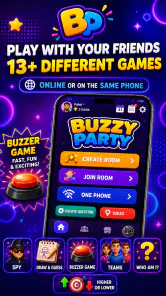
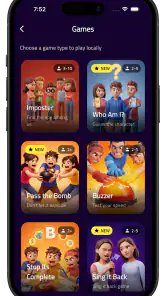
Buzzy Party: Social Party is a multiplayer entertainment app designed for groups of friends who want to play casual party games together. After opening the app, players can usually choose a game or activity, create or join a room, and follow the on-screen instructions. Its main appeal is encouraging conversation, quick decisions, laughter, and friendly competition rather than offering a long, story-driven gaming experience.
Can I play Buzzy Party: Social Party with friends online?
The app is primarily intended for social play, so it is best suited to groups rather than solo users. Depending on the available game modes and current version, friends may be able to join through a shared room, invitation, or session code. Before downloading, check the store description and in-app requirements, because multiplayer availability, room limits, and online features can vary between Android and iOS versions.
Is Buzzy Party: Social Party free to download and use?
Buzzy Party: Social Party is free to download, with optional in-app purchases priced from $0.49 to $14.99 per item. Users should review the purchase options before playing, especially if children use the device or if purchases are enabled. Some party apps provide their core games at no cost while charging for extra packs, customization, or an ad-free experience. It is also worth checking whether every participant needs the app installed or whether only the host needs it.
Pros
- Quick party games are easy to start with friends.
- Supports social interaction during remote or in-person gatherings.
- Bright
- playful design makes the app approachable.
- Short rounds keep the experience lively and varied.
- Useful for breaking the ice in new groups.
Cons
- Some activities may become repetitive after frequent sessions.
- The best experience depends on having an active group.
- Certain features may require in-app purchases or ads.
- Game quality can vary between different party modes.
- Privacy settings should be checked before inviting contacts.

- Category
- Trivia
- Version
- 1.8.05