Unlimited Bowling
- 1.82K
- 4.4
- Installs
- 100.00K
- Price
- Free

Screenshots


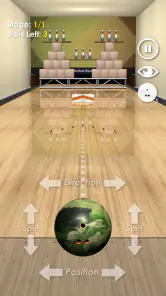
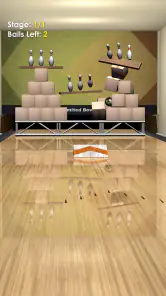
Analysis by Reviewed
Bowling games often promise the feel of a real lane, then reduce the experience to tapping a button and watching the ball roll. Unlimited Bowling takes a more hands-on approach: its central appeal is the attempt to make each throw feel like something I control rather than something I simply trigger. That focus makes it an interesting sports game for short sessions, especially when I want a quick challenge without learning a complicated ruleset.
After spending time with it, I see the game as a compact bowling experience rather than a full replacement for visiting a bowling alley. It is free, aimed at Everyone, and developed by SP Software Productions. Its average rating sits at 4.4 from around 4.9 thousand ratings, while more than 100 thousand people have installed it. Those figures suggest a healthy audience for a straightforward mobile bowling game, but the real question is whether the throwing action remains enjoyable after the novelty wears off.
Why the throwing action matters more than the presentation
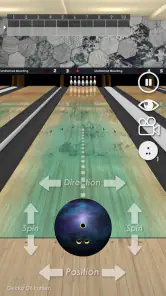
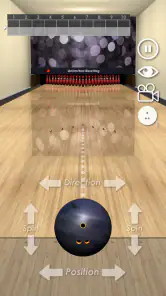
The most important capability here is the direct control over a bowling throw. That sounds simple, but it changes the mood of the game. Instead of treating a frame as a passive animation, I have to think about where I want the ball to travel, how much room I have for error, and whether a risky attempt is worth taking. The result is a game that rewards attention in small bursts.
I particularly like this design for mobile play because bowling already has a natural rhythm: prepare, release, watch the pins, then adjust. A good mobile version does not need a long career mode or a crowded menu to be entertaining. It needs a throw that feels understandable, a result that makes sense, and enough room for me to improve. Unlimited Bowling puts that interaction at the center instead of burying it under unrelated systems.
The name also hints at the game’s most accessible quality. I can pick it up for a few minutes without needing to remember a large set of controls. That makes it suitable for a commute, a waiting room, or a quick break when a more demanding game would be inconvenient. At the same time, the simplicity means I should not approach it expecting the depth of a large console sports title.
Learning the release without wasting attempts
My first advice is to resist the urge to throw as quickly as possible. The useful part of this game is not merely seeing the ball reach the pins; it is noticing how small changes in the setup affect the outcome. I found it more productive to make one deliberate adjustment at a time. Changing direction and release style together makes it difficult to understand what actually helped.
When a throw goes wide, I treat that as information rather than immediately repeating it. I ask whether I aimed too far from the pocket, released too late, or used too much movement. This approach turns a casual game into a small practice exercise. It is one of the less obvious strengths of a focused bowling title: a failed frame can still teach me something if I pay attention to the path of the ball.
Players who are new to bowling games should begin with controlled, conservative throws. Trying to force a dramatic strike on every turn can be frustrating, particularly while the controls are still unfamiliar. A safer line gives a clearer view of how the game responds. Once that response feels predictable, I can start taking more chances and see whether a sharper angle produces better results.
What a normal session feels like
A typical session works best when I set a small goal instead of demanding a perfect score. I might focus on keeping the ball near the center of the lane, improving one spare, or simply beating my previous result. This keeps the experience from becoming repetitive too quickly. The game’s basic appeal comes from repeating the same action with slightly better judgement, not from constantly unlocking new distractions.
That structure also makes it easy to share the game informally. If a friend is nearby, we can take turns trying to improve a result or discussing why a particular throw missed. It does not require a long explanation, and the bowling format is familiar enough that a new player can understand the objective immediately. For a casual group setting, that accessibility is more useful than a complicated control scheme.
There is a practical benefit to the compact format as well. I do not need to reserve a large block of time to enjoy it. A few attempts can feel complete, while a longer session gives me room to experiment with different approaches. That flexibility is valuable on a phone, where interruptions are common and I may not want to commit to a full match.
The best everyday situation for playing
The strongest use case, in my opinion, is a short break when I want a game with a clear beginning and end. Imagine having ten minutes before an appointment: I can open the game, work on a few throws, and stop without losing the thread of a complicated story or leaving a team waiting. Bowling is naturally divided into turns, so the format fits those fragmented moments well.
It also works for someone who enjoys light competition with themselves. Rather than measuring progress through a large collection of characters or equipment, I can compare the quality of my decisions. That is a more personal kind of challenge. The satisfaction comes from finally correcting a recurring mistake, not from collecting a reward that has little connection to the throw itself.
Another good scenario is introducing a non-gamer to mobile sports games. The objective is instantly recognizable, and the controls are less intimidating than those of a football or racing game with many simultaneous actions. I would still give a new player a few minutes to get comfortable, but the learning curve feels approachable because every attempt follows the same basic pattern.
Where the simple design becomes a limitation
The same focus that makes the game easy to start can make it feel narrow for players who want a broad sports simulation. If I am looking for detailed team management, a long progression system, realistic league administration, or a deep collection of equipment, this is probably not the right choice. Its value is concentrated in the act of bowling, so anyone expecting a large package of connected modes may run out of reasons to continue.
I also would not recommend it as the main game for someone who needs constant novelty. Repeating throws is the point, but repetition can feel thin if I do not enjoy refining small decisions. Players who prefer action games with frequent events may find the pace too measured. In that situation, a more feature-heavy sports game would offer greater variety, even if its individual controls are less focused.
There is a trade-off between immediacy and realism. A mobile game has to simplify the sport enough to remain comfortable on a touchscreen, and that can make the experience feel less exact than a physical lane. I enjoy the convenience, but I would not use the game to judge how I would perform with a real bowling ball. It captures the idea of aiming and releasing; it does not replace the weight, surface, and physical timing of bowling in person.
How it compares with familiar alternatives
Compared with a real bowling alley, the obvious advantage is convenience. I can play without arranging a group, traveling anywhere, or paying for a lane. The disadvantage is equally clear: the phone cannot reproduce the physical feedback of a ball in my hand or the social atmosphere of a shared venue. I see this game as a pocket practice of the idea of bowling, not a substitute for the complete outing.
Compared with larger sports games, Unlimited Bowling benefits from being more focused. A football or basketball title may offer more variety, but it also asks me to learn more controls and spend more time in each session. Here, I can concentrate on one interaction. That makes it better for quick play, while a broader sports game is the stronger option when I want multiple activities, progression goals, or a more elaborate presentation.
Compared with very simple tap-to-play bowling games, the appeal is the sense that my input matters beyond selecting a lane. If I only wanted a random result with a bowling theme, there would be little reason to practice. The more direct throwing emphasis gives me a reason to adjust and retry. That is the capability that separates the game’s better moments from a purely decorative sports app.
Small habits that make the game more enjoyable
I get better results when I avoid changing my strategy after every single miss. One bad throw may come from timing, aim, or an overly ambitious attempt. I prefer to observe a pattern across several turns before deciding that my approach needs a major correction. This prevents the common mobile-game mistake of reacting emotionally and making increasingly random adjustments.
A second useful habit is to separate practice from score chasing. When I am trying to improve, I use safer throws and pay attention to consistency. When I am playing for a high result, I accept that a riskier line may fail. Mixing those two goals can make the game feel unfair, because I am judging an experimental throw by the same standard as a careful one.
I also recommend playing with the phone held steadily rather than making quick movements while distracted. The game’s appeal depends on control, so careless handling can make a miss feel like a technical problem even when it was simply a rushed input. A stable posture and a clear view of the screen make the experience more satisfying, particularly for first-time players.
Who gets the most from this bowling game
The ideal player is someone who likes compact sports games and enjoys gradual improvement. If you appreciate repeating a familiar action until your decisions become more reliable, the focused design has real appeal. It is also a good fit for casual players who want something immediately understandable and free rather than a large download that demands a long-term commitment.
Families may appreciate the Everyone content rating and the recognizable rules of bowling. I would still let younger players discover the controls at their own pace, since the challenge comes from precision rather than from understanding a complicated rulebook. The game is easy to explain, but becoming consistent can take more patience than the simple presentation first suggests.
Experienced mobile sports fans should approach it with realistic expectations. The game can provide a pleasant change of pace, especially between larger titles, but its appeal depends on whether the core throw remains engaging for you. If you need extensive customization, a structured season, or a constantly expanding set of objectives, a different sports game will likely hold your attention longer.
Device and version considerations
The current version is 1.18.3, and the game supports devices using Android 7.0 or later. That gives it a relatively broad starting point for Android users with older compatible phones. I would still make sure the device has enough free space and that the screen responds reliably, because a bowling game built around controlled input is less enjoyable when the phone itself is sluggish or difficult to handle.
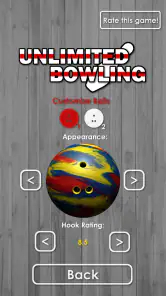
Since it is free to download, the main decision is not whether the entry cost is worthwhile but whether the central activity matches my taste. Free access makes it easy to test without much commitment. I can quickly discover whether I enjoy the throw-and-adjust rhythm, which is more useful than judging the game only by its short description.
My recommendation after playing
Unlimited Bowling succeeds when I treat it as a focused pocket bowling game. Its strongest feature is not a huge amount of content; it is the opportunity to make each throw feel like a small decision. That gives short sessions purpose and creates a modest but genuine learning curve. I can open it casually, but I get more from it when I observe my mistakes and make deliberate changes.
The limitations are tied to that same focus. Players seeking a full sports simulation or a wide range of modes may find the experience too restrained, and anyone who dislikes repetition will probably lose interest. For me, those are fair trade-offs because the game knows what it wants to be: a simple way to bowl on a phone without unnecessary complexity.
With a 4.4 average and an audience of thousands of ratings, it has clearly found people who enjoy that approach. I would recommend trying it to anyone who wants a free, accessible sports game for brief breaks, self-improvement, or casual play with friends. I would skip it only if bowling itself is not enough to keep me engaged. When the basic throw is the part I want, this game delivers a clean and approachable experience that is easy to return to.
Pros
- Simple controls make it easy for beginners to start playing.
- Quick matches are suitable for short gaming sessions.
- Several bowling environments add visual variety.
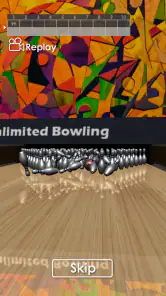
- Physics provide satisfying pin reactions and feedback.
- Playable offline
- making it useful without a constant connection.
Cons
- Gameplay can become repetitive after extended sessions.
- Some content may require progress or purchases to unlock.
- Ads may interrupt play between rounds or menus.
- Limited strategic depth may disappoint experienced bowlers.
- Performance can vary on older phones and tablets.

- Category
- Sports
- Version
- 1.18.3