Trivia Puzzle Fortune Word Fun
- 8.24K
- 4.9
- Installs
- 1.00M
- Price
- Free
Screenshots

Analysis by Reviewed
I look for two things in a trivia game: questions that make me pause and think, and a format that stays enjoyable when I only have a few minutes. Trivia Puzzle Fortune Word Fun aims for both by pairing general-knowledge prompts with letter-based word puzzles. It is a free trivia game from Super Free, rated for Everyone, and its appeal is easiest to understand if you enjoy solving clues as much as knowing the answers.
Choosing the right kind of trivia game
Before installing, it helps to decide whether you want a quiz that tests recall, a word puzzle that rewards deduction, or a mix of the two. This game leans toward the mix: instead of simply tapping an answer, you work out a word from its letters while responding to trivia. That can make familiar quiz topics feel more active, though it may be less satisfying if you prefer quick multiple-choice rounds with no word-solving.
The game has a 4.9 average from around 105,000 ratings, and it has passed one million installs. Those figures suggest broad interest, but they do not tell me whether its particular blend will suit you. I would treat them as a reason to give it a look, not as a guarantee that every question or session will land perfectly.
How to judge the first few rounds
I would give the game a few sessions before deciding whether it fits. One round can be unusually easy or land on a subject you rarely follow, so it is more useful to notice how the combination feels across different categories. Ask yourself whether the letter puzzle helps you think through an answer, or whether it adds a second hurdle that slows down the quiz. That distinction is more important than whether you happen to know a particular fact.
A practical test is to play once when you have time to focus and once during a short break. If the second session still feels easy to pick up and put down, the format is doing its job as casual entertainment. If you find yourself wanting to pause, look up facts, or finish a carefully selected set of questions, you may prefer a more structured quiz app.
Unpacking the Game
Trivia Puzzle Fortune Word Fun isn’t just your typical trivia game. It blends elements of word puzzles and trivia challenges, creating a unique fusion that keeps you on your toes. Imagine a game where you can show off your vocabulary and your general knowledge at the same time. Sounds exciting, right?
Gameplay and Features
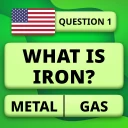
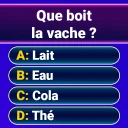
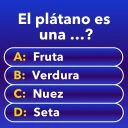
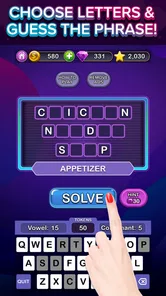
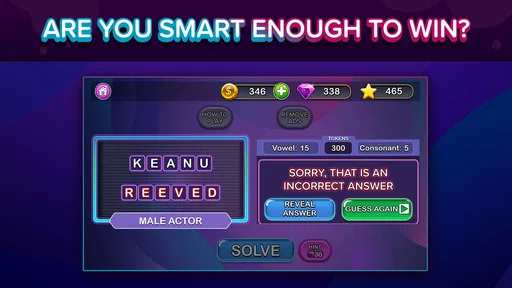
As soon as you launch the app, you’re greeted with a vibrant and user-friendly interface that’s easy to navigate. The main menu gives you access to various categories of trivia questions, ranging from history and science to pop culture and sports. There’s literally something for everyone!
More From Our News Desk

 Gmail
GmailGmail in a Busy Inbox: Who Benefits Most?
From first account to crowded workday, Gmail earns its place through dependable search and flexible sorting—but its best fit depends on how much inbox maintenance you can tolerate.

 Prime Video
Switching to Prime Video: What Changes in Your Viewing Routine
Prime Video can make a compelling second home for streaming, but switching means learning a different catalog, rental layer, and route from browsing to playback.

 Universal TV Remote Control
Universal TV Remote Control Works Best as a Reliable Backup
A phone remote earns its place through quick setup and reliable habits. Here is how to get more from Universal TV Remote Control—and where its limits show.

 Weather - By Xiaomi
Weather by Xiaomi Review: Clear at a Glance, Less Clear Up Close
Xiaomi’s weather app makes everyday forecasts quick to scan, but its calm surface can leave useful details and recovery paths harder to find than they should be.

 X
XX Under Pressure: Can It Recover When Posting Goes Wrong?
A resilience-focused review of X, examining setup, mistaken posts, interruptions, weak connections, and the gaps that matter when recovery needs to be dependable.

 Clash of Clans
Clash of Clans Is Won Between the Battles
Its raids are quick; its community is a long-term project of coordination, teaching, rivalry, and shared responsibility—with all the friction that entails.
Latest News



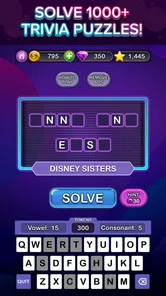
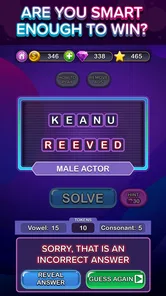
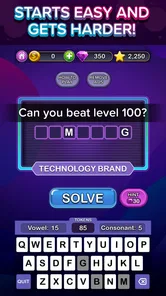
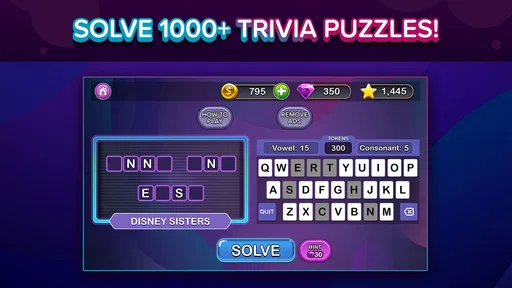
The game structure is quite engaging. You start by spinning a wheel of fortune, which determines the category of your question. This random element adds a layer of unpredictability and excitement. Once you land on a category, the app throws a series of questions your way, which you need to answer by filling in the blanks with the correct letters. It’s like playing hangman, but with a twist of trivia.
Making short sessions work
I see this format working best in small pockets of free time: a quiet break, a short wait, or a relaxed turn on the sofa with someone nearby. When the category is chosen for you, you can start without spending time deciding what to play. A useful approach is to treat each round as a little recall exercise: try to solve the clue before revealing letters, then use the available letters methodically rather than guessing at random. That keeps the word element meaningful instead of turning it into a race to fill blanks.
It can also suit a casual shared session. One person can read the clue while another suggests letters, which gives friends or family a way to play together without needing the same level of trivia knowledge. The trade-off is that the wheel’s random category choice may not match everyone’s interests, so this is less ideal when a group wants to stick to one subject or run a carefully balanced quiz night.
A small-group way to play
For an informal family or friend session, I would make the wheel part of the fun rather than trying to turn the game into a formal contest. Let the person who knows the category lead, but ask others to suggest letters or explain how they arrived at a guess. That gives a player who is weaker on the fact itself another way to take part. It also makes the game less dependent on one person answering every prompt first.
There is a trade-off: because the category is random, a group may hit a subject that leaves one person out. If that happens, I would treat that round as a shared puzzle rather than a test of who knows more. For a planned tournament, a conventional quiz with a fixed topic and identical questions is fairer; this game is better for a relaxed, improvised challenge.
Where the blend stands out
Compared with standard trivia apps built around rapid multiple-choice questions, the letter-filling mechanic gives you another route into an answer. You can use vocabulary and spelling to narrow down possibilities even when the fact itself is hazy. Against a dedicated crossword or word-search game, however, the trivia requirement makes subject knowledge matter more; it is not simply a vocabulary workout. That combination is the main reason I would choose it over either alternative when I want variety in a single casual game.
There is a practical limit to that appeal: if you dislike guessing letters, or find broad trivia categories frustrating when you do not know the subject, the format can feel like two challenges stacked together. For a focused brain teaser, a conventional word puzzle is likely a better fit. For competitive quiz practice where every player gets the same question set, a more structured quiz may be preferable.
Why You’ll Love It
One of the standout features is the level of customization available. You can choose to tweak difficulty settings, ensuring that both beginners and seasoned players can have a satisfying experience. Plus, the app regularly updates its question bank, so you’re unlikely to run out of new material anytime soon.
Another aspect worth mentioning is the community-based gameplay. You can challenge your friends to beat your score or even compete against global players. This competitive edge is perfect for those who thrive on a little friendly competition. And let’s not forget the satisfying jingle of coins as you accumulate points – it’s a small touch, but it adds to the overall enjoyment.
What to consider before committing
If you are deciding whether to keep it installed, the cost is fairly simple to weigh: the game is free, while optional in-app purchases range from $0.99 to $79.99 per item. I would start with the free experience and only consider paying if you have identified a specific purchase that improves how you play. A wide price range is a reason to check each item carefully, not to assume that spending is necessary for an enjoyable casual session.
Offline play is particularly useful for a commute, a waiting room, or a place where reception is unreliable, since the game is presented as playable without a connection. I would still plan around the basic distinction between solo play and any social competition: offline is a good fit when you just want to answer puzzles, while competing with other people naturally makes more sense when you can connect. That makes it a handy option to have ready, rather than a game that needs to be the center of your attention all day.
Using it offline without overplanning
A realistic use case is downloading the game before heading somewhere with patchy reception, then opening it when a delay leaves you with a few spare minutes. I would not make it the only plan for a long journey if I wanted a specific topic or a long, uninterrupted activity; its appeal is that you can dip into a puzzle without needing to organize a full quiz. A quick session also makes it easier to stop when you reach your destination rather than feeling committed to a long match.
For anyone wondering whether offline play changes the nature of the game, the key distinction is simple: it suits solo puzzle-solving, while social competition is naturally more useful when a connection is available. If you mainly want an offline word game, this can be a convenient choice because trivia gives the letter work a knowledge-based purpose. If you want to play with a remote friend during that same offline stretch, it is not the right setup.
The game was released on February 4, 2021, and its current version is 1.181. It supports devices running Android 6.0 or later. Super Free has also received around 8,100 written reviews, a useful sign that players have had plenty to say about it, though I would still judge the experience by whether its question-and-word format suits your habits.
A Few Words on Design
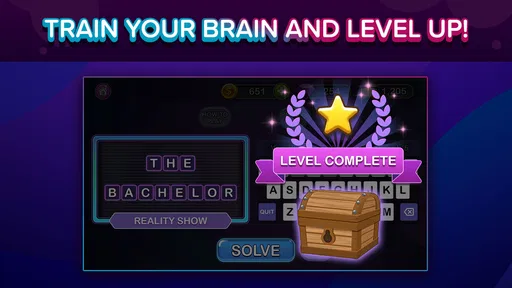
The developers have done a commendable job with the design aesthetics. The color scheme is easy on the eyes, and the animations are fluid and engaging without being overwhelming. The app runs smoothly, with minimal lag, which is always a plus in my book.
One feature that might not be as appealing to everyone is the in-app purchases. While the game is free to download and play, some features and ad-free experiences require a purchase. However, I found that the free version is more than adequate for casual gameplay.
What the format asks of you
The central trade-off is attention. A multiple-choice quiz lets you scan options and make a quick selection; here, you need to connect the clue to a word and then work through its letters. That extra step can make a familiar answer feel more rewarding, but it may also make a session less breezy if you are tired or distracted. I would choose it when I want to engage with a prompt, not when I only want a rapid stream of easy taps.
It is also worth separating casual learning from dependable study. Trying to retrieve an answer can be a useful nudge to think, but a wheel-selected mix is not a lesson plan. If I were preparing for an exam, I would use a dedicated study tool that lets me target the subject and revisit material systematically, then treat this game as a break rather than a substitute.
Who I’d recommend it to
I would recommend it to people who enjoy general knowledge but want more interaction than tapping a choice, and to word-game fans who do not mind trivia being part of the challenge. Its Everyone age rating makes it suitable to consider for a broad household, while the mix of subjects can give players with different interests a chance to contribute. If you want a quiet solo activity, the offline option is another practical reason to try it.
I would skip it if you need a serious study tool, want every round to focus on a chosen subject, or dislike the uncertainty of a category wheel. The game is designed for casual entertainment rather than a dependable way to prepare for an exam or measure knowledge under controlled conditions. If those are your priorities, a dedicated learning app or a structured quiz format will serve you better.
My recommendation in practice
If you are unsure, I would install it for the free experience and make your decision based on two things: whether the word-solving makes trivia more enjoyable for you, and whether random categories feel like variety or an annoyance. There is little reason to commit money before you know which side of that trade-off you are on. If you do browse optional purchases, check what each item actually offers and whether it solves a problem you have encountered; the broad price range makes casual impulse buying hard to justify.
On the other hand, if you already know that you prefer a carefully selected subject, head-to-head quiz rules, or pure wordplay without factual clues, you can save time by choosing a more focused alternative. This is not a flaw so much as a clear boundary around the game’s appeal: its best moments come from switching between knowledge and deduction, not from excelling at just one of them.
In conclusion, Trivia Puzzle Fortune Word Fun is a delightful app that successfully combines the thrill of trivia with the challenge of word puzzles. Whether you’re looking to kill time or sharpen your knowledge, this app is definitely worth a download. So, why not give it a spin and see if you can become the ultimate trivia master?
Trivia Puzzle Fortune Word Fun Frequently Asked Questions
How much storage space should I set aside for Trivia Puzzle Fortune Word Fun?
It is sensible to check the available storage on your phone before installing any game, especially if your device is nearly full. Trivia Puzzle Fortune Word Fun is a trivia and word-puzzle game, and keeping some free space available can also help your device manage updates and other apps. You can review the download requirements on your device’s app store before proceeding.
Can I play Trivia Puzzle Fortune Word Fun with friends or compete against other players?
Trivia Puzzle Fortune Word Fun focuses on trivia questions and word puzzles, so it can suit players who enjoy testing their knowledge and vocabulary. If you prefer games with social or competitive features, check the game’s current in-app options before downloading; availability of specific features can vary. The core appeal is solving the challenges at your own pace.
Is Trivia Puzzle Fortune Word Fun suitable for casual play?
Yes. Trivia Puzzle Fortune Word Fun is a trivia and word-puzzle game for players who enjoy answering questions and solving word challenges at their own pace. Its mix of trivia and puzzles makes it a fit for a quick break or a longer session, while the store summary says it can be played offline.
What is Trivia Puzzle Fortune Word Fun about?
Trivia Puzzle Fortune Word Fun is an engaging word game designed to challenge your vocabulary and puzzle-solving skills. Players are tasked with solving word puzzles and trivia questions that increase in complexity as the game progresses. It's perfect for anyone looking to have fun while exercising their brain.
Is Trivia Puzzle Fortune Word Fun free to play?
Yes, Trivia Puzzle Fortune Word Fun is free to download and play. However, the game does offer in-app purchases for players who wish to enhance their gaming experience with additional hints, power-ups, or to unlock premium features. These purchases are entirely optional. In-app purchase prices range from $0.99 to $79.99 per item, so review the purchase prompts carefully if you want to avoid spending.
Pros
- Engaging word puzzles
- Variety of trivia topics
- User-friendly interface
- Frequent updates
- Offline play available
Cons
- Ads can be intrusive
- Limited hints availability
- Some puzzles too difficult
- Requires in-app purchases
- Occasional app crashes