Transformers Rescue Bots: Hero
- 1.32K
- 4.5
- Installs
- 10.00M
- Price
- Free
Screenshots

Analysis by Reviewed
Children’s adventure games often promise excitement but end up feeling either too complicated or too repetitive. Transformers Rescue Bots: Hero takes a clearer route: it puts young players in the middle of rescue situations where the goal is to react, move through danger, and help people. I found the experience easy to understand from the start, with the familiar Transformers Rescue Bots theme doing much of the work to make each task feel meaningful to children.
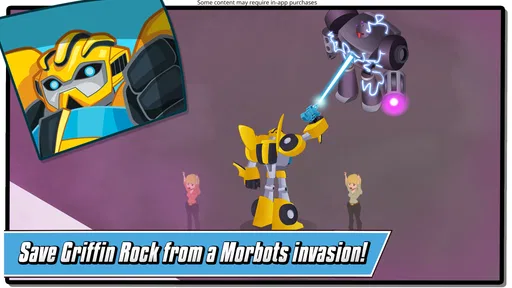
This is a free adventure game from Budge Studios, rated for Everyone. It is aimed particularly at younger players who enjoy robots, emergencies, and simple action rather than complex strategy. The basic idea is immediately appealing: a rescue robot arrives, faces a hazard, and works toward getting civilians to safety. That focus gives the game a friendly purpose instead of making the action feel like fighting for its own sake.
After spending time with it, my impression is that this is best viewed as a short-session game for children, not as a deep Transformers adventure for older fans. It is approachable, colorful, and easy to return to, but families should also understand the limits of a free children’s title with optional purchases. Its strongest qualities are accessibility and theme; its weaker side is that players looking for substantial progression or demanding gameplay may outgrow it quickly.
How the rescue missions feel in everyday play
I find that the most useful way to judge these missions is to watch how a child handles the change from one kind of emergency to another. A familiar rescue goal can make it easier to start, while a different hazard asks them to pay attention rather than simply repeat the same movement. That distinction helps explain the game’s appeal—and where its variety may feel limited.
Quick starts and a pace suited to younger players
The first thing I noticed was how little effort it takes to get into the action. A child does not need to learn a long list of controls before understanding what the game wants. The rescue setting gives every activity a simple context: there is a problem, the robot has a role, and the player needs to respond. That makes it suitable for independent play once a parent has helped with the initial setup.
The perceived speed is less about rapid movement and more about how quickly the game communicates its next objective. The rescue theme keeps the experience moving because the player is not left wondering why a task matters. For a child who becomes frustrated by slow tutorials or complicated menus, that clarity is a real advantage. I could imagine it working well during a short car journey, a waiting-room break, or a few minutes before bedtime.
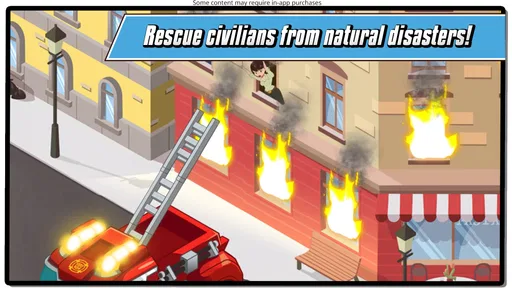
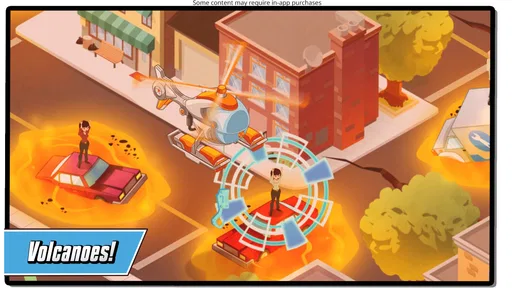
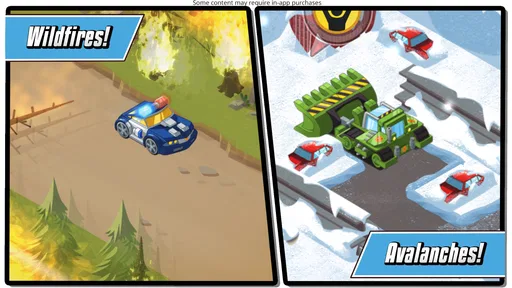
It is also a good fit for children who like to feel useful in a game. Escaping an avalanche, dealing with a fire, or helping civilians creates a stronger sense of purpose than simply collecting objects without context. The action remains light enough for the Everyone rating, while the emergency scenarios provide enough drama to hold attention.
More From Our News Desk

 Gmail
GmailGmail in a Busy Inbox: Who Benefits Most?
From first account to crowded workday, Gmail earns its place through dependable search and flexible sorting—but its best fit depends on how much inbox maintenance you can tolerate.

 Prime Video
Switching to Prime Video: What Changes in Your Viewing Routine
Prime Video can make a compelling second home for streaming, but switching means learning a different catalog, rental layer, and route from browsing to playback.

 Universal TV Remote Control
Universal TV Remote Control Works Best as a Reliable Backup
A phone remote earns its place through quick setup and reliable habits. Here is how to get more from Universal TV Remote Control—and where its limits show.

 Weather - By Xiaomi
Weather by Xiaomi Review: Clear at a Glance, Less Clear Up Close
Xiaomi’s weather app makes everyday forecasts quick to scan, but its calm surface can leave useful details and recovery paths harder to find than they should be.

 X
XX Under Pressure: Can It Recover When Posting Goes Wrong?
A resilience-focused review of X, examining setup, mistaken posts, interruptions, weak connections, and the gaps that matter when recovery needs to be dependable.

 Clash of Clans
Clash of Clans Is Won Between the Battles
Its raids are quick; its community is a long-term project of coordination, teaching, rivalry, and shared responsibility—with all the friction that entails.
Latest News



What happens when play becomes more demanding
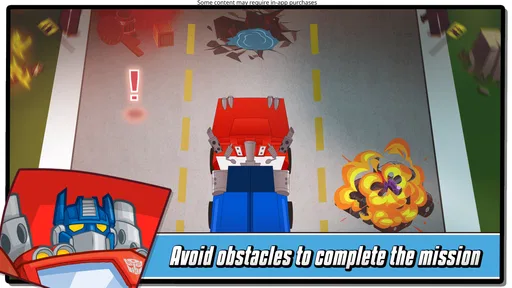
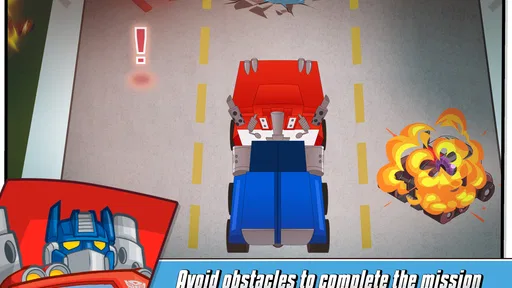
The heavier moments come when several parts of a rescue scenario need attention at once. A child may need to move carefully, react to a hazard, and keep track of the immediate goal rather than simply tapping through a scene. These moments are useful because they test observation and timing without turning the game into a difficult puzzle adventure.
For younger children, the best approach is to let them try first instead of taking over the controls. If they become stuck, I would offer a short hint about the current objective rather than explaining every possible action. That preserves the feeling that they are the rescuer. The game’s simple structure makes this kind of shared play easy: an adult can guide from beside the device without needing to understand a complicated character build or inventory system.
One practical tip is to play in short sessions and stop after a successful rescue rather than waiting until the child is bored. The emergency theme can be exciting, but repeated attempts at similar tasks may lose their appeal if play continues for too long. Treating each session as a small mission helps the game feel fresh and avoids turning a relaxing activity into a demand for constant attention.
Why the robot theme matters
The Transformers Rescue Bots identity is not just decoration here. It gives children recognizable characters and a clear emotional frame for the action. A robot that puts out a fire or helps someone escape danger feels like a helper, which is more appropriate for younger players than a game built around destruction.
This also makes the game easier to recommend to families who want action without aggressive subject matter. Children who already enjoy the Rescue Bots characters will probably understand the appeal immediately. On the other hand, a child who has no interest in robots or rescue stories may not find enough variety elsewhere to compensate. The theme is a strength, but it also defines the audience quite narrowly.
Useful habits for parents and children
I would encourage parents to explore the opening portion together, especially if the child is still learning how to control games on a touchscreen. Showing how to recognize the objective and how to pause between actions is more useful than simply completing the first mission for them. Once the basic rhythm is understood, the child can make decisions independently.
Another helpful habit is to check the purchase flow before handing over the device. The game is free to download, but optional in-app items range from $0.99 to $29.99 each. That does not make the game unsuitable for families, but it does mean that the device’s purchase protections should be configured in advance. A child-friendly title can still create an awkward moment if a child taps through a purchase screen without understanding its consequence.
The game is also better suited to supervised shared devices than to a phone that a child uses without any boundaries. That is not a criticism of the rescue gameplay itself; it is simply sensible preparation for any free game that offers optional purchases. I would decide beforehand whether purchases are allowed and avoid making the child responsible for that decision during play.
Stability, device demands, and long-term value
I look at long-term value less as a question of technical power and more as whether the game still feels worth opening after the first burst of curiosity. Its modest device requirements may make it an option for an older family device, but screen responsiveness and purchase settings matter in practice. With those considerations in mind, the next question is whether its short rescue loop gives a child enough reason to return.
How I would judge its reliability
For a children’s game, reliability means more than avoiding crashes. It also means that the child can return to the experience without needing an adult to explain everything again. The straightforward rescue format helps here. There are fewer layers to remember than in a role-playing game, so a break between sessions should not create much confusion.
The current version is 2026.1.1, and the game has been available since May 5, 2016. That long presence gives it the feel of an established children’s title rather than a brand-new experiment. It has also reached over 10 million installs and holds a 4.5 average from around 73 thousand ratings, which suggests that many families have found the basic concept approachable. Those figures do not guarantee that every device or child will have the same experience, but they do indicate broad familiarity.
I would still keep normal expectations for a mobile game. If a child is playing on an older device, has many applications open, or is using an unstable connection, the experience may feel less smooth than it does on a well-maintained phone or tablet. When a game is intended for children, even a brief interruption can feel more serious because the player may not know whether to wait, retry, or ask for help.
A useful recovery routine is simple: finish the current activity when possible, close other demanding applications, and reopen the game if it stops responding. I would avoid repeatedly tapping the screen during a delay, since that can make it harder to tell whether the game has registered an action. These are ordinary mobile habits, but they matter more when a child is playing independently.
Resource demands and suitable devices
The minimum operating-system requirement is Android 5.1, so the game is not restricted to only the newest Android hardware. That broad compatibility is helpful for families using an older spare phone or tablet. Still, an operating-system requirement is not the same thing as a promise of identical performance on every supported device. Older hardware may have less room for other applications, and children’s games benefit from a responsive screen.
I would choose a tablet when possible, particularly for a younger child. A larger display makes rescue scenes easier to see and gives small fingers more space for touch controls. A phone is more convenient for travel, but its smaller screen may make it harder for a child to notice hazards or interact accurately. This is one of those cases where the device changes the experience even though the game itself remains the same.
Before a long trip, I would open the game at home and make sure it behaves properly on the intended device. That quick check is more valuable than assuming that an older phone will handle it exactly like a newer tablet. It also lets the parent confirm that the sound level, available storage, and purchase settings are appropriate before the child starts playing.
Because the game presents emergencies and movement, performance problems would be most noticeable during moments that require a timely response. A slight delay is less annoying while reading a menu than when trying to avoid a hazard. For that reason, I would favor a device with a healthy battery and a responsive touchscreen, even though the game’s minimum Android requirement is relatively inclusive.
Where it sits beside other children’s adventure games
Compared with open-ended adventure games, this one is easier to understand but offers less freedom. A child is guided toward rescue tasks instead of being asked to explore a large world, manage many items, or invent a long-term strategy. That makes it a better first adventure game for some children, especially those who become overwhelmed by too many choices.
Compared with educational games, its learning value is more informal. It encourages attention, sequencing, and a basic sense of helping others, but it should not be chosen as a replacement for a focused reading, math, or language app. Its purpose is entertainment through rescue-themed action. Parents looking for explicit lessons will probably find a dedicated educational title more appropriate.
Compared with competitive action games, it is gentler and less stressful. There is no need to compete with other players to enjoy the central idea, which makes it suitable for a child who prefers solo play. The trade-off is that older children who want challenging competition, elaborate customization, or a constantly changing online experience may find it too limited.
Who should download it, and who should skip it
I would recommend it to children who already like Transformers Rescue Bots, enjoy helping characters in danger, and prefer clear objectives over complicated systems. It is especially suitable for short, supervised sessions on a family tablet. Parents who want a friendly adventure with a recognizable robot theme will find the concept easy to explain and easy to share with a child.
I would be more cautious if the child expects a full console-style Transformers game. This is not the right choice for someone seeking a long campaign, advanced combat, deep exploration, or a demanding challenge. The same applies to older players who quickly lose interest when a game keeps its controls and goals simple. In those cases, a more elaborate adventure game would offer better long-term value.
Families should also skip it if they are unwilling to manage optional purchases. Since individual in-app items can cost as much as $29.99, setting clear restrictions is essential. The free entry point is convenient, but it should not be confused with an entirely purchase-free experience.
My final performance verdict
My overall view is that this is a dependable, focused children’s adventure rather than a technically ambitious mobile game. Its perceived speed comes from clear rescue objectives, and its strongest performance advantage is that a young player can understand what to do without a long explanation. The experience is most convincing when played in short bursts on a responsive tablet or phone.
Its limitations are equally clear. The simple structure may not hold an older child’s attention for very long, and families need to handle the optional purchase system responsibly. Device age, screen size, and general phone condition can also influence how comfortable the game feels, particularly during quick rescue actions.
With those expectations in place, I think Budge Studios has made a sensible choice for the audience. The game turns familiar robots into helpful characters, gives children a reason to act, and avoids burying the rescue idea under complicated mechanics. I would install it for a younger Transformers fan who wants an approachable adventure and a parent who is comfortable supervising play and purchases. I would choose something deeper for an older player, but for its intended audience, the simple rescue-first design is the reason it works.
Transformers Rescue Bots: Hero Frequently Asked Questions
What kind of missions can I play in Transformers Rescue Bots: Hero?
The game centers on rescue missions, with situations that call for putting out fires, escaping avalanches, and helping civilians in danger. This gives play a clear purpose beyond simply moving through obstacles: you guide the Rescue Bots as they respond to emergencies. Its adventure style and kid-friendly presentation make the rescue theme easy to follow for younger players and fans of the series.
Is Transformers Rescue Bots: Hero an official Transformers game?
Transformers Rescue Bots: Hero is based on the Transformers Rescue Bots series and was developed by Budge Studios. Its familiar rescue-team theme is reflected in missions where characters help people and tackle emergencies. Children do not need previous knowledge of Transformers to understand the basic idea, so the game can also serve as an accessible introduction for younger players who are new to the franchise.
What age rating does Transformers Rescue Bots: Hero have?
Transformers Rescue Bots: Hero is rated Everyone, which makes it broadly suitable for a family audience. Its colorful presentation and rescue-focused missions are aimed especially at younger players, though children can still benefit from an adult checking the game’s purchase settings and privacy options. The age rating is a helpful starting point, not a substitute for deciding what is appropriate for a particular child.
Is Transformers Rescue Bots: Hero free to download?
Yes, Transformers Rescue Bots: Hero is free to download. The game also offers optional in-app purchases, with individual items priced from $0.99 to $29.99. Children may encounter purchase opportunities while playing, so parents who want to avoid unexpected spending should review device purchase controls before handing over the device. You can try the game without paying upfront, while keeping those optional costs in mind.
What is Transformers Rescue Bots: Hero?
Transformers Rescue Bots: Hero is a family-friendly action and adventure game based on the popular Transformers Rescue Bots series. Players control familiar rescue characters, complete missions, overcome obstacles, and help citizens in danger. The game is designed for younger players, with simple controls, colorful visuals, and an accessible structure that makes it easy to understand without requiring previous Transformers experience.
Pros
- Simple controls make it accessible for younger players.
- Familiar Rescue Bots characters add appeal for Transformers fans.
- Short missions work well for quick play sessions.
- Bright visuals are easy for children to follow.
- Collectible rewards add motivation to replay levels.
Cons
- Gameplay can feel repetitive after several missions.
- Limited challenge may disappoint older Transformers fans.
- Some features may require in-app purchases or extra downloads.
- Progression offers little depth compared with larger action games.
- Performance may vary on older Android and iOS devices.