

Pixel Craft Legends
- 669.00
- 3.3
- Installs
- 10.00M
- Price
- Free
Screenshots
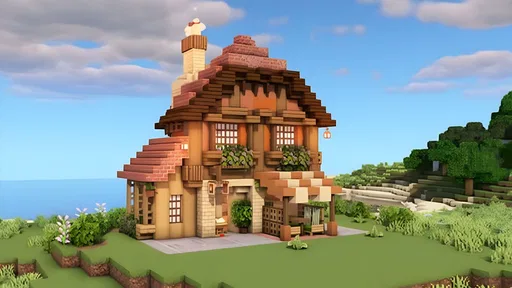
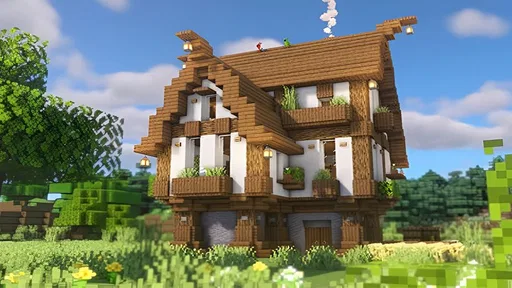
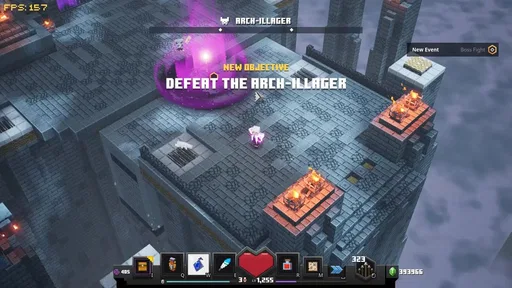
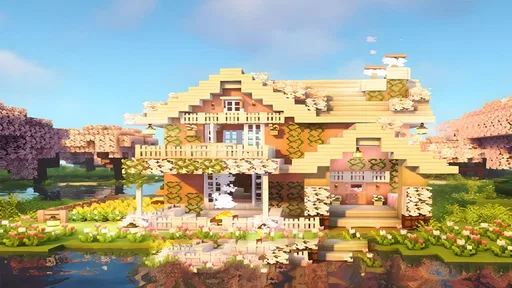
Analysis by Reviewed
I’d approach Pixel Craft Legends as a casual sandbox to dip into, not a game that promises a carefully paced campaign. Its appeal is the chance to make a small plan, wander off after an interesting discovery, then turn what I’ve gathered into something of my own. That freedom can be relaxing, though it also means the game asks me to supply much of the direction. If I want a clear objective every few minutes, I’d pick something more structured.
A good fit for self-directed play
This is a simulation game from funtab999, built around a pixel-world loop of exploring, collecting, crafting, and building. I’d recommend it to players who enjoy setting their own goals: someone might focus on making a shelter feel more personal, while another player may prefer to roam and see what turns up. The game’s open-ended style gives both approaches room, but it won’t necessarily tell either player what their next priority should be.
That distinction matters when choosing between this and a story-led adventure. In a story game, I can usually follow the next marker or mission and feel the session moving toward a defined conclusion. Here, progress is more personal: a useful tool, a new material, or one more piece of a build can be a satisfying stopping point, even if there is no dramatic finish. I find that rewarding when I’m in the mood to experiment, but less compelling when I’m tired and want the game to make the decisions for me.
The game is free and rated for Everyone, so it is easy to consider for a broad range of players. Its audience is substantial, with over 10 million installs, while its average score is 3.3 from around 28,000 ratings. I would treat that rating as a reason to keep expectations measured rather than as a verdict: sandbox games can divide people because some enjoy making their own structure and others prefer a more guided experience.
Start with one practical project
My most useful starting habit is to choose a small task before I begin wandering. Instead of setting out to build an elaborate home, I’d first aim to gather enough for a basic shelter, then decide what would make it more useful. That gives the early session a shape without turning the game into a checklist. If I discover a new place or resource along the way, I can change plans without feeling that I’ve abandoned a complicated design.
This approach also helps with the classic sandbox trap of collecting materials without knowing why. Before a longer building session, I’d think through the next two or three additions I want to make and gather with those in mind. I wouldn’t plan every detail in advance, though: part of the fun is adapting when exploration suggests a different idea. The balance is to have enough direction to make progress, while leaving room for surprise.
Exploring, Crafting, and Making Progress
From the moment you boot up Pixel Craft Legends, you're greeted with a vibrant world filled with endless possibilities. The game offers a mix of exploration, crafting, and survival elements that are easy to get lost in. You start off with the basics—gathering resources, building your shelter, and crafting tools. But as you progress, the game opens up, revealing deeper layers of complexity and creativity.
More From Our News Desk

 Gmail
GmailGmail in a Busy Inbox: Who Benefits Most?
From first account to crowded workday, Gmail earns its place through dependable search and flexible sorting—but its best fit depends on how much inbox maintenance you can tolerate.

 Prime Video
Switching to Prime Video: What Changes in Your Viewing Routine
Prime Video can make a compelling second home for streaming, but switching means learning a different catalog, rental layer, and route from browsing to playback.

 Universal TV Remote Control
Universal TV Remote Control Works Best as a Reliable Backup
A phone remote earns its place through quick setup and reliable habits. Here is how to get more from Universal TV Remote Control—and where its limits show.

 Weather - By Xiaomi
Weather by Xiaomi Review: Clear at a Glance, Less Clear Up Close
Xiaomi’s weather app makes everyday forecasts quick to scan, but its calm surface can leave useful details and recovery paths harder to find than they should be.

 X
XX Under Pressure: Can It Recover When Posting Goes Wrong?
A resilience-focused review of X, examining setup, mistaken posts, interruptions, weak connections, and the gaps that matter when recovery needs to be dependable.

 Clash of Clans
Clash of Clans Is Won Between the Battles
Its raids are quick; its community is a long-term project of coordination, teaching, rivalry, and shared responsibility—with all the friction that entails.
Latest News



What I love about this game is how it doesn't hold your hand. Sure, there are tutorials to get you started, but ultimately, it’s up to you to decide your path. Whether you want to focus on building the tallest tower, or perhaps delve into the depths of the earth in search of rare minerals, the choice is yours. It's the kind of freedom that keeps you coming back for more.
Building in manageable stages
The crafting system in Pixel Craft Legends is both intuitive and rewarding. With a plethora of items to create, from basic tools to elaborate machinery, you’ll find yourself constantly tweaking your strategies to optimize your creations. The building mechanics are smooth and flexible, allowing for creativity to flourish without the frustration of clunky controls.
One useful way to approach that freedom is to make a compact work area before spreading out. When I’m alternating between crafting and building, keeping materials and the next construction step in mind makes the session feel less scattered. I’d also treat larger projects as a sequence of small additions instead of waiting for one perfect design; that makes it easier to change direction when exploration turns up something more interesting.
One of the standout features is the way the game encourages creativity. I found myself spending hours perfecting my little digital utopia, adding small touches here and there to make it uniquely mine. The satisfaction of seeing your creations come to life is unparalleled, and it’s something that Pixel Craft Legends does exceptionally well.
For a more deliberate build, I’d use a simple “materials first, decoration later” rule. I’d secure the pieces needed to make a space functional, then spend spare resources on details once I know the layout works. That avoids investing too much in a design I might want to change after exploring further. It’s a small planning choice, but it makes a self-directed game easier to enjoy when I only have time for a short session.
Exploration with a reason to roam
Exploration is another core component of the game. The generated worlds are vast and diverse, each with its own set of challenges and rewards. From lush forests to barren deserts, each biome presents unique opportunities and threats, keeping the gameplay fresh and exciting. And let’s not forget about the survival aspect—managing resources and health adds a layer of strategy that keeps you on your toes.
A realistic way I’d fit it into an ordinary day is to set one modest aim before opening the game: gather a particular material, improve the shelter, or explore in one direction. If I get sidetracked by a cave or a new landscape, that’s part of the appeal, but having an initial aim gives me a natural stopping point. It also makes returning later easier, because I can pick up with a clear next task instead of trying to remember a sprawling plan.
I particularly enjoyed the sense of discovery that comes with exploring new lands. There’s always something new to find, whether it’s a hidden cave filled with treasures or a rare resource that you’ve been hunting for ages. It’s this constant sense of wonder that makes every moment in the game feel new and exciting.
One trade-off is that exploration can pull attention away from a build just when it starts to take shape. I’d use that impulse rather than fight it: if I’m low on a resource, a short trip with that specific need in mind can make roaming feel purposeful. If I’m only exploring for its own sake, I’d keep the outing modest and return to a familiar project afterward. That gives the session a satisfying before-and-after, rather than leaving several half-started ideas competing for attention.
How the pace feels during longer sessions
Because this is a world-building game, I’d expect the busiest moments to come when I’m moving between exploration, resource gathering, and a larger construction project. I wouldn’t treat a quick start or a quiet area as proof that every long session will feel identical. For a smoother experience, I’d build in stages and avoid making a session depend on finishing a huge project in one sitting. That is a sensible workflow for any game where the player creates their own goals, not a promise about performance.
For me, the best rhythm is to alternate a focused task with a bit of free roaming. A long stretch spent gathering for one ambitious project can start to feel like work, especially if I have not decided what “finished” means. Breaking the build into visible steps gives me small milestones and makes it easier to stop on a natural point. This is also a useful way to test whether I enjoy the loop: if the small steps feel satisfying, the larger project is likely to hold my interest.
The game was released on February 15, 2024, and its current version is 1.20.0.0011-new. It supports Android 5.0 or later, which makes the stated minimum broad, but a minimum operating-system requirement alone cannot tell me how responsive a particular device will feel during extended play. I’d keep my first sessions modest on an older phone and judge the experience in the kinds of areas and building situations I actually plan to use.
Reliability, recovery, and expectations
The game is free, is rated for Everyone, and is developed by funtab999. It has an average rating of 3.3 from around 28,000 ratings, alongside roughly 670 written reviews, and has reached over 10 million installs. Those figures suggest a widely tried game, but they don’t tell me whether it will suit a particular player: the open-ended style is a bigger factor in that decision. The current version is 1.20.0.0011-new, and it supports Android 5.0 or later.
When I’m playing a sandbox, I prefer to make a natural stopping point before putting the phone away. I’d finish a small task, take stock of what I still need, and leave myself a clear next step. That habit is useful even when a session ends unexpectedly: it helps me resume without having to reconstruct a complicated plan from memory. I would not assume that every interruption or return will behave the same way, so I’d avoid making a long, carefully coordinated building session depend on uninterrupted play.
On a device that meets that minimum, I’d still leave room for ordinary differences in responsiveness and available resources rather than assume every phone handles longer play the same way. If a session feels sluggish, pausing a large building plan and returning to a simpler task is a practical first adjustment; I’d also avoid treating an interrupted session as a reason to rush through the next one. Players who need consistently demanding visuals or tightly controlled performance may be better served by a game designed around shorter, more structured stages.
For someone deciding whether to install it, I’d separate two questions: does the device meet the operating-system requirement, and does the open-ended play style suit the way they use a phone? The first is a basic compatibility check; the second is more personal. If I’m looking for a game to play in brief gaps, I’d start with simple gathering or a small improvement rather than begin a build that needs a long, uninterrupted stretch. If I’m after a more involved creative session, I’d choose a clear project and give myself room to work through it gradually.
Where it sits among sandbox choices
Compared with the usual alternatives in the pixel sandbox space, the appeal here is the combination of construction, roaming, and survival in one open-ended loop. That is a good fit if I want the freedom to invent my own project, but it is less suitable than a focused puzzle or story game when I want clear direction and quick closure. The trade-off is simple: the same freedom that supports personal builds can leave a player unsure what to do next. I’d choose it for self-directed play, not as a substitute for a guided adventure.
It also suits a different mood from a pure building tool. A dedicated creative experience is usually the better choice when I want to concentrate entirely on design without balancing exploration and survival. Here, those parts give a project context, but they can also interrupt it. I’d choose this game when I want the possibility of changing from making to roaming; I’d choose a more focused builder when I already have a specific design in mind and want the building itself to be the whole session.
Players who enjoy inventing their own goals are the natural audience, especially if they like the visual language of pixel worlds and don’t mind learning by trying things. I’d be more cautious about recommending it to someone who wants a strong narrative, frequent explicit rewards, or a reliable sequence of short challenges. That is not a knock on the game so much as a matter of fit: an open sandbox can feel wonderfully spacious to one person and oddly aimless to another.
My recommendation
In conclusion, Pixel Craft Legends is a must-play for anyone who enjoys sandbox games. Its blend of creativity, exploration, and survival elements creates a rich and engaging experience that’s hard to put down. The charming pixelated graphics and intuitive mechanics make it accessible to players of all ages, while the depth of content ensures that there’s always something new to discover.
If you’re looking for a game that offers both relaxation and a challenge, look no further. Dive into the world of Pixel Craft Legends, and let your creativity run wild. Who knows what amazing adventures await?
Pixel Craft Legends Frequently Asked Questions
Is Pixel Craft Legends free to download, and what kind of game is it?
Pixel Craft Legends is a free simulation game centered on crafting, building, and exploring a pixelated world. Its core appeal is the opportunity to shape an environment through creative projects while discovering what the game offers as you play. If you enjoy hands-on world-building and a casual simulation style, its premise may be a good fit; the free price makes it possible to try without paying upfront.
What does Pixel Craft Legends offer players who enjoy building and exploration?
The game’s short description invites players to craft, build, and explore in a pixelated world, putting creativity and discovery at the heart of the experience. You can approach it as a simulation for experimenting with construction and exploring your surroundings. That simple premise may appeal to players who prefer making things at their own pace, especially if they like the distinctive look of pixel-style games.
Can I play Pixel Craft Legends on my device?
Pixel Craft Legends is a simulation game for Android devices running version 5.0 or later, so it may suit phones and tablets that meet that requirement. It is free to download, and the current version is 1.20.0.0011-new. Before installing, check that your device has a compatible operating system and enough available storage for the game.
What is Pixel Craft Legends and how does it work?
Pixel Craft Legends is an adventure and crafting game that allows players to explore a pixelated world filled with quests, battles, and crafting opportunities. Players engage in various challenges to gather resources, craft weapons, and build unique structures. The game combines elements of role-playing and strategy, providing a captivating experience for gamers who enjoy exploration and creativity.
Is Pixel Craft Legends available for both Android and iOS devices?
Yes, Pixel Craft Legends is available for download on both Android and iOS platforms. Users can easily find the game on the Google Play Store for Android devices and the Apple App Store for iOS devices. The game is optimized for various screen sizes and offers a seamless gaming experience across different devices.
Pros
- Engaging pixel art style
- Smooth gameplay experience
- Variety of challenges
- Frequent updates
- User-friendly interface
Cons
- Limited character customization
- Ads can be intrusive
- Requires internet connection
- In-app purchases expensive
- Occasional bugs or glitches











