

Melon Sandbox
- 55.08K
- 4.7
- Installs
- 100.00M
- Price
- Free

Screenshots
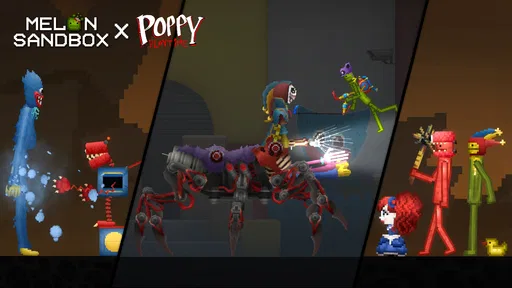
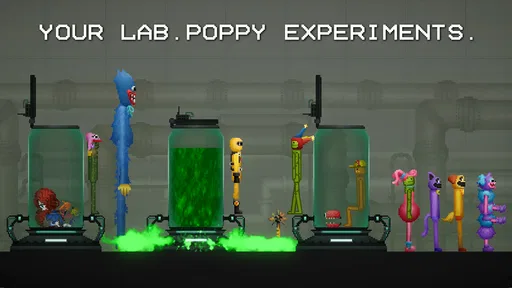
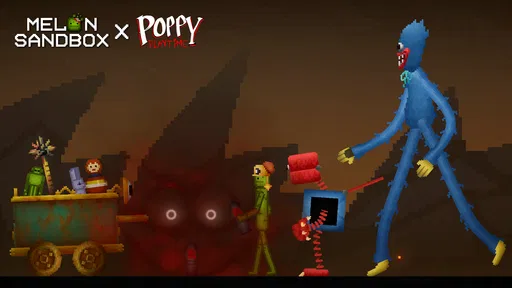

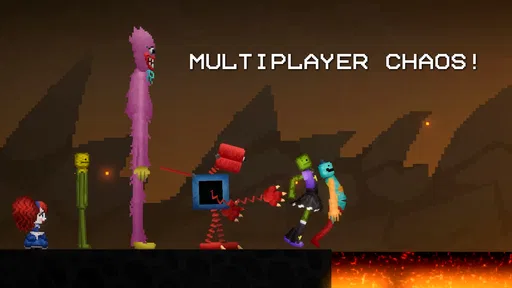
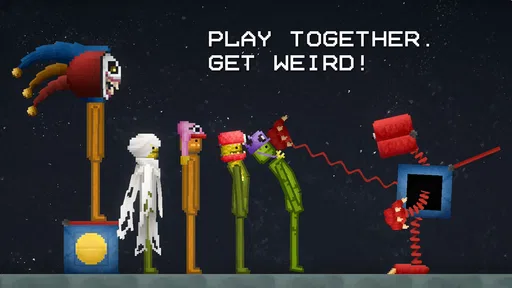
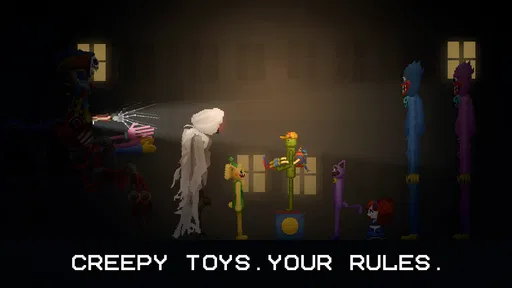
Analysis by Reviewed
I treat Melon Sandbox as a box of digital props rather than a game that expects me to complete a campaign. A session can begin with a simple question—what happens if I put these objects together?—and end when I have seen enough to satisfy my curiosity. That freedom is its main appeal, but it also asks something of the player: if I do not bring an idea of my own, the open-ended play can feel directionless.
What the current sandbox is good at
As a simulation game from playducky.com, it puts the emphasis on making your own situations rather than following a fixed campaign. That distinction matters: I find it most enjoyable when I arrive with a small idea to test, not when I expect the game to tell me what to do. You can set up an experiment, watch it unfold, then change one part and try again. The freedom is the point, but it also means the entertainment depends on your willingness to invent a goal.
The game is free to install, rated Teen, and has a 4.6 average from around 800,000 ratings, with over 50 million installs. Those figures suggest it has found a large audience, but they don't guarantee it will suit every player. If you want missions, a clear progression path, or a polished story to follow, a conventional simulation or action game will probably be a better fit. I would recommend this one to curious players who enjoy tinkering more than completing checklists.
Unleashing Your Creative Destruction
So, what's the deal with Melon Sandbox? At its core, this app is a physics-based sandbox game where you can basically do whatever you want. The game gives you a variety of tools and items to play around with, from explosives to various inanimate objects. You have the freedom to construct, deconstruct, and obliterate anything in your path. It's like having an entire toy box of chaos at your fingertips.
Gameplay and Features
One of the standout features of this app is its simplicity. You don't need to be a rocket scientist to figure out how to play. The game provides a straightforward interface that lets you dive right into the action. Whether you want to build a fortress and then watch it explode or simply see how many melons you can stack before they topple over, the possibilities are endless.
Another cool feature is the physics engine. It's surprisingly detailed for a mobile game, allowing for realistic interactions between objects. You can experiment with different scenarios and see how objects react with one another. It's like playing with digital dominos but with more explosions and mayhem.
Small experiments, better results
I get more from a sandbox session when I give it a tiny objective instead of trying to invent an elaborate scene all at once. For example, I might arrange a few objects, trigger a reaction, and then change only their placement for the next attempt. Keeping one variable steady makes it easier to notice what caused a different result. It is a simple habit, but it turns random play into a little experiment and helps me avoid losing track of what I was testing.
More From Our News Desk

 Gmail
GmailGmail in a Busy Inbox: Who Benefits Most?
From first account to crowded workday, Gmail earns its place through dependable search and flexible sorting—but its best fit depends on how much inbox maintenance you can tolerate.

 Prime Video
Switching to Prime Video: What Changes in Your Viewing Routine
Prime Video can make a compelling second home for streaming, but switching means learning a different catalog, rental layer, and route from browsing to playback.

 Universal TV Remote Control
Universal TV Remote Control Works Best as a Reliable Backup
A phone remote earns its place through quick setup and reliable habits. Here is how to get more from Universal TV Remote Control—and where its limits show.

 Weather - By Xiaomi
Weather by Xiaomi Review: Clear at a Glance, Less Clear Up Close
Xiaomi’s weather app makes everyday forecasts quick to scan, but its calm surface can leave useful details and recovery paths harder to find than they should be.

 X
XX Under Pressure: Can It Recover When Posting Goes Wrong?
A resilience-focused review of X, examining setup, mistaken posts, interruptions, weak connections, and the gaps that matter when recovery needs to be dependable.

 Clash of Clans
Clash of Clans Is Won Between the Battles
Its raids are quick; its community is a long-term project of coordination, teaching, rivalry, and shared responsibility—with all the friction that entails.
Latest News



There is also a useful trade-off between spectacle and control. Adding more objects can make a setup feel lively, but it can also make the outcome harder to interpret. When I care about seeing a specific interaction, I start with a sparse arrangement and add complexity only after I understand the basics. If I am just looking for a laugh, I do the opposite and let the scene get messy. That choice—careful test or deliberate chaos—is a good way to make the same open-ended play feel different from one visit to the next.
Who will get the most from it
This suits players who enjoy making their own challenges, especially anyone who likes testing cause and effect without needing a score or a checklist. It can also work as a shared “what do you think will happen?” activity: one person proposes a setup, another suggests a change, and then you compare the results. That kind of casual back-and-forth gives the sandbox a social purpose without turning it into a competitive game.
I would be more cautious about recommending it to someone who wants a steady sense of advancement. The appeal here is not building a long-term career, unlocking a story, or completing a carefully paced set of stages. If a game feels worthwhile to you only when it marks progress clearly, a mission-based simulation or a puzzle game may be a more satisfying choice. The freedom is real, but it is not a substitute for structure.
A quick break that still has a purpose
For a realistic everyday session, this works well as a brief break: I can open the game, try one idea while waiting for a meal or a ride, and stop when I have seen how the setup behaves. It doesn't require the same commitment as a long management simulation, though players who dislike experimenting without objectives may find that lack of direction frustrating. Compared with typical simulation games built around upgrades and scheduled tasks, this is closer to a digital toy box: less planning over time, more immediate trial and error.
One practical way to keep a short session satisfying is to decide in advance what counts as “done.” I might stop once a structure falls, once a particular arrangement holds together, or once I have tested the one interaction I was curious about. Without that small stopping point, open-ended play can expand into aimless tapping. The game is easiest to pick up when I have a modest question, and easiest to put down when I have answered it.
Why You'll Love It
If you're anything like me, you'll appreciate the stress-relieving aspects of this game. There's something oddly satisfying about watching structures crumble and seeing your concoctions come to life (or destruction). It's a great way to unwind after a long day, offering a perfect blend of creativity and chaos.
Plus, the app doesn't bombard you with ads or pushy in-app purchases, which is a rare find these days. You can enjoy hours of entertainment without feeling like you're being pressured to spend money. That's a big thumbs up in my book!
Version, spending, and practical trade-offs
The current version is 28.6.3, and the game first appeared on Dec 23, 2022. That gives existing players a concrete point of reference, but a version number by itself doesn't tell me which changes arrived along the way or how a particular update altered play. I would judge it by the current build on my device rather than assume every older setup will behave identically after an update. The minimum Android requirement is 6.0, so it can run on a broad range of Android versions, though actual comfort can still depend on the device.
The base game costs nothing, while optional in-app purchases range from $0.49 to $259.99 per item. I would treat those purchases as optional rather than necessary to enjoy the core sandbox, and check the price carefully before confirming anything. If you're setting up a device for a younger player, the Teen rating is worth considering alongside the game's destructive, physics-focused play. It is not a gentle puzzle game, even if much of the appeal is simply testing what happens when objects meet.
What the release history can—and cannot—tell you
Knowing that the game has reached version 28.6.3 gives returning players a useful marker for the build they are opening today. It also makes clear that the app has moved through multiple versions since its release, but I would not infer specific new tools or changes from that number alone. For someone coming back after a break, the practical approach is to explore the current interface again and see whether the way they like to experiment still feels comfortable, rather than relying on memories of an earlier build.
That matters most if you have a familiar routine. A player who likes to repeat a particular setup should check how it behaves in the version currently installed before treating an old result as guaranteed. In a physics sandbox, small differences in arrangement can already affect an outcome, so I prefer to treat each session as a fresh test. The version label is evidence of the current release, not a promise that every past setup will behave exactly as remembered.
Questions worth settling before you install
Is it suitable for a short session? Yes, if you bring a small experiment and are comfortable making your own stopping point. Is it a good fit for someone who wants a clear objective every time they open a game? Probably not; its open-ended format is the central design choice, not a temporary gap before a campaign begins. And is spending required to enjoy it? The game is free to install, with optional purchases available, so I would try the core experience first and make any purchase decision deliberately.
For a parent choosing something for a teenager, I would weigh the Teen content rating and the game's focus on destruction rather than assuming that its playful presentation makes it suitable for every age. For a player on an older Android device, the minimum OS requirement is Android 6.0, but meeting that requirement does not guarantee the same level of comfort on every device. These are sensible checks before downloading, especially if the intended player prefers calmer or more guided games.
Where its limits show
The same freedom that makes this appealing can leave a session feeling aimless. There isn't a built-in sequence of goals to rescue a player who has run out of ideas, so it helps to bring your own challenge. The physics can create surprising results, but that also means an experiment may not play out exactly as you expected. I see that unpredictability as part of the charm until I want a precise, repeatable outcome; then it can become a nuisance.
It is also not my pick for someone seeking a calm, structured builder, a story-led game, or a competitive experience with clear wins and losses. In those cases, a traditional construction simulator or a puzzle game gives more guidance and a stronger sense of completion. Here, the reward is the experiment itself. The best approach is to keep expectations modest: use it for creative messing around, not as a substitute for a deep campaign.
What I would watch as a returning player
If I were deciding whether to keep it installed, I would pay attention to whether I still find fresh questions to test, rather than expecting the version number alone to supply new reasons to return. A sandbox is at its best when its basic interactions keep producing amusing or surprising outcomes for you. If my sessions start repeating the same setup without giving me anything interesting to observe, that is a sign to take a break or choose a game with a clearer progression loop.
I would also watch how the current build fits my own device and habits. The minimum operating-system requirement is a useful starting point, while the actual experience is best judged by trying a small, uncomplicated setup. If the controls and pace feel comfortable, the game can serve as an easy creative diversion; if I find myself wishing for more guidance, a structured builder is likely the better match. That is a matter of fit, not a problem that every player needs the sandbox to solve.
Final Thoughts
In a world where mobile games often feel repetitive, Melon Sandbox stands out by offering something refreshingly different. It's a platform where your imagination can run wild, and you're the master of your own digital universe. Whether you're in it for the laughs, the creativity, or the pure satisfaction of digital destruction, this app has something for everyone.
So, if you're ready to dive into a world of endless possibilities and a little bit of chaos, give it a go. Just remember, it's all in good fun, so let loose and enjoy the ride!
Melon Sandbox Frequently Asked Questions
What kind of game is Melon Sandbox?
Melon Sandbox is a simulation game for players who enjoy making their own situations rather than following a single fixed objective. Its simple sandbox approach gives you space to experiment with in-game elements and see how different setups play out. If you prefer open-ended play and creating your own scenarios, this style may suit you.
What does Melon Sandbox offer players who enjoy creative games?
The central appeal is the freedom to build and explore your own scenarios. You can interact with objects and characters, arrange them into situations, and experiment with different ideas in a virtual environment. The game is less about completing a set sequence of tasks and more about using the sandbox to decide what happens next.
Does Melon Sandbox need an internet connection to install or play?
Melon Sandbox is a simulation game built around creating and experimenting with scenarios, so it may appeal to players who want a flexible activity to return to. Before downloading, consider whether you want to play mainly on your own device or use features that connect to online content. The game is free to download, and optional in-app purchases are available.
What is Melon Sandbox and how does it work?
Melon Sandbox is an innovative app designed to provide users with a creative space to experiment and play with various in-game elements. It allows users to simulate different scenarios by interacting with a variety of objects and characters. The app's intuitive interface makes it easy for users to create and customize their virtual environments, offering endless possibilities for creativity and exploration.
Is Melon Sandbox free to download and use?
Yes, Melon Sandbox is free to download and use with basic features available to all users. However, the app also offers in-app purchases, which allow users to unlock additional content and features, enhancing their overall experience. These optional purchases are designed to provide more customization and creative options within the sandbox environment. Individual in-app purchase prices range from $0.49 to $259.99 per item, so check the purchase details before confirming anything.
Pros
- User-friendly interface for easy navigation.
- Wide range of tools for creativity.
- Regular updates with new features.
- Supports collaboration with friends.
- Offline mode available for uninterrupted play.
Cons
- Occasional bugs affecting performance.
- Requires significant device storage.
- Some features locked behind paywall.
- In-app ads can be intrusive.
- Limited tutorial for beginners.











