GRID™ Autosport
- 1.83K
- 4.6
- Installs
- 500.00K
- Price
- $9.99
Screenshots
Analysis by Reviewed
I’d choose GRID™ Autosport when I want a serious-feeling race on my phone rather than a quick arcade sprint. It is a paid racing game from Feral Interactive, and its focus on different kinds of motorsport gives it more variety than a single-track racer. My first impression was that it aims for a console-style experience, but its appeal depends on whether you enjoy learning a car and a circuit instead of simply holding the accelerator and chasing spectacle.
What the current version means for a new player
The Android version is 1.10.2RC1, while the game itself first arrived on November 26, 2019. That establishes a useful distinction: its current release number tells you which version you are considering, while its original launch date shows that this is an established game rather than a newly released experiment. I wouldn’t read either fact as a promise about future updates; I’d judge it by the racing experience available now.
For someone deciding whether to buy, the practical question is less about how long the game has been around and more about whether its style still suits their habits. A structured racer can remain appealing because its driving asks for attention, but it is not the best fit for someone who wants constant new distractions or a game that feels effortless from the first turn. I’d approach it as a substantial mobile racing option, not as a casual filler app.
How it feels to race on mobile
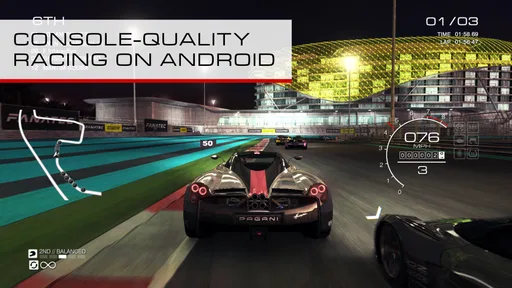
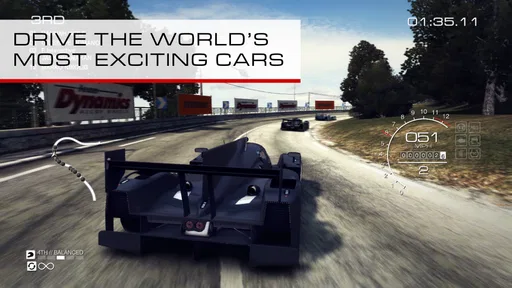
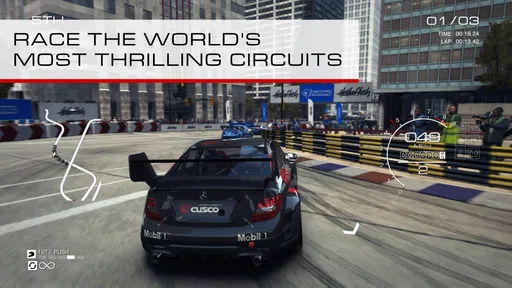
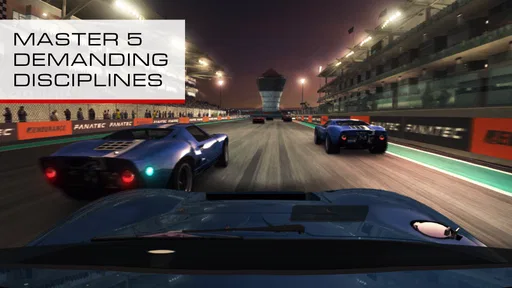
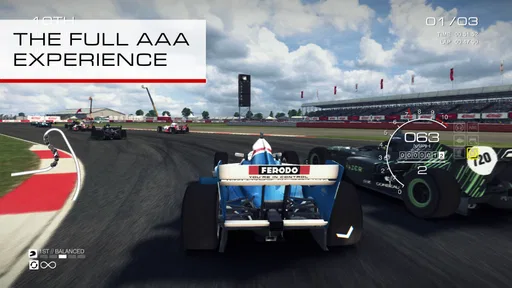
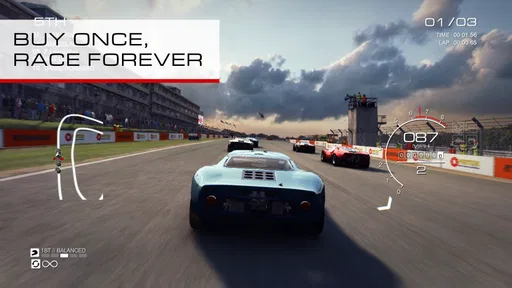
When I first launched GRID™ Autosport, I was immediately struck by its stunning graphics. Seriously, this game is a visual treat. The developers have done a fantastic job of translating the console experience to mobile devices. The textures, the lighting, and the car models are all incredibly detailed. And guess what? It runs smoothly without making my phone feel like it's about to take off into orbit!
Different race styles reward different habits
Now, onto the gameplay. One of the standout features of GRID™ Autosport is its wide range of disciplines. Whether you’re into Touring, Endurance, Drag, or Street Races, this game has got you covered. Each discipline feels distinct, and the game does a great job of making you feel like you're actually part of the race.
That range matters when you are deciding what to play in a short break. A quick session can suit a more direct race, while a longer event asks you to stay focused and manage your pace. I would not treat every discipline as interchangeable: the useful approach is to try several, then return to the formats where you enjoy the driving rhythm most. If you are new to mobile racing, start with a control setup that feels predictable before judging the handling; changing steering input and trying to adapt at the same time can make early races harder to read.
There is another benefit to that variety: it gives you a way to work out what kind of challenge you actually enjoy. If a format feels hectic, that does not necessarily mean the whole game is wrong for you; a different discipline may reward a steadier rhythm. I’d use those changes as a way to test your preferences, rather than forcing yourself to enjoy every race type equally.
More From Our News Desk

Weather by Xiaomi Review: Clear at a Glance, Less Clear Up Close

X Under Pressure: Can It Recover When Posting Goes Wrong?

Clash of Clans Is Won Between the Battles

Android Auto Makes the Case for Quieter Car Software

MobiOffice: Transforming Mobile Productivity with Seamless Integration

EA SPORTS FC™ Mobile Soccer: Redefining Mobile Sports Gaming
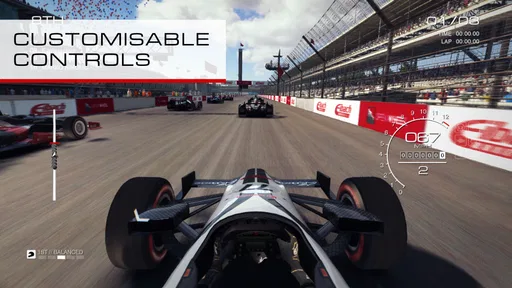
The controls are quite intuitive, too. You can choose from a variety of options, such as Tilt, Wheel Touch, or Arrow Touch, which means you can customize the experience to your liking. I personally loved the Tilt controls as they offered a more immersive experience, making me feel like I was steering the car myself.
There is a practical trade-off here: tilt steering feels natural once your hands settle into a consistent position, but it is not ideal if you play while commuting or holding the phone at an awkward angle. Touch controls can feel more stable in those situations. I’d test each option in a low-pressure race, then stick with one long enough to build muscle memory rather than switching whenever a corner goes badly.
For a useful comparison, tilt tends to reward a relaxed grip and a consistent posture, while touch steering gives you a fixed reference under your thumb. Neither choice automatically makes you faster; the best one is the input you can repeat without fighting your own hand position. I’d also separate steering preference from braking and acceleration habits when troubleshooting a difficult corner, so one adjustment at a time tells you more than changing everything at once.
Progression, tuning, and the learning curve
Another thing I loved about GRID™ Autosport is the level of customization available. You can tweak your car's performance and appearance, which adds a personal touch to your racing experience. Plus, the Career Mode is incredibly engaging. It's not just about winning races; it's about building a career, signing sponsors, and becoming a racing legend.
For me, the most satisfying use of tuning is to make a car easier to control, not simply to chase a higher-performance feel. If a setup makes you overdrive corners, a calmer choice can be more valuable than raw speed. Career events also suit players who like a reason to return and improve, but they are less compelling if you only want an endless casual drive with no structured goals. The game asks for attention: learning where to brake and how to carry speed is part of its appeal, and also the reason it may feel demanding at first.
A useful routine is to treat each race as a small experiment. If you keep losing control at the same point, focus on approaching that corner more smoothly before changing the car. If you can stay on line but feel consistently slow, then consider whether a setup adjustment might help. That distinction keeps tuning from becoming guesswork and makes a close finish feel like feedback rather than pure luck.
The career structure also gives the game a different rhythm from racers built around isolated quick rounds. It can be rewarding to return to a sequence of events and feel that you are making progress, but a busy player may find that structure less convenient when they only have a moment to spare. My advice is to save the more focused sessions for when you can finish an event without interruptions, and use shorter pauses to decide what you want to tackle next.
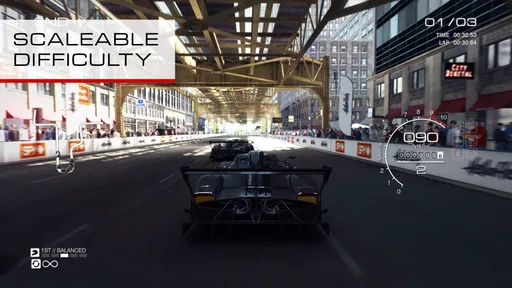
What’s more, the AI competitors are smart and challenging, which keeps you on your toes. They push you to improve your skills with every race. Trust me, getting that first-place finish feels like a real achievement!
Sound, device fit, and practical trade-offs
The sound design is another highlight. The roar of engines, the screech of tires, and the cheering crowds all contribute to an immersive racing experience. I often found myself turning up the volume just to feel the adrenaline rush.
Performance-wise, the app is well-optimized. Even on a mid-range device, it runs smoothly, which is a big plus for any mobile gamer. There’s nothing more frustrating than lag during a critical race moment, but thankfully, that’s not an issue here.
That said, a detailed racing game is a heavier ask of a phone than a simple pick-up-and-play racer. Before settling in for a longer session, I’d check that the device has enough free space and charge, and use headphones if engine cues help you judge what is happening around you. The sound and visual detail add atmosphere, but neither replaces practice; a player looking for a low-effort game to play one-handed may be happier with a simpler arcade alternative.
For a realistic everyday scenario, I’d play a short event during a quiet lunch break and leave a longer career session for home, where I can hold the phone comfortably and focus. If I’m interrupted, I’d avoid starting a race that needs sustained attention. That is a small but meaningful difference from an arcade racer designed for disposable bursts: this one is more satisfying when you can give each event a little concentration.
It is also worth thinking about the screen and your surroundings. Detailed visuals are part of the appeal, but bright environments, a small display, or a shaky grip can make close driving less comfortable. Headphones can make the soundscape more involving, though they are not essential to deciding whether the handling works for you. If the phone feels awkward in your hands, trying a different control method may solve more than repeatedly adjusting your car.
The current Android release is version 1.10.2RC1, and the game first arrived on November 26, 2019. Its long presence has not changed the basic decision a new player faces: do you want a substantial, paid racing game, or a free-to-start option built around shorter bursts and a lighter commitment? The price is $8.99, so I’d choose it when I know I enjoy driving games enough to spend time learning its handling, not just because I want something to install for a single idle afternoon.
Because it costs money up front, I’d compare it with free-to-start racers based on the kind of commitment I want, not just on the first few minutes of play. A free option may be easier to sample casually, while this purchase makes more sense if I’m specifically looking for a focused driving game and expect to return to it. The decision is personal: paying for a more involved experience is worthwhile only if that depth is something you’ll actually use.
Who should pick it, and who might prefer another racer
In the racing category, many mobile alternatives lean toward quick boosts, simplified steering, or short races designed around immediate rewards. This game is a better fit if you value varied race disciplines, car control, and a career structure. It is not automatically the better choice for everyone: if you prefer exaggerated arcade handling, very brief rounds, or a free entry point, a casual racer may suit your routine more naturally. I’d recommend this one to a friend who wants a more involved driving game and is comfortable paying upfront.
I’d particularly recommend it to someone who enjoys learning a game through repetition: trying a race, noticing where control slips, then returning with a more deliberate approach. It is less suited to players who mainly want spectacular crashes, instant upgrades, or a game that rewards tapping quickly without much attention to the racing line. That difference is not a flaw so much as a clear divide in taste, and it is worth being honest about before spending money.
A realistic way to fit it into the day is to play one event during a quiet break, then save career progress for a longer stretch when you can focus on a full race. If a first attempt feels rough, change only one thing at a time—control method, car setup, or driving line—so you can tell what actually helped. That small habit makes the learning curve feel fairer and turns a disappointing finish into useful practice rather than a reason to quit.
For a new player, the first question is whether Android compatibility is covered: the game requires Android 9 or later. The next is whether the controls feel comfortable on your device, which is best answered by trying the available steering options rather than assuming one will suit everyone. If you already know you dislike tilt steering, that is not a reason to rule it out, since touch-based choices are available too.
The game is rated Everyone, has a 4.4 average from around 38,000 ratings, and has passed 100,000 installs. Those figures suggest a healthy audience, but they are not a substitute for matching the game to your taste: the important question is whether you want a demanding racer rather than a lightweight pastime. It requires Android 9 or later, so checking your device’s operating system before buying is a sensible first step.
The Everyone content rating makes it easier to consider for a broad audience, but I’d still think about the player’s preferred difficulty and attention span. A younger or less experienced player may need time to get comfortable with the controls, while a racing fan who enjoys practice may find that learning process part of the fun. The rating describes the content category, not whether the driving will feel easy.
One thing I would watch as an existing player is whether the installed version remains compatible with the Android device and continues to fit how I want to play. The version number is a useful reference point, but I would not assume it guarantees a particular future feature or change. If you already enjoy the game, the clearest reason to revisit it is your own interest in its events and driving challenge, not speculation about what might arrive next.
To wrap it up, GRID™ Autosport is a must-have for any racing enthusiast. It's a comprehensive racing simulator that offers depth, excitement, and a touch of realism right at your fingertips. Whether you’re a casual gamer or a hardcore racing fan, this game offers something for everyone. So, buckle up, hit the gas, and enjoy the ride!
GRID™ Autosport Frequently Asked Questions
Will GRID™ Autosport work on my phone or tablet?
GRID™ Autosport is a demanding racing game, so check your device’s operating system before downloading. On Android, it requires Android 9 or later. The game is also available for iOS, where device compatibility depends on the version supported by the App Store. Meeting the minimum operating-system requirement is an important first check, particularly if you plan to play on an older device.
How much storage should I set aside for GRID™ Autosport?
Before downloading GRID™ Autosport, make sure your device has enough free storage for the game and its installation files. Racing games with detailed visuals can require a substantial download, and leaving extra space available can help avoid installation interruptions. It is sensible to check the size shown in your device’s app store and clear room beforehand rather than starting the download when storage is nearly full.
Can I use a controller to play GRID™ Autosport?
A controller can be a comfortable way to play a racing game, especially if you prefer physical controls to steering and buttons on a touchscreen. Before buying, check the controller compatibility information for your specific device and store version. If you plan to play with touch controls, consider whether that style suits you; the game is built around racing rather than simple, occasional taps.
Does GRID™ Autosport need an internet connection?
GRID™ Autosport is designed around single-player racing, so it can suit players who would rather compete against in-game opponents than join online matches. The published mobile description also notes that its single-player modes and challenges can be enjoyed without an internet connection. You may still need connectivity for activities such as downloading or updating the game through your app store.
Is GRID™ Autosport a good choice for casual players?
GRID™ Autosport is aimed at players looking for a substantial racing game, not simply a quick, lightweight diversion. Its focus on competitive driving and its console-style presentation may appeal to people who enjoy spending time learning a game and improving their results. If you mainly want short, uncomplicated sessions, consider whether this more involved racing experience is the right fit before purchasing.
Pros
- Stunning graphics and realistic physics.
- Diverse range of cars and tracks.
- Full premium experience without ads.
- Customizable controls for better gameplay.
- High replay value with varied modes.
Cons
- Requires a lot of storage space.
- No multiplayer mode available.
- Battery intensive during gameplay.
- Controller support can be glitchy.
- High device performance required.