Chess Rush Play & Learn Online
- 54.00
- 4.8
- Installs
- 100.00K
- Price
- Free

Screenshots



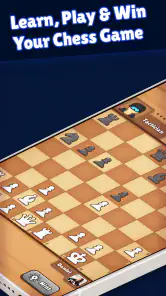
Analysis by Reviewed
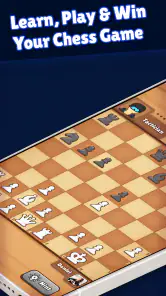
I went into Chess Rush Play & Learn Online expecting a familiar board-game app: a few puzzles, some lessons, and enough checkmate practice to fill spare minutes. After spending time with it, my first impression was more positive than that description suggests. It is built around a useful combination of playing and learning, so it feels less like a chessboard placed on a phone and more like a compact practice space for people who want a reason to return.
The important question, though, is not whether a chess app can hold attention during its first week. Most can. The better test is whether it remains useful once the initial curiosity fades. In my experience, this game has a real chance of becoming a regular training companion, especially for beginners and casual players, but its lasting value depends heavily on how deliberately you use its puzzles, lessons, and checkmate exercises. It is free to start, rated 4.8 on average from around 1.8 thousand ratings, and has passed 100 thousand installs, which gives it a healthy starting point for a small, focused chess community.
Why the first week feels easy to enjoy
The strongest part of the opening experience is the low barrier to entry. Chess can feel intimidating when a player is surrounded by unfamiliar notation, long lessons, or opponents who appear to know every opening. This game presents itself more simply. You can approach it as a board game, a learning tool, or a place to solve short tactical problems, depending on your mood.
That flexibility matters when you are new. A complete beginner may not yet be ready to study complicated positions, while a returning player might only need a quick reminder of how common checkmates work. Having lessons and puzzles beside online play creates a natural path: learn an idea, test it in a puzzle, then look for it during a game. I found that sequence more encouraging than jumping straight into matches and losing without understanding why.
The free entry also makes experimentation comfortable. You do not have to decide immediately whether chess deserves a permanent place on your phone. You can try the training material, see whether the pace suits you, and decide later whether the app fits your routine. The content rating is Everyone, so it is also an approachable choice for households looking for a straightforward strategy game rather than something built around violence, complicated social themes, or fast reflexes.
During a typical first week, I would use it in three different ways. In the morning, a short puzzle can wake up pattern recognition without demanding a full match. At lunch, an online game gives the app a more competitive purpose. In the evening, a lesson can turn a mistake from earlier into something useful. That rhythm is more sustainable than treating every session as a serious tournament.
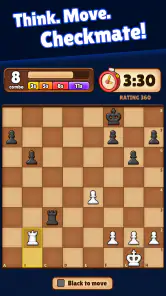
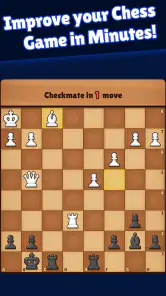
The checkmate training is especially valuable for players who know the rules but still struggle to finish a winning position. Many casual players can gain material and then lose their advantage because they do not recognize the final pattern. Repeatedly working through mating ideas gives those positions a clearer shape. The benefit is not just memorizing one move; it is learning to look for forcing moves when the opponent’s king is exposed.
More From Our News Desk

Weather by Xiaomi Review: Clear at a Glance, Less Clear Up Close

X Under Pressure: Can It Recover When Posting Goes Wrong?

Clash of Clans Is Won Between the Battles

Android Auto Makes the Case for Quieter Car Software

MobiOffice: Transforming Mobile Productivity with Seamless Integration

EA SPORTS FC™ Mobile Soccer: Redefining Mobile Sports Gaming
Still, the first-week appeal has a limit. A beginner may enjoy the immediate feedback of puzzles more than the slower challenge of a complete game. Someone expecting a highly social chess platform may also find the learning focus more important than the competitive atmosphere. This is best understood as a chess practice game with online play, not simply a matchmaking service with a few educational extras.
Turning lessons into useful habits
The most practical way to start is to avoid consuming everything at once. I would begin with a small number of puzzles, then pause and explain the solution to myself before moving on. If I only tap through answers, the activity becomes a guessing game. If I first identify checks, captures, and threats, the same puzzle becomes a repeatable thinking exercise.
Another useful habit is to connect each lesson to one question for the next game. After studying a mating pattern, I might ask, “Can I keep the enemy king restricted?” After a tactical exercise, I might ask, “What changed after my opponent’s last move?” This keeps the educational material active instead of letting it become passive reading.
That approach also reveals one of the app’s less obvious strengths: it can serve different levels without forcing every player into the same routine. A novice can focus on legal moves and basic checkmates. A casual club player can use the puzzles as a warm-up. An experienced player may find the introductory material too familiar, but could still use short exercises to stay sharp between longer games.
What remains valuable after the novelty fades
Chess apps often lose their appeal because their first few sessions are exciting but their long-term purpose is unclear. Here, the recurring value comes from repetition with variation. Chess positions may use the same basic rules, yet the decision-making changes every time. A puzzle is not valuable only because it is new; it is valuable because it trains the eye to notice a pattern faster the next time it appears.
For month-to-month use, I would treat the app as a supplement rather than a complete chess education. It can help you build tactical awareness and confidence, but improvement also requires playing slowly enough to think, reviewing mistakes, and learning how your own habits create problems. The app can support those activities, but it cannot replace honest reflection after a game.
A realistic everyday scenario is a commuter who has ten minutes before work. Instead of starting a match that may be interrupted, that player can solve a few puzzles and stop at a natural point. On a quieter evening, the same person can play online and use the lesson material when a recurring weakness becomes obvious. This makes the game more durable because it fits both short and long sessions.
Parents and families may also find the format useful. Chess offers a quiet alternative to many board games that depend on rapid reactions, and the Everyone rating makes the game broadly accessible. The catch is that younger players may need help turning mistakes into learning. Simply winning a puzzle does not explain why a move works, so a parent or older sibling can add value by asking the child to describe the threat before revealing the answer.
For adults returning to chess after years away, the app can work as a gentle re-entry point. The combination of lessons and practice reduces the embarrassment of making basic errors in a public game. I would still recommend treating online matches as practice, not as a measurement of personal ability. Early losses are normal, and the useful question is whether you recognized more of the position than you did a few weeks earlier.
The developer, ZOE STUDIOS, has kept the concept focused enough that the app does not need to compete with every type of board game. Its identity is clear: chess, learning, puzzles, and checkmate practice. That focus is a strength for people who want one activity done reasonably well. It is less attractive to users searching for a large collection of unrelated board games or a broad entertainment hub.
How it compares with familiar alternatives
Compared with a physical chessboard, the app is more convenient for solo practice and online opponents. A real board remains better for relaxed face-to-face play, teaching a child across the table, or studying a position without screen distractions. The phone version wins when you have no partner nearby and want immediate exercises.
Compared with a general online chess service, this game’s appeal is its learning-first presentation. A dedicated competitive platform may be a better choice for players who care primarily about rankings, extensive analysis, tournament structures, or a large playing community. Chess Rush is more suitable when you want lessons and tactical practice to sit close to the game itself.
Compared with chess books or videos, the interactive format makes it easier to test whether you understood an idea. A book can explain a beautiful combination, but a puzzle asks me to find the move myself. On the other hand, books and long-form courses often provide deeper strategic context. If you want to understand pawn structures, endgame plans, or opening philosophy in detail, this app should be one part of a broader routine.
There is also a difference between a puzzle app and a full game. Puzzles isolate a correct idea, while real chess rarely announces that a tactic is available. The position may be quiet, the best move may be defensive, and several reasonable choices may exist. That is why I would not judge improvement by puzzle success alone. The real test is whether you start asking better questions during ordinary games.
Keeping the routine useful without making it a chore
The maintenance burden is relatively light because chess does not require long sessions to remain meaningful. A few focused minutes can be enough if you think carefully. The danger is not setup or complicated management; it is using the app without a plan. Opening it repeatedly and tapping through random material can create the feeling of activity without much improvement.
I would keep a simple rotation. Use puzzles for pattern recognition, lessons for understanding, and online games for decision-making under pressure. Do not force all three into every session. On a busy day, one thoughtful exercise is more useful than a rushed match. On a relaxed day, play a game and identify one moment where the position changed.
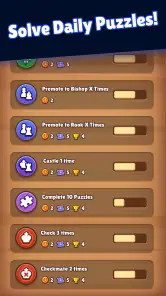
A particularly effective workflow is to choose one recurring mistake and watch for it over several sessions. Perhaps you move the same piece too often, ignore your opponent’s threat, or start an attack before developing enough pieces. The app becomes more valuable when you use its practice material to address that specific weakness instead of collecting victories in easy exercises.
Another tip is to delay the answer whenever possible. The temptation in a mobile puzzle is to try the most attractive move immediately. I get more from the exercise when I first scan every legal check, then every forcing capture, and finally the opponent’s strongest reply. This process can feel slower, but it transfers better to real games than quick guessing.
The current version is 1.8.0, and the minimum operating-system requirement is 10. That makes it a reasonable fit for many relatively recent Android devices, while anyone using an older phone should check compatibility before planning around it. The version detail also matters for long-term users: keeping the app updated is sensible when a game depends on online play and regularly used learning content.
There is a financial consideration as well. The game is free, but optional in-app purchases range from $0.99 to $99.99 per item. That wide range means I would approach the purchase screen carefully rather than assuming every useful activity is included in the free experience. A free trial period is enough to judge whether the core routine works for you. If it does not, spending money will not solve a mismatch in playing style or motivation.
For families, I would also establish a clear purchase rule before handing over the phone. The low end may look harmless, but repeated small purchases can become harder to track, while the upper end is a serious commitment for a casual board-game app. The safest approach is to regard optional spending as a deliberate decision made after sustained use, not as part of the installation process.
Where fatigue can set in
The main source of fatigue is repetition without reflection. Chess puzzles can be satisfying, but solving one after another may eventually feel like sorting similar exercises rather than playing a living game. If the app becomes a daily obligation, the habit can lose its value. I would leave room for days when you simply play a casual game or take a break.
Online play can create a different kind of tiredness. Losing several games in a row may make the learning material feel like punishment, especially for beginners who already feel uncertain. In that situation, switching to a lesson or a small puzzle session is better than chasing a win. The goal is to protect the habit from the emotional swings of competition.
There is also a risk of confusing checkmate training with complete chess improvement. Finishing attacks is exciting, but many games are decided earlier by poor development, missed threats, or careless exchanges. If you spend all your time on mating patterns, your attacking vision may improve while your positional judgment remains weak. I would balance the app with slow games and occasional study away from the phone.
Advanced players may feel the strongest limitation. Someone already comfortable with tactics and online competition could outgrow the instructional side quickly. In that case, a more specialized service with deeper analysis or a richer competitive ecosystem may deserve the main place on the device. Chess Rush can still be a convenient warm-up, but it may not provide enough depth as a primary training platform.
Screen fatigue is worth considering too. A physical board encourages a different pace and makes it easier to discuss a position with another person. On a phone, the convenience that makes a quick session possible can also make you rush. I found that putting the device down after a puzzle and explaining the idea aloud was a simple way to slow the process and remember more.
Who should make room for it?
I would recommend this game to a beginner who wants structured encouragement without committing to a formal course. It also suits casual players who understand the rules but regularly miss simple tactics, and families looking for an accessible strategy activity that can be played in short bursts. The free starting point makes it easy to test without treating the decision as a major purchase.
I would be more cautious if your only goal is serious competitive progression. You may prefer a platform centered on advanced analysis, extensive ratings, and a deeper tournament culture. Likewise, if you want a digital board for playing exclusively against friends in the same room, a dedicated local multiplayer option or a physical set may feel more natural.
The app is also not ideal for someone who dislikes learning prompts and prefers unstructured play. Its identity is tied to practice, lessons, and checkmate work. That is exactly why it stands out, but it also means the experience may feel narrow if you want a broad board-game collection or constant novelty.
For me, the deciding factor is whether the app helps create a repeatable chess habit. I would not open it merely because it is installed. I would open it with a small purpose: solve a tactical problem, review an idea, or play one thoughtful game. That distinction separates lasting value from the short-lived excitement of downloading another game.
A measured long-term verdict
After the first-week curiosity fades, Chess Rush Play & Learn Online still has a credible reason to stay installed. Its best quality is the connection between learning and doing: lessons give direction, puzzles build recognition, and online games expose whether those ideas survive real decisions. That loop is simple, but it is more useful than a chess app that offers matches without helping you understand them.
Its limits are equally clear. It will not replace a complete chess curriculum, a strong in-person teacher, or a specialized competitive platform for advanced players. Optional purchases require sensible restraint, and repetitive practice can become tiring if you treat every session as a quota. The game works best when you choose a narrow goal and stop before the activity becomes mechanical.
The free price, Everyone rating, broad device compatibility from operating system 10 onward, and focused design make it easy to recommend as a low-risk starting point. ZOE STUDIOS has aimed at a useful middle ground between a casual board game and a learning companion, and that balance is where the product earns its place.
My final view is favorable, with one condition: keep the routine human. Think before tapping, connect puzzles to actual games, and take breaks when the exercises stop feeling meaningful. If you want to become more comfortable with chess while fitting practice into ordinary spare moments, this is a worthwhile choice. If you already need deep analysis and a highly competitive ecosystem, look elsewhere for your main platform and use this only as a convenient side tool.
The lasting value is not in opening the app every day; it is in returning with a clear question and leaving with a better answer.
Chess Rush Play & Learn Online Frequently Asked Questions
What devices can I use to play Chess Rush Play & Learn Online?
Chess Rush Play & Learn Online is available for Android and iOS, so you can choose the version that suits your phone or tablet. Check the requirements on the relevant app store before downloading; the Android version requires Android 10 or later. Keeping your device’s software up to date can also help the game run smoothly.
What can I learn with Chess Rush Play & Learn Online?
The game brings together chess lessons, puzzles, and checkmate training, making it useful for practicing both fundamentals and tactical ideas. You can work through learning activities at your own pace and then apply what you have practiced in online chess. This combination may suit players who want more than a place to start matches.
What is Chess Rush Play & Learn Online?
Chess Rush Play & Learn Online is a chess-focused mobile app designed to help users play games, practice tactics, and improve their understanding of the basics. It is aimed at both beginners and casual players who want a convenient way to learn and play on Android or iOS. The experience generally combines interactive lessons, puzzles, and online chess features in one application.
Is Chess Rush Play & Learn Online suitable for beginners?
Yes, the app is primarily useful for beginners and players who are still developing their chess skills. Its learning-oriented format can help explain piece movement, basic rules, tactical ideas, and common patterns before users challenge other players. However, complete beginners should still take their time with the lessons, since online matches may become difficult quickly against more experienced opponents.
Can I play chess online against other people?
Chess Rush Play & Learn Online is intended to provide online chess gameplay, allowing users to test their skills beyond practice exercises. Depending on the available version and server support, you may be able to play against other users or participate in different match formats. A stable internet connection is recommended, especially during live games, because interruptions can affect the match result.
Pros
- Interactive lessons make chess easier for beginners to understand.
- Online matches provide practice against players with different skill levels.
- Puzzles help improve tactics
- calculation
- and pattern recognition.
- Progress tracking encourages regular learning and practice.
- The app offers a convenient way to play chess on mobile devices.
Cons
- Some advanced lessons or features may require a paid subscription.
- A stable internet connection is needed for most online activities.
- Matchmaking can sometimes pair players with noticeably different skills.
- Advertisements may interrupt the experience for free users.
- The interface may feel overwhelming for complete chess beginners.
- Category
- Board
- Version
- 1.8.0











