Sniper Strike FPS 3D Shooting
- 19.43K
- 4.8
- Installs
- 50.00M
- Price
- Free
Screenshots
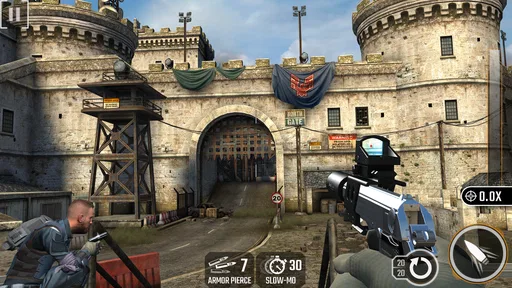
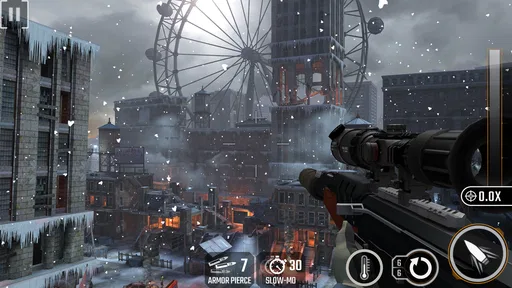
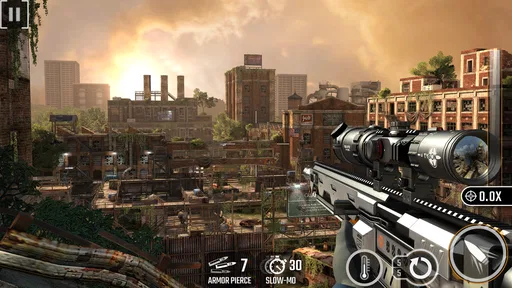
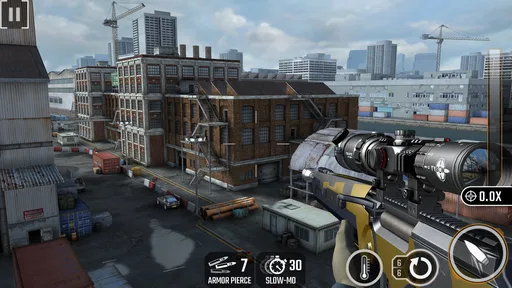
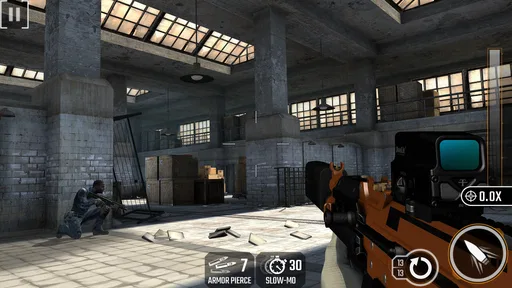
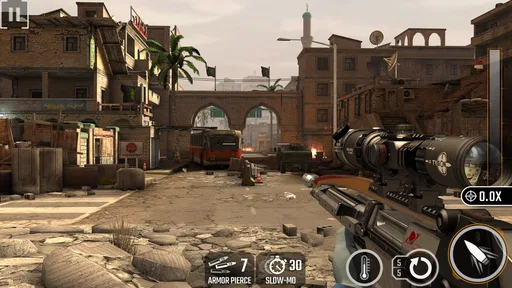
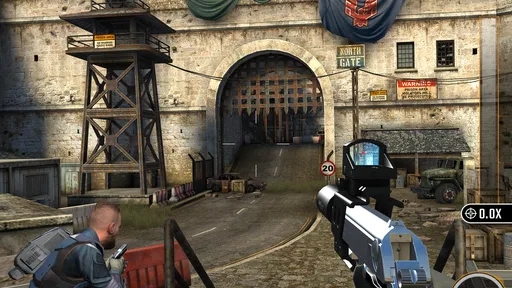
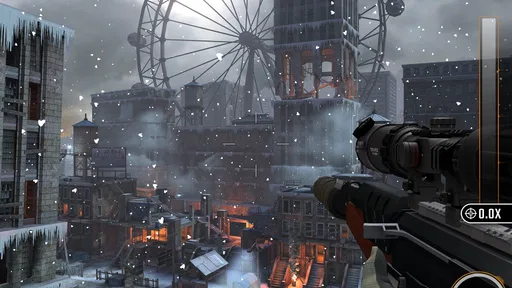
Analysis by Reviewed
Sniper Strike FPS 3D Shooting is the kind of action game I open when I want a quick burst of target practice rather than a long, complicated campaign. Its central idea is easy to understand: take the role of a sniper, line up a shot, and react quickly under pressure. That simplicity makes it approachable, but it also means the quality of each session depends heavily on touch control, device performance, and how much repetition you can comfortably handle.
After spending time with it, I see the game as a focused mobile shooting experience rather than a complete replacement for a console-style first-person shooter. It works best in short sessions, especially when I have a few minutes to spare and want something more active than a puzzle game. The free entry point is helpful, although optional purchases ranging from $0.99 to $99.99 per item can make long-term progression feel less simple than the opening sessions.
Where players commonly get stuck
The first challenge is not understanding the objective; it is getting comfortable with the aiming rhythm. On a phone, small movements can send the reticle farther than expected, while a screen that is too small or covered in fingerprints can make careful aiming feel unnecessarily difficult. I found that the game rewards controlled swipes more than frantic movement. If I moved quickly whenever a target appeared, I often had to correct the reticle and lost the moment.
That is an important distinction for new players. This is not a game where simply tapping rapidly guarantees good results. The sniper format creates a brief decision window: identify the target, place the aim, and fire without overcorrecting. When the controls feel inconsistent, the problem may be technique rather than a broken installation. I had better results after resting my finger lightly on the display and using short, deliberate movements.
Another common sticking point is the difference between a difficult stage and a technical problem. A missed shot, a slow reaction, or a target that disappears quickly can feel like a control failure, but repeating the same section while changing the way I aim often revealed that the game was responding normally. I recommend trying a few attempts with slower movements before changing device settings or reinstalling anything.
The most useful early habit is to separate aiming mistakes from loading or performance problems. If the picture remains smooth and the touch response is immediate, practice is probably the answer. If the image freezes, the game closes, or inputs arrive late across several attempts, then setup and device checks deserve attention.
Why short sessions suit the design
The action format is naturally suited to brief play. I can pick it up while waiting for an appointment or during a short break without needing to remember a complicated story or manage a large inventory. That convenience is one of its strongest practical qualities. It also makes the game easier to recommend to someone who wants a straightforward mobile shooter and does not want to learn a large control scheme.
More From Our News Desk

Weather by Xiaomi Review: Clear at a Glance, Less Clear Up Close

X Under Pressure: Can It Recover When Posting Goes Wrong?

Clash of Clans Is Won Between the Battles

Android Auto Makes the Case for Quieter Car Software

MobiOffice: Transforming Mobile Productivity with Seamless Integration

EA SPORTS FC™ Mobile Soccer: Redefining Mobile Sports Gaming
The trade-off is that repeated missions can begin to feel familiar. Players looking for exploration, deep character development, or a broad multiplayer sandbox may find the focused sniper structure narrow. Compared with a conventional first-person shooter, the appeal here is precision and immediacy, not movement freedom. Compared with a casual arcade game, it asks for more patience because timing and accuracy matter.
Setup checks before blaming the game
The game is free to install, and it supports devices running Android 7.1 or later. That minimum requirement makes it accessible to many Android users, but compatibility alone does not guarantee an equally smooth experience on every phone. Before playing seriously, I would close demanding background apps, make sure the operating system is stable, and leave enough free storage for normal app operation and updates.
Those are ordinary checks, but they matter more in a game based on quick reactions. A phone that is already busy may introduce heat, delayed touch input, or uneven performance. Even a small delay can make a carefully timed shot feel unfair. I also prefer to play with a reliable connection when the game needs online communication, because unstable connectivity can be mistaken for weak controls or a failed mission.
Screen condition is another overlooked factor. A greasy display changes how the finger glides, and a thick or damaged protector can make precise aiming less comfortable. Cleaning the screen and using the same grip each time creates a more consistent baseline. If I change my grip, brightness, and control habits all at once, it becomes difficult to tell what actually improved the experience.
Sound and notifications deserve a quick check as well. I usually silence distracting alerts before starting a focused session, not because the game requires a special setup, but because a sudden notification can pull attention away at exactly the wrong moment. If sound effects are difficult to hear, checking the phone’s media volume is more sensible than assuming the game audio is malfunctioning.
What to check after an update or reinstall
The current version is 500251, so users should confirm that the installed build is current when troubleshooting unusual behavior. I would first restart the game normally, then restart the phone if the problem continues. That simple sequence clears temporary issues without immediately resorting to more disruptive steps.
If the game repeatedly closes, I would check available storage and system stability before reinstalling. Reinstallation can remove local progress or settings in some apps, so it should be treated as a later step rather than the automatic solution. I would also make sure the device is not running in an aggressive battery-saving mode that limits active apps during play.
Purchases require a little extra care. Since optional items can cost from $0.99 to $99.99 each, I would review the purchase screen slowly and confirm the selected item before approving anything. Players sharing a device should use the phone’s normal purchase safeguards. The free price makes trying the game easy, but “free” does not mean every progression choice is free, and that distinction is worth keeping in mind before investing time or money.
Recovering a session when something goes wrong
When a session behaves strangely, I prefer a staged recovery process. First, I stop tapping repeatedly, exit the game normally if possible, and reopen it. Repeated taps during a delay can turn one missed input into several unintended actions. If the issue remains, I close other active apps and try again with the phone at a comfortable temperature.
If aiming feels wrong but the rest of the game works, I return to a simple test: choose a calm moment, make one slow swipe, and observe whether the reticle follows consistently. This test is more useful than immediately changing every setting. It tells me whether the problem is touch response, my grip, or the pressure of a fast encounter.
For a frozen screen or a crash, I would restart the device and check whether other apps are also behaving badly. If several apps are slow, the game may simply be showing a wider device issue. If only this title is affected, checking the installed version and available storage is the next reasonable step. I would avoid repeatedly clearing data unless I understood what local information might be removed.
A practical recovery habit is to remember where the problem occurred. If the game fails only after a long session, heat or memory pressure becomes more plausible. If it fails immediately at launch, installation, compatibility, or system resources deserve more attention. If it fails only when the connection changes, the network is a stronger suspect than the shooting mechanics.
How I handle progression without overspending
I would not make an in-app purchase during the first few sessions. The opening experience is the right time to decide whether the aiming style itself is enjoyable. Spending money cannot fix a control system that does not suit your hands, and it does not make a repetitive structure more varied.
For players who enjoy the core loop, the better approach is to treat purchases as optional convenience rather than a requirement for deciding whether the game is worth keeping. I pay attention to whether I am genuinely enjoying the act of lining up shots or merely chasing the next unlock. That distinction helps prevent a familiar mobile-game trap: continuing because of time already spent instead of because the current session is fun.
This is also where the game differs from many traditional action alternatives. A paid console or PC shooter usually asks for a larger upfront commitment but may provide broader controls and a more substantial environment. A free mobile game asks for less initial commitment but may place more emphasis on optional spending over time. Sniper Strike sits clearly on the mobile side of that trade-off.
When the app is not the cause
It is easy to blame a shooting game whenever a shot misses, but several outside factors can produce the same feeling. A phone running low on battery may reduce performance, a crowded wireless connection may create delays, and a hot device may become less responsive. I always compare the game’s behavior with another demanding app before deciding that the installation is faulty.
Hand position matters too. Playing while walking, lying down, or holding the phone with one hand can make fine aiming much harder. In an everyday situation such as waiting for a bus, I may have only one hand available and a bright screen reflecting the sky. The game remains playable, but it is not the ideal environment for precision. Sitting down for a minute and using both hands gives a fairer impression of the controls.
Accessibility can also influence the experience. Small displays, reduced touch sensitivity, or difficulty distinguishing targets may make the action tiring even when the software is working correctly. Someone who needs larger interface elements or more generous aiming assistance should test the game briefly before committing to regular play. The Teen content rating is another reason parents and younger players should consider whether the shooting theme is appropriate for their household.
The game may not be the right choice for people who dislike repeated target practice, purchases inside free games, or action built around quick reactions. It is also a poor fit if your main goal is a story-rich shooter with open movement. In those cases, a traditional campaign game or a slower tactical title would likely be more satisfying.
Who will get the most from it
I would recommend this action game to someone who enjoys accuracy challenges, short attempts, and the feeling of improving through repetition. It is especially convenient for players who want a focused activity rather than a large world to explore. The sniper theme gives each encounter a clear purpose, and the controls are simple enough to understand without a long tutorial commitment.
I would be more cautious recommending it to someone who wants deep strategy. Careful aiming is important, but it is not the same as managing a full squad, planning a large map, or making complex tactical decisions. Likewise, competitive shooter fans who expect free movement and constant close-range combat may find the format too constrained.
The game’s popularity is substantial, with over 50 million installs and an average rating of 4.8 from around 878,000 ratings. Those figures suggest that the focused formula has broad appeal, but they do not remove the personal question of whether you enjoy its rhythm. A large audience can confirm that the concept works for many people; it cannot guarantee that the touch controls or repetition will suit every player.
My practical verdict after using it
Sniper Strike FPS 3D Shooting succeeds when I treat it as a compact precision game. I open it for a few focused rounds, use controlled movements, and stop before repetition turns into frustration. Its strongest point is the immediate relationship between attention and accuracy: when I slow down and read the situation, my results improve in a way that feels earned.
Its limitations are equally clear. The narrow sniper format will not satisfy players seeking broad exploration or the movement of a full first-person shooter. Touch aiming can feel uncomfortable on some devices, and optional purchases mean long-term play deserves a little financial awareness. Technical problems should also be diagnosed methodically instead of being confused with ordinary missed shots.
Mobile Gaming Studios Ltd. has built a game that is easy to try and easy to understand, while still leaving room for players to refine their aim. It was released on November 27, 2017, and its continued presence on Android shows how durable this straightforward format can be. For a free action title, it is a sensible choice if you want quick sniper-themed sessions and are comfortable with repetition.
My recommendation is simple: install it if the idea of lining up fast, deliberate shots sounds satisfying, but give yourself enough time to judge the controls before considering purchases. Keep the phone cool, use a clean screen, test your connection when sessions misbehave, and distinguish real performance trouble from a difficult target. For short, focused shooting sessions, it is worth trying; for a complete shooter experience, I would choose something broader.
Sniper Strike FPS 3D Shooting Frequently Asked Questions
Does Sniper Strike FPS 3D Shooting need a lot of storage or a powerful phone?
Before installing, check the game’s download size and available storage on the store page for your device, and make sure your phone has enough free space for installation and updates. Sniper Strike FPS 3D Shooting is a 3D action shooter, so performance can vary between devices. Closing other apps and keeping your operating system updated may help gameplay run more smoothly.
What kind of missions and challenges can I expect?
The game centers on sniper missions that call for careful aim and quick reactions. You locate assigned enemies, line up shots through a scope, and complete objectives as you progress through stages. Some missions may add moving targets, time pressure, protected targets, or several opponents, offering a change of pace for players who like action challenges built around precision shooting.
Does Sniper Strike FPS 3D Shooting require an account or personal information?
You can check the permissions and account requirements shown on your device’s store page before installing. Game features that connect to online services may work differently from basic missions, and connecting an account can affect how progress is saved or accessed. If you prefer to limit shared information, review the app’s privacy details and your device’s permission settings before playing.
Can I adjust the controls or difficulty in Sniper Strike FPS 3D Shooting?
The game is designed for touchscreen play, with aiming and firing central to its missions. Aiming may take practice, particularly when targets move or a level adds time pressure. Check the in-game settings for available control options and any difficulty choices, then try a few missions to see whether the touch controls feel comfortable. Aiming-focused gameplay may suit players who enjoy precision more than constant movement.
Is Sniper Strike FPS 3D Shooting appropriate for someone who dislikes violent games?
The game is a shooting action title involving firearms, enemy targets, and combat, so it may not suit players who prefer nonviolent experiences. Its Teen content rating can help families judge age suitability, but individual comfort with shooting themes varies. If you are unsure, consider the game’s description and content rating together before downloading, especially when choosing a game for a younger player.
Pros
- Responsive controls make aiming and shooting feel intuitive.
- Short missions are convenient for quick gaming sessions.
- Weapon upgrades add useful progression between levels.
- Varied enemy positions keep encounters from feeling repetitive.
- The game offers satisfying hit feedback and sniper effects.
Cons
- Energy or similar limits may interrupt longer play sessions.
- Some upgrades can require considerable grinding to unlock.
- Enemy behavior is fairly predictable in several missions.
- The interface can feel crowded with upgrade and reward prompts.
- Performance may vary on older phones during action-heavy scenes.