Poly Bridge 3
- 41.00
- 4.1
- Installs
- 100.00K
- Price
- $2.99

Screenshots
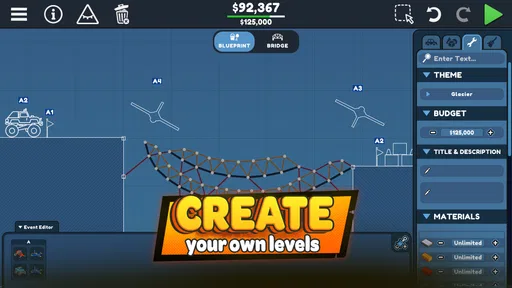
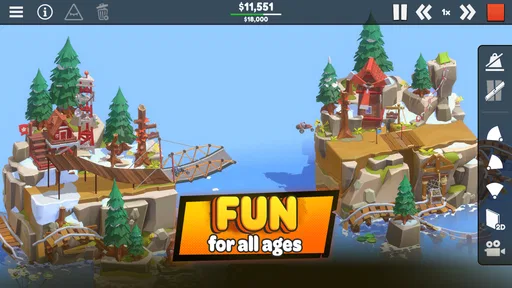
Analysis by Reviewed
I like bridge puzzles most when a failed attempt tells me something useful, and that is the appeal I look for in Poly Bridge 3. It is a paid simulation game from Dry Cactus Limited, built around designing crossings and watching vehicles test them. The premise is easy to understand, but the interesting part is learning to turn a rough idea into a structure that works. Its 4.8 average from around 50 ratings is encouraging, though the modest audience is worth keeping in perspective.
Learning to Think Like a Bridge Builder
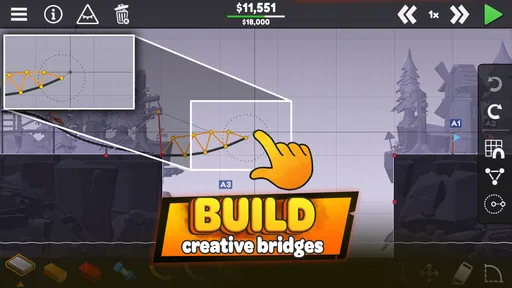
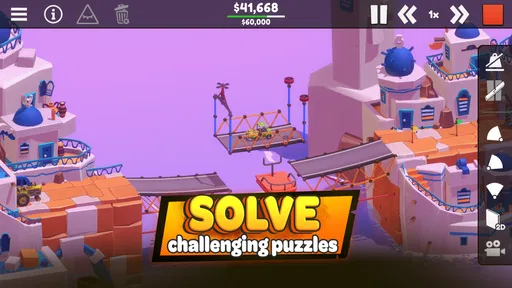
In Poly Bridge 3, you step into the shoes of a bridge architect. The game kicks off with a simple premise: design and construct bridges to get vehicles from one side of the screen to the other. Sounds simple, right? But trust me, as you advance through the levels, things start to get tricky! Each level presents a unique scenario with different vehicles, terrains, and objectives. You'll find yourself scratching your head, trying to ensure stability while staying within budget and material constraints.
Early Goals and Useful Progress Signals
The first appeal is how clearly each crossing gives you a practical problem to solve: get the traffic across, then see whether your design holds. I find it helpful to treat the first attempt as a test rather than a final answer. Watch where the structure bends or fails, change one part, and run it again. That simple workflow makes the physics easier to read than rebuilding everything at once.
Progress feels most satisfying when I can identify why a design improved. A bridge that survives a vehicle is a useful signal, but a cleaner, more economical solution is a better lesson in planning. If you enjoy puzzles where observation matters as much as the first idea, this is a strong fit. If you mainly want instant action or a story to pull you through, its deliberate trial-and-adjust rhythm may feel slow.
Difficulty, Experimentation, and Pacing
The challenge builds through more demanding layouts and objectives, so a solution that worked earlier may not be enough later. When I get stuck, I avoid changing several sections at the same time: isolate the weak point, make a small adjustment, and test again. It keeps failures informative and saves the feeling that success came from random guesswork. The trade-off is that patient players will get more from the process than anyone who dislikes repeating a level to refine a design.
The game costs $2.99, making it a straightforward purchase rather than a free game built around a long wait for progress. It has over 5,000 installs, an Everyone age rating, and requires Android 8.0 or later; the current version is 1.1.2. I would check that OS requirement before buying, especially on an older device. For a short everyday session, I can picture tackling one crossing during a break, testing a couple of designs, and stopping after a clear improvement instead of trying to finish a long stretch at once.
Making a Short Session Count
A useful way to approach a difficult crossing is to decide what you want to learn before pressing test. If I am checking whether a particular span is too weak, I focus on that area and avoid changing the whole structure first. This makes each run a small experiment, not merely another attempt at winning. It is a good fit for brief sessions because even a failed run can leave me with a clear next step.
More From Our News Desk

Weather by Xiaomi Review: Clear at a Glance, Less Clear Up Close

X Under Pressure: Can It Recover When Posting Goes Wrong?

Clash of Clans Is Won Between the Battles

Android Auto Makes the Case for Quieter Car Software

MobiOffice: Transforming Mobile Productivity with Seamless Integration

EA SPORTS FC™ Mobile Soccer: Redefining Mobile Sports Gaming
There is a trade-off in that method: a careful player may spend more time thinking through a design than actually watching vehicles cross it. That pause is part of the appeal for me, but it can feel like friction if I have only a moment and want immediate action. I would start a new puzzle when I have enough time to test an idea at least once, rather than opening the game in the middle of a task and expecting instant payoff.
New Features and Improvements
This latest installment in the Poly Bridge series brings some exciting new features to the table. The developers have introduced a more refined physics engine, providing a more realistic simulation of bridge stress and vehicle weight. This means that your bridges won't just look cool, but they'll actually behave like real structures under pressure.
Another addition is the enhanced sandbox mode. Here, you can let your creativity run wild without any restrictions. Want to build a bridge that loops the loop or one that defies gravity? Go for it! This mode encourages experimentation and is perfect for those who love to think outside the box.
Learning by Testing, Not Guessing
When an attempt goes wrong, I get more out of it by treating the visible result as feedback rather than a verdict on the whole design. A collapse can point to a local weakness, while a bridge that holds but feels inefficient suggests a different kind of revision. Keeping those questions separate helps me avoid adding complexity just because a design looks impressive. The aim is not always to make the biggest structure; it is to understand what the crossing asks for.
Sandbox experimentation can be especially useful when I have an idea but do not yet know how it will behave. I can explore the shape of a solution without the immediate pressure of completing a specific objective, then return to a level with a better-informed plan. This does not remove the need to think within a puzzle's constraints, but it makes experimentation feel less wasteful. Players who prefer every action to move a campaign forward may find this open-ended detour less appealing.
How It Fits Among Simulation Games
Compared with management-focused simulations, this is a much narrower, hands-on activity: the central pleasure is shaping a bridge and seeing the consequences, not running a broad operation. Compared with casual physics puzzlers, it asks for more patience and lets construction choices carry the solution. That focus is its strength, but also its limit. I would choose another kind of simulation if I wanted varied jobs, character progression, or a relaxed experience with little failure; I would choose this one when I want a compact engineering problem to puzzle over.
Sandbox play is useful for experimenting without the same pressure as a level objective. I would use it to test a structural idea, then bring what I learned back to a constrained crossing. That is more productive than trying to make every first attempt elaborate. A modest design that you understand is often a better starting point than an ambitious one whose weak point is hard to diagnose.
Challenge, Rewards, and Retention
One of the most satisfying aspects of this bridge-building game is the sense of achievement you get when your bridge finally holds up under the pressure of a passing convoy. The game does a fantastic job of balancing challenge with reward. Sure, there will be moments of frustration when your meticulously designed bridge collapses into the river below, but that only makes the success moments even sweeter.
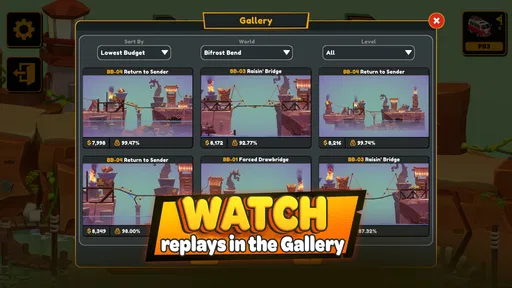
The game also offers a rich community experience. You can share your most ingenious bridge designs with friends or tackle challenges created by other players. This social aspect adds a new dimension to the game, making it more engaging and interactive.
That social angle can give a solved puzzle a second life: seeing another builder's approach may suggest a different way to think about the same kind of problem. I would still treat sharing and community challenges as optional extras rather than the main reason to buy it. The core loop already works for someone who prefers to solve at their own pace, while players who need constant new content or a strong social feed may find the experience less compelling.
Who Will Enjoy the Slow-Build Satisfaction
I recommend it most to people who like tinkering, logical puzzles, and the small satisfaction of improving a design after a failure. It is also a good choice for a player who wants something easy to understand but not necessarily easy to master. The Everyone rating makes it accessible by age, though younger players may still need patience with the testing-and-revision cycle.
I would skip it if I wanted a fast arcade game, a guided engineering course, or a simulation with a wide range of unrelated activities. It is entertainment built around bridge construction, not a substitute for professional structural-design software. Its simplified puzzle setting is a reason to enjoy it, not a basis for treating its solutions as real-world engineering advice.
What to Expect Before You Buy
The main question I would ask myself before paying is whether I enjoy solving a narrow problem repeatedly. This is not a game I would pick for constant novelty from one activity to another: its appeal comes from building, testing, and rethinking bridges. That focused loop is easy to understand, but the satisfaction depends on being interested in the details of a crossing rather than simply reaching the next screen.
The release date is August 23, 2024, and the game is still at version 1.1.2. The price makes it a modest purchase, but I would still choose it for the kind of play it offers, not just because it costs less than some larger games. If bridge puzzles are not your thing, a free-form construction game or a broader simulation may be a better use of your time and money.
For families, the Everyone rating is reassuring, but I would not assume that every player will find the puzzles equally easy. The controls and core idea may be approachable, while persistence is still important when a design fails. I would recommend taking turns proposing changes if playing together: one person can point out where a structure seems vulnerable, while another suggests a small revision. That turns the testing loop into a shared puzzle without pretending the game is a classroom tool.
Final Thoughts
If you're in the mood for a game that tests your brainpower and creativity, this bridge-building puzzle is a must-try. It's a game that can be as relaxing or as challenging as you want it to be. With its construction experiments and room for different solutions, it's easy to see why it has earned a positive response from the players who have rated it.
So, grab your hard hat and get ready to construct some bridges. Who knows? You might just discover a hidden talent for engineering!
Poly Bridge 3 Frequently Asked Questions
Is Poly Bridge 3 suitable for players who enjoy creative problem-solving?
Yes. Poly Bridge 3 is a bridge-building simulation game centered on engineering creativity: you design structures and try to make them work in response to the challenge at hand. Its appeal is strongest if you enjoy experimenting, adjusting a design, and thinking through how a bridge should be built. The game’s store summary captures that focus with the invitation to rediscover your engineering creativity.
What is Poly Bridge 3 and how does it differ from its predecessors?
Poly Bridge 3 is the latest installment in the popular bridge-building simulation series, offering players enhanced graphics, new mechanics, and more challenging levels. Unlike its predecessors, Poly Bridge 3 introduces dynamic environments and a wider variety of materials to work with, allowing for more creative solutions and complex bridge designs. Players familiar with earlier versions will appreciate the refined physics engine and additional customization options that make the gameplay experience more engaging and rewarding.
On which platforms is Poly Bridge 3 available, and is there a cost associated with downloading it?
Poly Bridge 3 is available on multiple platforms including iOS, Android, and PC. While the game is not free, it generally comes with a one-time purchase cost, which grants full access to all features and levels without the need for in-app purchases. Pricing may vary slightly depending on the platform or region, so it's advisable to check the specific app store for the most accurate pricing information.
What are the key features of Poly Bridge 3 that enhance the gameplay experience?
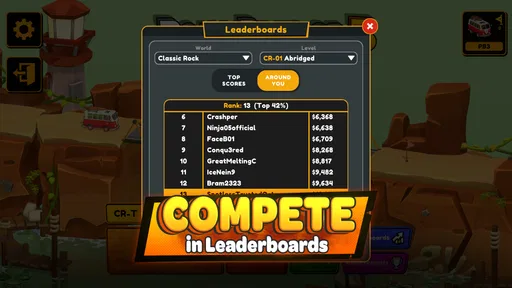
Poly Bridge 3 offers several key features that enhance the gaming experience, such as an improved physics engine, a wide array of building materials, and dynamic environments that challenge players' engineering skills. Additionally, the game includes a sandbox mode for unrestricted creativity, online leaderboards to compete with friends, and regular updates that introduce new content and challenges. These features combine to provide a rich and engaging experience for both new and returning players.
Are there any community features in Poly Bridge 3 that allow for interaction with other players?
Yes, Poly Bridge 3 includes several community-driven features that encourage player interaction. The game supports an online gallery where players can share their bridge designs and download others' creations for inspiration. Additionally, players can compete on global leaderboards, participate in community challenges, and engage with fellow bridge builders through forums and social media platforms, fostering a collaborative and competitive environment.
Pros
- Challenging puzzle-solving gameplay.
- Variety of levels and environments.
- Creative freedom with bridge designs.
- Regular updates and new content.
- Engaging community and user-generated content.
Cons
- Steep learning curve for beginners.
- Occasional bugs and glitches.
- Limited tutorial guidance.
- Resource-intensive on older devices.
- Can be time-consuming.











