Paint the Flag
- 762.00
- 4.6
- Installs
- 5.00M
- Price
- Free

Screenshots

Analysis by Reviewed
On a short break, I want a game I can understand immediately, not a long quiz that asks me to memorize facts before I can enjoy it. That is where Paint the Flag has a clear appeal: it turns flags and their colors into a quick, visual trivia challenge. Its idea is simple enough to pick up casually, but it works best for players who enjoy recognizing patterns and learning through repeated guesses rather than looking for a deep strategy game.
A visual puzzle for small pockets of time
The appeal of a flag-based game is that it gives a familiar subject a focused job: look closely, recall what you know, and make a visual response. I find that a more inviting starting point than a broad trivia game that can jump from science to pop culture without warning. Here, the subject stays narrow, so each round can feel like a little recognition test rather than a demand to know everything.
That focus also makes it a reasonable choice when I want something light but not entirely passive. Watching short videos or scrolling through a feed asks very little of me; trying to remember a flag’s arrangement asks for a moment of attention. It is still casual play, not a study plan, but that small act of recall is exactly what makes the format engaging for me.
I would approach it with modest expectations. The game’s appeal comes from repetition and visual recognition, not from a sprawling campaign or a deep ruleset. If you enjoy the satisfaction of noticing a detail you previously missed, it has a clear reason to occupy a few spare minutes. If you need every session to introduce a new mechanic or a substantial challenge, the basic premise may feel limited sooner.
Getting Started with Your Flag Journey
Once you fire up Paint the Flag, you're greeted with a vibrant and user-friendly interface that immediately sets the mood for creativity. The app is designed to be intuitive, so even if you're not a seasoned artist, you're going to feel right at home. There's a handy tutorial that guides you through the basics, ensuring you know your way around before you start splashing colors everywhere.
What the Flag-Painting Format Does Well
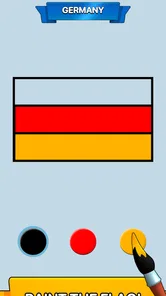
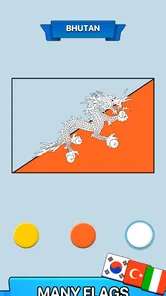
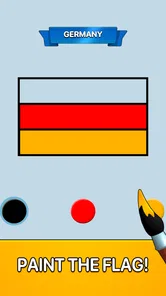
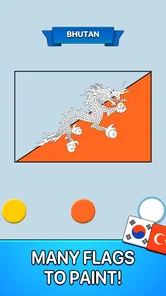
The central appeal is the small decision in front of you: identify a flag and put the right colors in the right places. That gives the game a more hands-on feel than a standard multiple-choice trivia app. Instead of only spotting an answer in a list, I have to pay attention to the layout as well as the colors. It is a modest twist, but it makes familiar flags feel like puzzles and gives me a reason to pause before tapping.
That format also makes the game easy to fit into ordinary gaps in the day. I can imagine opening it while waiting for a friend or taking a short break, playing a little, then putting my phone away without needing to set aside a whole evening. If a flag gives me trouble, I can treat the mistake as a prompt to look more carefully the next time it appears, rather than turning the game into a serious geography lesson.
More From Our News Desk

Weather by Xiaomi Review: Clear at a Glance, Less Clear Up Close

X Under Pressure: Can It Recover When Posting Goes Wrong?

Clash of Clans Is Won Between the Battles

Android Auto Makes the Case for Quieter Car Software

MobiOffice: Transforming Mobile Productivity with Seamless Integration

EA SPORTS FC™ Mobile Soccer: Redefining Mobile Sports Gaming
Small habits that make each round more useful
A practical way to get more out of a flag-painting challenge is to separate recognition from execution. Before choosing colors, I would take a second to recall the flag’s broad structure: horizontal or vertical bands, a central emblem, or a distinctive division of the space. Only then would I settle on the colors. That pause makes the task feel less like random tapping and gives me a better chance of remembering the design afterward.
When I get a flag wrong, I would avoid simply rushing into the next attempt. I would name the feature that confused me—perhaps the order of the bands or a color shared by several flags—and use that as the clue to watch for later. This is a small self-made routine, not a special game mode, but it helps turn repetition into learning rather than letting repeated guesses blur together.
It also helps to keep the goal realistic. A quick session can sharpen visual familiarity, but it will not automatically teach the background behind a flag. If I want to remember why a design looks the way it does, I would pair play with a reliable reference afterward. The game can create the question; a separate source is better for the explanation.
Learning Without Turning It Into Homework
For someone who wants to get better at recognizing national flags, this kind of practice is more useful than passively scrolling through a chart: I have to retrieve the colors and arrangement myself. A practical tip is to focus on one clue at a time—first the broad bands or shapes, then the distinctive color combination—rather than guessing from a single familiar detail. That small habit makes each round more intentional and helps keep similar-looking designs from blurring together.
Still, I would not choose it as a complete geography reference. The painting task centers on visual recognition, so it is not the same as a quiz that asks about capitals, borders, history, or languages. If your goal is broad factual coverage, a conventional trivia game or a dedicated learning resource is a better fit. Paint the Flag is strongest when the specific question is, “Can I recognize and reproduce this flag?”
A realistic way to fit it into the day
Imagine waiting for a takeaway order or sitting in a lobby before an appointment. I would open the game for a brief session, attempt a few flag puzzles, and stop when the order is ready or my name is called. That is a better use for it than expecting a long, uninterrupted session: the subject is immediately clear, and the visual task is easy to return to after a pause.
For a parent, it could also be a shared screen activity: one person can say what they think the layout is before the other chooses the colors. That turns a solo visual challenge into a small conversation without needing to make the game a formal lesson. I would still keep an eye on purchase prompts when a child is playing, since optional in-app purchases are available even though the game is rated Everyone.
For adults, the same routine works as a low-pressure break between tasks. I would not use it when I need a demanding mental workout or when I have only a few seconds and want an instant result; the painting element asks for a little more attention than a one-tap quiz answer. Its sweet spot is a spare minute or two when I want a simple task with a clear finish.
How it compares with other trivia choices
Most familiar trivia games make the answer-selection step central: read a question, scan options, and tap one. That can cover many subjects quickly, and it is the better choice if I want variety or detailed factual questions. Paint the Flag narrows the subject and makes the answer visual, so it has a different strength: I am engaging with the shape and color arrangement rather than only recognizing a word in a list.
That difference is useful for players who remember images more easily than written facts, but it also sets a limit. Painting a flag is not the same as learning a country’s geography or history, and a broad quiz can offer more range and context. An art app, meanwhile, is a better choice for free-form drawing or designing original images. This game sits between those alternatives: it uses a creative action in service of a specific trivia theme.
I would choose it over a general quiz when I want one recognizable subject and a hands-on answer. I would choose a standard trivia game when I want varied questions, and a reference or learning app when accuracy and explanation matter more than quick play. That is not a knock on its narrow focus; it is the main trade-off to understand before downloading.
Features That Stand Out
One of the coolest features is the extensive palette of colors available at your fingertips. From bold primaries to subtle pastels, the choices are endless. And it's not just about the colors; the app also offers a variety of brushes and patterns to help you create intricate designs with ease. Whether you want your flag to have a classic look or something more avant-garde, the tools are all there.
Another standout feature is the community aspect. You can share your creations with other users and even participate in competitions. It's like Instagram for flag enthusiasts! This not only inspires you to improve your designs but also connects you with a global community of like-minded individuals.
What to keep in mind about the creative side
The painting tools add personality to the experience, but they also create a distinction between decorating and answering. If I am trying to improve at recognition, I would keep my attention on the flag’s arrangement instead of treating every design as an opportunity to experiment. If I am playing simply to relax, the creative freedom may be part of the fun. The better approach depends on whether I want a small learning challenge or an expressive pastime from that session.
The community features may appeal to people who enjoy showing work and seeing how others approach a similar subject. I would treat sharing and competition as optional extras, though, rather than the reason to install the game. Someone who prefers private, self-paced play can still focus on the core flag task, while someone seeking a lively social network or a serious competitive scene should compare it with platforms built around those goals.
One useful boundary is to think of the available tools as part of this game’s particular theme, not as a substitute for a general art program. The flag focus gives the activity its identity and makes the task easier to understand, but it naturally restricts what I would create. If I want to sketch anything that comes to mind, a dedicated drawing app is the more sensible choice.
Where It Fits—and Where It Doesn't
Paint the Flag is a trivia game from Mobsmile Yazilim Hizmetleri Limited Sirketi. It is free to download, rated Everyone, and has an average rating of 4.6 from around 38,000 ratings, with over a million installs. The game was released on May 5, 2023; version 2.7.2 requires Android 6.0 or later. Optional in-app purchases range from $4.99 to $19.99 per item, so I would check purchase prompts carefully if I were setting it up for a child, even though the age rating is Everyone.
Compared with the usual trivia format of selecting an answer from a list, painting makes the act of answering more visual and tactile. That is a strength for kids, casual players, and anyone who remembers images better than written facts. It may be less satisfying for people who want difficult questions, detailed explanations, or a competitive quiz built around a wide range of subjects. I would also skip it if I mainly want an open-ended art app: the flag theme is the point, not a blank canvas for any subject.
Who is most likely to enjoy it?
I think the best fit is someone who likes visual puzzles, has a casual interest in flags, or wants a short activity that can be understood without learning a complicated system. It could suit a younger player who enjoys colors and recognizable designs, or an adult who wants a light break that asks for a little recall. It can also work as a gentle way to start a conversation about flags, provided the player is happy to look elsewhere for deeper context.
It is less suitable for a player who needs a strong difficulty curve, long-term strategic goals, or a wide range of trivia topics. The same goes for anyone who wants a full art studio or a reference tool with detailed facts. If those are the priorities, choosing a broader quiz, a dedicated geography resource, or a drawing app will likely be more satisfying than trying to make this one game serve every purpose.
For someone deciding whether to install it, I would ask one simple question: does painting a recognizable flag sound more appealing than answering a written question about it? If yes, the format has a clear point of difference. If not, a conventional quiz may feel faster and more rewarding.
Why You'll Love It
What makes Paint the Flag a must-try is its ability to cater to all ages. Kids can enjoy mixing and matching colors, while adults might find it a relaxing escape from their daily grind. I personally found myself getting lost in the creative process, experimenting with different styles and patterns.
Moreover, the app runs smoothly without any annoying ads popping up every few minutes, which is a huge plus. The developers have clearly put a lot of thought into creating an enjoyable user experience, which is something I truly appreciate.
My Verdict
All in all, if you're looking for a creative outlet or just a fun way to pass the time, Paint the Flag is definitely worth checking out. With its user-friendly design, expansive features, and vibrant community, it's an app that promises hours of entertainment and creativity.
So why not give it a go? You might just discover a hidden talent for flag designing!
My final recommendation
My recommendation is to try it if the specific mix of flag recognition and painting sounds enjoyable, rather than downloading it expecting a broad quiz or an unrestricted drawing tool. The free download makes it easy to test whether that focused loop suits you, while the optional purchases are worth keeping in mind before handing the device to a child. I would start with short sessions and use mistakes as clues to notice a flag’s structure next time.
In the end, its narrow subject is both its identity and its limitation. For casual visual trivia, that focus gives each round a clear purpose; for deeper geography, demanding competition, or open-ended art, another kind of app is a better match. If you want a simple way to spend a spare moment recognizing and coloring flags, I can see the appeal—and I would recommend it on those terms.
Paint the Flag Frequently Asked Questions
Is Paint the Flag free to download, and are there optional purchases?
Paint the Flag is free to download, so you can try its flag-coloring trivia without paying upfront. It also offers optional in-app purchases priced from $4.99 to $19.99 per item. Purchases are not required to start playing, but check the options and price shown in your app store before confirming a transaction.
What is the age rating for Paint the Flag?
Paint the Flag has an Everyone content rating, making it a family-friendly option to consider for players of different ages. Its simple flag-coloring premise can also make it approachable for children, while adults may enjoy testing what they know about flags. Parents can still review the game and its purchase options together with younger players.
Who developed Paint the Flag, and what kind of game is it?
Paint the Flag is a trivia game from Mobsmile Yazilim Hizmetleri Limited Sirketi. Its central idea is to color flags with the right colors, making it a light, interactive way to engage with flag knowledge. If you enjoy casual quizzes and learning through simple activities, its subject may appeal to you. The game is free to download, with optional in-app purchases.
What devices can run Paint the Flag?
Paint the Flag is available for Android devices running Android 6.0 or later. Before downloading, check the operating-system version on your device to make sure it meets that requirement. The game is also listed for iOS, so people using Apple devices can look for it in the App Store. As with any mobile game, the experience may vary depending on the device and its settings.
What is Paint the Flag and how does it work?
Paint the Flag is an engaging mobile application that challenges users to color flags of different countries accurately. The game provides a blank flag template and a palette of colors. Users must select the correct colors to fill in the flag, promoting learning about world flags and geography while having fun.
Pros
- Intuitive interface for easy flag coloring
- Wide range of flag templates available
- Supports creativity with custom flag designs
- Interactive tutorials for beginners
- Offline mode for uninterrupted use
Cons
- Limited color palette options
- No social sharing feature
- Occasional app crashes
- Ads can disrupt the user experience
- Requires frequent updates for new features