Mini Basketball
- 7.62K
- 4.5
- Installs
- 10.00M
- Price
- Free
Screenshots
Analysis by Reviewed
I tend to enjoy basketball games most when I can get into a match without first learning a complicated control scheme. Mini Basketball is built around that quick-entry appeal: it is a free sports game from Miniclip.com, rated for Everyone, and the basic idea is easy to grasp. Its 4.5 average from around 134,000 ratings suggests it has found a broad audience, but the real question is whether its mix of on-court play and team-building suits the way you like to play.
Where new players can get stuck
The controls are approachable, but simple controls do not make every possession automatic. Timing and choosing what to do next still matter, particularly once matches become more competitive. I would treat the opening tutorial as a useful orientation rather than proof that every later situation will feel effortless. If a move does not come off, slow down and focus on one basic action at a time instead of trying to chain everything together immediately.
The team side can also take more attention than someone looking only for a quick basketball fix might expect. Building a lineup, improving players and personalizing the team add reasons to return, but they also make the game feel less like a bare-bones arcade shootout. I would explore those options gradually; there is little benefit in trying to optimize every choice before you have a feel for the matches.
Getting into the Game
First off, let me say that Mini Basketball is super easy to pick up, even if you’re not a hardcore gamer. The controls are intuitive, which means you’ll be mastering those crossovers and jump shots in no time. The game kicks off with a short tutorial that guides you through the basic maneuvers, and then, you're on your own to conquer the world of mini basketball.
Setup checks and a sensible first session
The game is free to start, while optional in-app purchases range from $0.49 to $89.99 per item. I would keep that distinction in mind if you are setting it up for a younger player or simply want to avoid surprise spending: check the device’s purchase controls before handing it over. The game is rated Everyone, and its current version is 1.6.13, with Android support from version 7.0.
For a first session, I recommend playing long enough to understand the basic controls before spending time on team customization. That gives you a better basis for deciding which players or upgrades matter to your own style. If you are comparing it with a deeper basketball simulation, expect a lighter, more immediately playable experience rather than a detailed recreation of every tactical decision.
Graphics and Sound
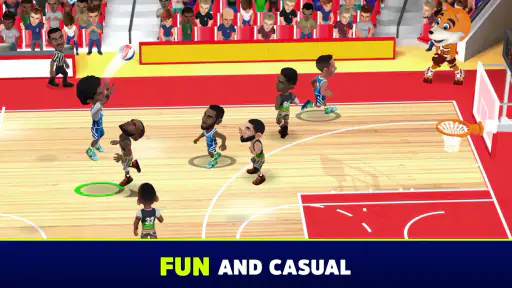
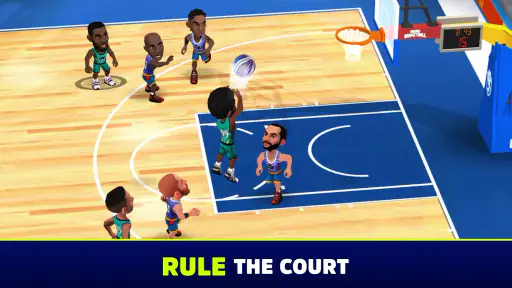
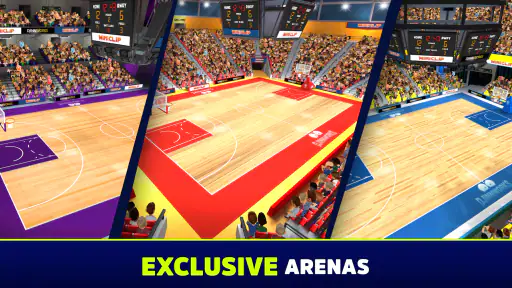
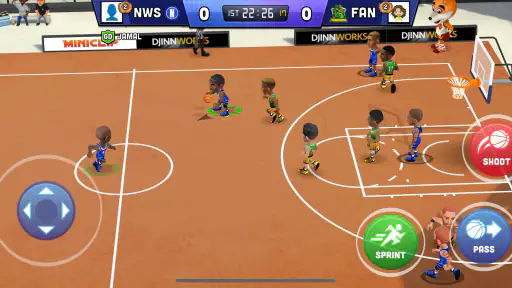
One thing that immediately stands out is the vibrant graphics. Everything from the players to the courts is designed with attention to detail. The animations are smooth, making every dunk look amazing. Plus, the sound effects add a nice touch, immersing you into the game's atmosphere. It’s like having an arena in your pocket!
More From Our News Desk

Weather by Xiaomi Review: Clear at a Glance, Less Clear Up Close

X Under Pressure: Can It Recover When Posting Goes Wrong?

Clash of Clans Is Won Between the Battles

Android Auto Makes the Case for Quieter Car Software

MobiOffice: Transforming Mobile Productivity with Seamless Integration

EA SPORTS FC™ Mobile Soccer: Redefining Mobile Sports Gaming
Making team choices work for you
Customization is more than a reason to linger in menus: it gives the game a personal layer alongside the matches. My practical advice is to make changes with a purpose. If you are losing because your team feels outmatched, consider player development; if you are still learning how possessions flow, keep the lineup decisions simple and spend your attention on play. This avoids confusing a management choice with a control problem.
Team Management
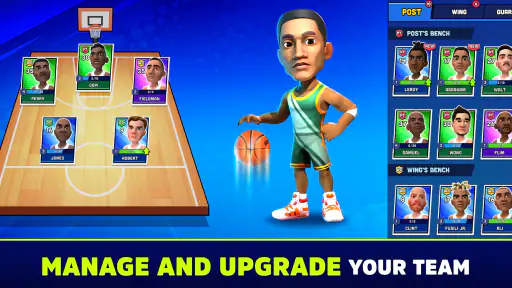
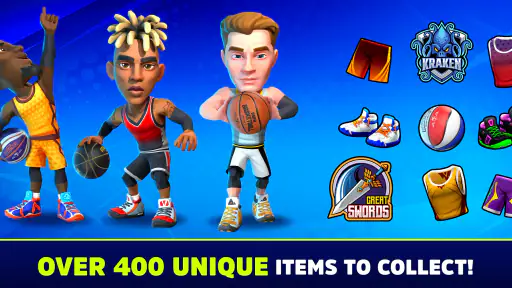
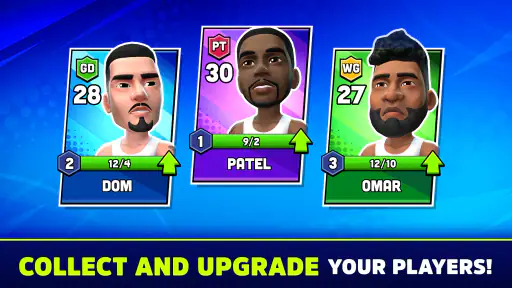
Beyond just playing basketball, the game lets you step into the shoes of a manager. You get to build and customize your dream team. Recruit players, upgrade their skills, and strategize to outsmart your opponents. The customization options are quite extensive, allowing you to tweak everything, from player uniforms to team logos. This level of personalization is what makes the game really engaging.
Workflow recovery when a session goes badly
If a match feels rough, I would not immediately spend money or overhaul the whole team. First, replay the basic actions you learned in the tutorial and identify whether the trouble is timing, decision-making or the strength of your lineup. Changing one thing at a time makes it easier to tell what helped. It is a more useful routine than making several upgrades after a single frustrating result.
For a short everyday break, this is the sort of game I would open when I have a few minutes and want an active match rather than a long management session. If you planned to play with a friend, remember that the appeal of competing against others depends on having a suitable opponent available; solo play is the safer choice when you just want to start immediately. The game has passed 10 million installs, which also makes it a well-established option in the mobile sports space.
When the app may not be the cause
Not every frustrating session points to a flaw in the game. A rushed first attempt can make controls feel harder than they are, while an unfamiliar lineup can make matches seem unfair. I would give the tutorial and a few deliberate possessions a fair try before judging the whole experience. If the game itself will not open or behave normally, the sensible first checks are the basics: make sure the device meets the Android requirement, close and reopen the game, and check that the app is up to date. These are general troubleshooting steps, not a guarantee that every issue has the same cause.
Gameplay Experience
The matches are fast-paced and filled with action. You can choose to play quick matches or dive into tournaments to prove your basketball prowess. Each match provides a thrilling experience, with nail-biting moments that keep you on the edge of your seat. The AI is challenging enough to make every game feel competitive, yet it's forgiving for newcomers.
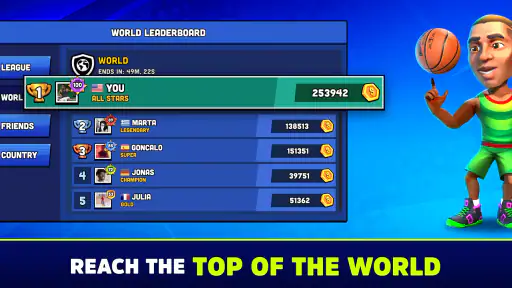
Another cool feature is the ability to play against other players. The multiplayer mode is a blast, as you can challenge friends or other basketball enthusiasts from around the world. Trust me, there’s nothing more satisfying than beating your buddy with a buzzer-beater!
Choosing a mode for the time you have
The different match options make it easier to choose a session that suits your mood. I would use a quick match when I want to practise without turning a spare moment into a project, and save tournaments for when I feel like sticking with the game for longer. That distinction is useful: a short session can help me work on timing, while a tournament gives me a reason to see how my choices hold up over a run of play.
Playing against people brings a different kind of pressure from facing the AI. A human opponent may react in ways that make a comfortable routine less reliable, so I would treat those games as a chance to adjust rather than expect every familiar move to work. If I mainly want relaxed practice, the AI is the more predictable place to settle in; if I want a less scripted contest, multiplayer is the draw.
Who will enjoy it—and who may want another style
I would recommend it to casual players who like short, energetic basketball sessions and enjoy having a team to shape between matches. It is also a reasonable pick for someone who wants sports action without committing to the learning curve of a more simulation-focused game. By contrast, if your priority is precise tactical control, a realistic season structure or a serious substitute for watching or playing real basketball, a more detailed sports simulation is likely a better fit.
One useful trade-off is that the same quick accessibility that makes it easy to begin can leave experienced players wanting more strategic depth. Team customization adds variety, but it does not automatically make every match a deep coaching exercise. I would approach tournaments as a reason to keep playing and testing your decisions, not as a promise that every encounter will offer a radically different kind of basketball.
How it compares with other basketball games
Compared with a full basketball simulation, this is the pick I would reach for when I want the feel of a match without needing to manage a detailed playbook or commit to a long session. The trade-off is meaningful: players who enjoy fine control over tactics, realistic league progression or extensive statistical management may find the experience too light. Those details are not the reason to choose this game; its appeal is the combination of accessible court action and a team you can make your own.
It also occupies a different space from a stripped-down arcade game that focuses almost entirely on shooting. The roster and customization layer give me something to consider between matches, but that extra layer asks for a little menu time. If you dislike upgrading players or making team choices, a simpler one-purpose basketball game may suit you better. If you like seeing a team take shape alongside quick play, the management elements give sessions a natural next step.
A practical routine for returning players
When I come back after a break, I would start with a match rather than immediately trying to remember every team decision. A game gives me a quick read on whether my timing still feels comfortable. Then I can look at the lineup and make one focused adjustment if something seems off. This order keeps the menus from becoming the main event and makes it easier to connect a change with what happens on court.
For younger players, or anyone sharing a device, I would also set expectations around purchases before play begins. The game costs nothing to start, but optional purchases are available, so it is sensible to use the device’s purchase controls rather than rely on a child to make spending decisions mid-session. That is a practical setup step, not a reason to avoid the game if you are comfortable managing those controls.
Final Thoughts
In conclusion, if you’re looking for a fun and engaging basketball game, Mini Basketball is definitely worth checking out. Its simple controls, stunning graphics, and in-depth team management system make it a standout choice for both casual and dedicated gamers. So, put on your coach hat, lace up those virtual sneakers, and get ready to dominate the court!
Whether you’re playing solo or competing against others, this app delivers an exciting basketball experience that’s hard to put down. So, what are you waiting for? Download the game and let’s shoot some hoops!
My practical verdict
I see this as a good fit for someone who wants basketball on a phone to feel immediate, lively and a little personal. It gives casual players a low-friction way into matches, while the team-building side can provide a reason to come back beyond repeating the same kind of game. For a commute break, a quiet wait or a few minutes between other tasks, that mix is more appealing than a deep simulator that demands concentration and a long stretch of time.
I would skip it if I wanted a faithful replacement for a console-style basketball simulation, or if I get impatient with progression and customization menus. It is also not my first choice when I want a guaranteed human opponent at any moment; the AI is more dependable for an immediate solo session. But if quick play, colorful presentation and a team to develop sound like a good balance, this is an easy sports game to try. Miniclip.com’s game was released on February 25, 2022, and remains on version 1.6.13.
Mini Basketball Frequently Asked Questions
Is Mini Basketball suitable for younger players?
Mini Basketball is a sports game with an Everyone content rating, making it suitable for a broad audience. Its casual basketball theme offers an accessible option for younger players as well as adults who enjoy sports games. Parents may still want to review the game’s in-app purchase options and decide whether purchase controls should be enabled on the device.
How much storage space does Mini Basketball need?
The amount of space a mobile game uses can affect whether it is convenient to install, especially on a device that is nearly full. Before downloading Mini Basketball, check the available storage on your Android or iOS device and leave room for the installation. Keeping some free space afterward can also make it easier to accommodate game updates and other apps.
Who developed Mini Basketball, and what kind of game is it?
Mini Basketball is a sports game developed by Miniclip.com. It presents basketball in a casual, approachable format, making it suitable for players who want a straightforward sports experience on a mobile device. The game is rated for Everyone, so its stated audience is broad. If you enjoy basketball-themed games and want something designed for quick, accessible play, Mini Basketball may be worth considering.
What devices can run Mini Basketball?
Mini Basketball is available for Android and iOS devices. On Android, the listed minimum operating-system requirement is Android 7.0, so check your device’s software version before downloading. The game is free to install, though optional in-app purchases are available. Making sure your device meets the minimum requirement is a sensible first step before deciding whether the game is right for you.
What is Mini Basketball and how does it work?
Mini Basketball is a mobile sports game designed for Android and iOS devices that allows players to enjoy casual basketball matches with easy-to-understand controls. The game focuses on providing a fun and accessible basketball experience, featuring simple mechanics that let players pass, dribble, and shoot in a variety of arenas. With customizable teams and character upgrades, it offers both single-player and multiplayer modes for diverse gameplay.
Pros
- Easy to learn controls
- Fast-paced
- engaging matches
- Great for casual gamers
- Customizable teams
- Smooth performance
Cons
- Limited strategic depth
- In-app purchases required
- Repetitive gameplay
- Occasional ads interrupting
- No multiplayer mode
- Category
- Sports
- Version
- 1.6.13