

Craft World Survival
- 9.00
- 2.9
- Installs
- 5.00M
- Price
- Free

Screenshots
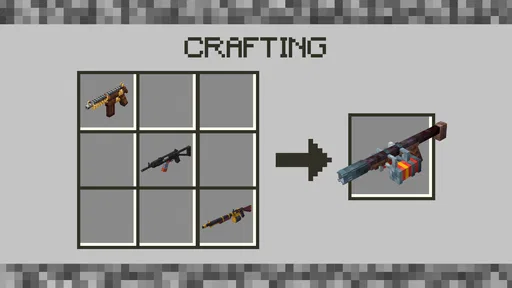
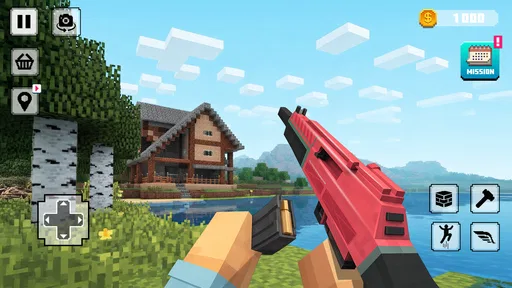
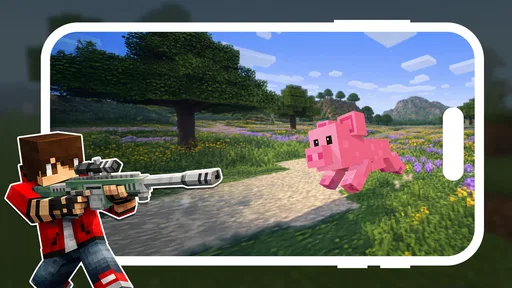
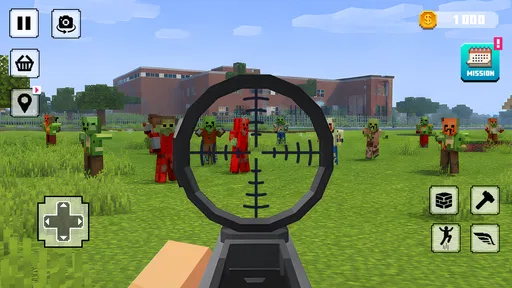
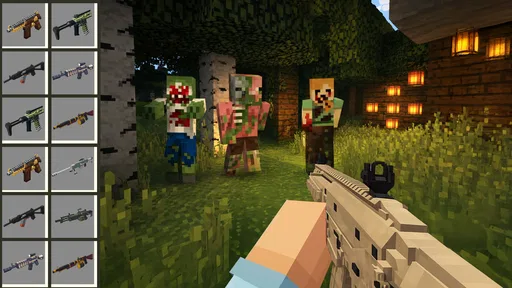
Analysis by Reviewed
Building a house sounds simple until a survival game puts you in front of an empty patch of land, a limited supply of materials, and no clear idea what to do first. That is the feeling I got from Craft World Survival. It presents itself as a simulation game about designing houses, castles, and other structures, but the real appeal is the gradual process of turning a rough starting point into something that feels deliberately made.
I approached it as a player looking for a relaxed building experience rather than a fast action game. That distinction matters. The game is best when I have time to experiment with shapes, walls, entrances, and larger layouts. It is less satisfying when I expect a carefully guided tutorial, deep construction planning, or the polished convenience of a major sandbox title. Dev OPT has made a free game with a straightforward idea, and its strengths are closely tied to that simplicity.
Getting started without unnecessary frustration
The first obstacle is not always the building itself. It is understanding what the game expects from me before I start placing anything. A player arriving from a highly guided mobile game may look for a sequence of objectives, obvious prompts, or a detailed explanation of the building process. Craft World Survival feels more suitable for players who are willing to test the controls and learn by doing.
My advice is to begin with a modest structure instead of attempting a castle immediately. A small house gives you a practical way to learn how movement, gathering, placement, and survival decisions fit together. It also makes mistakes cheap. If the first wall is badly positioned, rebuilding a compact shelter is much less discouraging than discovering the same problem halfway through a huge fortress.
Before judging the game, I would spend a few minutes checking the basic controls and the way objects are selected. On a phone, small interface elements can make building feel less precise than it would on a larger screen. Rotating the device, cleaning the screen, and making sure touch input is registering properly can make a surprising difference. This is a good example of friction that may feel like a game problem but is actually caused by the playing setup.
The game is free and carries an Everyone content rating, so it is easy to recommend as a casual family-friendly experiment. That does not mean every child will find it effortless. Younger players may still need help understanding the order of actions and the difference between collecting something and using it. I would introduce it as a creative survival game, not as an automatic house-design tool.
It is also worth checking the device before installing. The current version is 2.30 and requires Android 9 or later. If the game refuses to install or behaves strangely on an older phone, the operating-system requirement should be the first thing checked. Updating unrelated apps or repeatedly reinstalling the game will not solve an incompatibility with the device itself.
More From Our News Desk

 Gmail
GmailGmail in a Busy Inbox: Who Benefits Most?
From first account to crowded workday, Gmail earns its place through dependable search and flexible sorting—but its best fit depends on how much inbox maintenance you can tolerate.

 Prime Video
Switching to Prime Video: What Changes in Your Viewing Routine
Prime Video can make a compelling second home for streaming, but switching means learning a different catalog, rental layer, and route from browsing to playback.

 Universal TV Remote Control
Universal TV Remote Control Works Best as a Reliable Backup
A phone remote earns its place through quick setup and reliable habits. Here is how to get more from Universal TV Remote Control—and where its limits show.

 Weather - By Xiaomi
Weather by Xiaomi Review: Clear at a Glance, Less Clear Up Close
Xiaomi’s weather app makes everyday forecasts quick to scan, but its calm surface can leave useful details and recovery paths harder to find than they should be.

 X
XX Under Pressure: Can It Recover When Posting Goes Wrong?
A resilience-focused review of X, examining setup, mistaken posts, interruptions, weak connections, and the gaps that matter when recovery needs to be dependable.

 Clash of Clans
Clash of Clans Is Won Between the Battles
Its raids are quick; its community is a long-term project of coordination, teaching, rivalry, and shared responsibility—with all the friction that entails.
Latest News



What to do when the first build goes wrong
A common mistake is to treat the opening area as if it were already a finished building site. I found it more useful to see it as a test space. Place a few basic elements, walk around them, and check whether the result is readable from different angles. A doorway that looks fine from the front may feel awkward when approached from the side. This simple habit prevents a lot of unnecessary demolition later.
Another useful approach is to separate the project into layers. I start with the footprint, then establish the walls, then think about the upper outline and only afterward spend time on decorative details. Even if the game allows creative freedom, this order keeps the work manageable. It also helps identify whether a problem comes from the layout or from a particular building action.
Players sometimes assume that a large empty area means they should immediately fill it. I would resist that urge. Leaving open space around a house makes it easier to extend the structure and gives the finished design a clearer shape. In a castle project, open ground can become part of the design rather than wasted space: an approach, courtyard, or buffer around the main walls.
My most useful early tip is to build for movement before building for appearance. Make sure you can comfortably approach, enter, and move around the structure. A beautiful exterior loses much of its value if the interior becomes a cramped maze or if the entrance is difficult to reach during survival play.
How I handle a building session
My preferred workflow begins with a short plan rather than a detailed blueprint. I decide whether I am making a compact shelter, a decorative home, or a larger defensive-looking project. Those goals require different priorities. A shelter should be quick and practical. A home benefits from balanced rooms and a recognizable entrance. A castle needs a strong silhouette, repeated shapes, and enough empty space to keep the walls from blending into one another.
I then make the smallest version of the idea that could work. For a house, that might mean a simple rectangular footprint with one clear entrance. For a castle, I would begin with the central block and only add towers after the main shape feels stable. This workflow saves time because it prevents decorative ambition from hiding structural problems.
When a placement does not work, I try not to keep tapping randomly. I step away, change my viewpoint, and repeat the action deliberately. On a touchscreen, a misplaced object can be caused by angle, selection, or timing. Repeating the same gesture without changing any of those variables usually produces the same frustration. A different camera position or a slower input can reveal whether the issue is control precision rather than unavailable materials.
For longer projects, I recommend choosing a visual rule and sticking to it. Repeating the same wall rhythm, tower width, or entrance shape makes a build look intentional even when the overall project is simple. This matters particularly in a game with a basic creative premise: consistency can create the impression of planning without requiring a complicated design system.
There is also a practical reason to avoid building too high or too wide too early. Large constructions make it harder to see what is happening at ground level, and they increase the cost of every mistake in time and materials. I prefer to finish one recognizable section, inspect it from several directions, and then copy or adapt that idea. A repeated design can be adjusted as I learn, while a giant first attempt can become difficult to repair.
Recovering a session after something breaks
If a session becomes confusing, I would first pause the creative goal and identify the exact failure. Did the game stop responding, did an object fail to place, did the character become difficult to control, or did the build simply look different from what I imagined? Each problem calls for a different response.
For a temporary control problem, I would stop tapping, return to a neutral position, and try the action again with a clear view. If the whole game feels unresponsive, closing and reopening it is a sensible general troubleshooting step. Before doing anything more drastic, I would make sure the device has enough free storage and that the operating system is supported. I would also avoid clearing saved information unless I fully understand what that action may remove.
When the problem is a disappointing design rather than a technical fault, rebuilding in smaller stages is safer than deleting everything. Keep the part that works, remove only the awkward section, and use it as the foundation for a second attempt. This is especially useful with castles, where a central structure can remain valuable even after the towers or outer wall need changing.
I also found that taking a short break helps with building mistakes. After staring at the same structure for too long, it is easy to keep adding pieces simply because the project already contains so much work. Returning later makes weak proportions easier to notice. In a survival simulation, patience is not just a creative virtue; it protects the limited time invested in the build.
Players wondering whether they need a powerful phone should keep their expectations practical. The game runs on Android devices meeting its listed minimum system requirement, but the experience can still vary with screen size, touch responsiveness, and the general condition of the phone. A newer device is not automatically better for building if its display is cramped or its touch input is inconsistent.
Separating game issues from device and network issues
Not every failed installation, frozen screen, or delayed response comes from Craft World Survival itself. Mobile games share resources with the rest of the phone, and background activity can affect how smoothly any game behaves. I would close demanding apps, restart the device, and try again before deciding that the game is unusable.
Installation trouble deserves a simple checklist. Confirm that the device uses Android 9 or newer, check available storage, and use a stable connection while downloading. If the installation stops repeatedly, trying the same action over and over is less useful than checking those basics. A restart can clear a temporary system hiccup, while a storage check can reveal a problem that the game cannot fix.
Network quality can also confuse the diagnosis. If a particular action seems delayed, I would first determine whether the entire device is slow or only the game. Testing another ordinary online activity can help separate a connection problem from a touch or performance problem. I would not assume that every pause is evidence of a missing game feature.
Screen size is an underrated factor in a building game. On a small display, selecting a precise location may be harder, especially when several objects overlap visually. If the game feels inaccurate, I would try a cleaner area and a simpler structure before concluding that placement is unreliable. That test tells me whether the difficulty comes from crowded construction or from the input system.
There is a similar distinction between a game limitation and an expectation borrowed from another title. Players used to expansive sandbox games may expect sophisticated automation, a deep progression system, or endless customization. Craft World Survival should be judged on its direct building-and-survival loop rather than on features associated with much larger alternatives. If those advanced systems are essential to your enjoyment, this may not be the right choice.
How it compares with familiar alternatives
Compared with a pure home-design game, this title is more appealing to someone who wants construction to happen inside a survival setting. The trade-off is that the creative process may feel less calm and less immediately polished. A dedicated design app or decoration-focused game is usually better for players who care mainly about arranging rooms, colors, and furnishings without having to think about survival priorities.
Compared with a large sandbox game, Craft World Survival is easier to approach as a focused building experiment. Its free entry removes the purchase decision, and its central idea is easy to understand. The compromise is depth. Players who want a huge ecosystem of systems, advanced engineering, or a long progression path may find the experience too straightforward.
That makes the game particularly suitable for short creative sessions. I can imagine opening it after school or work, gathering enough resources for a small improvement, and stopping once the house has a better entrance or roofline. It also works for a player who enjoys visual iteration: build something, inspect it, notice a proportion problem, and try again with a slightly better plan.
On the other hand, I would skip it if my main goal were competitive play, a story campaign, or highly precise architectural simulation. The store rating averages 3.0 from around 500 ratings, which suggests that the experience is not universally smooth or satisfying. I would treat that rating as a reason to keep expectations measured, not as a final verdict. The game’s appeal depends heavily on whether its simple building loop matches what you want.
Who will enjoy it most
I think the best audience is a patient player who likes making visible progress without needing a complex rulebook. Someone who enjoys sketching a house in their head and then adjusting it piece by piece can get real value from the game. It is also a reasonable choice for a family looking for an Everyone-rated building game, provided younger players receive a little help with setup and controls.
The game has reached over five million installs, so it clearly attracts a broad mobile audience. That reach does not guarantee that every player will enjoy it, but it does make the free download easy to consider for anyone curious about a lightweight survival-building experience. I would approach it as something to try rather than as a guaranteed replacement for a full-scale sandbox.
For a realistic everyday scenario, imagine having a short break and wanting a creative task that does not require a long story commitment. I would open the game, choose one small target such as improving the entrance, gather what is needed, and stop after completing that target. This approach keeps the session satisfying and avoids turning a limited break into an unfinished mega-project.
For a more ambitious weekend session, I would map out a central building first, reserve space for expansion, and use repeated shapes for the outer design. I would save major changes for moments when I have time to inspect the result from multiple angles. That workflow makes the game feel more like a construction sketchbook than a race to complete the biggest possible structure.
The developer is Dev OPT, and the current release keeps the experience centered on its basic premise rather than presenting it as a complex professional design tool. That clarity is helpful. I know what kind of experience I am opening, and I can decide quickly whether I am in the mood for uncomplicated building or need something deeper.
My practical verdict
Craft World Survival is a free simulation game with a clear creative hook: build homes and castles while dealing with the broader demands of survival. I enjoyed it most when I treated each project as a small design exercise instead of chasing an enormous construction immediately. The satisfaction comes from improving a shape, fixing an awkward entrance, and watching a plain area become recognizably yours.
Its limitations are equally clear. Setup and touch controls may require patience, large projects can magnify mistakes, and players expecting the depth of established sandbox alternatives may feel restricted. The average rating of 3.0 is a useful reminder to keep expectations realistic. I would also check the Android requirement before downloading and use basic troubleshooting rather than assuming every problem is caused by the game.
My recommendation is cautious but positive for patient builders. Try it if you want a free, Everyone-rated construction game and enjoy learning through experimentation. Start small, test the controls, build for movement, and expand only after the foundation works. Skip it if you need a polished architectural simulator, a rich story, or a deep alternative to the biggest sandbox games. For the right player, its straightforward approach is not a weakness; it is exactly what makes a short building session easy to begin.
Craft World Survival Frequently Asked Questions
Is Craft World Survival free, and what device does it require?
Craft World Survival is free to download and is listed for devices running Android 9 or later. Its latest version is 2.30, so it is worth checking your device’s software compatibility before installing. The game is a simulation centered on crafting and construction, making it a possible fit if you want a building-focused experience without an upfront download cost.
Who developed Craft World Survival, and how popular is it?
Craft World Survival is developed by Dev OPT and has been installed more than five million times. It has an average rating of 3.0 from around 500 ratings, with nine written reviews. Those figures offer a quick sense of its reception, but they are not a substitute for deciding whether its crafting and building style matches what you want from a game.
What is Craft World Survival?
Craft World Survival is a sandbox survival game focused on exploration, resource gathering, crafting, building, and staying alive in a block-based world. Players can collect materials, create tools and shelters, discover different environments, and deal with dangers while expanding their personal base. Its open-ended design makes it suitable for players who enjoy creative construction as well as survival challenges.
How do you play Craft World Survival?
At the beginning, you usually need to gather basic resources such as wood, stone, and food before nightfall or before facing stronger threats. These materials can be used to craft tools, weapons, storage, and shelter. As you progress, exploration becomes important because new areas may contain better resources and additional dangers. Planning your inventory and improving your equipment are key parts of the experience.
Can Craft World Survival be played offline?
Craft World Survival may offer gameplay that works without a constant internet connection, particularly for its core single-player survival and building features. However, availability of offline play can depend on the version installed and the device platform. Online services, advertisements, updates, cloud features, or multiplayer options may still require an internet connection, so checking the store description is recommended.
Pros
- Open-world exploration encourages creativity and discovery.
- Crafting recipes are easy to understand for new players.
- Survival gameplay offers a satisfying sense of progression.
- Building options allow for highly personalized shelters.
- Playable offline
- making it convenient for travel or weak connections.
Cons
- Resource gathering can become repetitive after extended sessions.
- Some areas may feel empty while exploring the world.
- Survival mechanics may be too simple for experienced players.
- Progress can feel slow without investing significant playtime.
- Performance may vary on older or less powerful devices.










