

Craft World Block Crazy 3D
- 212.00
- 3.6
- Installs
- 10.00M
- Price
- Free
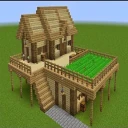
Screenshots
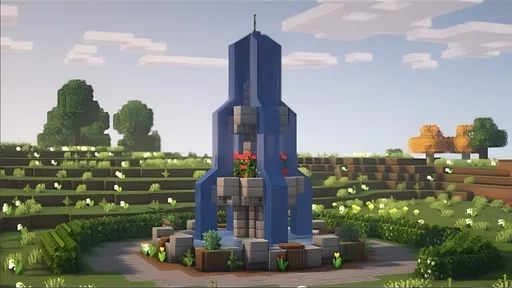
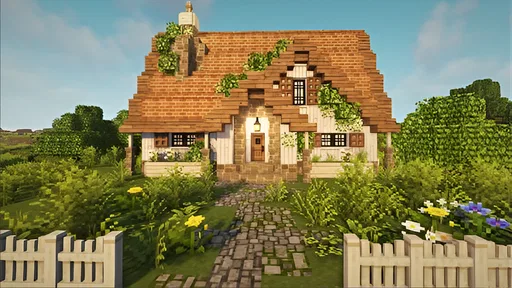
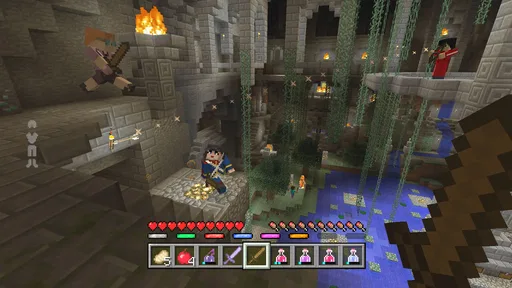
Analysis by Reviewed
I’d treat Craft World Block Crazy 3D as a game for making your own reasons to play. Its block-based world invites building and exploring, but the freedom also means you need to supply the plan. That suits me when I want a creative break I can shape around my mood; it is less appealing when I’m looking for a clear quest list or a story that keeps pushing me forward.
A practical way to begin
I’d approach a new session with one small goal rather than trying to design an entire world at once. Pick a spot, decide what you want it to become, then gather only what that first project needs. A shelter or a simple outline gives you a reason to explore without turning the opening minutes into aimless resource collecting. When I want a relaxed session, I focus on building; when I want more pressure, I make survival the priority.
That distinction matters for different players. The open-ended building is a good fit if you enjoy shaping a space at your own pace, while survival suits players who want their gathering and building to feel more urgent. If you mainly want a guided campaign with a clear sequence of objectives, this kind of sandbox may feel too self-directed. I’d choose a more structured simulation or adventure instead.
Welcome to Your New World
When I first launched Craft World Block Crazy 3D, I was instantly transported into a vast, blocky universe where the possibilities seemed endless. The game greets you with a sprawling landscape, ripe for exploration and creation. The graphics might remind you of other voxel-based games, but there’s something uniquely charming about its vibrant colors and quirky textures.
Building and Crafting
One of the core elements of the game is, of course, crafting. You can build anything from a simple house to a complex cityscape. The intuitive crafting system makes it easy for players of all ages to pick up and play. I found myself spending hours gathering resources and experimenting with different materials. It’s incredibly satisfying to see your ideas come to life, block by block.
There’s also a survival mode which adds an extra layer of challenge. You’ll need to gather food and resources to keep your character alive, all while fending off various in-game threats. This mode keeps you on your toes and adds depth to the gameplay, offering a perfect balance between creativity and survival instincts.
Settings and repeatable habits
Before settling into a long build, I’d take a moment to check the available settings and make sure the controls feel comfortable on my device. I wouldn’t assume that a particular option or shortcut exists; the useful habit is simply to learn what the game actually offers and keep your preferred setup consistent. That small check can make repeated actions less awkward, especially when you’re switching between exploring and placing blocks.
More From Our News Desk

 Gmail
GmailGmail in a Busy Inbox: Who Benefits Most?
From first account to crowded workday, Gmail earns its place through dependable search and flexible sorting—but its best fit depends on how much inbox maintenance you can tolerate.

 Prime Video
Switching to Prime Video: What Changes in Your Viewing Routine
Prime Video can make a compelling second home for streaming, but switching means learning a different catalog, rental layer, and route from browsing to playback.

 Universal TV Remote Control
Universal TV Remote Control Works Best as a Reliable Backup
A phone remote earns its place through quick setup and reliable habits. Here is how to get more from Universal TV Remote Control—and where its limits show.

 Weather - By Xiaomi
Weather by Xiaomi Review: Clear at a Glance, Less Clear Up Close
Xiaomi’s weather app makes everyday forecasts quick to scan, but its calm surface can leave useful details and recovery paths harder to find than they should be.

 X
XX Under Pressure: Can It Recover When Posting Goes Wrong?
A resilience-focused review of X, examining setup, mistaken posts, interruptions, weak connections, and the gaps that matter when recovery needs to be dependable.

 Clash of Clans
Clash of Clans Is Won Between the Battles
Its raids are quick; its community is a long-term project of coordination, teaching, rivalry, and shared responsibility—with all the friction that entails.
Latest News



A practical workflow is to keep a short mental list of the materials a project requires, collect those during a planned trip, and return to the build instead of constantly changing direction. In survival, I’d also treat food and safety as part of the plan rather than an interruption after trouble starts. These habits don’t remove the challenge; they make it easier to spend your time on the part you enjoy.
Making a small project manageable
When I’m building on a phone, I find it helps to think in stages instead of trying to finish a whole structure in one sitting. I might mark out the footprint first, then work on the walls, and leave decorative choices for another visit. Even without a formal checklist, that order gives me a clear place to resume and makes it less likely that I’ll spend a short session repeatedly changing my mind about the design.
Another useful habit is to pause before a resource trip and picture what the next stage actually needs. If the goal is a small shelter, collecting every material that looks interesting can turn a quick task into a long detour. For a larger idea, I’d accept that the first pass is partly reconnaissance: learn what the surrounding area offers, then return with a more focused plan. The best rhythm depends on whether I’m in the mood to explore or to make visible progress.
Exploration and Adventure
The world in this game is massive. I enjoyed wandering through different biomes, each with its own unique characteristics and resources. Whether you’re traversing dense forests or scaling snowy mountains, there’s always something new to discover. The sense of adventure is palpable, and the thrill of finding rare resources or hidden treasures never gets old.
Moreover, the game frequently updates with new features and areas to explore, which keeps the experience fresh and exciting. It’s hard not to get lost in the sheer scale and detail of the world around you.
Making exploration count
For a short after-work session, I’d choose a nearby destination and bring back a specific resource instead of setting off with no plan. It gives a quick play a satisfying endpoint, and it helps avoid the familiar sandbox problem of wandering far from a half-finished project. For a larger build, I’d explore first, note what materials seem useful, and then make a deliberate return trip. The trade-off is that planning can reduce spontaneity, so I’d leave room to follow an interesting discovery when one appears.
Compared with more guided building games, this open-ended style gives me more freedom but less direction. Compared with survival-focused alternatives, it lets creative construction remain central, though players who want a tightly paced challenge may prefer a game built around missions or progression. Its appeal is that you decide what counts as a productive session.
Choosing between creative time and survival pressure
The choice between building and survival changes how I’d use a session. If I have only a little time and want to work on a design, I’d avoid adding extra pressure and focus on one visible improvement. If I’m in the mood for a more demanding loop, survival gives gathering a purpose beyond stocking up for a future project. That makes the mode choice more than a difficulty preference: it determines whether my attention goes mainly toward shaping a place or managing immediate needs.
A realistic routine might be to open the game after dinner, decide on one achievable part of a build, and stop once that part is done rather than continuing until the original idea sprawls into several unfinished jobs. On another day, I could use exploration as the goal and bring back a particular resource. This works especially well for players who like returning to a long-running personal project, but it won’t satisfy someone who wants each session to deliver a new, authored chapter.
Community and Multiplayer
If you’re someone who enjoys sharing experiences with friends, the multiplayer feature is a great addition. You can invite friends to join your world, collaborate on projects, or embark on adventures together. This social aspect adds a whole new dimension to the game, making it not only a solo adventure but also a communal experience. I spent several fun-filled evenings building epic structures with friends, which was a blast!
The community around the game is also very active, with forums and social media groups where players share tips, creations, and challenges. It’s a welcoming space for both newcomers and seasoned players alike.
Making a shared session work
For a group build, I’d agree on a simple shared purpose before anyone starts collecting. One person can focus on the main shape while another gathers what the design needs, and a third can scout nearby ground for a useful spot. The point isn’t to impose strict roles; it’s to reduce the common sandbox frustration of everyone doing unrelated things and then discovering that the project has barely moved.
It can also help to settle on the scale of the idea early. A modest shared structure gives a casual group a satisfying finish line, while a huge city plan can be fun only if everyone is happy to return to it repeatedly. If friends have different play styles, I’d keep the build flexible and leave room for individual touches. Players seeking competitive matches or a co-op game with a fixed sequence of missions should look elsewhere, because collaboration here is about shared creation rather than a directed team challenge.
Who will enjoy it—and where it can frustrate
Playing with friends works best when everyone agrees on a shared goal before starting: one person can gather, another can shape the build, and another can help explore. That simple division keeps a cooperative session moving without turning it into a race for materials. If your group prefers competitive rounds or a carefully guided co-op story, this building-first approach may not be the right match.
The main limitation I’d keep in mind is the freedom itself. A blank landscape can be inspiring, but it can also leave you wondering what to do next, and resource gathering may feel repetitive if you don’t have a project in mind. The game’s average rating is 3.6 from around 30,000 ratings, a useful reminder that a large audience doesn’t mean every player will enjoy the same pace. I’d give it a try if you like setting your own goals, but skip it if you need constant prompts or a polished, mission-led route.
Where it fits on a phone
Craft World Block Crazy 3D is a free simulation game from NT-ABI, rated Everyone 10+, and it has reached over 10 million installs. It was released on January 18, 2024, and its current version is 1.2, with Android 6.0 as the minimum operating system. Those details make it easy to judge whether it fits your device and age needs; the rating is especially worth checking when choosing a game for a younger player.
As a mobile game, it suits flexible play: I can set a modest task, make progress, and come back later with a clearer idea for the next build. I would not choose it when I want a brief, tightly directed puzzle or a story that carries me from one objective to another. Its strongest use case is having a creative world to return to, whether I’m alone or planning a shared project.
What to expect before settling in
One practical question is whether the game is a good fit for a younger player. Its Everyone 10+ content rating is the useful starting point for that decision, alongside a parent’s own sense of what suits the child. The approachable building premise may appeal to creative players, but the survival side adds a different kind of tension, so I’d consider which mode the player is likely to spend time in rather than judging the game only by its blocky look.
Another question is whether it works for someone who doesn’t want to spend much time planning. I’d say yes, if that person is comfortable setting a small goal on the fly: build one section, explore a nearby area, or gather for a specific next step. If even that amount of self-direction feels like work, a level-based game with explicit objectives is a better choice. The important distinction is not how creative someone is, but whether they enjoy deciding what to do next.
Players comparing it with other block-building games should focus on the balance they want. This one’s appeal is the combination of open-ended construction, exploration, and a survival option in a mobile simulation setting. A more elaborate sandbox may suit someone who wants deeper systems to learn, while a mission-led alternative is better for someone who wants frequent direction. I’d choose this game for a low-pressure personal project or an informal shared build, not as a substitute for a tightly designed campaign.
A measured verdict for creative players
In conclusion, Craft World Block Crazy 3D is a game that promises endless fun for creative minds. Whether you’re building, exploring, or surviving, there’s always something to do. It’s one of those games that you can pick up for a quick session or lose yourself in for hours. So grab your pickaxe and start crafting your adventure today!
My recommendation is more specific: try it if the pleasure of making your own plan is part of the appeal. Keep the first project small, use exploration to support it, and check the controls before committing to a long build. That repeatable approach helps turn a wide-open world into a series of satisfying sessions. If you need constant objectives, prefer competitive play, or dislike resource gathering, I’d pass in favor of a more directed game. For everyone else, its strongest quality is the room it gives you to define what a good session looks like.
Craft World Block Crazy 3D Frequently Asked Questions
Does Craft World Block Crazy 3D need an internet connection to download or install?
You will need an internet connection to download the game from an app store, but that is separate from playing it afterward. Craft World Block Crazy 3D is a free-to-play open-world building game, and its basic appeal is exploring and creating with blocks. If you expect to play while traveling or somewhere with limited connectivity, check whether the game works as you want before relying on it offline.
How much storage space should I have available before downloading Craft World Block Crazy 3D?
It is sensible to leave some free space on your device before installing any game, since the download and installation need room to complete. Craft World Block Crazy 3D is a simulation game built around an open-world building experience, so consider whether you have enough space for the app and any updates. You can check the app’s download size in the store on your device before starting.
Is Craft World Block Crazy 3D suitable for younger players?
Craft World Block Crazy 3D has an Everyone 10+ content rating, so parents may want to consider that age guidance before downloading it for a child. The game focuses on building and exploring a block-based world, which may appeal to players who enjoy creative simulation games. Families can also review the game together to decide whether its play style is a good fit.
What is Craft World Block Crazy 3D?
Craft World Block Crazy 3D is a sandbox game that allows players to explore and build in a world made of blocks. Similar in style to Minecraft, it provides a creative space where users can construct structures, gather resources, and interact with the environment. The game offers a variety of tools and materials to enhance the building experience.
Is Craft World Block Crazy 3D available for free?
Yes, Craft World Block Crazy 3D is available as a free download. The game is presented as free-to-play, so its open-world building experience can be tried without paying an upfront price. As with any app, review the store page and the options shown in the game before making a purchase decision, and consider whether its creative building style suits what you are looking for.
Pros
- Vast world creation possibilities.
- Intuitive block-building mechanics.
- Regular updates with new features.
- Multiplayer mode enhances fun.
- Offline mode available.
Cons
- In-app purchases can be pricey.
- Occasional performance lags.
- Ads can interrupt gameplay.
- Limited customization options.
- Requires significant storage space.










