

Craft World Block Building 3D
- 889.00
- 4.2
- Installs
- 10.00M
- Price
- Free
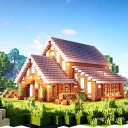
Screenshots
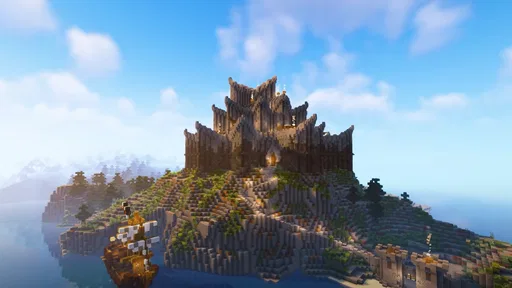
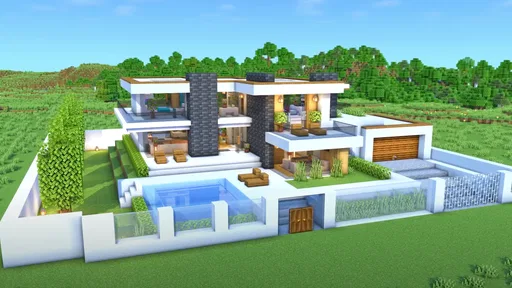
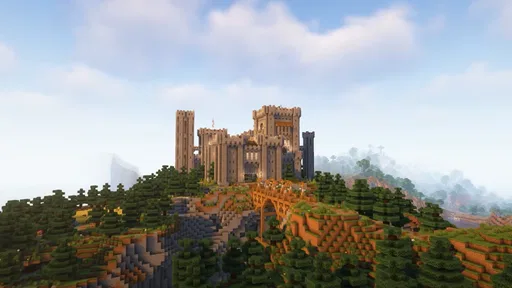
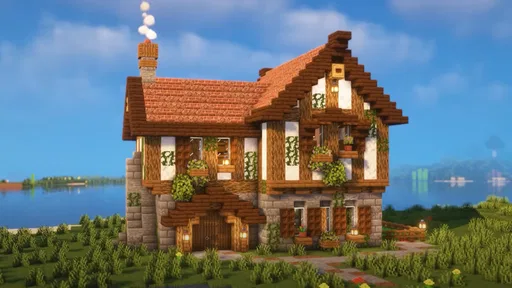
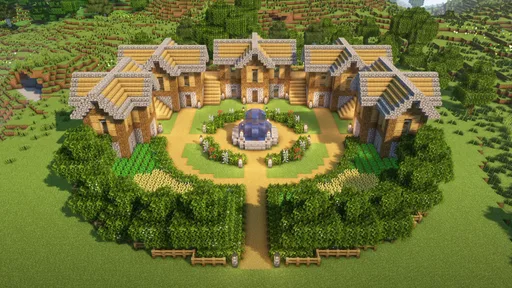
Analysis by Reviewed
I like building games best when they give me room to make a place my own without demanding a long session or a complicated plan. Craft World Block Building 3D has that relaxed premise: it is a simulation game centered on creating structures and exploring a city-shaped world. Its appeal is easy to understand, but the real question is whether its goals and pace keep building enjoyable once the first ideas are out of the way. My view is that it suits players who enjoy setting their own projects, while anyone looking for a tightly guided campaign may want more direction than this style provides.
Getting started and finding a first goal
The game’s basic invitation is to build, so I would approach the opening by choosing one small, visible project rather than trying to plan an entire dream city. A compact house, a street corner, or a recognizable landmark gives a new player a useful target: each building decision contributes to something you can look at and adjust. That kind of self-set goal is a better fit for a creative sandbox than waiting for a long sequence of instructions to tell you what to do.
That freedom also means the first few minutes can feel open-ended. If you already enjoy imagining layouts, the lack of a strict brief is liberating. If you need a clear objective, it can be harder to know whether you are making progress or simply placing blocks. I recommend deciding on a theme before building—such as a quiet neighborhood or a central plaza—and keeping the first project small enough to finish in one sitting. It turns an open world into a manageable task without requiring the game to impose a storyline.
The title points toward block-based construction and city exploration, and that combination shapes the experience. I find that building becomes more satisfying when I think about how a structure will sit in its surroundings, not just how it looks by itself. Even a simple home feels like part of a larger place when you leave space around it for a road, an entrance, or a future neighboring building. This is a practical way to make a personal project feel coherent rather than like a pile of unrelated creations.
Patane Global developed the game, which is presented as a free download for players of all ages. The Everyone age rating makes it an accessible option for families considering a creative game, though parents should still decide whether open-ended screen time suits their household. It runs on Android 7.0 or later, and the current version is 2025. I would check that operating-system requirement before installing it on an older device.
Progress you can see, even without a checklist
In a building sandbox, a useful progress signal is often the world itself. A new wall, a finished roof, or a more deliberate arrangement can make a session feel worthwhile even if there is no formal milestone at the end. I would use that visible change to keep projects moving: take a moment to look at the whole build from a distance, spot the part that feels unfinished, and make that the next small goal. This simple loop helps prevent the familiar sandbox problem of starting too many ideas and completing none.
There is a trade-off here. Players who find motivation in unlock screens, mission rewards, or a steadily rising challenge may not get the same satisfaction from choosing their own objectives. The store description frames the experience around becoming a builder and exploring a city, but that should not be mistaken for a promise of a deep quest structure. I would come for creative control and treat any sense of progress as something I shape through the projects I choose.
More From Our News Desk

 Gmail
GmailGmail in a Busy Inbox: Who Benefits Most?
From first account to crowded workday, Gmail earns its place through dependable search and flexible sorting—but its best fit depends on how much inbox maintenance you can tolerate.

 Prime Video
Switching to Prime Video: What Changes in Your Viewing Routine
Prime Video can make a compelling second home for streaming, but switching means learning a different catalog, rental layer, and route from browsing to playback.

 Universal TV Remote Control
Universal TV Remote Control Works Best as a Reliable Backup
A phone remote earns its place through quick setup and reliable habits. Here is how to get more from Universal TV Remote Control—and where its limits show.

 Weather - By Xiaomi
Weather by Xiaomi Review: Clear at a Glance, Less Clear Up Close
Xiaomi’s weather app makes everyday forecasts quick to scan, but its calm surface can leave useful details and recovery paths harder to find than they should be.

 X
XX Under Pressure: Can It Recover When Posting Goes Wrong?
A resilience-focused review of X, examining setup, mistaken posts, interruptions, weak connections, and the gaps that matter when recovery needs to be dependable.

 Clash of Clans
Clash of Clans Is Won Between the Battles
Its raids are quick; its community is a long-term project of coordination, teaching, rivalry, and shared responsibility—with all the friction that entails.
Latest News



For a practical everyday session, imagine having a short break and wanting something more active than scrolling but less demanding than a competitive match. I would return to one unfinished section—perhaps completing a facade or improving how two buildings meet—rather than beginning a giant new plan. That approach gives the session a clear finish point. It also makes the game easier to pick up again later, because you can leave yourself a visible next step instead of having to invent a new project every time.
Another useful habit is to build in stages. First settle on the footprint, then add the main structure, and only after that spend time refining the details. In a block-building game, changing the overall shape late can make decorative work feel wasted. Separating the rough layout from the finishing pass is a small workflow choice, but it can make creative play feel less aimless and reduce the temptation to abandon a build as soon as one part needs rethinking.
Challenge, pacing, and the limits of open-ended play
The challenge in this kind of experience is less about beating an opponent and more about deciding what to make, then seeing whether the result matches the picture in your head. That can be satisfying, but it is a softer kind of difficulty than a game with clearly escalating stages. Players who like experimenting can treat each structure as a design puzzle: how to give it a recognizable shape, make it fit beside other buildings, and still leave room to expand the surrounding area.
The same freedom can make pacing uneven. When I have a concrete idea, building has its own momentum: each decision suggests the next. When I do not, an open creative session can stall because there is no obvious task to pull me forward. My advice is to keep a short list of possible projects outside the game, even just a few themes or building ideas. That is not a feature of the game; it is a way to give yourself direction when the sandbox’s openness starts to feel like a blank page.
I would not recommend treating this as a substitute for a highly structured city-management simulation. The appeal described here is constructing and exploring a block-built world, not balancing a complex economy or optimizing a network of civic systems. If your favorite part of simulation games is managing resources, responding to crises, or watching a detailed production chain, a more management-focused title will likely be a better match. Here, the creative act itself needs to be enough to hold your interest.
It is also worth being realistic about what “explore your city” means to you. If you enjoy wandering through a place you have shaped, that idea can make your builds feel connected. If you expect a large narrative map filled with scripted discoveries, you may be looking for a different kind of game. I would set expectations around personal construction and exploration rather than assuming that the city premise guarantees a deep story or a set of elaborate challenges.
What keeps players returning—and what may not
The strongest reason to return is having a project that still feels unfinished in a good way. A city can grow gradually, and a player who likes making small improvements may find plenty of personal reasons to reopen the game. I would avoid making every session about a grand new build; adding one thoughtful structure to an existing plan can create a stronger sense of continuity and make the world feel more deliberately designed.
There is no need to turn that into pressure. Since the game is free, it is easy to try it without making a purchase decision, but free access does not automatically make it the right fit for every player. Someone who wants rewards to dictate the next task may lose interest if self-directed projects do not motivate them. Likewise, a player who prefers short, clearly bounded levels might find the open-ended format less satisfying than a game that offers a definite win or finish state.
Its audience is substantial: it has passed ten million installs and holds an average rating of 4.2 from around 117,000 ratings. Those figures suggest that many players have given it a try, but they do not tell me whether its open building style matches your tastes. I would use the popularity as a reason to consider it, not as proof that every part of the experience will suit you. The important choice is whether you want to supply your own goals.
Compared with the usual alternatives in the simulation category, this game appears most compelling when the priority is hands-on building rather than running a detailed system. A more guided building title may be better if you want a sequence of challenges to complete. A management sim may be the better pick if you want to make decisions about a city’s operation, not just its physical look. Craft World’s particular draw is the combination of block construction and a city setting, which gives creative players a simple reason to connect individual builds into a larger place.
Who will enjoy the progression most
I think it is a good match for players who can make their own fun from a building space: younger players who enjoy constructing, casual players who want a low-pressure creative activity, and anyone who likes returning to a project and refining it bit by bit. The all-ages rating widens its appeal, while the accessible premise makes it easy to understand what sort of activity it offers. A parent or gift-giver can also treat it as a creative option, provided the player is comfortable with an experience that may depend on personal initiative.
I would steer away from it if you need constant prompts, tightly tuned difficulty, or a strong sense of a campaign pulling you toward a final objective. It may also be a weak fit if you primarily want social competition or the complex planning found in management-heavy simulations. Those are not faults so much as differences in what the game asks of you: it asks for imagination and patience more than tactical optimization.
One decision that helps before installing is to ask yourself what you want to finish first. If you can name a small build, the game has a natural starting point. If you cannot, try a different simulation with clearer missions or guided progression. This is a more useful test than assuming a city-building theme automatically means there will be a structured campaign. With a modest project in mind, the open-ended format is easier to judge on its own terms.
My progression verdict
Craft World Block Building 3D is best when your progress comes from making a place you want to revisit. Its early goals are yours to choose, and its most satisfying signals are the visible results of your work. That gives the game a relaxed, personal rhythm, but it also means the challenge and momentum can depend heavily on how much you enjoy inventing projects without a checklist.
I would recommend giving it a try if building a dream city sounds more appealing than managing one through layers of systems. Start with a modest structure, think about how it fits into the surrounding space, and return later to expand rather than trying to complete everything at once. If you need frequent unlocks or a clearly escalating set of tasks to stay engaged, another simulation will likely serve you better. For creative players who are happy to set their own pace, this is a straightforward way to turn a block-building idea into a place of their own.
It has 889 written reviews, and its release date was February 24, 2025. I would not let either detail decide the question for you: the key is whether open-ended construction feels relaxing or leaves you waiting for direction. If the former sounds like your kind of play, its free entry point makes experimenting with a small first build an easy way to find out.
Craft World Block Building 3D Frequently Asked Questions
What is Craft World Block Building 3D?
Craft World Block Building 3D is a sandbox-style game centered on exploring a block-based world, gathering materials, and creating structures. Its open-ended approach lets you decide whether to focus on building, experimenting with the environment, or simply exploring. The exact activities and available features can vary by version, so check the game’s store listing and in-app menus for the current details before downloading.
Is Craft World Block Building 3D free to download and play?
The game may be available as a free download, but that does not necessarily mean every feature or item is free. Some versions of mobile games include advertising, optional in-app purchases, or other monetization. Before installing, review the current listing in the Google Play Store or Apple App Store for pricing, purchase details, age guidance, and any platform-specific restrictions.
Does Craft World Block Building 3D require an internet connection?
Whether you can play offline depends on the version and on which features you want to use. Basic building or exploration may work without a connection in some releases, while ads, updates, online features, or account services may require internet access. To avoid surprises, check the store description and test the game’s offline behavior after installation; availability can differ between Android and iOS.
Can I play Craft World Block Building 3D on my phone or tablet?
The game is intended for mobile play, but compatibility is not guaranteed for every device. Supported operating-system versions, required storage, and performance can vary between releases and platforms. Before downloading, check the app’s current device requirements in the relevant store. If your phone or tablet is older, gameplay may be less smooth, and leaving extra storage space available can help with installation and updates.
Is Craft World Block Building 3D suitable for children, and what should parents check?
A block-building game may appeal to younger players, but parents should review the current age rating and store listing rather than relying on the game’s style alone. Check whether the version includes ads, in-app purchases, online interactions, or links to external content. It is also sensible to review device controls and privacy information, and to supervise purchases or account settings when a child uses the app.
Pros
- Creative mode lets you build without worrying about survival needs.
- Simple controls make placing and removing blocks easy to learn.
- 3D environments make it easier to judge the shape of your builds.
- A broad selection of blocks supports varied building styles.
- Open-ended play suits short sessions or longer creative projects.
Cons
- The block-based gameplay may feel repetitive after extended play.
- Large builds can take considerable time to complete.
- Small mobile screens can make precise block placement tricky.
- Performance may vary on older or less powerful devices.
- Creative play offers limited goals for players who prefer structured challenges.











