Bowling Ball - REAL MONEY GAME
- 19.00
- 4.5
- Installs
- 10.00K
- Price
- Free
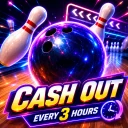
Screenshots





Analysis by Reviewed
I approached Bowling Ball - REAL MONEY GAME as a quick sports game rather than a full bowling simulator. Its central idea is easy to understand: knock down pins, then cash out real money. That promise gives the game a very different feel from ordinary bowling apps, because every throw can seem more important than it would in a purely recreational title.
After spending time with it, my impression is mixed but fairly clear. The game is approachable for short sessions and may appeal to someone who wants a simple bowling-themed experience with a financial incentive. At the same time, the real-money angle means I would not treat it as a casual toy without first paying attention to the rules, the cash-out process, and the way the game presents important information. Those details matter especially for players who need clear reading, predictable controls, or a calm environment.
How the game feels to use in different situations
I find the game’s fit depends less on where I am than on how much attention I can give it. A quiet break is a better setting than a rushed commute, since the bowling action and money-related choices deserve separate consideration. That difference becomes clearer when I compare a brief trial session with a longer, more focused one.
Readability and navigation come first
The strongest part of a simple bowling game is usually the immediate visual goal: line up the ball, make a throw, and see what happens. Bowling Ball benefits from that direct concept. I do not need to learn a complicated sports rulebook before understanding what I am supposed to do. The familiar lane-and-pins format gives the game a low entry barrier, which is useful when I only have a few minutes available.
The important distinction here is between understanding the bowling action and understanding the money-related parts. A player can grasp the basic throw quickly while still needing to examine how rewards, eligibility, and cash-out work. I would take a moment to read every label connected with withdrawing money rather than relying on a quick tap through the interface. When a game involves real money, a button should never be treated as self-explanatory just because it uses a familiar word such as “cash out.”
For players with reading difficulties, I recommend using the game in a quiet setting and moving through one screen at a time. Short sessions make it easier to check the outcome of a throw and then review what changed. If several visual elements compete for attention, focusing first on the lane, then the score or reward information, and finally the navigation controls creates a more manageable routine.
In my experience, this kind of workflow is also helpful for older players who may enjoy bowling but dislike crowded game menus. The concept does not require the broad knowledge expected by a management game or a detailed sports simulation. However, the financial context raises the standard for clarity. A player should be able to distinguish gameplay feedback from promotional or account-related information before making a decision.
More From Our News Desk

 Gmail
GmailGmail in a Busy Inbox: Who Benefits Most?
From first account to crowded workday, Gmail earns its place through dependable search and flexible sorting—but its best fit depends on how much inbox maintenance you can tolerate.

 Prime Video
Switching to Prime Video: What Changes in Your Viewing Routine
Prime Video can make a compelling second home for streaming, but switching means learning a different catalog, rental layer, and route from browsing to playback.

 Universal TV Remote Control
Universal TV Remote Control Works Best as a Reliable Backup
A phone remote earns its place through quick setup and reliable habits. Here is how to get more from Universal TV Remote Control—and where its limits show.

 Weather - By Xiaomi
Weather by Xiaomi Review: Clear at a Glance, Less Clear Up Close
Xiaomi’s weather app makes everyday forecasts quick to scan, but its calm surface can leave useful details and recovery paths harder to find than they should be.

 X
XX Under Pressure: Can It Recover When Posting Goes Wrong?
A resilience-focused review of X, examining setup, mistaken posts, interruptions, weak connections, and the gaps that matter when recovery needs to be dependable.

 Clash of Clans
Clash of Clans Is Won Between the Battles
Its raids are quick; its community is a long-term project of coordination, teaching, rivalry, and shared responsibility—with all the friction that entails.
Latest News



The game is listed as a sports title from LongHuaGame, and its store presence shows a 4.4 average from around eighty ratings. That suggests a generally positive first impression among the people who rated it, although a rating alone cannot tell me whether the experience suits a player with particular access needs. I would use the rating as a starting signal, not as proof that every part of the interface is equally easy to follow.
Motor and sensory considerations during a throw
Bowling games often look accessible because the action appears simple, but a simple action can still demand timing, aiming, and controlled movement. If the throw depends on dragging, swiping, tapping, or another gesture, players with limited dexterity may find repeated attempts tiring. Even a small amount of imprecision can matter when the game expects the player to direct the ball accurately.
My practical advice is to test the throwing action without rushing. Try shorter, slower movements first and notice whether the game accepts them consistently. A player who has tremors, reduced range of motion, or difficulty holding a phone steady may prefer using the device on a stable surface. That does not change the game itself, but it can reduce unnecessary movement and make the lane easier to track.
Players who are sensitive to motion, flashing effects, or strong visual contrast should also approach the game cautiously. A bowling throw naturally includes movement from the ball traveling toward the pins, and the result may include sudden visual feedback. I would lower the device brightness and take breaks if the screen feels tiring. Those are sensible habits for any visually active mobile game, especially one that encourages repeated attempts.
Sound can influence the experience as well. Bowling traditionally uses recognizable impact and celebration cues, but not every player wants audio during a game. If I were playing in a shared room, on public transport, or beside someone who is resting, I would begin with the phone muted and only enable sound if it genuinely improves the experience. A player who relies on visual feedback should not assume that audio is necessary to understand the basic objective.
One useful approach for players with attention or processing differences is to separate the game into small decisions: position the ball, make the movement, watch the result, then stop before starting another attempt. Chasing a reward can encourage fast, repetitive tapping, but slowing down may make the experience more comfortable and reduce accidental selections. This is one of the main trade-offs of the title: the bowling action is easy to understand, while the incentive to continue can make the overall session feel more demanding.
Situational access: when it fits and when it does not
The game’s short-session nature makes it a plausible choice for a quick break. I can imagine opening it while waiting for an appointment or taking a brief pause between tasks. The bowling theme is familiar enough that I do not need a long preparation period, and the basic goal can be understood quickly. For someone who enjoys small bursts of play rather than extended campaigns, that is a genuine advantage.
Still, I would not use a real-money game as a distraction when I am tired, upset, or trying to make an important financial decision. Those situations make it easier to overlook conditions or continue playing simply because the possibility of cashing out feels close. The most responsible routine is to play only when I can give the screen my full attention, and to stop if the reward element starts influencing my judgment more than the bowling itself.
It may also work for a player who wants an uncomplicated sports theme without the complexity of a console-style bowling game. Traditional sports alternatives often focus on detailed physics, character progression, tournaments, or multiplayer competition. Bowling Ball appears aimed at a more direct loop: take the shot, knock down pins, and consider the reward outcome. That simplicity can be refreshing, but it also means it may feel thin to someone looking for a deep simulation or a long-term career mode.
Compared with a normal free bowling app, the real-money promise is the major difference. A conventional bowling game lets me experiment without connecting the result to a financial goal. Here, I would be more careful about every screen and every choice. Compared with a physical bowling alley, the phone version is far more convenient and requires no equipment or travel, but it cannot reproduce the social atmosphere, physical movement, or tactile feedback of rolling an actual ball.
The game is free, which removes an upfront purchase barrier. That makes it easier to try, particularly for someone who is unsure whether the style suits them. Free access should not be confused with a guarantee that every activity has no conditions, though. Because the store summary specifically presents the idea of cashing out real money, I would read the in-game explanations before investing serious time and would avoid assuming that a displayed reward is immediately available for withdrawal.
What remains difficult for some players
The largest barrier is not the bowling theme; it is the combination of a simple game loop with a financial promise. Players who have difficulty reading small text, distinguishing similar buttons, or remembering multi-step instructions may need extra time before using any cash-out function. That is especially important for people with visual impairments, cognitive disabilities, or limited digital confidence. I would rather pause and verify each stage than make a rushed selection.
Another limitation is that a mobile gesture may not suit everyone equally. Players with hand pain or reduced precision can find repeated aiming uncomfortable, and a game built around quick interaction may offer less flexibility than a turn-based or menu-driven alternative. If the physical act of controlling the ball causes strain, I would choose a bowling game with simpler input or a different sports game that allows more time between actions.
Context can create barriers too. A bright screen may be difficult to use outdoors, while a noisy environment can make any optional audio feedback hard to interpret. A crowded bus, a moving car as a passenger, or a dim room may also make aiming less comfortable. I would not play while walking or during any activity that already requires visual attention. The game is better suited to a stable seat and a few uninterrupted minutes.
Players under the stated age requirement should not use it. The content rating is Mature 17+, so families looking for a child-friendly bowling game should choose a conventional sports title instead. Parents who want to share a bowling experience with younger children should also remember that the real-money framing changes the conversation: this is not simply a harmless pin-knocking game in the same sense as a basic arcade app.
The current version is 1.0.1, and the game has passed ten thousand installs. That gives it a real user base, but it is still better to approach it as a focused, relatively small mobile experience rather than expecting the breadth of a major sports franchise. I would keep expectations centered on the core bowling-and-reward idea. Anyone seeking extensive accessibility controls, a large competitive community, or a richly developed simulation may be happier elsewhere.
Three practical ways to make the experience more manageable
First, I would create a “read before play” habit. Before making repeated throws, I would identify the controls that start a game, show the result, and handle any reward or withdrawal action. This prevents the most common kind of friction in reward-based apps: moving quickly through a screen and later realizing that an important condition was attached to the choice.
Second, I would use a low-pressure test session. Instead of immediately trying to maximize a reward, I would learn how the ball responds, how much movement is needed, and how the result is displayed. This is useful for players with motor limitations because it separates control practice from financial expectations. It also helps reveal whether the game feels comfortable on a particular phone before the player commits to longer sessions.
Third, I would set a stopping point before opening the game. For example, I might decide to play for one short break and then close it, whether the result is good or disappointing. That boundary is especially valuable here because the possibility of cashing out can make “one more attempt” feel more urgent than it would in an ordinary bowling app. The best use of the game is controlled and deliberate, not automatic.
A fourth habit is worth adding for shared devices or shared spaces: keep personal and financial decisions private. I would avoid handing the phone to someone else while a reward or account screen is open, and I would not ask another person to make a withdrawal decision for me. This is basic digital caution, but it matters more when a sports game includes real-money language.
Who should try it, and who should skip it?
I can recommend trying Bowling Ball to adults who enjoy straightforward bowling mechanics, want a free mobile sports game, and are comfortable reading the reward-related instructions carefully. It may also suit someone who prefers short, focused sessions over a large collection of modes. The familiar objective makes it approachable, while the cash-out concept gives the game a purpose beyond simply chasing a high score.
I would recommend skipping it if your main goal is a realistic bowling simulation, a social match with friends, or a family-friendly game for younger players. It is also a poor fit if you dislike reward systems tied to financial outcomes, if you tend to play impulsively, or if small interface details are difficult for you to inspect. In those cases, a standard bowling game with no money-related layer is likely to be more comfortable and easier to evaluate.
Players who need extensive control customization should be cautious as well. I would not choose this title expecting it to solve every motor, visual, hearing, or cognitive access issue. Its simple premise can reduce learning demands, but simplicity is not the same as comprehensive accessibility. The right question is whether the actual throw and reward screens are manageable for the individual player on their own device and in their usual environment.
My inclusive verdict
Bowling Ball - REAL MONEY GAME is an unusual sports game because the bowling action is only half of the experience. I like the direct premise and the convenience of a free mobile title, and I can see why adults might enjoy a few quick rounds. The game is easiest to approach when I treat it as a small, focused activity and give the money-related screens the same attention I would give any financial decision.
Its inclusive appeal is therefore conditional. The familiar bowling objective helps players get started, and a stable setup, careful pacing, and muted audio can make sessions more comfortable for different situations. But gesture-based play, visual movement, reading demands, and the Mature 17+ real-money context can still exclude people who need stronger flexibility or a calmer, more transparent experience.
My final advice is simple: try it only if the bowling controls feel comfortable, read the cash-out information completely, and decide in advance how long you want to play. For an adult seeking a quick reward-oriented bowling game, it is worth exploring. For children, players wanting a deep simulation, or anyone who needs highly adaptable accessibility options, I would choose a more conventional alternative. The best reason to use it is the focused bowling loop; the strongest reason to be cautious is the financial layer surrounding that loop.
Bowling Ball - REAL MONEY GAME Frequently Asked Questions
What kind of game is Bowling Ball - REAL MONEY GAME?
Bowling Ball - REAL MONEY GAME is a sports game built around bowling. Its short description is simply “Bowling Ball,” while its summary focuses on knocking down pins and cashing out real money. The game is free to download, and its listed age rating is Mature 17+. If you are looking for a bowling-themed mobile game, those details give you a useful starting point before installing.
What is Bowling Ball - REAL MONEY GAME, and how does it work?
Bowling Ball - REAL MONEY GAME is a bowling-themed mobile game that may allow players to compete in challenges or contests connected with real-money rewards. Gameplay generally involves aiming, adjusting power, and trying to achieve higher scores than opponents. Before downloading, check the official description carefully because available modes, prize systems, and rules can vary by country, platform, and app version.
Can I really win real money by playing Bowling Ball?
The game’s name suggests that real-money prizes may be available, but winning is never guaranteed. Rewards can depend on tournament results, eligibility, entry requirements, promotions, and the applicable terms. Players should read the official rules before depositing money or entering paid competitions. Also verify whether withdrawals, prizes, and cash competitions are legally available in your location.
Is Bowling Ball - REAL MONEY GAME free to download and play?
The application is free to download, but that does not necessarily mean every feature is free. Real-money games can include entry fees, optional purchases, advertisements, or paid tournaments. Review the store listing and in-app payment information before starting. Never spend more than you can afford to lose, and remember that gameplay purchases or entry fees may not be refundable.
What age and location restrictions apply to the game?
Because the game may involve cash prizes or paid competitions, access can be restricted by age and region. Players may need to meet a minimum legal age, confirm their identity, or pass location checks before using money-related features. Availability can also differ between Android and iOS. Consult the app’s terms, privacy policy, and local regulations before registering. The listed content rating is Mature 17+, so it is intended for an older audience.
Pros
- Simple bowling gameplay is easy to understand for new players.
- Short matches make it convenient for quick gaming sessions.
- Skill-based aiming adds depth beyond basic tapping.
- Competitive matches can make each game feel engaging.
- The app may offer a lightweight alternative to larger sports games.
Cons
- Real-money play can lead to financial losses.
- Availability and legality may vary by country or region.
- Withdrawals may require identity or payment verification.
- Results can be affected by matchmaking and connection quality.
- In-app purchases or entry fees may encourage overspending.