Booba Kitchen: Kids Cooking!
- 74.00
- 4.4
- Installs
- 10.00M
- Price
- Free

Screenshots




Analysis by Reviewed
When I need a short, hands-on game to occupy a young child, I’m more interested in whether the play makes sense than in how many recipes it promises. Booba Kitchen: Kids Cooking is a role-playing game from DEVGAME KIDS games built around pretend food preparation. Its appeal is immediate: children can act out kitchen tasks in a colorful setting, while adults can watch without worrying about real ingredients or spills. I see it as a playful screen activity, not a substitute for learning to cook beside an adult.
Starting with a simple cooking action
The first appeal is that the virtual kitchen invites a child to do something rather than simply watch a character. The game presents cooking as a sequence of small actions, and the animations help make those actions understandable. That can suit a preschool or early-school-age child who enjoys tapping, dragging, and seeing a result, though a younger player may still need an adult nearby to explain what is happening or help navigate.
A practical way to introduce it is to sit together for the first session and let the child choose what to make. Instead of taking over, I’d ask them to describe the next step or predict what might happen. That turns a brief round into a little conversation about food and sequence, without pretending that virtual play teaches the same skills as handling real kitchen tools. If a child wants to try an actual recipe afterward, an adult should guide that separately.
The Joy of Cooking with Booba
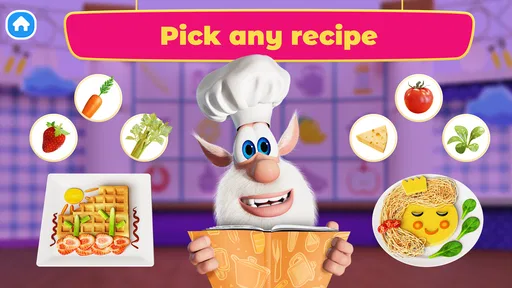
First off, let’s talk about the app’s vibrant interface. It’s like walking into a candy store, with all those bright colors and playful designs. The app welcomes you with open arms into its virtual kitchen, where you can whip up almost anything your heart desires. From baking cakes to making pizzas, Booba Kitchen: Kids Cooking encourages creativity and imagination. The best part? You don’t have to worry about cleaning up any mess!
Engaging Features
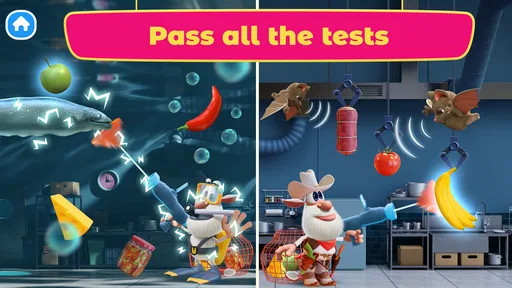
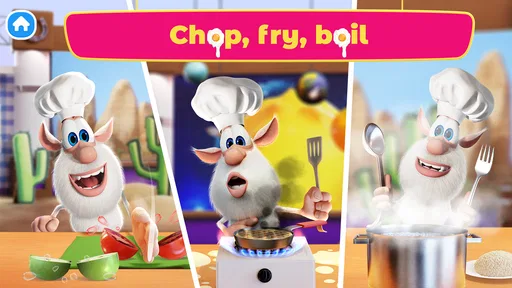
What sets this app apart is its interactive features. Each cooking task is broken down into simple steps, making it easy for kids to follow along. The app uses engaging animations to guide users through the process, ensuring they understand what needs to be done. And let’s not forget about Booba, the adorable character who pops up to offer tips and tricks. It’s like having a friendly chef by your side, cheering you on as you create culinary masterpieces.
That step-by-step rhythm is also a useful way to keep a session low-pressure: a child can focus on the action in front of them, notice the animated response, and continue without needing to read a recipe. I’d use it as a short waiting-room distraction or a quiet activity while dinner is being prepared, rather than expecting it to hold a child’s attention for a long stretch. The trade-off is that a guided sequence leaves less room for open-ended play than a sandbox-style game, so children who want to invent every rule may prefer a less directed alternative.
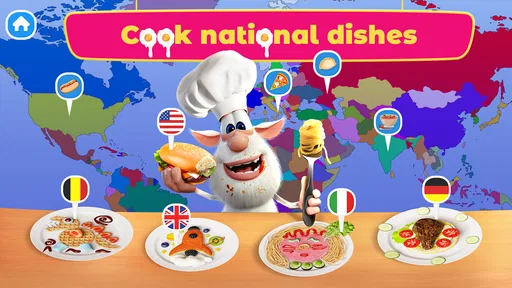
Another standout feature is the variety of recipes available. Whether your little one wants to bake a chocolate cake or cook up a storm with some spaghetti, there’s something here for every budding chef. The recipes are designed to be educational, teaching kids basic cooking skills and kitchen safety in a fun way.
More From Our News Desk

 Gmail
GmailGmail in a Busy Inbox: Who Benefits Most?
From first account to crowded workday, Gmail earns its place through dependable search and flexible sorting—but its best fit depends on how much inbox maintenance you can tolerate.

 Prime Video
Switching to Prime Video: What Changes in Your Viewing Routine
Prime Video can make a compelling second home for streaming, but switching means learning a different catalog, rental layer, and route from browsing to playback.

 Universal TV Remote Control
Universal TV Remote Control Works Best as a Reliable Backup
A phone remote earns its place through quick setup and reliable habits. Here is how to get more from Universal TV Remote Control—and where its limits show.

 Weather - By Xiaomi
Weather by Xiaomi Review: Clear at a Glance, Less Clear Up Close
Xiaomi’s weather app makes everyday forecasts quick to scan, but its calm surface can leave useful details and recovery paths harder to find than they should be.

 X
XX Under Pressure: Can It Recover When Posting Goes Wrong?
A resilience-focused review of X, examining setup, mistaken posts, interruptions, weak connections, and the gaps that matter when recovery needs to be dependable.

 Clash of Clans
Clash of Clans Is Won Between the Battles
Its raids are quick; its community is a long-term project of coordination, teaching, rivalry, and shared responsibility—with all the friction that entails.
Latest News



Rewards, replay, and the right expectations
For a child, the reward is the satisfaction of completing a pretend dish and seeing the cooking actions come together. That small payoff can be enough to prompt another round, especially when they want to try a different kind of food. I’d treat that repeat-play loop as entertainment rather than a lesson plan: the game can spark curiosity, but it doesn’t replace real practice, tasting, or an adult’s explanation of kitchen safety.
For parents deciding whether it suits their household, the practical details are straightforward. It’s free to download, rated Everyone, and has in-app purchases listed from $2.99 to $19.99 per item, so I’d check the purchase settings before handing over a device. It has a 4.0 average from around 4,800 ratings and over 10 million installs, which gives a sense of its broad reach, but those numbers don’t tell you whether its pace will fit your particular child. The current version is 1.0.8 and requires Android 5.1 or later.
Compared with dress-up or open-ended pretend-play games, this one puts more emphasis on following a cooking sequence; compared with real cooking apps aimed at adults, it is clearly designed for children’s play rather than practical meal instruction. That makes it a reasonable pick for a child who likes Booba, pretend food, and visible step-by-step feedback. I’d skip it if you want a deep role-playing story, realistic recipes to cook from, or a game built around unrestricted experimentation. A useful parent tip is to set a stopping point before opening it: decide on one dish or a short play break, then talk about what the child enjoyed instead of letting the next round start automatically.
Choosing the right moment for a kitchen game
The game is easiest to recommend when a child already enjoys imitating everyday routines. A rainy afternoon, a calm stretch before dinner, or a wait while an appointment runs late can give the cooking theme a familiar hook without asking for a long commitment. I’d offer it as one choice alongside a book or a toy, rather than presenting it as the default way to settle every restless moment. That keeps its appeal tied to playful curiosity instead of turning it into a bargaining tool.
It can also work as a conversation starter for children who are curious about what adults are doing in the kitchen. After a round, I might ask what looked fun, then offer a safe real-world job such as washing a piece of produce or stirring something cool, depending on the child’s age and the task. The important distinction is that the game’s pretend actions don’t certify a child as ready to handle appliances, sharp tools, or hot food. Adults still need to choose and supervise any real kitchen activity.
For siblings, I’d avoid assuming that a shared device automatically makes a shared game. One child may want to move quickly through the cooking steps while another wants to narrate or take turns. Agreeing on a simple handoff before starting can prevent the familiar argument over who gets to tap next. If a child is playing alone, a brief check-in after the dish is finished can still make the activity feel connected without requiring an adult to direct every moment.
How it compares with other children’s games
Among children’s role-playing games, the cooking theme gives this one a clear focus: the player follows food-preparation actions and gets visual feedback as they go. A dress-up game may offer more freedom to change a character’s look, while a broad pretend-play game may give children more room to invent their own scenarios. I’d choose this one when a child specifically enjoys food and orderly little tasks, not simply because they want any colorful game.
It also sits in a different lane from recipe and cooking apps meant to help someone prepare a real meal. Those are more useful when an older child or adult needs instructions that can be followed at a counter. Here, the appeal is the make-believe process and the accessible feedback, not a dependable guide to ingredients, timing, or food safety. That distinction matters if a parent is hoping for a screen activity that will directly teach a recipe: I’d use a real, supervised cooking activity for that goal.
Compared with a passive video, the child has more to do: they can respond to prompts and see an action play out. Compared with a freeform creativity app, there is more direction and less need to invent a scenario from scratch. That middle ground is useful for a child who wants to feel involved but benefits from clear next steps. It may feel repetitive, though, to a player who prefers exploration without a prescribed cooking sequence.
Managing the handoff and the stopping point
One small but useful routine is to decide before opening the game whether the child is playing one round or simply filling a short gap. A visible endpoint makes it easier to finish on a positive note: the child completes a dish, talks about one part they liked, and then moves on. If they immediately ask to start again, I’d treat that as a normal sign that the loop is appealing, not proof that the game needs to become a longer activity.
Because the game is free to download but offers paid items, I’d review purchase controls on the device before a child uses it independently. That is especially sensible if a child tends to tap quickly or explore every on-screen option. The practical question is not whether a purchase is necessary to enjoy pretend cooking; it is whether the device is set up so an accidental purchase is not a surprise. I’d also explain in simple terms that some things in games may cost money and that purchases are an adult decision.
Parents may also wonder whether the game suits a child who is not yet comfortable reading. Its animated, step-by-step style is a more approachable fit than a text-heavy recipe experience, but comfort with tapping and following visual cues still varies from child to child. Sitting together at first lets an adult see whether the child understands the action flow or needs help. If the controls or pace frustrate them, there is little value in insisting; a toy kitchen or shared pretend-play activity may be a better fit that day.
Why Kids and Parents Love It
Parents, if you’re worried about screen time, rest assured that this app is more than just a game. It’s an educational tool that helps develop fine motor skills, improve concentration, and boost creativity. Plus, it fosters a love for cooking that could last a lifetime. And for kids? Well, they just love the fact that they can be little chefs, experimenting with ingredients and concocting delicious dishes without any grown-up supervision.
I’d soften one expectation in that praise: a cooking game can encourage coordination and attention during play, but I wouldn’t count on it to teach dependable kitchen habits by itself. Its best use is as a shared prompt. A child can tell you which pretend dish they made, then help with a safe, age-appropriate task in the real kitchen under supervision. That small bridge between screen and home activity is more meaningful than treating the game as an independent cooking lesson.
It is also worth thinking about what kind of play a child seeks. Someone who enjoys repeating familiar actions and seeing each one produce an immediate response may settle into this format quickly. A child who wants a story with characters to develop, a competitive challenge, or a wide world to explore may lose interest sooner. I would not judge that as a flaw in the child or the game; it is simply a matter of matching the activity to the mood and preference of the day.
When I’m deciding whether to keep a children’s game in the regular rotation, I look for whether it works in the small gaps of family life without creating a bigger problem at the end. This one’s short cooking loop can fit a brief pause, but the transition away from any engaging screen activity still takes a little care. Giving a child a heads-up before the final action and then following through with the agreed stopping point can make the handoff smoother than abruptly taking the device away.
So, if you’re on the hunt for an app that’s both entertaining and educational, give Booba Kitchen: Kids Cooking a try. It’s a fun way to spend quality time with your kids while helping them learn something new. Who knows, you might even discover a future chef in the making!
My verdict on the cooking loop
What brings me back to this game is a clear cycle: choose a cooking action, watch the response, finish a dish, then decide whether another round sounds fun. That uncomplicated loop is its strength for younger players, while its limits are equally clear: the play is guided, the learning is introductory, and the real-world kitchen still needs an adult. If that’s the kind of brief, cheerful activity you want, it’s worth trying; if you need depth or practical recipes, I’d choose something else.
In everyday use, I’d keep expectations modest and the purpose clear: it’s a playful way to pass a short stretch, share a kitchen-themed conversation, or give a young child a small activity while an adult is close by. Its guided actions offer enough structure to get started, and the completed dish provides a natural point to stop or choose another round. That balance is the reason I’d recommend it to families looking for simple pretend cooking, while steering anyone seeking serious cooking instruction or open-ended role-play toward a better-matched option.
Booba Kitchen: Kids Cooking! Frequently Asked Questions
Is Booba Kitchen: Kids Cooking! free to download?
Yes, Booba Kitchen: Kids Cooking! is free to download, so families can try its playful cooking activities without paying upfront. The game also offers optional in-app purchases, with items priced from $2.99 to $19.99 each. If children use the device, it is sensible for a parent or guardian to review purchase settings before handing it over.
What is Booba Kitchen: Kids Cooking! about?
Booba Kitchen: Kids Cooking! is an interactive cooking game designed for children where they can explore the kitchen with Booba, a curious character. Kids can engage in fun cooking activities, learn simple recipes, and understand basic kitchen safety in a playful environment. The app aims to educate and entertain children by combining cooking with creativity.
Is Booba Kitchen: Kids Cooking! safe for children to use?
Booba Kitchen: Kids Cooking! is designed for a young audience, and its content rating is Everyone. It provides a kid-friendly setting for playful cooking activities and introduces kitchen safety as part of the experience. The game includes optional in-app purchases, so parents may want to check device purchase controls and supervise play, particularly when a child is using a shared device.
Can Booba Kitchen: Kids Cooking! be played offline?
Booba Kitchen: Kids Cooking! offers offline play, allowing children to enjoy the game without a constant internet connection. This feature is particularly beneficial for parents who want to limit their children's online exposure or when traveling. However, downloading updates or new content may require an internet connection.
What age group is suitable for Booba Kitchen: Kids Cooking!?
Booba Kitchen: Kids Cooking! is primarily targeted at children aged 3 to 8 years old. The game is designed with simple controls and colorful graphics to engage young children. It provides educational value by introducing them to basic cooking concepts and kitchen safety in a fun and interactive way, making it suitable for preschoolers and early elementary school children.
Pros
- Engaging cooking activities for kids
- Colorful and interactive graphics
- Easy to navigate interface
- Encourages creativity and learning
- Suitable for various age groups
Cons
- Limited free content available
- Requires in-app purchases for full features
- May contain ads disrupting gameplay
- Not challenging for older children
- Requires internet connection for updates