Baseball Star
- 12.77K
- 4.3
- Installs
- 10.00M
- Price
- Free

Screenshots
Analysis by Reviewed
If you've ever dreamed of stepping up to the plate and hitting a home run in a packed stadium, then Baseball Star might just be the app for you. As an avid gamer and baseball enthusiast, I couldn't wait to try out this game and see if it really lived up to its name. Spoiler alert: It did, and then some!
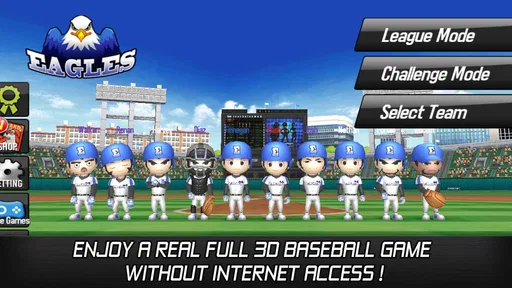
What makes it appealing to me is its clear focus: this is a baseball game built to be picked up and played without needing an internet connection. That changes how I think about it compared with sports games that depend on online matches or constant connection. I can treat a short session as a self-contained bit of baseball, rather than plan around a network, a live opponent, or a long block of free time. The trade-off is that anyone looking primarily for the social competition of playing against friends may prefer a game designed around online play.
For a realistic everyday use, I’d keep it in mind for a commute, a wait between appointments, or a quiet break when I want a sports game but don’t want to rely on Wi-Fi or mobile data. Offline play is especially practical when a connection is unreliable, though it’s still sensible to check that the game has finished installing and opening properly before heading somewhere with no service. That small bit of preparation avoids discovering a setup snag at the least convenient moment.
Getting Started with Baseball Star
Jumping into Baseball Star is as easy as pie. The app's interface is user-friendly and intuitive, which means you don't have to be a tech genius to get started. Once you download the app, you're greeted with a simple setup process that guides you through creating your player and setting up your team. The graphics are vibrant and really pop, making you feel like you're part of a real baseball league.
The game is free to download, and its Everyone age rating makes it suitable for a broad audience. There are optional in-app purchases, with items ranging from $1.49 to $86.98, so I’d approach those as extras rather than assume they’re necessary to enjoy a session. If you’re setting it up for a younger player, it’s worth checking purchase settings on the device beforehand. That practical step matters more than the cheerful presentation: a free download can still include paid items, and a child may not distinguish an optional purchase from part of normal play.
There is also a useful difference between a game that is easy to start and one that stays satisfying. Baseball Star’s straightforward entry is a plus if you don’t want to spend your first session learning a complicated interface, but the most enjoyable way to approach it is to take time with the team and play choices rather than rush through every option. The baseball framing gives newcomers a familiar point of reference; people who already follow the sport can focus on the decisions around the plate and on managing a roster.
Gameplay Experience
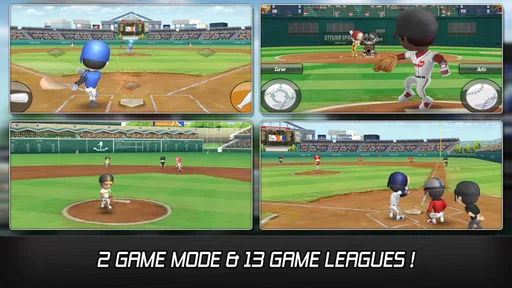
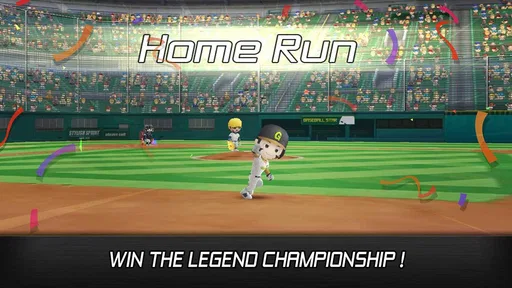
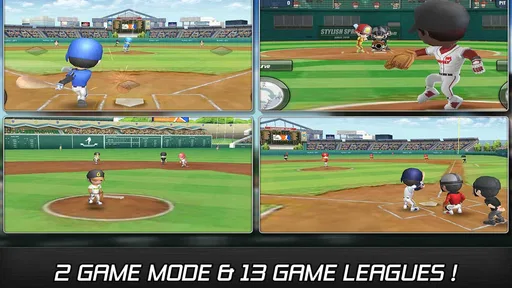
This is where Baseball Star truly shines. The gameplay is smooth, and the controls are straightforward. You have the option to play in various modes, from league matches to tournaments, which keeps things fresh and exciting. Plus, there’s a practice mode if you want to hone your skills before taking on tougher opponents. What really caught my attention was the attention to detail in the gameplay mechanics. It feels like you're really on the field, strategizing every pitch and swing.
More From Our News Desk

 Gmail
Gmail in a Busy Inbox: Who Benefits Most?
From first account to crowded workday, Gmail earns its place through dependable search and flexible sorting—but its best fit depends on how much inbox maintenance you can tolerate.

 Prime Video
Switching to Prime Video: What Changes in Your Viewing Routine
Prime Video can make a compelling second home for streaming, but switching means learning a different catalog, rental layer, and route from browsing to playback.

 Universal TV Remote Control
 Works Best as a Reliable Backup
A phone remote earns its place through quick setup and reliable habits. Here is how to get more from Universal TV Remote Control—and where its limits show.

 Weather - By Xiaomi
Weather by Xiaomi Review: Clear at a Glance, Less Clear Up Close
Xiaomi’s weather app makes everyday forecasts quick to scan, but its calm surface can leave useful details and recovery paths harder to find than they should be.

 X
X Under Pressure: Can It Recover When Posting Goes Wrong?
A resilience-focused review of X, examining setup, mistaken posts, interruptions, weak connections, and the gaps that matter when recovery needs to be dependable.

 Clash of Clans
 Is Won Between the Battles
Its raids are quick; its community is a long-term project of coordination, teaching, rivalry, and shared responsibility—with all the friction that entails.
Latest News



A sensible way to get comfortable is to use practice as a low-pressure place to understand timing and control before treating a match as a test. In a baseball game, small differences in when I swing or how I approach a pitch can matter more than flashy presentation, so repeating a moment deliberately is more useful than jumping between modes without noticing what worked. Once I have a feel for those basics, league matches and tournaments have more meaning: I can tell whether a result came from a better decision or simply from unfamiliarity with the controls.
That doesn’t mean every player will find the same depth in the on-field action. If you want the kind of simulation where every real-world rule, tactical option, and player action is represented in detail, a dedicated console baseball title may be a better fit. Baseball Star’s strength is accessibility and a portable, offline-friendly format, not a promise of a full-scale simulation. I’d recommend judging it as a compact sports game, not as a substitute for watching or managing a real professional team.
The offline angle also affects how I’d choose a mode. A tournament or league gives a session a sense of direction when I have time to play several matches, while practice is easier to dip into when I only have a few minutes. Rather than start a longer run just before putting the phone away, I’d use those brief moments to work on a specific part of play, then return to a more structured mode when I can give it attention. That’s a small habit, but it helps the game suit different kinds of free time.
Customization and Features
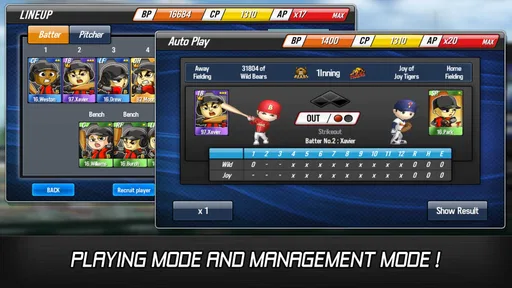
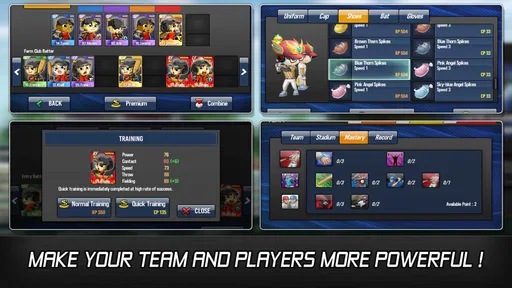
One of the standout features of Baseball Star is the level of customization it offers. You can create your own team, customize player uniforms, and even tweak their skills to suit your play style. The app also includes a rich set of features like player stats, team management options, and interactive leaderboards. It's like having a mini baseball universe in your pocket!
Customization is more than a cosmetic detour here because it gives me a reason to make the team feel like mine. Uniform changes are the easy, expressive part; adjusting skills asks me to think about what kind of lineup I want to build. My practical advice is to make changes with a purpose instead of altering everything at once. If a team feels different afterward, changing one area at a time makes it easier to tell whether that choice helped. It also keeps the management side from turning into a blur of adjustments with no clear lesson.
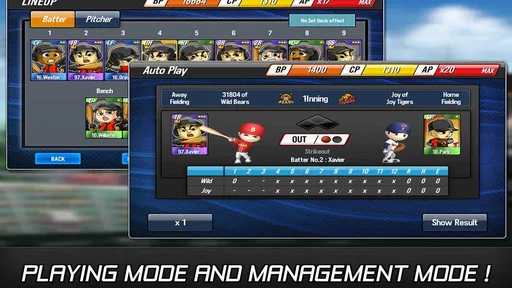
Stats can be most useful when I treat them as a record for comparison rather than decoration. Looking at them after a run of matches can help me spot a pattern in how the team is performing and decide what to work on next. The same goes for leaderboards: they can add a competitive reference point, but I wouldn’t let a ranking become the only measure of whether a session was worthwhile. For a player who mainly wants relaxed offline baseball, the team-building and match experience should remain the draw; for someone who needs persistent social competition, leaderboards may not replace direct play with friends.
Because there are several systems to explore, I wouldn’t recommend trying to optimize the whole roster immediately. I’d first settle on a comfortable way to play, then use team management to support it. Someone who enjoys making decisions around a squad will likely appreciate this layer, while a player who only wants a quick hit-and-run batting game could find the management details unnecessary. That is a genuine divide in the game’s appeal: the extra options add ownership, but they also ask for more attention than a purely arcade-style experience.
The game is from playus soft, a developer whose work here is presented as a sports game rather than a live service that requires me to be connected for every session. Baseball Star has a 4.3 average from around 194,000 ratings, with about 13,000 written reviews, and it has passed 10 million installs. Those figures suggest it has reached a broad audience, but they don’t tell me whether its particular mix of play and management will suit an individual. I’d still put more weight on whether you want offline baseball and team customization than on popularity alone.
On Android, the current version is 1.7.7 and the minimum operating system is Android 5.0. Those details are useful if you’re checking an older phone before installing; compatibility is a practical first hurdle, especially if this is meant to be a dependable travel game. The game is also available on iOS, so people choosing between platforms can focus on the device they already use. I would avoid assuming that performance or controls feel identical on every device, and would give the game a short first session before relying on it for a longer trip.
How It Fits Among Sports Games
Compared with the usual alternatives, Baseball Star sits between quick arcade sports games and more demanding baseball simulations. A bare-bones arcade game may be easier for someone who only wants a few swings and no team decisions; a full simulation may offer more realism for players who enjoy studying detailed tactics. This game’s particular case is the combination of accessible controls, team customization, multiple play modes, and offline use. That combination makes it a stronger choice for solo, portable play than for people whose main goal is live multiplayer rivalry.
It also differs from sports games built around watching a long season unfold or managing every possible detail. Here, I’d come for the hands-on baseball feel and the ability to shape a team without needing to turn each session into a serious planning exercise. If you are unsure whether the management layer will appeal, give it a little time before making purchases or committing to a long-term routine. The most honest test is whether you enjoy the loop of playing, checking how the team is doing, and making a focused adjustment.
For a baseball fan, that balance can be just right: enough customization to make a roster feel personal, but a format that remains convenient to open for a short break. For someone unfamiliar with baseball, the accessible controls may help, though the team and stats side could feel less meaningful until the basic sport logic clicks. I wouldn’t choose it as a teaching tool for learning every rule of baseball; I’d choose it as a game that makes a few minutes with the sport easy to fit into a day.
Who I’d Recommend It To
I’d point casual baseball fans toward this one if they want a game they can play alone and offline, particularly if they like tinkering with a team as well as taking part in matches. It may also suit someone who follows the sport but doesn’t want a heavy simulation on a phone. The free download makes it easy to try the basic experience, while the optional purchases are a reason to be deliberate about spending rather than a reason to assume the game is automatically costly.
I’d be more cautious about recommending it to players who expect a sophisticated online community, head-to-head competition with friends, or a detailed simulation of professional baseball. It is also not the best match for someone who dislikes roster management and wants nothing beyond immediate action. Those aren’t flaws for every player, but they define the audience: Baseball Star is most convincing when portability, solo play, and a little bit of team-building are all welcome.
A useful first-session plan is simple: learn the controls, try practice, then move into a match and notice which parts you enjoy. If you find yourself wanting to adjust the team afterward, explore the management tools and stats; if you only want the action, stay with the modes that get you onto the field quickly. That approach lets the game show its strengths without turning the first visit into a checklist, and it gives you a fair sense of whether its extra systems are a bonus or a distraction.
The game’s release date is May 20, 2016, so it has been available for years rather than arriving as a new seasonal novelty. For me, that makes it easier to consider as an established option in mobile sports gaming, though age alone does not guarantee that every player will enjoy it. The more relevant question is whether the particular mix of offline play, team creation, and approachable baseball controls matches what you want from a phone game today.
The app runs smoothly on both Android and iOS, and I didn't encounter any bugs or crashes, which is a big plus in my book. It's clear that the developers put a lot of thought into making this app as polished as possible.
Final Thoughts
In conclusion, Baseball Star is a fantastic app for anyone who loves baseball or just enjoys a well-crafted sports game. The combination of intuitive controls, stunning graphics, and deep customization options makes it a home run in the app world. Whether you're a casual fan or a die-hard baseball aficionado, this app offers something for everyone. So grab your virtual bat and step up to the plate—Baseball Star is waiting for you!
My recommendation is strongest for people who value the freedom to play without an internet connection and enjoy having a team to shape, not just a match to finish. If that describes you, the combination of a manageable learning curve and a bit of roster strategy gives the game a clear place in a mobile library. If your ideal baseball game is defined by online rivalry or extensive simulation, I’d look elsewhere rather than expecting this one to become something it isn’t.
Remember, the only way to truly experience the thrill of the game is to download the app and give it a swing. Trust me, you won't be disappointed!
Baseball Star Frequently Asked Questions
Can I play Baseball Star without an internet connection?
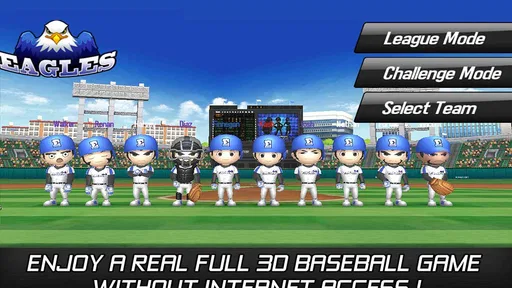
Yes. Baseball Star is designed to let you enjoy its full 3D baseball gameplay offline, so you can play without relying on a steady connection. This makes it a handy choice for travel or other moments when internet access is unavailable. You may still need to connect for online-dependent functions such as downloading updates or completing in-app purchases.
How much storage space does Baseball Star need?
Before downloading, it is sensible to check that your device has enough free storage for the game and its files. Baseball Star is a full 3D sports game, and available space can vary with the device and installed content. Check the download page on your device for the current size, then leave some room for updates and other apps you use.
Does Baseball Star include in-app purchases?
Baseball Star is free to download, but it offers optional in-app purchases. You can play without spending, while purchases are available for players who want to buy additional game content. Before confirming a purchase, review the price shown on your device and consider enabling purchase controls if children use the device. The available items range from $1.49 to $86.98 each.
What devices can run Baseball Star?
Baseball Star is a sports game for Android and iOS. On Android, it requires version 5.0 or later, so check your device’s operating system before downloading. You can find it through the Google Play Store or Apple App Store. The game’s 3D presentation is designed for mobile play, and compatibility may depend on the specific device as well as its operating system.
Is Baseball Star suitable for children?
Baseball Star has an Everyone content rating, making it suitable for a broad audience, including children. As with any game that offers optional in-app purchases, parents may want to review purchase settings on the device and discuss them with younger players. The game centers on baseball, so its sports theme should be familiar to players who enjoy the sport.
Pros
- Intuitive controls for easy gameplay.
- Engaging and realistic graphics.
- Variety of game modes available.
- Regular updates with new features.
- Multiplayer mode enhances competition.
Cons
- In-game ads can be intrusive.
- Requires internet for certain features.
- Limited free-to-play options.
- Occasional lag during matches.
- High battery consumption.