TL Pro
- 1.92K
- 4.0
- Installs
- 100.00K
- Price
- $1.80

Screenshots
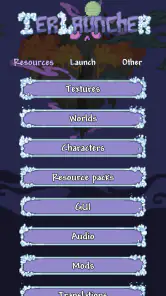
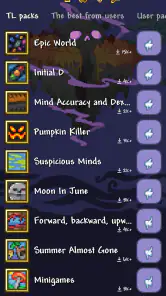
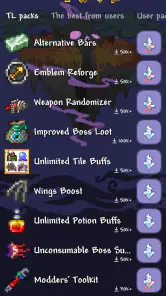
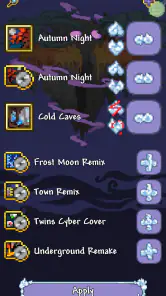
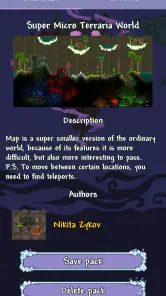
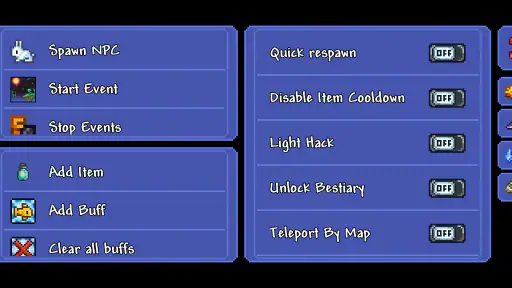
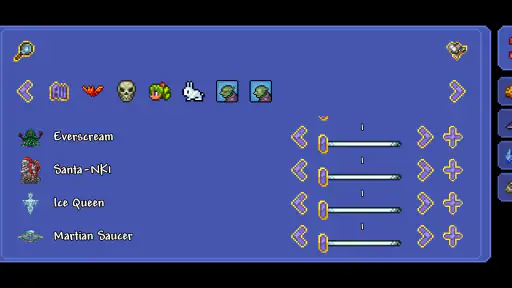
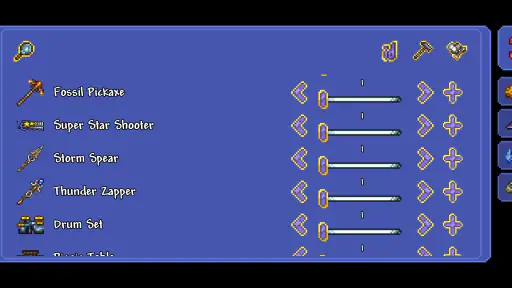
Analysis by Reviewed
I would treat TL Pro as a shared-device game utility, not as a game everyone in the household should change freely. It is a paid adventure-game companion from PixelCurves v2, built for players who want to adjust a Terraria experience with textures, maps, and cheats. That focus can make it interesting for a family or group of friends who take turns playing, but it also means a little coordination matters: one person’s preferred setup may not suit the next player.
Taking turns without taking over
On a phone or tablet passed between players, the appeal is easy to understand. One person may want a different look, while another would rather keep the familiar game untouched. Before experimenting, I’d agree on who is changing the setup and when. That simple boundary avoids confusion if someone opens the game later and finds that the world or presentation no longer feels the way they expect.
For a shared device, I would also keep the ordinary play routine separate from experimentation. Try one change at a time, then check that the game still feels right before making another. This is more useful than making several changes at once: if something becomes distracting or behaves unexpectedly, it is easier to identify what to undo. A resource loader is most enjoyable when the person using it knows which changes they chose.
Who should be in charge of setup?
The practical question is less about technical skill and more about who is comfortable managing changes. If one player is curious about textures and maps and the others just want to launch Terraria, let that player handle the setup rather than asking everyone to explore the options. I would avoid treating the tool as a universal switch that every household member should use. Someone who wants a straightforward, unchanged game may be happier leaving it alone.
It is also worth separating preferences from account boundaries. I would not assume that a shared device automatically keeps each person’s choices distinct, or that it provides family-management controls. Agree on which player is testing changes, and avoid changing a setup someone else is relying on without asking. That makes the experience more predictable without expecting the app to solve household coordination for you.
Small experiments make shared play easier
A useful routine is to decide what you want to learn before opening the tool. If the goal is to see whether a different texture makes exploration more readable, change that one thing and play for a while before adding a map or a cheat. This keeps the result understandable to everyone taking turns, and it makes it easier to return to a familiar setup if the group prefers it.
I’d also make a quick verbal note of the current arrangement when several people use the same device: what was changed, who requested it, and whether it is meant to stay in place. That is not a substitute for separate player settings, but it can prevent the next person from mistaking an intentional change for a problem. The best household workflow is simple enough that nobody has to remember a complicated sequence.
More From Our News Desk

Weather by Xiaomi Review: Clear at a Glance, Less Clear Up Close

X Under Pressure: Can It Recover When Posting Goes Wrong?

Clash of Clans Is Won Between the Battles

Android Auto Makes the Case for Quieter Car Software

MobiOffice: Transforming Mobile Productivity with Seamless Integration

EA SPORTS FC™ Mobile Soccer: Redefining Mobile Sports Gaming
A sensible age and trust check
The game is rated for Everyone, which makes the age context broad, but that does not mean every feature will suit every player or every household rule. Cheats can change the spirit of a play session, especially when people enjoy making progress through the usual challenge. I’d talk about that before using them in a shared world: one player may see them as harmless experimentation, while another may feel they take away the point of playing.
My approach would be to keep the choice clear and consensual. Let younger players know that this is a tool for altering how the game is experienced, and have an adult decide whether that fits the household’s expectations. The 4.0 average from around 24,000 ratings gives a useful snapshot of broad reception, but it cannot tell you whether its approach to modifying Terraria suits your family’s play style.
Trying changes without losing the familiar game
Ever found yourself craving a game companion that adds a little spice to your favorite sandbox adventures? Well, let me introduce you to TL Pro, the app that’s been winning over gamers with its handy features and seamless integrations. This nifty tool is specifically tailored for those who love to tweak and modify their gaming experiences, particularly in the world of Terraria.
Level Up Your Gaming Experience
First off, let's chat about what makes this game utility stand out in the bustling realm of companion apps. It’s an all-in-one solution for players who want to gain more control over their gaming world. Imagine having the ability to modify in-game resources, change skins, and even unlock premium features without breaking a sweat. The app acts as a mod loader, so you can say goodbye to the tedious and risky business of manual file edits.
What caught my attention immediately was the user-friendly interface. Even if you’re someone who’s not particularly tech-savvy, navigating through this app is as smooth as butter. The developers have clearly put a lot of thought into making this tool accessible to everyone. A couple of taps and you’re already customizing your game like a pro!
Customization at Its Best
Now, if you’re like me, you love customizing your gaming world to match your personal style. The app offers an extensive variety of textures and skins. Whether you want to transform your character into a superhero or change the entire landscape into a mystical wonderland, this app has got you covered. The customization options are virtually limitless, allowing you to express your creativity in ways you never thought possible.
Another highlight is the ability to save multiple configurations. This means you can switch between different setups depending on your mood or the type of adventure you’re embarking on. It’s like having multiple gaming personas without any of the hassle!
Choosing changes that earn their place
For me, a texture change is most useful when it solves a specific preference rather than simply adding novelty. I’d begin with an option that makes the world feel fresh to the person playing, then ask whether it remains comfortable to look at during a longer session. A dramatic visual change can be exciting at first but tiring if it makes familiar scenes harder to read. Testing in a short session before treating it as the household default is a sensible compromise.
Maps and cheats call for a different kind of decision. A map can suit someone who wants a clearer sense of where they are going, while a player who enjoys discovery may prefer not to use it. Cheats can make experimentation more relaxed, but they can also remove the shared challenge that gives a group a reason to cooperate. I would choose these tools around the mood of a particular session, not assume that one setup is best for every player.
Performance and Stability
Performance-wise, the app runs like a charm. One of my biggest concerns with modding apps is the notorious lag or even crashes, but I was pleasantly surprised to find that this app maintains a high level of stability. The developers have really nailed it in ensuring that your gaming experience remains uninterrupted.
Moreover, the app doesn’t hog your device’s resources, which is a huge plus. You can enjoy all the modding features without your phone turning into a hot brick. This is crucial for those long gaming sessions where you lose track of time.
What to expect from a companion rather than a replacement
It helps to think of this as a way to alter a Terraria session, not as a separate adventure game with its own progression. If what you want is a new world of play without having to decide on add-ons or changes, the usual unmodified game is the simpler choice. If you enjoy shaping how a familiar game looks and plays, a resource loader is more relevant than a general game launcher or a collection of unrelated mobile games.
That distinction matters for a first-time user: TL Pro’s appeal depends on already wanting to change something about Terraria. It is not a necessary purchase for someone who is satisfied with the standard experience, and it is not the option I’d pick for a player who wants a hands-off, ready-to-play session. Its strongest use is deliberate experimentation, where each change has a clear purpose and the player is willing to manage the setup.
Final Thoughts
So, is this tool worth downloading? It costs $1.80, so I’d make the decision based on how much you actually want to customize Terraria rather than treating it as an essential purchase. The current version is 1.51.0, and it requires Android 6.0 or later. With over 100,000 installs and 1,900 reviews, it has found an audience among players looking for this kind of companion, but those figures alone do not guarantee it will fit your habits.
Compared with simply playing Terraria as it comes, this gives interested players a way to experiment with textures, maps, and cheats rather than sticking to the standard experience. That flexibility is the main reason to choose it; it is also the main reason to skip it if you prefer the original balance or do not want to manage extra changes. I would start with a small, reversible experiment and keep a note of what was changed, especially on a device used by several people.
In practical terms, I’d recommend it most to a Terraria player who has a particular visual or play-style adjustment in mind and is happy to take responsibility for it. A curious player can explore changes in a low-pressure session, then let other household members decide whether they want to use the same setup. Someone who only wants to pick up the phone and play without discussing settings may be better off leaving the companion out of the routine.
If you are wondering whether the cost makes sense, I’d ask how often you expect to use its tools. Paying for a companion that remains untouched after one experiment is harder to justify than buying it for a player who regularly wants to try different textures, maps, or cheats. The price is modest, but it still makes sense to decide based on a real use you have in mind rather than the promise of customization in the abstract.
So, is it worth downloading? If you’re a fan of Terraria and love the idea of enhancing your gameplay with mods, this app may be a welcome addition. It’s like having a little magic box that opens up a world of possibilities, all at your fingertips. Whether you’re a seasoned gamer or a casual player looking to add some flavor to your gaming, it can make sense when its tools match the way you play.
In a nutshell, this app is about giving you more ways to shape your gaming experience. For a household, my verdict is to use it only when the player making changes has everyone’s agreement and the group is happy with a less traditional Terraria session. If you want a predictable game with no setup decisions, stick with the regular version. If you enjoy trying carefully chosen changes, the modest purchase may be worthwhile; just make the choice together before the next shared play session.
TL Pro Frequently Asked Questions
Does TL Pro work with Terraria, or is it a standalone game?
TL Pro is designed for Terraria players: it is a resource loader rather than a separate adventure with its own unrelated world. Before downloading, consider whether you already play Terraria and want to customize that experience with resources such as textures, maps, or cheats. Its usefulness is tied to what you want to change in Terraria.
What does TL Pro cost, and what kind of app is it?
TL Pro is an Adventure game described as a resource loader with textures, maps, and cheats for Terraria. It is a paid download, so check the price displayed for your region before purchasing. The app is aimed at players who want to customize their Terraria experience, rather than people looking for a separate adventure game with unrelated content.
What is TL Pro and how does it enhance my Terraria gaming experience?
TL Pro is an advanced utility app for Terraria players, offering a plethora of features to customize and enhance the gaming experience. It allows users to access an array of mods, textures, and maps, providing a new level of depth to the game. With TL Pro, you can effortlessly manipulate game resources, making it easier to tackle challenges and explore new gameplay possibilities.
Is TL Pro safe to use on my device, and does it require rooting or jailbreaking?
Yes, TL Pro is generally safe to use as it is designed with user security in mind. It does not require rooting or jailbreaking of your Android or iOS device, which ensures that your system remains secure and warranty intact. However, it's always recommended to download the app from trusted sources to avoid any potential security risks.
Can I use TL Pro to play online with friends, and does it support multiplayer features?
TL Pro primarily enhances the single-player experience by providing tools and mods that can be used in personal game sessions. While it does not directly offer multiplayer capabilities, the enhancements and customizations can be enjoyed in single-player mode. It’s important to note that using mods in multiplayer could lead to compatibility issues or conflicts with other players.
Pros
- Highly customizable modding options.
- User-friendly interface for easy navigation.
- Supports a wide range of mods.
- Regular updates and improvements.
- Efficient performance without lag.
Cons
- Requires some technical knowledge.
- Limited support for certain mods.
- Potential for in-app purchases.
- Initial setup can be complex.
- Some features locked behind paywall.
- Category
- Adventure
- Version
- 1.51.0