Race Star - Team Manager Game
- 137.00
- 4.0
- Installs
- 500.00K
- Price
- Free

Screenshots
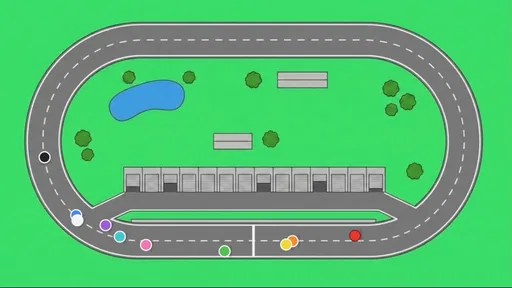
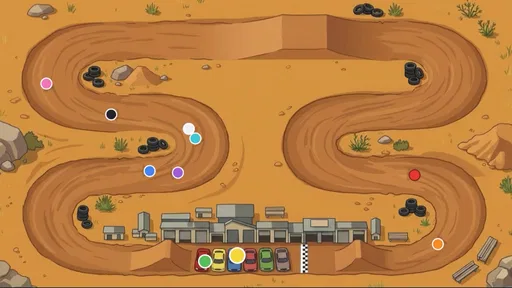
Analysis by Reviewed
I judge an idle racing game less by how exciting its first session feels than by whether I still have a reason to check in once the novelty wears off. Race Star - Team Manager Game starts with a satisfying management fantasy: you’re building a racing outfit, bringing drivers on board, improving cars, and chasing championship wins. That gives each brief visit a clear purpose, even when you aren’t actively steering around a track.
Made by Gryphon Games, this free racing game is aimed at players who like the business and preparation around a race as much as the race itself. It has a 4.0 average from around 3,000 ratings, and more than 500,000 installs. I’d treat those figures as useful context, not a guarantee that its particular mix of idle progression and team management will suit you. The key question is whether you enjoy making small decisions that add up over time.
Why the opening sessions work
I use the opening sessions to see whether the management choices feel inviting rather than like a checklist. Here, the useful question is what I want to shape first: the driver roster or the cars. That small act of choosing a direction gives the early progress a personal thread, which the next section explores in more detail.
A racing career built around decisions
The appeal is easy to understand: rather than making every session about reflexes, Race Star puts your attention on the people and machines behind a racing team. Signing drivers and tuning cars offer two distinct ways to think about progress. One is about who represents the team; the other is about preparing the vehicles. Championships give those choices a recognizable target.
That structure makes the game a good fit for someone who enjoys checking how a plan is developing, then deciding what deserves attention next. I can see it working well in short breaks, when I want a game that gives me a reason to make a few considered choices rather than demanding a long stretch of uninterrupted focus. The idle-tycoon format is especially appealing if you like the feeling of a project continuing between visits.
There’s also a useful contrast with conventional racing games. A driving-focused racer asks you to master handling, timing, and the track in the moment. This one is for the player who would rather shape the team and tune the cars than spend every session trying to shave time off a lap. If you want direct control of a race car to be the main attraction, that difference isn’t a small detail; it’s a reason to choose another kind of racing game.
Make the early choices count
My practical advice is to treat the first stretch as a chance to learn what kind of manager you enjoy being. Don’t spread your attention across every available decision just because the game puts several parts of a team in front of you. Pick a priority—driver signings or car tuning, for example—and notice how that choice changes your sense of progress. This is a more useful way to settle into a management game than tapping through upgrades without a plan.
More From Our News Desk

Weather by Xiaomi Review: Clear at a Glance, Less Clear Up Close

X Under Pressure: Can It Recover When Posting Goes Wrong?

Clash of Clans Is Won Between the Battles

Android Auto Makes the Case for Quieter Car Software

MobiOffice: Transforming Mobile Productivity with Seamless Integration

EA SPORTS FC™ Mobile Soccer: Redefining Mobile Sports Gaming
A second small habit can make check-ins more satisfying: decide what you want to accomplish before opening the game. Maybe you want to move the team closer to a championship, or you want to focus on improving the cars. A clear aim helps short visits feel purposeful and makes it easier to tell whether the game is giving you meaningful choices or merely asking for routine attention.
Race Star is rated for Everyone, which makes its stated age category broad. That doesn’t mean every player will enjoy the same pace. Younger players who want immediate action may prefer an arcade racer, while someone who likes incremental team-building may find the managerial layer more appealing. The right fit depends less on the racing label and more on whether managing a team sounds fun to you.
Does the routine keep its value?
After the initial progress, I judge the routine by whether I still have a reason to return—not by how often I open the game. I look for a satisfying choice that fits into an ordinary spare moment, while staying alert to the point where check-ins become upkeep. The following section considers how that balance can hold over time.
Small visits, longer goals
Idle games live or die by the quality of their return loop. The basic promise here is that team-building and car development feed into championship ambitions, so there is a reason to come back beyond simply starting another race. That can make the game easy to keep around: a quick check-in can suit a coffee break, a commute when you’re not driving, or a quiet moment at home when you don’t want to commit to a full racing session.
For month-to-month value, I’d look for variety in your own decisions rather than assume that constant novelty is the point. If choosing drivers, tuning cars, and pursuing championships gives you different priorities as your team develops, the loop can remain engaging. If those choices begin to feel like the same maintenance in a new wrapper, an idle structure may not be enough to hold your attention. The best test is whether you still care about the next team decision after the initial excitement has passed.
One useful way to avoid turning the game into a chore is to keep a personal stopping rule. If you open it and have no decision you actually want to make, close it and return later. That sounds simple, but it helps separate genuine interest from the feeling that an idle game must be checked on a schedule. A game that fits your spare moments should not dictate the shape of them.
I’d also compare it with other racing options based on what you want from a session. A conventional racer is the stronger choice when you want hands-on driving and a skill challenge right away. A deeper motorsport management game may be better if you want extensive planning and detailed control. Race Star sits between those expectations: its appeal is a lighter, more incremental team-management rhythm, not a promise of a full simulation or a pure driving experience.
How much upkeep is too much?
The main maintenance question is not whether the game is free to install—it is—but whether its repeated check-ins feel rewarding to you. The game includes in-app purchases ranging from $0.99 to $99.99 per item. That broad span is worth keeping in mind before spending. I’d decide in advance whether I’m happy to play at the free pace, and treat any purchase as an optional way to support a particular play style rather than something I need to make progress enjoyable.
A concrete tip: don’t buy anything just because a moment of impatience makes waiting feel irritating. First, see whether a later visit or a different management priority restores your interest. If the fun depends on repeatedly paying to remove friction, the game may not be a good long-term match for your habits. That’s a sensible test for any free idle game, especially one with purchases at very different price points.
Another trade-off is attention. Idle games can be gentle because they don’t require continuous concentration, but their return prompts can also make a phone feel like a list of tasks. I’d keep Race Star in the “play when I want to” category, not the “must check every day” category. If you prefer games that are satisfying in a single self-contained session and then easy to forget, a level-based racer will probably fit better.
Where fatigue can set in
The likely fatigue point is repetition. The same core pleasures—building the team, signing drivers, tuning cars, and pursuing championships—are also the activities that define the game. If you enjoy those choices, repetition can feel like steady progress. If you’re waiting for a radically different mode or for the game to become a hands-on driving challenge, the central loop may feel narrow instead.
That distinction matters after the first week. Early progress can make almost any upgrade or new direction feel exciting; later, the question is whether the decisions still have consequences you care about. I’d pay attention to whether I’m choosing between priorities or simply repeating an established routine. When the choices stop feeling personal, it’s reasonable to take a break rather than keep playing out of habit.
Version 1.5.1 is the current version, and the game requires iOS 12 or later. Those details are useful when checking device compatibility, but they don’t answer the more important question of fit: do you want an idle racing tycoon, or do you want to drive? I’d make that decision before downloading, because the store category can otherwise set expectations for a more action-led game than this management angle suggests.
Who gets the most from a manager-style racer?
I’d recommend it most to someone who already enjoys making small plans in games: deciding which part of a roster deserves attention, keeping a longer objective in mind, and accepting that progress comes in increments. It also suits players who like racing as a theme but don’t need to personally control every turn. The appeal is less about reproducing the sensation of speed and more about seeing a team take shape through your choices.
For example, imagine opening the game during a lunch break. Instead of trying to squeeze in a full race, you can check your team’s direction, choose whether drivers or cars deserve your focus, and leave with a clear next goal. That works particularly well if you like games that can be paused mentally as easily as they can be put down physically. If your ideal break is a burst of immediate action, though, an arcade racer is likely a better use of that time.
There’s a practical distinction between casual and inattentive play here. The game’s idle framing suggests that you don’t need to be continuously active, but enjoying it still depends on caring about the management choices when you return. I wouldn’t treat it as a game that automatically becomes rewarding just because it can sit between sessions. If you have no interest in deciding how to build a racing team, the idle element alone probably won’t carry it.
Questions worth answering before you settle in
One common concern is whether a free game can be enjoyed without spending. It costs nothing to install, and I’d begin by playing at the free pace rather than deciding in advance that a purchase is necessary. Because optional purchases span a wide range, it’s sensible to keep spending intentional: choose a personal limit before you start, and don’t confuse faster progress with better value. If you’d rather avoid purchase prompts altogether, a paid game with a clear upfront price may feel more comfortable.
Another question is whether it is suitable for younger players. Its Everyone age rating gives it a broad content classification, but parents may still want to consider the presence of in-app purchases and whether they want those available on a shared device. The rating speaks to the stated age category; it doesn’t decide whether the management pace will hold a particular child’s attention. A child looking for direct driving may be happier with a straightforward racing game.
For compatibility, the version identified as current is 1.5.1, and the stated minimum operating-system requirement is iOS 12. I’d check that against the device before installing, especially if I’m setting it up on an older phone or tablet. Once installed, the more important question is not how often I can open it, but whether I have a specific team decision I’m looking forward to making.
My long-term verdict
Race Star earns a place on my phone if I’m in the mood for a low-pressure project and I like the idea of shaping a racing team over a series of short visits. Its strongest lasting hook is the combination of people, cars, and championship goals: those give the management loop a clear identity instead of making it feel like an idle game with racing decoration.
I wouldn’t recommend it to someone who needs every session to deliver direct racing action, or to a player who dislikes gradual progression and recurring check-ins. I’d also skip it if in-app purchase options make a free-to-play game feel uncomfortable, or if I know I tend to turn idle games into obligations. Those aren’t minor caveats; they describe the exact habits that can make this kind of game lose its charm.
For the right player, though, the best approach is modest: install it for the team-management idea, try a few short sessions, and see whether you naturally return because you have a plan for your drivers or cars. If that routine stays enjoyable, it can be a pleasant alternative to another reflex-driven racer. If it starts feeling like upkeep, there’s no need to force it. My recommendation is for patient racing fans who enjoy managing a team more than holding the wheel—and who are happy to let that interest, rather than a daily obligation, bring them back.
Race Star - Team Manager Game Frequently Asked Questions
What is Race Star - Team Manager Game?
Race Star - Team Manager Game is a casual racing game built around managing a team as well as competing on the track. Rather than focusing solely on realistic driving, it combines race events with choices about your team and progression. The exact features and available content can vary by version, so check the store listing and in-game descriptions before downloading if you are looking for a particular mode or style of play.
Is Race Star - Team Manager Game free to download?
The game may be available to download without an upfront purchase, but that does not necessarily mean every feature or item is free. Mobile games can include optional in-app purchases, advertisements, or progression systems that encourage additional spending. Review the current Google Play or App Store listing for its pricing and purchase disclosures, and check your device’s purchase settings if children will be playing.
Can I play Race Star - Team Manager Game offline?
Offline availability depends on how the game handles races, account progress, and online services, and it may change after updates. Some games allow limited play without a connection but require internet access for events, synchronization, or other features. Before relying on offline play, check the store’s connectivity information and test the game while disconnected; avoid assuming that progress will sync until you reconnect.
Is Race Star - Team Manager Game suitable for children?
Suitability depends on the child’s age and your preferences around advertising, online features, and in-app purchases. Racing themes are generally accessible, but the game’s current age rating and content disclosures are the best guides. Parents should also review privacy information and purchase controls in the app store, then use device-level restrictions where appropriate, especially if a child can access a payment method.
Which devices support Race Star - Team Manager Game, and how much storage does it need?
Compatibility and storage requirements can differ between Android and iOS, as well as between game versions. Check the official store page for the minimum operating-system version, supported devices, download size, and any additional storage needed after installation. If your phone or tablet is older, performance may vary even when the listing says it is compatible; leaving free space and installing updates can help avoid common launch or update problems.
Pros
- Quick races make it easy to play in short sessions.
- Team management adds strategy beyond simply choosing a car.
- Progression gives you goals to work toward between races.
- The motorsport theme suits fans of racing teams and drivers.
- Free-to-play access lets you try the game before spending money.
Cons
- In-app purchases may speed up progression.
- Some upgrades can make progress feel grind-heavy.
- Strategic choices may feel limited for players seeking hands-on racing.
- Repeated races can become predictable over time.
- Performance may vary on older or less powerful devices.