Draw a Stickman: EPIC 2
- 21.04K
- 3.7
- Installs
- 10.00M
- Price
- Free

Screenshots
Analysis by Reviewed
I like games that let me do more than tap through familiar levels, and Draw a Stickman: EPIC 2 has a distinctive idea: I make the hero and draw objects that help move the adventure along. That creative input is the main appeal, not a long list of modes or complicated controls. If you enjoy making things up as you go, it’s an easy game to be curious about; if you want a highly structured action challenge, its drawing-first approach may feel less satisfying.
Who will enjoy drawing their way forward
I’d put this game in front of someone who likes doodling, playful problem-solving, or watching a child turn a simple idea into a character. It’s also a useful choice when I want something more imaginative than a quick reflex game but don’t feel like learning a complicated control scheme. A child can suggest what to draw while an adult handles the screen, turning a few minutes of play into a shared activity rather than a quiet handoff of a device.
It is less suited to players who want precise combat, a brisk stream of action, or puzzles that clearly signal one correct answer. Drawing gives the game its personality, but that openness means I sometimes have to test an idea before understanding what the situation calls for. If I’m tired and want a predictable level that I can finish without experimentation, a conventional platform game may be a more relaxing pick.
How the drawing fits the adventure
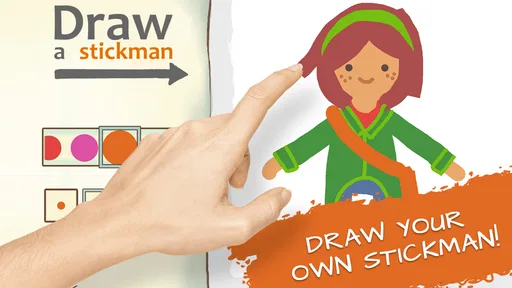
When I first opened Draw a Stickman: EPIC 2, I was greeted with a blank canvas and a set of drawing tools that let me sketch my very own stickman hero. Imagine that! You’re not confined to pre-designed characters; you get to create your protagonist. With a few swipes, I drew what was supposed to be a knight but looked more like a potato with a sword. But hey, that’s the charm of it!
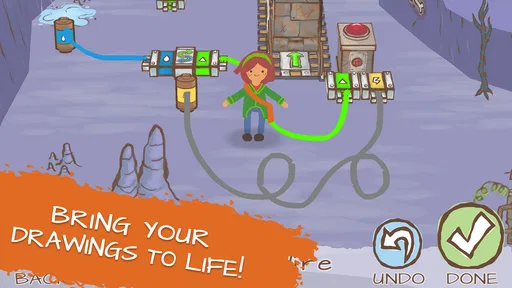
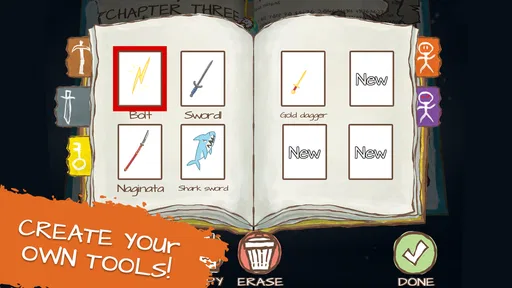
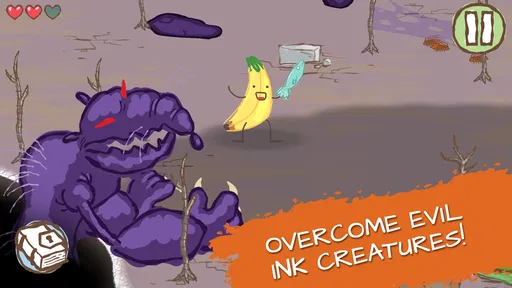
The game takes your drawing and plops it into a vibrant world full of challenges and obstacles. It’s like being the director of your own animated adventure. You’ll find yourself drawing tools and weapons to overcome puzzles and enemies. Need a sword? Just draw it. Need a key? Sketch it out. It’s all about using what you create to solve problems, and that’s pretty darn satisfying. The trick is to treat a drawing as a tool for solving the situation rather than as a test of artistic skill. I’d start with a simple shape, see how the game responds, then add detail only if it helps me think through the puzzle. That keeps experimentation quick and makes the central idea accessible even when my sketches look rough.
A world that rewards curiosity
One thing that really stands out in this game is its story. You’re not just drawing aimlessly; there’s a plot that keeps you hooked. Your stickman goes on a journey through different levels, each more challenging and creative than the last. The game keeps introducing new elements, keeping boredom at bay. You’ll find yourself immersed in this hand-drawn world, eager to see what’s next.
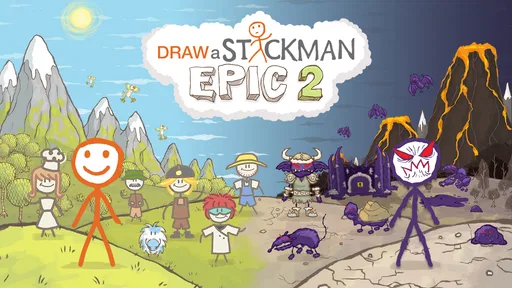
And let’s talk about those graphics. They have this charming, hand-crafted feel that’s both simple and beautiful. The colors are vibrant, and the animations are smooth. It’s like a children’s book coming to life, and it’s hard not to get sucked into its charm. That look suits the loose drawing premise: a polished, realistic style would make a lopsided hero feel out of place, while this illustrated world makes imperfect doodles feel at home.
More From Our News Desk

 Gmail
Gmail in a Busy Inbox: Who Benefits Most?
From first account to crowded workday, Gmail earns its place through dependable search and flexible sorting—but its best fit depends on how much inbox maintenance you can tolerate.

 Prime Video
Switching to Prime Video: What Changes in Your Viewing Routine
Prime Video can make a compelling second home for streaming, but switching means learning a different catalog, rental layer, and route from browsing to playback.

 Universal TV Remote Control
 Works Best as a Reliable Backup
A phone remote earns its place through quick setup and reliable habits. Here is how to get more from Universal TV Remote Control—and where its limits show.

 Weather - By Xiaomi
Weather by Xiaomi Review: Clear at a Glance, Less Clear Up Close
Xiaomi’s weather app makes everyday forecasts quick to scan, but its calm surface can leave useful details and recovery paths harder to find than they should be.

 X
X Under Pressure: Can It Recover When Posting Goes Wrong?
A resilience-focused review of X, examining setup, mistaken posts, interruptions, weak connections, and the gaps that matter when recovery needs to be dependable.

 Clash of Clans
 Is Won Between the Battles
Its raids are quick; its community is a long-term project of coordination, teaching, rivalry, and shared responsibility—with all the friction that entails.
Latest News



Small experiments, better puzzle-solving
When I get stuck, I try to make the next drawing simpler rather than more elaborate. A clean outline is easier to judge than a detailed sketch, and it helps me tell whether my idea is wrong or whether I simply made the drawing difficult to interpret. I also pause to look at the obstacle before drawing: the most useful object is usually the one that answers the problem in front of me, not the one that looks most impressive.
That approach makes the game’s trial and error feel purposeful. I can change one part of an idea at a time and learn from the result instead of redrawing everything in a rush. It is a small habit, but it makes the creative mechanic less frustrating, especially for players who are used to games where the correct move is obvious from the start.
Play at your own pace
What’s really cool about Draw a Stickman: EPIC 2 is how interactive it is. It’s not just about drawing; it’s about drawing with a purpose. The puzzles are clever and often require a bit of lateral thinking. And the best part? There’s no wrong way to play. Your stickman can be as basic or as elaborate as you want.
I found myself experimenting with different sketches and solutions, and the game encourages this kind of creative play. It’s perfect for anyone who loves to think outside the box or just needs a break from the usual tap-and-win mobile games. On a short break, I’d treat one puzzle as a small creative challenge rather than aim to race through a whole adventure. That makes it a good fit for a relaxed few minutes, especially if I’m sharing the screen with a child who wants to suggest what the hero should draw. The trade-off is that people who dislike trial and error may find open-ended solutions less clear than a puzzle with one obvious answer.
A good fit for an ordinary short break
One realistic way I’d use it is during a wait when I have a little time but don’t want to start a long, demanding session. I can focus on a puzzle, make a sketch, and decide whether I want to keep exploring or put the game down. The drawing itself becomes part of the break: I might ask a child to invent a tool, or simply see whether a plain shape solves the immediate problem. It works best when I’m willing to be curious rather than impatient.
That doesn’t mean every session will feel equally smooth. If I’m playing one-handed, in a hurry, or trying to concentrate on something else, the act of drawing may be less convenient than a game built around a few large buttons. A stylus can make sketching feel more natural, but I can also use a finger; either way, the appeal is the idea, not producing neat artwork. I’d choose another game for a commute where I need to react quickly or frequently pause mid-action.
What its release history does—and doesn’t—tell me
As an adventure game from Hitcents, it has a more personal feel than many mobile adventures built around fixed heroes and repeated combat. The current version is 1.5.8, and the game first arrived on January 8, 2016, so it is an established release rather than a brand-new experiment. That history is useful context, but I would not treat a version number by itself as proof of a particular change or promise of future support. For someone already playing, the practical question is whether the drawing-and-puzzle loop still feels enjoyable on their device; for a newcomer, the basic premise remains the clearest reason to try it.
For existing players, an installed game’s version can help identify what they are running, but it doesn’t tell me how any particular update affected their save or changed a puzzle. I’d make sure the game is current through the relevant app store before troubleshooting, then judge it by how it behaves on my own device. If I’m returning after a break, I’d also ease back in with a puzzle I can approach patiently instead of expecting the first session to feel instantly familiar.
How it differs from familiar mobile adventures
Many mobile adventure games make their appeal clear through movement, combat, collection, or a set path of objectives. This one asks me to bring an idea to the screen: the drawing is part of how I engage with a challenge, not just a decorative flourish. That makes it feel more like a sketchbook puzzle adventure than a standard action game. It also creates a trade-off: the same freedom that makes a clever solution feel personal can be less satisfying than a clear, repeatable move in a tightly designed platformer.
Compared with a drawing app, it is much more guided by adventure and puzzles; I’m not opening a blank page simply to make finished artwork. Compared with a traditional puzzle game, it gives me more room to try my own visual answer. I’d pick it when I want playful interaction and an illustrated story, but choose a dedicated art app for serious drawing practice or a conventional puzzle game when I want rules and solutions to be more explicit.
Where it fits—and where it doesn’t
The game is free to start, carries an Everyone age rating, and includes optional in-app purchases priced from $0.99 to $99.99 per item. It has an average rating of 3.8 from around 377,000 ratings, with roughly 21,000 written reviews and over 10 million installs. Those figures suggest a widely tried game with mixed opinions, not a guarantee that every player will enjoy its pace. I’d approach the purchase prompts carefully, particularly if a child is playing, and check the device’s purchase settings before handing it over. Its minimum operating system is Android 5.1.
The free starting point makes it easy to see whether the drawing mechanic suits me, but I’d still treat purchases as a separate decision rather than part of the game’s basic appeal. If a child is using the device, I’d set purchase protections beforehand and stay nearby if a prompt appears. The Everyone age rating makes it suitable for a broad audience, yet it doesn’t replace a parent’s judgment about screen time or how a particular child responds to a game.
The 3.8 average and the large number of player responses are a reminder that a popular concept can still divide people. I can see why: players who enjoy inventing solutions may find the looseness refreshing, while those who prefer clear instructions could read the same moments as uncertainty. I’d use the rating as a reason to set expectations, not as a verdict. The best test is whether I like drawing to solve a problem rather than simply choosing from a menu of moves.
Compared with a conventional platform adventure, this one asks me to invent a response instead of relying only on jumping, attacking, or selecting a preset item. That freedom is its strength, but it can also make progress feel less direct: if I want crisp action or carefully guided puzzle logic, a more traditional adventure is probably a better match. If I want a playful change of pace, though, the drawing mechanic gives each obstacle a personal touch. I’d recommend it most to curious players, families looking for a shared imaginative activity, and anyone who doesn’t mind a little trial and error.
What I’d watch for as I keep playing
For a new player, the main question is whether the first few drawing challenges feel inviting or like guesswork. I’d give the idea time to click, but I wouldn’t force myself through it if I consistently want more direct guidance. For someone returning, I’d pay attention to whether the current version runs comfortably on their device and whether the core loop still feels fresh; the version number alone can’t answer either question.
I’d also watch how comfortably the game fits the way I actually play. If I tend to hand my phone to a child, purchase settings matter; if I want a game for quick pauses, I’d see whether I enjoy stopping between puzzles; and if I want a demanding action challenge, I’d choose something built around that instead. Those are practical differences, not faults that every player will experience in the same way.
So, if you’re looking for a game that’s not only fun but also lets you flex your creative muscles, give Draw a Stickman: EPIC 2 a try. It’s a delightful mix of creativity, adventure, and puzzle-solving that’s sure to entertain both kids and adults alike. Grab your stylus, or just your finger, and start drawing your adventure today!
Draw a Stickman: EPIC 2 Frequently Asked Questions
How much storage space should I have before downloading Draw a Stickman: EPIC 2?
It is sensible to make sure your device has enough free storage for the game and its installation process before you begin. The amount of space an app uses can vary with device and app updates, so check the download page on your phone or tablet for its current size. Keeping some extra room free can also help avoid interruptions during installation.
Can I play Draw a Stickman: EPIC 2 with a touchscreen?
Yes, the game is designed for mobile play, and its drawing-based approach naturally suits a touchscreen. You create a stickman and draw as part of the adventure, so using a finger or compatible stylus lets you interact directly with the game. If drawing on a small display feels awkward, trying it on a larger phone or tablet may be more comfortable.
Does Draw a Stickman: EPIC 2 require an internet connection?
Whether you need a connection can depend on what you are doing, such as downloading the game, installing updates, or accessing store features. The adventure itself is centered on drawing and puzzle-solving, which makes it appealing for casual play, but it is best to check the game’s current requirements on your device before relying on it offline. A connection is needed for the initial download.
Is Draw a Stickman: EPIC 2 a good choice for players who enjoy puzzles?
It may suit players who like puzzles with a creative twist. The adventure asks you to draw characters and objects, then use those drawings as part of your interactions with the game world. Rather than relying only on conventional controls, it encourages experimentation and problem-solving. If you enjoy figuring things out through hands-on play, that mix is a major part of its appeal.
Who is the developer of Draw a Stickman: EPIC 2?
Draw a Stickman: EPIC 2 was developed by Hitcents. The game’s central hook is creative interaction: you draw a stickman and use drawings during an adventure. Knowing the developer may help when searching for the title in an app store, where the name and developer can help distinguish it from other games with similar wording.
Pros
- Creative and engaging gameplay
- Wide variety of tools and colors
- Challenging puzzles enhance skills
- User-friendly interface
- Regular updates with new levels
Cons
- In-app purchases can be expensive
- Occasional lag on older devices
- Some puzzles may be too difficult
- Limited free version content
- Requires internet for some features