Dorian: Comics Game Platform
- 1.22K
- 4.3
- Installs
- 1.00M
- Price
- Free

Screenshots




Analysis by Reviewed
I approach Dorian: Comics Game Platform as a creative playground rather than a conventional game with a single goal. Its appeal is the mix of making interactive stories, exploring other people’s work, and sharing your own. That combination suits anyone who enjoys comics but also wants to shape what happens, whether by building a small project or simply browsing for something new.
What the current version is built around
Dorian is a free simulation game from Dorian.live, and its current version is 3.32.0. It has a 4.3 average from around 8.9 thousand ratings, with more than a million installs. Those figures suggest a sizeable audience, but I’d treat them as a starting point rather than a promise that every story or community interaction will suit you.
The core idea is more creator-focused than a typical comic reader: you can make and share interactive comics, then explore work from other users. That makes it a better fit for someone who likes experimenting with story choices and presentation than for a reader who only wants a polished, linear comic library. If you prefer to consume stories without creating or browsing a social feed, a dedicated comic-reading app may feel more direct.
How the creative workflow feels
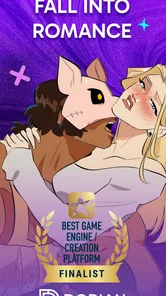
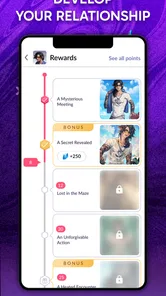
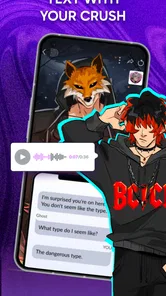
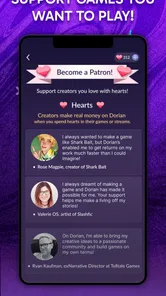
When I first opened up Dorian: Comics Game Platform, I was greeted with a vibrant and engaging interface. This app is all about empowering users to create and share their own stories in the form of interactive comics. Whether you're a seasoned writer or just someone who loves a good story, there's something here for everyone.
The app offers a wide array of tools to help you bring your stories to life. You can choose from various templates, characters, and scenes, making it easy to get started even if you're not an experienced artist. The drag-and-drop functionality is intuitive, allowing you to focus on what really matters – your story.
A useful way to approach a first project is to keep it small: sketch the main choice or turning point before arranging scenes, then use a template to get a feel for the workflow. This helps you test whether the editor matches how you think about stories without investing a long session upfront. I’d also consider how a scene reads on a phone screen as I build it; a clear sequence is easier to follow than trying to pack every idea into one moment.
For a realistic everyday use, imagine having a short break and wanting to make progress on a story rather than finish it in one sitting. You could work on a scene, leave the larger plot for later, and return when you have another idea. That kind of incremental creative habit is where a template-based editor can help. The trade-off is that arranging assets and choices still takes attention, so this is not necessarily the best fit when you only want a quick, passive game.
More From Our News Desk

Weather by Xiaomi Review: Clear at a Glance, Less Clear Up Close

X Under Pressure: Can It Recover When Posting Goes Wrong?

Clash of Clans Is Won Between the Battles

Android Auto Makes the Case for Quieter Car Software

MobiOffice: Transforming Mobile Productivity with Seamless Integration

EA SPORTS FC™ Mobile Soccer: Redefining Mobile Sports Gaming
Sharing, exploring, and choosing your pace
One of the standout features of Dorian is its community aspect. Once you've created your masterpiece, you can share it with fellow users and get instant feedback. It's a fantastic way to connect with like-minded individuals and gain inspiration from their work. Plus, there's a sense of camaraderie in knowing that everyone is here to share their love for storytelling.
Browsing through the community's creations is like stepping into a whole new world. There's a diverse range of genres and styles to explore, and you're bound to find something that piques your interest. Whether you're into romance, fantasy, horror, or anything in between, the app has it all.
Who will enjoy it—and who may not
I’d recommend it most to people who like both sides of the experience: creating a story and seeing how other creators approach the format. If you’re a comics fan who wants to try writing, or a casual storyteller who doesn’t draw, the templates and ready-made visual elements lower the barrier to starting. It can also be a useful source of inspiration when you’re stuck on tone or genre, since browsing other users’ work gives you examples to react to rather than a blank page.
On the other hand, anyone looking for a tightly curated catalogue, a traditional level-based simulation, or a private writing notebook may prefer another option. Community publishing is part of the appeal, but it also means the experience depends partly on what you choose to explore and how much social interaction you want. I’d browse before committing to a long project, and keep expectations flexible about feedback: sharing opens the door to responses, but it doesn’t make any particular response guaranteed.
Compared with standard comic readers, Dorian gives more room to participate; compared with general-purpose writing tools, it brings stories into a visual, interactive format. Neither comparison makes it automatically better. A reader focused on finished, linear comics will likely be happier in a conventional reader, while someone drafting prose without visual scenes may find a plain writing app less distracting. Dorian sits between those uses, and its strengths are clearest when you want to create and explore in the same place.
Getting started, costs, and practical limits
Downloading and setting up Dorian is a breeze. It's available on both Android and iOS, so no matter what device you're using, you can jump right in. The app is free to download, but there are in-app purchases available if you want to unlock additional features and content. But don't worry, there's plenty to enjoy without spending a dime.
Purchases range from $0.99 to $99.99 per item, so I’d take a moment to check what a specific purchase includes before paying, especially if you’re still deciding whether the creative tools suit you. The free entry point makes it easier to test the basics first, while the wide span of item prices means it’s sensible to avoid treating every paid option as a small add-on. Dorian is rated Mature 17+, an important consideration if you’re choosing an app for a younger reader or creator.
Once you're in, creating your first comic is as simple as selecting a template and getting creative. The app guides you through the process, so you won't feel overwhelmed. And if you ever do get stuck, the community is just a tap away to offer advice and support.
One small but practical tip is to use browsing as research, not only entertainment: notice how creators introduce a character, make a choice understandable, or pace a scene. Then apply one observation to your own draft instead of trying to imitate a whole style. That turns the community into a learning resource and gives a new creator a clearer next step. For readers who prefer not to post, exploring can still be worthwhile, though the social side may matter less.
What its version history can—and can’t—tell you
The game launched on January 14, 2021, and the current version number shows that it has continued to receive version updates. That is useful context for someone considering an app they may return to over time, but a version number by itself doesn’t tell me which tools changed or whether a specific workflow has improved. I’d judge the present experience by trying a small project and checking whether the current editor fits your habits, rather than assuming an update has resolved every possible friction point.
For existing users, the practical question is whether the app still supports the way they like to create and discover stories. If you already have a routine, the best test is to open a familiar project, try a new scene, and see whether the current interface feels comfortable before changing your workflow. For newcomers, the same cautious approach works: explore first, then decide whether to invest time or money. What I’d watch in future versions is how clearly the app communicates changes that affect creation, sharing, or paid content; those details matter more to users than a version number alone.
Making the most of a first visit
I’d begin by treating the first session as a tour rather than a commitment. Look at a few different stories, not only the first one that catches your eye, and pay attention to how much interaction each asks from you. That gives you a better sense of whether you want to read casually, study the format, or start building. It also helps separate the appeal of a particular creator’s work from the broader experience of making and exploring comics here.
If you’re coming in with a story idea, write down its central decision in a sentence before opening the editor. A focused premise makes it easier to choose a template and decide what the reader needs to see first. I’d keep the opening scene especially clear: if someone cannot understand the situation before reaching a choice, extra visual detail may not help. This is a simple way to make a first draft easier to finish and easier for another person to follow.
For someone who mainly wants to read, a practical test is to browse for a few minutes and see whether the available stories hold your attention without the urge to create. If they do, the social and creator tools can remain optional. If browsing feels like work because you want a dependable sequence of finished comics, a conventional reader is probably the more comfortable daily choice. Dorian’s flexibility is valuable, but it asks you to choose your own path through the experience.
How it fits different routines
The app is at its best when a person has a little time and a specific creative or discovery goal. During a commute or a quiet evening, I might read a short piece and save an idea for a scene to try later; during a longer session, I could focus on arranging a sequence and checking whether its choices make sense. The useful distinction is that reading and making call for different kinds of attention. Switching between them can be energizing, but it can also scatter focus if you open the app without knowing which one you want.
For a new creator, I’d use a small draft as a test of both the tools and my own interest. Make a beginning, one meaningful decision, and a clear outcome before planning a sprawling plot. If that short experiment feels enjoyable, it is a good sign that the visual format suits you. If the work of arranging scenes outweighs the pleasure of writing, that is useful to learn early; a notes app or a conventional writing tool may be a better place to develop the story before adapting it.
Creators who already draw or write may also want to think about what they expect from the platform. Dorian’s appeal is not simply that it hosts a story, but that it places creation and community discovery together. That can make feedback and inspiration part of the process, yet it is not the same as a private drafting space or a professional publishing workflow. I’d choose it for experimenting and sharing, not as a substitute for every tool involved in a larger creative project.
Audience, spending, and expectations
The Mature 17+ rating matters beyond age selection: it is a reminder to think about the audience and themes that may appear in community-created work. I would not hand it to a younger comic fan as though it were a children’s reading app. For an adult choosing it for personal use, the rating is still a reason to make deliberate choices about what to browse and share, particularly when exploring a broad mix of user-made stories.
It is also worth separating access to the app from the decision to spend. Since it is free to start, I’d explore the creative process before considering any purchase. If a paid item catches your attention, check its contents and relevance to the project you actually want to make instead of buying on impulse. The range from under a dollar to nearly a hundred dollars per item makes that pause sensible, especially for a newcomer who has not yet settled into a routine.
Another question readers often have is whether they need to be confident artists or experienced writers. The templates and visual elements make it more approachable for people who do not draw, while a concise idea and a willingness to experiment matter more than starting with a polished script. Still, the app’s ease of entry should not be confused with automatic storytelling quality: a template can help with presentation, but the creator must make the sequence and choices understandable.
What I would keep an eye on
Version 3.32.0 gives existing users a concrete sense of the app’s current state, while its January 2021 release places it in a longer-running product life. Neither fact tells me what will change next, so I would avoid assuming that a future update will add a particular tool or fix a particular frustration. What matters in practice is whether the editor remains comfortable for your own projects and whether the stories you find continue to make browsing worthwhile.
When deciding whether to return after a break, I’d check the parts that affect my own use: whether I can pick up a draft without rethinking my whole workflow, whether browsing still surfaces stories I want to read, and whether purchase choices are clear enough to make deliberately. Those are more useful signals than chasing a version number alone. For a creator, clear communication around changes to creation and sharing can matter just as much as new options.
For a casual reader, the key question is simpler: does the interactive format make stories more engaging, or do you mostly want to turn pages without choices and community features? There is no wrong answer. Dorian makes the most sense when participation is part of the fun; a straightforward comic app is the better match when you want a quiet, predictable reading library.
Final Thoughts
In a world where creativity knows no bounds, Dorian stands out as a fantastic tool for storytellers of all levels. It's more than just an app; it's a community of creators ready to welcome you with open arms. If you're looking to unleash your inner storyteller and connect with others who share your passion, I highly recommend giving Dorian a try.
So, what are you waiting for? Download Dorian today and start your storytelling journey!
Dorian: Comics Game Platform Frequently Asked Questions
Is Dorian: Comics Game Platform suitable for all ages?
Dorian is rated Mature 17+, so it is intended for adult users rather than younger readers. Keep that age rating in mind before downloading, especially if the app will be used on a shared device or by a teenager. The platform centers on comics, games, and community-created material, so its rating is an important part of deciding whether it is appropriate for you.
What is Dorian: Comics Game Platform and how does it work?
Dorian is a unique platform that combines the creativity of comic creation with the interactive elements of gaming. Users can create their own comics, add interactive elements, and share them with the community. The platform supports user-generated content, allowing creators to monetize their work through fan engagement. It’s both a creative outlet and a community hub for comic enthusiasts. Dorian is a simulation game developed by Dorian.live, with a focus on playing, streaming, and creating games.
Is Dorian: Comics Game Platform free to use?
Dorian is free to download and use. However, it offers in-app purchases and subscriptions for enhanced features, such as premium tools for creators and exclusive content. These options enable users to unlock additional capabilities and support their favorite creators. While you can enjoy many features for free, exploring the premium options can enrich your experience. In-app purchases range from $0.99 to $99.99 per item, so review any purchase prompt before confirming it.
What devices are compatible with Dorian: Comics Game Platform?
Dorian is available on both Android and iOS devices, ensuring a wide range of compatibility. The app requires Android version 8.0 and up, or iOS 11.0 or later. This allows most smartphone and tablet users to access the platform seamlessly. Ensure your device meets these requirements to enjoy a smooth user experience.
How can I create and publish my own comics on Dorian?
Creating and publishing comics on Dorian is straightforward. Users can start by selecting a template or creating from scratch using the app’s intuitive tools. Once your comic is ready, you can publish it directly on the platform, where others can read, interact with, and even share your work. Dorian also offers tutorials and community support to help you on your creative journey.
Pros
- Immersive storytelling experience.
- Wide variety of genres available.
- Easy-to-use interface.
- Regular updates with new content.
- Interactive community features.
Cons
- Requires stable internet connection.
- Some content behind paywall.
- Ads can be intrusive.
- Limited offline capabilities.
- Occasional bugs in app.










