Cooking Dash
- 38.91K
- 4.0
- Installs
- 10.00M
- Price
- Free

Screenshots



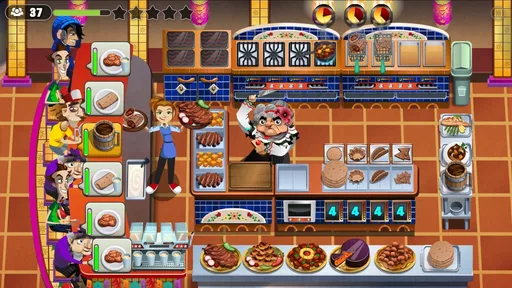
Analysis by Reviewed
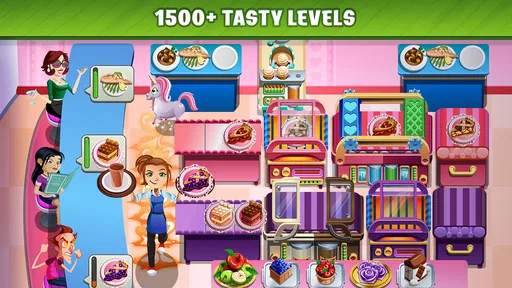
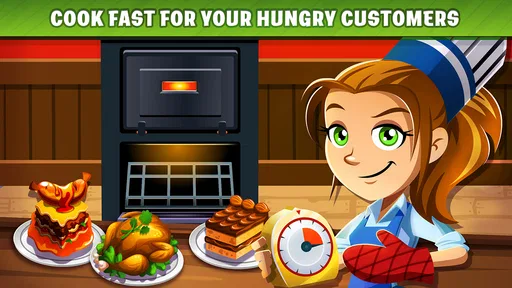
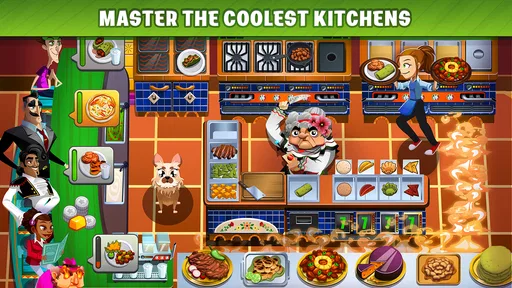
I approached Cooking Dash as a quick, approachable cooking game rather than a serious kitchen simulator, and that distinction matters from the first minute. It is built around the fantasy of serving food under pressure, making fast decisions, and gradually feeling more capable as the pace rises. The basic appeal is easy to understand: you prepare orders, keep customers moving, and try to turn a hectic service into a successful one.
That makes it a natural fit for short sessions. I can imagine opening it while waiting for an appointment, taking a break from work, or relaxing for a few minutes in the evening. It does not ask me to learn complicated controls before I can enjoy it. At the same time, the simple presentation hides a useful challenge: success depends less on tapping randomly and more on recognizing the order of tasks, avoiding delays, and staying calm when several things need attention at once.
Developed by Glu, this free casual game has reached over 10 million installs and holds a 4.0 average from around 459 thousand ratings. Those figures suggest that its fast service format has found a substantial audience, but they also set a reasonable expectation: this is a familiar, accessible mobile game designed for broad appeal, not a deep culinary simulation for players who want detailed recipes or realistic restaurant management.
What the first few minutes feel like
The opening experience is intentionally direct. I am not looking for a long tutorial or a complicated character build here; I want to understand what the game expects me to do and get a small win quickly. Cooking Dash works best when I treat each round as a sequence of priorities. An order arrives, I identify what it needs, I complete the relevant actions, and I try not to let the whole line become disorganized.
For a first-time player, the most reassuring part is that the central idea is immediately readable. You do not need prior experience with restaurant games to understand the goal. The pressure comes from timing rather than from obscure rules. If you make a mistake, the useful response is usually to examine the sequence of your actions instead of assuming that the game is too difficult.
The casual category is a good description because the game can be enjoyed without committing to a long uninterrupted session. However, “casual” does not mean every moment is effortless. Later service situations can demand more attention, especially when several customers or preparation steps compete for the same moment. I found that the game is most satisfying when I give it a few focused minutes rather than playing while distracted by another task.
The store summary, “COOK YOUR WAY TO STARDOM!”, communicates the broad theme, but the practical experience is less about becoming a chef in a realistic sense and more about managing a tiny, increasingly busy service routine. That difference is helpful to understand before installing it. If you want a relaxing game with no time pressure at all, this may occasionally feel too hurried. If you enjoy compact challenges that reward quick reactions, the pace is part of the attraction.
More From Our News Desk

Weather by Xiaomi Review: Clear at a Glance, Less Clear Up Close

X Under Pressure: Can It Recover When Posting Goes Wrong?

Clash of Clans Is Won Between the Battles

Android Auto Makes the Case for Quieter Car Software

MobiOffice: Transforming Mobile Productivity with Seamless Integration

EA SPORTS FC™ Mobile Soccer: Redefining Mobile Sports Gaming
Getting started without overthinking the setup
The game is free to download, so the initial decision is simple: you can try the core experience without paying an entry fee. It is rated for Everyone, which makes the presentation broadly approachable. I would still explain to younger players that optional in-app purchases range from $0.99 to $99.99 per item, because a free download can still include spending choices. That conversation is especially sensible on a shared device.
Cooking Dash requires Android 7.0 or later, and the current version is 2.28.1. On a compatible phone or tablet, I would begin with a short session rather than trying to complete a large amount of progress immediately. The first goal should be simple: learn how orders are presented, discover which actions can be performed while another task is underway, and notice what causes customers to wait.
I also recommend starting with sound at a comfortable level if you are playing at home. Audio cues can make a busy round easier to follow, but they are not a substitute for watching the screen. In a public place, playing silently is perfectly workable, although visual attention becomes more important because you lose any indication that might otherwise alert you to a completed action or a new demand.
One useful habit is to resist spending anything during the opening minutes. First find out whether the rhythm suits you. A player who enjoys the basic service loop will have a much clearer idea of which optional purchase, if any, feels worthwhile later. A player who dislikes timed multitasking will discover that early, without having paid to make the experience more comfortable.
Your first meaningful success is about order, not speed
My first practical tip is to think in queues rather than isolated taps. When an order appears, do not immediately chase the most visually obvious action. Look at the complete request, decide which step takes the longest or blocks another step, and begin there. This small change in thinking makes the round feel less frantic and gives you a better chance of serving several customers in a sensible rhythm.
A second tip is to watch for moments when the game allows preparation to overlap with service. Even without treating the kitchen like a spreadsheet, you can often improve a round by starting a necessary task before the previous customer has completely left your attention. The important trade-off is risk: moving too quickly can create a wrong item or leave another order neglected. Efficiency only helps when it remains accurate.
For a realistic everyday scenario, imagine playing on a short train ride with enough time for one or two rounds. I would begin by checking the first orders, identify the action that could cause the biggest delay, and keep my attention on the customer line rather than tapping ahead blindly. If the round becomes crowded, I would slow down for a second, re-read the visible requests, and recover the sequence. That pause is often more useful than frantic tapping.
My third tip is to treat a failed round as information. Ask whether the problem came from starting tasks in the wrong order, overlooking a customer, or trying to play faster than the interface allowed. This is more productive than simply repeating the same pattern. Cooking Dash rewards small adjustments, and the improvement can feel surprisingly clear when you compare one attempt with the next.
The first successful action should therefore be more than completing a single order. It should be recognizing why the order worked. Once you understand that preparation, attention, and timing matter together, the game becomes less like a reflex test and more like a compact planning exercise. That is the point at which I think it starts to show its personality.
Where new players commonly get confused
The main source of confusion is the difference between seeing an order and being ready to complete it. A customer’s request may look simple, but the required actions still need to be handled in a sensible sequence. New players can easily focus on the item in front of them while another customer quietly becomes the more urgent problem. I found it helpful to scan the whole service area before committing to the next tap.
Another common mistake is assuming that faster input always produces better results. It does not. If you rush without checking what is already prepared, you can create a chain of small errors that takes longer to fix than a brief pause would have taken. The game feels fairer when I treat speed as something earned through familiarity rather than as the only objective.
It is also easy to misread the difference between a difficult round and a bad strategy. If a service becomes overwhelming, I would not immediately conclude that progress requires spending money. First, replay with a different order of actions. Try handling the longest preparation earlier, keep the line visible, and avoid switching attention every time a new request appears. Those changes can reveal whether the obstacle is genuinely beyond your current ability or simply a workflow problem.
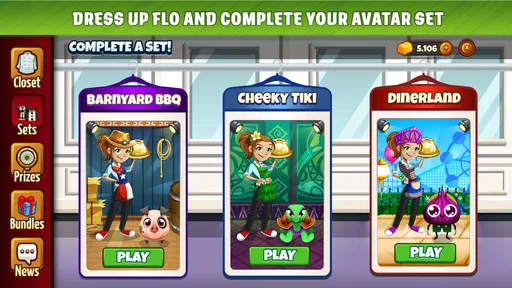
Players may also wonder whether the game is suitable for completely relaxed play. My answer is conditional. It is relaxing when I accept the short bursts of pressure and focus on improving one routine. It is not relaxing in the same way as a match-three game played with no timer or a decorative game centered on customization. The satisfaction comes from bringing order to a rush, not from removing the rush altogether.
The purchase system deserves a similarly practical explanation. Because the game is free, optional spending can be tempting if progress feels slower or a challenge becomes frustrating. I would set a personal limit before playing, especially on a family device, and judge the game on its unpaid rhythm first. The broad price range for individual purchases means that “free” should be understood as a way to begin, not as a promise that every possible shortcut costs nothing.
How it compares with other casual cooking games
Compared with a slower restaurant-management game, Cooking Dash puts more emphasis on immediate service decisions. You are not primarily designing a menu, decorating a dining room, or studying detailed ingredient economics. The appeal is the active moment when requests arrive and you must decide what deserves attention next. That makes it easier to pick up than a management-heavy alternative, but less satisfying for anyone who wants long-term business planning.
Compared with a purely reflex-based arcade game, it gives you more room to think. The best results do not come only from having quick fingers. Recognizing patterns, preparing in advance, and maintaining a sensible order of operations all matter. That extra layer gives the game more replay value than a simple tap-as-fast-as-possible challenge, although players who prefer calm, turn-based play may still find the pressure tiring.
It also differs from realistic cooking simulators. Those games may focus on recipes, equipment, measurements, or the physical behavior of ingredients. Cooking Dash is more interested in the drama of service and the feeling of keeping a busy kitchen under control. I would choose it for a quick, readable challenge, not to learn how to cook or to reproduce a real dish.
That positioning helps identify the right audience. It is a good choice for someone who likes short rounds, visible goals, and gradual improvement through better timing. It is less suitable for someone who wants a story-first experience, a long creative sandbox, or a game that can be played almost entirely without concentration. The category label is casual, but the most enjoyable sessions still ask for active attention.
Small habits that make later sessions smoother
Once the basic loop is familiar, I would create a simple mental checklist before each round. First, scan the requests. Second, identify any action that may hold up several later actions. Third, begin with a manageable order instead of chasing the newest one automatically. Finally, check the line after each completion. This routine sounds modest, but it prevents the most common form of chaos: losing awareness of what is waiting while concentrating on one task.
I would also avoid playing at the edge of my attention. Watching television, answering messages, or trying to play while walking makes the timing feel harsher than it really is. A focused session is not necessarily longer; even a few undistracted minutes can teach more than a distracted run through several rounds. That is particularly useful for first-time players who are still learning how the interface communicates progress.
Another trade-off is replaying a familiar situation versus always pushing forward. Moving ahead offers novelty, but repeating a challenging round can improve your workflow and make the next attempt feel controlled rather than lucky. I prefer alternating the two: replay when I know I made a strategic mistake, then continue once I can explain what changed.
If you are considering a purchase, I would wait until you can describe the exact frustration it would solve. Spending because a round feels busy is not automatically worthwhile. Spending may be more understandable for a player who already enjoys the game and wants a particular convenience, but the decision should come after learning the unpaid experience. The game is at its best when purchases remain optional to your enjoyment rather than becoming the reason you continue.
Who should install it, and who should skip it
I would recommend Cooking Dash to casual players who enjoy food themes, quick decision-making, and the satisfaction of turning a disorganized service into a smooth one. It is especially approachable for a first-time user because the main objective is easy to grasp, while the challenge grows through timing and prioritization rather than through a dense rulebook.
It can also work well as a shared, age-appropriate game when an adult has explained the in-app purchase options. The Everyone rating makes the presentation broadly accessible, but younger players may still need help understanding why a free game can display optional items with different prices. That is a device-management issue rather than a reason to dismiss the game’s basic play.
I would skip it if you dislike pressure, repeated attempts, or games that ask you to monitor several requests in a limited space. I would also choose a different category if your goal is to learn real cooking techniques, build a detailed restaurant empire, or explore a story with deep character development. Cooking Dash has a narrower purpose: it turns service rushes into short interactive challenges.
My recommendation after spending time with it
Cooking Dash succeeds because it gives a familiar fantasy a clear mobile shape. I do not need to understand a complicated system before I can serve an order, yet I can still improve by planning better and reacting less impulsively. That balance is the strongest reason I would recommend it to a friend who wants a free casual game for short sessions.
Its limitations are just as clear. The pressure will not suit everyone, and optional purchases mean I would approach it with a spending boundary already in mind. The game is also not a replacement for a serious cooking simulator or a deep management title. Its value comes from focused, repeatable service challenges, not from realism or unlimited creative freedom.
For a first-time user, my suggested path is simple: install it, play the opening rounds without buying anything, learn to scan orders before acting, and judge the experience by whether improving your sequence feels satisfying. If you enjoy that small moment when a busy service finally comes together, the game has enough immediate charm to earn a place in your casual rotation. If the timed workflow feels stressful rather than rewarding, you will know quickly that a slower alternative is a better fit.
Released on June 16, 2015, and still available as a free game, it has had plenty of time to establish its straightforward identity. I would describe it as an accessible cooking-themed challenge with more tactical timing than its simple premise first suggests. For me, the best sessions are not about tapping the fastest; they are about making the kitchen feel organized, one good decision at a time.
Cooking Dash Frequently Asked Questions
What does Cooking Dash offer players looking for a casual game?
Cooking Dash is a casual game built around the appeal of cooking your way to stardom. Its restaurant theme and quick, task-focused play make it a natural fit for players who want an accessible game they can pick up for a short session. The challenge comes from keeping service moving and meeting level goals, rather than learning complicated controls or systems.
How much storage space does Cooking Dash need, and will it run well on an older phone?
The minimum operating system requirement is version 7.0, so checking your device’s software version is a useful first step before downloading. Available storage and performance can vary by device and by the version installed. If you use an older phone or tablet, make sure it has room for the game and its updates, and close other demanding apps if performance feels sluggish.
Who developed Cooking Dash, and what kind of game is it?
Cooking Dash is a casual game developed by Glu. Its restaurant setting and straightforward controls make it easy to pick up, while the time-management format gives each level a brisk pace. If you enjoy games centered on serving customers, juggling tasks, and working toward level goals, its cooking theme offers a focused option for a quick play session.
What age rating does Cooking Dash have?
Cooking Dash is rated Everyone, and its colorful restaurant theme and non-violent gameplay make it approachable for a broad audience. Younger players may still benefit from adult guidance, particularly around optional purchases and any advertisements they encounter. Parents can also use their device’s parental controls to manage purchases and screen time according to their family’s preferences.
What is Cooking Dash, and how does the gameplay work?
Cooking Dash is a fast-paced time-management cooking game in which you prepare meals, serve customers, and keep a busy restaurant running smoothly. You take orders, cook several dishes, upgrade equipment, and try to maintain customer satisfaction while earning coins and completing level objectives. The gameplay is easy to understand, but later stages require quick decisions and careful planning.
Pros
- Fast-paced levels keep short play sessions exciting.
- Bright cartoon graphics make the kitchen action easy to follow.
- Many recipes and restaurant themes add variety.
- Simple controls are suitable for casual players.
- Upgrades help improve cooking speed and restaurant performance.
Cons
- Later stages can feel repetitive despite new restaurant settings.
- Energy or waiting systems may interrupt longer gaming sessions.
- Timed challenges can become stressful for younger players.
- Some upgrades and content may require in-app purchases.
- The game may use considerable battery during extended play.












