4Craft : Addons for MCPE
- 545.00
- 3.7
- Installs
- 10.00M
- Price
- Free

Screenshots
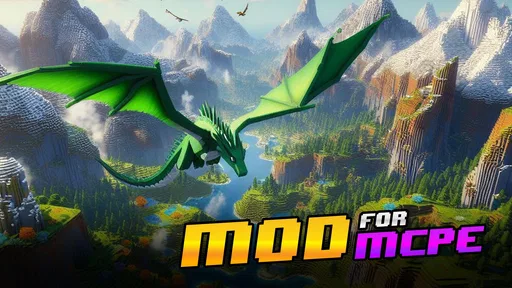
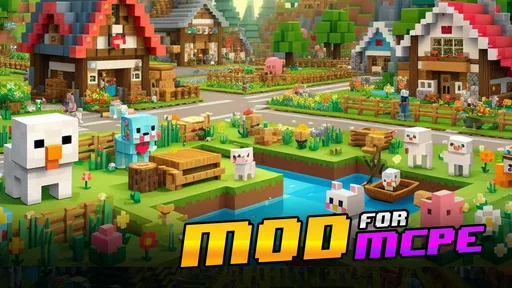
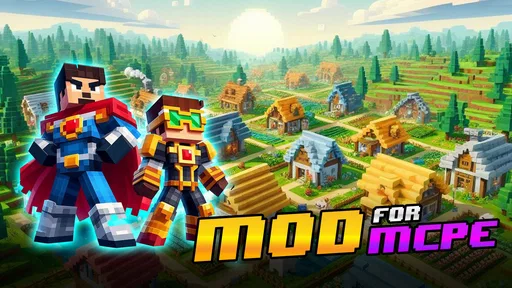
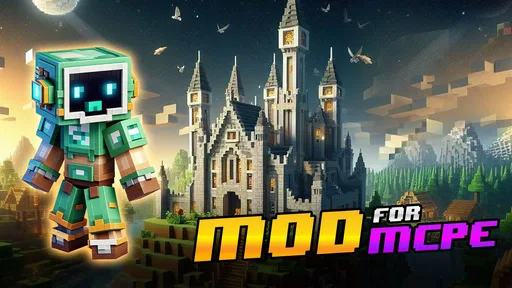
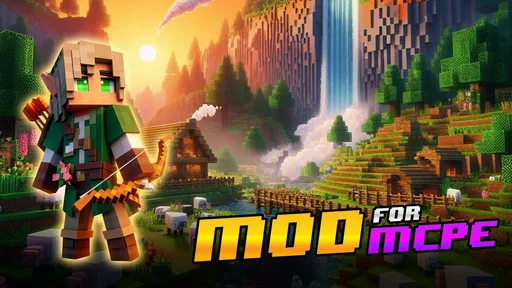
Analysis by Reviewed
When I consider 4Craft: Addons for MCPE, I start with the practical question: what does it cost to try? The adventure game is free to download, so you can explore it without paying upfront. It also offers in-app purchases priced from $14.99 to $43.99 per item. I’d treat those as optional spending rather than assume you need them to get started; check the price of any purchase carefully before confirming it.
What free access is useful for
The appeal is having a place to browse Minecraft Pocket Edition add-ons instead of searching through scattered sources. If you have a specific idea for a play session—a different look, a new map to explore, or a change to your world—you can use a collection app to look for something that fits. That can make discovery more convenient, though browsing choices still takes time, and an add-on’s presence in a catalog doesn’t automatically mean it suits the way you play.
For example, if I had a short stretch of free time after school or work, I’d decide on one small goal before opening the catalog: find a map to try, or look for a visual change for an existing world. Narrowing the search this way is more useful than downloading several items at once and then trying to remember which one changed the experience. I’d also keep my original world separate from experiments, so an unfamiliar add-on doesn’t become part of a save I care about.
Where the value comes with trade-offs
Compared with hunting for add-ons through general web searches, a dedicated collection can make browsing feel more focused. The trade-off is that you’re relying on what the app surfaces, while direct searching may offer a wider range of sources and more control over what you choose. If you already know exactly which add-on you want, going straight to a trusted source may be quicker. If you’re curious but undecided, a curated browsing experience is more appealing.
I’d approach installation as a small check rather than a blind tap: read the item’s description, make sure it matches your Minecraft version and intended world, and test one change at a time. That gives you a clearer sense of what worked if the result isn’t what you expected. It also helps keep troubleshooting manageable. The app may simplify finding and applying content, but it can’t remove every compatibility issue or guarantee that each add-on will behave the same on every setup.
Who is likely to get the most from it?
This is most promising for MCPE players who enjoy experimenting and don’t mind checking details before installing. It is less suited to someone who wants a single, tightly guided game with no setup decisions, or to a player who prefers to manage every file manually. Parents considering it for a younger player can note that its content rating is Everyone, while still keeping an eye on any optional purchases and on what is being installed.
The game is free, and the developer is Arireu. Its average rating is 4.5 from around 21,000 ratings, with over 5 million installs. It was released on September 5, 2021; version 1.9.0 requires Android 5.0 or later. Those figures suggest a sizeable audience, but they don’t replace checking whether a particular add-on fits your device, game version, and preferences.
More From Our News Desk

 Gmail
GmailGmail in a Busy Inbox: Who Benefits Most?
From first account to crowded workday, Gmail earns its place through dependable search and flexible sorting—but its best fit depends on how much inbox maintenance you can tolerate.

 Prime Video
Switching to Prime Video: What Changes in Your Viewing Routine
Prime Video can make a compelling second home for streaming, but switching means learning a different catalog, rental layer, and route from browsing to playback.

 Universal TV Remote Control
Universal TV Remote Control Works Best as a Reliable Backup
A phone remote earns its place through quick setup and reliable habits. Here is how to get more from Universal TV Remote Control—and where its limits show.

 Weather - By Xiaomi
Weather by Xiaomi Review: Clear at a Glance, Less Clear Up Close
Xiaomi’s weather app makes everyday forecasts quick to scan, but its calm surface can leave useful details and recovery paths harder to find than they should be.

 X
XX Under Pressure: Can It Recover When Posting Goes Wrong?
A resilience-focused review of X, examining setup, mistaken posts, interruptions, weak connections, and the gaps that matter when recovery needs to be dependable.

 Clash of Clans
Clash of Clans Is Won Between the Battles
Its raids are quick; its community is a long-term project of coordination, teaching, rivalry, and shared responsibility—with all the friction that entails.
Latest News



What I’d check before a first session
I’d begin by thinking about where I want the add-on to take me, rather than browsing without a plan. A player who wants a fresh place to explore can look specifically for maps; someone who likes familiar worlds may be more interested in a change that affects how an existing session looks or feels. This distinction matters because adding content is not automatically an improvement. The best choice is the one that suits the time and kind of play I actually have in mind.
For a practical first run, I’d pick one item, read its description all the way through, and note any stated requirements before trying to use it. Then I’d test it in a world I can afford to treat as an experiment. If something behaves unexpectedly, I can narrow the cause to that one change instead of having to untangle several new additions at once. That simple habit is more useful than trying to troubleshoot after a large batch of downloads.
A useful question is whether an add-on is intended to change a world I already care about or whether it makes more sense to start a separate one. I’d avoid treating those choices as interchangeable. Keeping a test world distinct gives me room to explore without turning a favorite save into a troubleshooting project. It also makes it easier to decide whether the new content is something I want to keep using, rather than something I installed just because it looked interesting in a listing.
How it compares with other ways to find content
Against browsing general search results, a collection app can reduce the effort of figuring out where to start. That is especially helpful when I have a broad idea but no particular creator or add-on in mind. The compromise is that convenience and control are not the same thing: searching independently can make it easier to compare sources, while a collection narrows the experience to the material it presents. I’d choose the app for discovery and a known, trusted source when I already have a specific target.
It also isn’t a substitute for Minecraft itself. Its appeal is in helping players find additions to their MCPE experience, not in replacing the main game or deciding what kind of world they should enjoy. If I want a complete, guided adventure that starts as soon as I open an app, this is the wrong sort of choice. If I already enjoy Minecraft and want to explore ways to customize a session, browsing a collection is a more natural fit.
Compared with handling files manually, a collection-oriented approach may feel less intimidating to someone who has never looked for add-ons before. But a simpler route does not remove the need to read descriptions or think about compatibility. Players who prefer direct control over every file and source may be happier managing that process themselves. For a newcomer, the value is less about avoiding all decisions and more about having a focused place to begin making them.
Small habits that make experimentation easier
I would keep a brief note of what I tried and which world I used, especially if I test more than one item over several sessions. It does not need to be a formal log; remembering the name and purpose of a change is enough to make later troubleshooting less confusing. When a world feels different after an experiment, I can check what I changed rather than guessing. This is a modest workflow, but it prevents a casual browsing session from becoming a muddle.
I’d also resist installing something solely because its title sounds exciting. The description is where I would look for what the content is meant to do and whether it matches my goal. If I can’t tell how it will fit into the session I want, I’d leave it for later and choose something clearer. That approach helps me spend less time sorting through mismatched choices and keeps the experience centered on actually playing.
For a shared device or a younger player, I’d make the first exploration a joint one. The Everyone rating is useful context, but it doesn’t tell me whether a particular add-on is appropriate for every household or whether an optional purchase is wanted. I’d look over the item and any purchase prompt together, set expectations about spending, and make sure the player understands which world they are changing. That is a more practical safeguard than assuming a general age rating answers every question.
When the catalog may not be the right fit
Someone who dislikes browsing, setup choices, or experimenting should probably skip this and stick to the standard Minecraft experience. The same is true for a player who has already identified an add-on and would rather go directly to a source they trust. In those situations, a collection can add an extra step instead of saving time. I see its strongest role as helping curious players discover possibilities, not as a required companion for everyone who plays MCPE.
There is also a difference between finding an add-on and knowing it will work exactly as hoped. Compatibility can depend on the player’s Minecraft version and setup, so I wouldn’t treat a listing or an easy installation path as a guarantee. If a particular world is important, I’d keep it untouched until I have tested the content elsewhere. Players who need predictable, unmodified sessions may get more enjoyment by leaving add-ons out entirely.
Unleashing Creativity with Addons
The first thing that caught my eye with 4Craft: Addons for MCPE is its extensive collection of mods and addons. Whether you're looking to add new skins, maps, or mods that bring a whole new dimension to your Minecraft world, this app has got it all. The user interface is incredibly intuitive, making it super easy to navigate through the vast library of options.
Seamless Integration
Now, let's talk about integration. One thing I absolutely loved is how seamlessly these addons integrate with Minecraft PE. You don't have to be a tech wizard to figure it out. With just a few taps, you can install your favorite addons and start playing right away. It's perfect for those of us who might not be the most tech-savvy but still want to enjoy a customized gaming experience.
Another feature worth mentioning is the regular updates. The app developers are constantly adding new content, so there's always something fresh to try out. This keeps the excitement alive, as you never know what new addon might become your next favorite.
Community Engagement
What's even better is the sense of community that comes with using this app. Users can share their creations, rate addons, and even leave feedback for developers. This interactive element ensures that the app is continuously improving and evolving based on user input. It feels like being part of a larger Minecraft family where everyone contributes to making the game more enjoyable.
One standout aspect is the support for multiple languages, which broadens the community even further. No matter where you're from, you can join in on the fun and share your creations with players from around the globe.
Final Thoughts
In conclusion, 4Craft: Addons for MCPE is a must-have for any Minecraft PE player looking to enhance their gameplay. Its user-friendly design, coupled with a vast array of addons and a thriving community, makes it a standout app in the world of Minecraft modifications. Whether you're a seasoned player or just starting out, this app offers something for everyone. So, go ahead, give it a try, and let your creativity run wild in the blocky world of Minecraft!
4Craft : Addons for MCPE Frequently Asked Questions
Does 4Craft: Addons for MCPE replace Minecraft Pocket Edition?
No. 4Craft is an app for finding Minecraft Pocket Edition content, not a standalone replacement for Minecraft. You’ll need Minecraft Pocket Edition to use the addons and other creative content you choose. If you already play MCPE and want to explore ways to customize it, 4Craft may be a useful companion; if you’re looking for a separate game to play on its own, it may not suit that purpose.
Can I use 4Craft: Addons for MCPE on an iPhone or iPad?
4Craft: Addons for MCPE is available for Android devices running Android 5.0 or later. The app is intended for players looking for Minecraft Pocket Edition content rather than a standalone replacement for Minecraft. If you’re deciding whether to download it, first check that your device runs a compatible Android version and that you have Minecraft Pocket Edition available for using the content.
What kinds of Minecraft content can I find in 4Craft?
4Craft: Addons for MCPE is a comprehensive app designed to enhance the Minecraft Pocket Edition (MCPE) gaming experience by offering a wide variety of addons, mods, maps, textures, and skins. It's an essential tool for Minecraft enthusiasts who wish to personalize and expand their gameplay with unique and creative content.
Who develops 4Craft: Addons for MCPE, and what kind of game is it?
4Craft: Addons for MCPE is an adventure game app developed by Arireu. It is centered on collections of content for Minecraft Pocket Edition, giving players a way to explore options for changing their game experience. If you enjoy discovering new ways to customize Minecraft, the app’s focus on mods and related creative additions may make it worth considering.
What devices can run 4Craft: Addons for MCPE?
4Craft: Addons for MCPE is available for Android devices running Android 5.0 or later. Before downloading, check your device’s Android version in its settings to make sure it meets that requirement. The app is free to download, though some optional in-app purchases are available. It is intended for players looking for Minecraft Pocket Edition content rather than a standalone replacement for Minecraft.
Pros
- Wide range of addon options.
- User-friendly interface.
- Regular updates with new content.
- Seamless integration with MCPE.
- Supports all MCPE versions.
Cons
- Some addons require payment.
- Occasional bugs in addons.
- Ads can be intrusive.
- Not all addons are high quality.
- Limited offline functionality.