Seamless Pattern Color
- 63.00
- 5.0
- Installs
- 50.00K
- Price
- Free
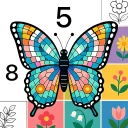
Screenshots
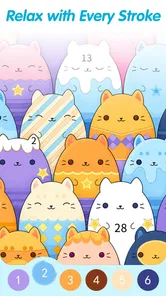
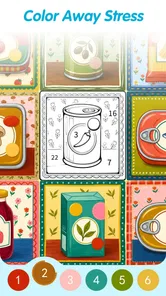
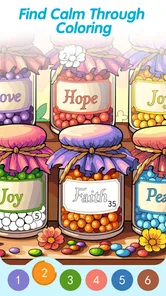
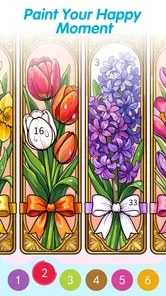
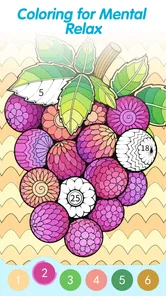
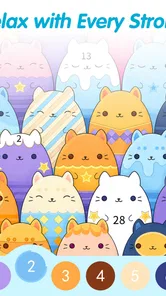
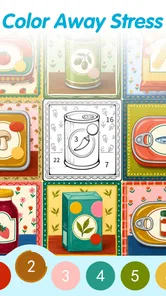
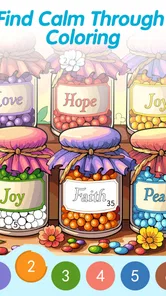
Analysis by Reviewed
I found Seamless Pattern Color to be a surprisingly focused casual game: it takes the familiar color-by-number idea and builds the experience around repeating visual patterns rather than isolated pictures. That distinction matters. Instead of simply filling a single illustration and moving on, I spent time watching small sections become part of a larger, continuous design. The result is quiet, methodical, and much more about visual rhythm than speed.
My overall view is clear: this is a good choice when I want a low-pressure activity that occupies my hands without demanding constant attention. It is less convincing for anyone looking for a traditional puzzle game with strategy, story, competition, or a strong sense of progression. The appeal is in the act of coloring itself, and the seamless artwork gives that act a more polished identity than many ordinary coloring apps.
Why the repeating-pattern idea works
The game comes from LoveColoring Game and sits firmly in the casual category. Its central concept is easy to understand: select a color and apply it to numbered areas in a pattern. What makes the format more interesting is the way the design repeats. A small action can affect how the whole composition feels, because colors echo across the artwork instead of disappearing into one unrelated object.
I noticed that this changes the way I make choices. With a normal color-by-number picture, I usually focus on finishing one object at a time. Here, I pay more attention to balance. A bright color may look attractive in one corner, but repeated shapes can make it feel much stronger across the complete pattern. That makes the game relaxing, but not entirely mindless. I still make small visual judgments while following the numbered structure.
The store summary describes it as a zen coloring and art puzzle for adults, and that is a fair description of the mood. I would not call it a demanding puzzle, since the numbered guidance removes most of the problem-solving barrier. The challenge is closer to careful observation and completion. For me, that is precisely why it works during short breaks: I can settle into a task without needing to remember a complicated rule set.
The presentation also gives the experience a useful sense of continuity. Repeating shapes can create a tiled, decorative effect, so the finished result feels more deliberate than a page of disconnected colored spaces. That visual payoff is one of the strongest reasons to try it. If the satisfaction of coloring comes from seeing a coherent image emerge, this approach has more personality than a basic fill-the-picture app.
A calm workflow rather than a race
I played it as a slow activity, choosing a color and working through matching areas instead of trying to complete the design as quickly as possible. That approach suits the concept. Rushing makes the pattern feel like a checklist, while a steady pace lets the repeated forms become easier to read. I also found it useful to pause after completing a color group, because the overall balance becomes clearer once several matching sections are filled.
More From Our News Desk

Weather by Xiaomi Review: Clear at a Glance, Less Clear Up Close

X Under Pressure: Can It Recover When Posting Goes Wrong?

Clash of Clans Is Won Between the Battles

Android Auto Makes the Case for Quieter Car Software

MobiOffice: Transforming Mobile Productivity with Seamless Integration

EA SPORTS FC™ Mobile Soccer: Redefining Mobile Sports Gaming
A practical tip is to begin with a color that appears in several distinct parts of the pattern. Completing that group gives an early sense of structure and makes it easier to understand how the design repeats. I would not always start with the most visually attractive shade. A less noticeable color can reveal the pattern’s layout and prevent me from treating each section as an unrelated piece.
Another useful habit is to zoom in only when necessary, then return to the full design before continuing. Close inspection helps with small spaces, but staying zoomed in too long can make it difficult to judge the composition. The best results come from alternating precision with a wider view. That is a small workflow detail, yet it makes the coloring feel more controlled and reduces the chance of filling a section mechanically without noticing its place in the pattern.
This is also where the game differs from many quick coloring alternatives. A conventional color-by-number app often encourages me to think about the subject: an animal, flower, landscape, or object. This game encourages me to think about repetition, spacing, and color distribution. Someone who enjoys decorative design may find that more satisfying than coloring recognizable scenes. Someone who needs a clear subject to stay engaged may find it abstract.
What I liked most during everyday use
The strongest quality is its low mental overhead. I can open it when I have a few quiet minutes and understand what to do immediately. There is no need to learn a complicated control system, and the coloring task gives my attention a single, manageable focus. That makes it suitable for a short evening wind-down, a break between errands, or a moment when I want something more active than scrolling but less demanding than a full game.
One realistic use is a commute where I am sitting safely and have a little uninterrupted time. I would choose a pattern, work through one or two color groups, and stop without feeling that I had abandoned a larger story or competitive match. The repeating design remains easy to return to because the visual language is consistent. It does not punish me for taking a break halfway through an image.
I also think it can work well for people who enjoy decorative hobbies but do not want to manage physical supplies. The appeal is similar to coloring books, yet the numbered structure provides more direction. I do not have to decide every shade from scratch, so the activity stays approachable. At the same time, the pattern format gives me enough visual feedback to feel involved rather than simply tapping random areas.
The age rating is Everyone, which matches the straightforward nature of the interaction. Still, I would describe the strongest audience as older children, teens, and adults who enjoy calm visual activities. The adult-oriented “zen” positioning makes sense because the game is better suited to concentration and decompression than to loud, fast entertainment. Families may appreciate the accessible premise, although the abstract style will not appeal equally to every child.
The current version is 1.0.7, and the game is available at no charge. That makes trying it easy, especially for someone who is unsure whether seamless patterns will hold their attention. There are in-app purchases ranging from $0.99 to $9.99 per item, so I would approach the free entry point with a little awareness. The important question is not simply whether the initial download costs anything, but whether the available free experience gives enough variety for the way I plan to use it.
The limits behind the relaxing surface
The same simplicity that makes the game approachable can also make it feel narrow. Once I understood the coloring loop, there was not much mechanical variety to break it up. The satisfaction depends heavily on whether I enjoy repeating the same kind of visual task. If I want puzzles that test deduction, timing, memory, or planning, this will probably feel too gentle.
There is also a difference between relaxing repetition and repetitive work. On some sessions, the pattern held my attention because I was interested in how the colors connected. On other sessions, the numbered spaces felt more like a sequence of taps than an artistic activity. That variation is normal for this genre, but it means I would not recommend treating the game as a complete replacement for every other form of entertainment.
The abstract format creates another trade-off. A repeating pattern can look elegant when finished, but it does not provide the emotional connection of coloring a favorite character, a detailed landscape, or a recognizable animal. Players who choose coloring apps for their subject matter may prefer a broader catalog of conventional illustrations. Here, the design itself is the main attraction, and that requires a particular taste.
I would also keep the purchase structure in mind before becoming deeply invested. The listed item prices run from $0.99 to $9.99, which is a meaningful spread even though the game itself is free to start. I would decide in advance whether I am comfortable using only the no-cost content or occasionally paying for something that improves my experience. That simple boundary helps keep a relaxing game from becoming an unplanned expense.
Another limitation is that the game’s value is tied to the quality and variety of its patterns over time. A seamless design can feel fresh when its arrangement is distinctive, but the concept can lose impact if several images begin to feel alike. I would pay attention to whether the available artwork continues to give me a reason to return. The core mechanic is solid, but it cannot carry unlimited sessions without visual variety.
How it compares with familiar alternatives
Compared with standard color-by-number games, this one is more cohesive visually and less dependent on recognizable subjects. That gives it a calmer, more decorative identity. A regular coloring app is the better choice if I want portraits, scenery, animals, or a large range of themed pictures. Seamless Pattern Color is the better fit when I enjoy symmetry, repeated motifs, and the gradual transformation of a design.
Compared with traditional casual puzzle games, it asks less of me intellectually. There is no need to plan several moves ahead or recover from a wrong strategy. That makes it more accessible when I am tired, but less rewarding when I want a challenge. I would choose a match-style or logic puzzle for active problem-solving, and this game when I want a guided creative routine.
It also differs from open-ended digital painting tools. Those tools give me control over color selection, brushwork, and composition, while this game gives me a defined path toward a finished pattern. The trade-off is important: I get less artistic freedom, but I also avoid the blank-canvas problem. For someone who likes coloring but feels unsure about creating an image from nothing, the numbered structure is a genuine advantage.
My advice is to decide what kind of satisfaction I am seeking. If I want to produce something personally expressive, an art app will offer more room. If I want to complete a visually pleasing design without making every creative decision myself, this game is more comfortable. It occupies the middle ground between passive relaxation and active creation.
Who should try it, and who should skip it
I would recommend it to people who enjoy calm, repeatable activities and find satisfaction in gradual completion. It is especially suitable for anyone drawn to geometric decoration, tiled motifs, and color relationships rather than narrative scenes. It can also suit users who want a casual game that is easy to pause and resume without losing the thread of a campaign or match.
It is a good option for a short daily routine. I could use it after work to shift attention away from notifications, or before bed when I want a quiet task that does not require intense concentration. The numbered format gives my mind something specific to follow, while the finished pattern provides a small sense of accomplishment. That combination is more useful than the simple “relaxing” label suggests.
I would skip it if I need competitive goals, leaderboards, character development, or a strong progression system. I would also look elsewhere if the main reason I enjoy coloring is choosing every color independently. The game guides the visual result, so its creative freedom is limited by design. That is not a flaw for the intended audience, but it is a poor match for someone who wants unrestricted experimentation.
People with limited patience for repeated tapping may also tire of it. The game’s strength is consistency, not surprise. I would try the free version first and judge whether the pattern style itself keeps me interested before considering any optional purchase. Since the game is free to begin and supports Android 8.0 or later, that trial is a practical way to make the decision without committing immediately.
My verdict after using the game
Seamless Pattern Color succeeds because it gives color-by-number a clear visual identity. The repeating artwork is not just a decorative wrapper; it changes how I look at the task and encourages me to notice balance across the whole design. When I want a quiet, guided activity, that focus is genuinely appealing.
Its weaknesses are equally clear. The gameplay can become repetitive, the abstract style will not suit everyone, and players seeking deeper puzzles or unrestricted art tools should choose something else. The free starting point is helpful, but the in-app purchase range means I would still make a deliberate decision about spending rather than assuming every part of the experience is equally accessible.
With a 4.9 average from around 1.2 thousand ratings and more than 50 thousand installs, it has already attracted a modest audience for such a focused concept. Those figures do not change my main conclusion, but they fit the impression I got from playing: this is a specialized casual game with a clear purpose, not an all-purpose entertainment package.
My recommendation is to try it when you want structured relaxation, not a conventional challenge. If the idea of watching a repeating design come together sounds satisfying, the game has enough character to earn a place in a quiet-time rotation. If you need constant novelty or more control over the creative result, a broader coloring app or a real puzzle game will serve you better.
Seamless Pattern Color Frequently Asked Questions
What devices and operating systems can run Seamless Pattern Color?
Seamless Pattern Color is a casual game for Android, and it requires Android 8.0 or later. Before downloading, check your device’s Android version and make sure you have enough space for the installation. The game is listed as suitable for everyone, making it an option for a broad range of players who enjoy relaxed coloring activities.
Who developed Seamless Pattern Color, and how popular is it?
Seamless Pattern Color is developed by LoveColoring Game. It has more than 50,000 installs and an average rating of 4.9 from around 1,200 ratings, with 62 written reviews. Those figures suggest that many players have tried it and that ratings are generally positive, though personal preferences about coloring games and pattern styles can still shape your own experience.
What is Seamless Pattern Color and what can I do with it?
Seamless Pattern Color is a creative coloring and design app focused on repeating, tileable patterns. It lets you add color to decorative designs, experiment with different combinations, and create artwork that can be viewed as a continuous pattern. It may appeal to users who enjoy coloring, relaxing creative activities, surface-design ideas, or simply exploring visually pleasing geometric and ornamental compositions.
Is Seamless Pattern Color suitable for beginners without drawing experience?
Yes. The app is generally approachable for beginners because you do not need advanced drawing skills to start coloring its prepared pattern designs. Users can usually select areas, try different shades, undo changes, and refine the result at their own pace. More experienced creators may also enjoy it as a quick way to test palettes and pattern concepts without building every shape manually.
Does Seamless Pattern Color work offline, or does it require an internet connection?
Basic coloring features may be available without a constant internet connection, which is useful when traveling or using the app in places with limited service. However, some functions can depend on connectivity, including advertisements, cloud-related features, new content, analytics, or links to external resources. Before downloading, check the current store description and test the app offline to confirm which tools remain accessible.
Pros
- Simple tools make pattern creation easy for beginners.
- Color combinations can be adjusted for personalized designs.
- Useful for wallpapers
- backgrounds
- and digital craft projects.
- Pattern previews help check the overall look before saving.
- Lightweight concept is suitable for quick creative sessions.
Cons
- Advanced users may find the editing controls too limited.
- Some designs can look repetitive without careful color choices.
- Export options may not suit every professional workflow.
- The app’s usefulness depends heavily on personal design needs.
- A larger pattern library would provide more starting inspiration.













