Privacy App Guard
- 17.00
- 4.2
- Installs
- 100.00K
- Price
- Free

Screenshots
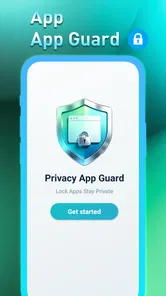
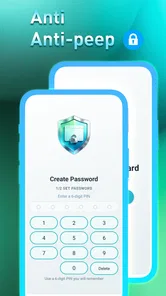
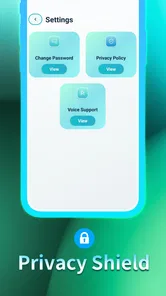
Analysis by Reviewed
I came to Privacy App Guard expecting a casual mobile game, but its focus is app privacy rather than the usual puzzles, runners, or matching challenges. That distinction matters: the name and short description point to a guard for private apps, while the listed category is casual gaming. I’d approach it as a privacy utility with a game-store presentation, not as a conventional game to play for levels or a score.
That makes it a potentially useful fit for someone who wants a simple way to add a barrier around apps on a shared phone. It is less convincing for anyone looking specifically for entertainment or a full-featured security suite. My recommendation depends on that expectation: decide whether you want app access protection before installing, rather than assuming the casual label means a familiar game loop.
What the listing tells you—and what it means in practice
The developer is Yongyou Trading Co, and the current release is version 1.0.1. It is free to install, carries an Everyone age rating, and requires Android 10 or newer. Its average rating is 4.2 from 181 ratings, with 17 written reviews, and it has passed 100K installs. Those figures offer some context about uptake, but they don’t tell me how well the guard behaves on a particular phone or whether it suits your privacy habits.
The most useful thing to know is the scope suggested by the product itself: it is about placing protection around apps, not encrypting every file or replacing your phone’s account security. If your concern is a friend opening a messaging app while borrowing your phone, an app guard addresses a different problem from a strong screen lock. I’d use the device lock as the first layer and treat an app-level guard as an extra boundary, not a substitute.
For an everyday example, imagine handing your phone to a child to show a photo or let them play a game. You may want to keep them from wandering into messages or account screens. An app-specific barrier can be relevant to that situation, but it is only useful if it is configured correctly and remains dependable when you switch between apps. I would test the setup with a low-stakes app first, before relying on it for anything sensitive.
Privacy protection is not the same as a game loop
Because Privacy App Guard is listed as a casual game, I would not assume it offers the breadth of a dedicated password manager, device-security product, or parental-control tool. Those alternatives are designed around different jobs: password managers organize credentials, system locks protect the whole device, and parental tools can manage a child’s use more broadly. A guard focused on apps may be more direct if all you need is a boundary around selected apps, but it cannot be judged as a replacement for those other layers.
There is also a practical trade-off in adding any extra lock. The more frequently a protected app is opened, the more often the extra step can interrupt you. A good setup is selective: protect the apps you genuinely would not want someone else browsing, rather than turning every tap into a checkpoint. That keeps the intended privacy benefit while reducing the chance that protection becomes annoying enough to disable.
More From Our News Desk

Weather by Xiaomi Review: Clear at a Glance, Less Clear Up Close

X Under Pressure: Can It Recover When Posting Goes Wrong?

Clash of Clans Is Won Between the Battles

Android Auto Makes the Case for Quieter Car Software

MobiOffice: Transforming Mobile Productivity with Seamless Integration

EA SPORTS FC™ Mobile Soccer: Redefining Mobile Sports Gaming
How I would evaluate it before trusting it
My first test would be a routine rather than a settings deep dive: protect one nonessential app, leave it, reopen it, and see whether the barrier appears consistently. Then I’d repeat the test after returning to the home screen and after using another app. This catches the kind of friction that matters in real life—whether the guard fits a normal app-switching habit—without risking access to anything important.
Next, I’d check that I understand the recovery path before protecting anything I rely on. Any lock is only helpful if the owner can regain access when needed. I would not start by placing the guard on a work, banking, or authentication app until I had tested the process on something easy to recover. That is a sensible precaution for any app-level protection tool, especially when your daily routine depends on quick access.
Another useful habit is to think about who the protection is meant to deter. A casual app guard can help prevent an accidental peek or casual browsing when someone has temporary access to an unlocked phone. It should not be treated as a guarantee against a determined person who can control the device or alter its settings. For higher-risk privacy needs, the phone’s built-in security and careful account practices matter more than an extra app barrier.
Fairness, pressure, and spending
There is no competitive contest to assess here in the usual game sense: the central purpose is protecting app access, not ranking players or matching one person against another. So fairness is less about balanced gameplay and more about whether the protection is understandable and proportionate. I would expect a tool in this role to make the boundary clear to the phone owner, and I would avoid using it to secretly control someone else’s device.
The game framing also makes it worth separating genuine progress from pressure. I would not choose this product expecting a sequence of challenges, a reward track, or a competitive system; none of those are established by its listed purpose. If you want a casual game to fill a commute, there are better-fitting choices in that category. If you want a privacy barrier, judge it on reliability and ease of access, not on whether it keeps you playing.
On spending, the install is free. That is the confirmed purchase context I can rely on; I would not infer from that alone whether optional purchases, ads, or paid features are present. If cost is a deciding factor, check the app’s own purchase prompts before committing to a workflow around it. In particular, don’t assume that “free” means every possible capability is included, or that any later prompt is required, until you have seen the terms in the app itself.
Who is likely to find it useful
I’d consider it if you share a device occasionally, lend your phone to family, or want a second check before certain apps open. The best candidate is someone with a narrow, concrete goal: keep a few apps out of casual reach without changing how the entire phone works. Its focused premise is easier to evaluate than a broad promise to secure everything, provided you keep the expectations equally focused.
I’d skip it if you are mainly looking for a polished casual game, a complete security dashboard, or parental controls that manage screen time and content across a child’s device. I’d also be cautious if a failed lock would prevent access to something urgent. In those cases, a built-in device setting or a tool designed specifically for the broader need is the more appropriate starting point.
What remains a sensible question
Before relying on any app guard, I would want to know exactly how it handles recovery, what permissions it requests, whether it shows interruptions or promotions, and how it behaves after a phone restart. Those details affect trust and convenience far more than a general privacy label. I would inspect the permission prompts and the in-app explanation as part of setup, and decline anything that does not make sense for the task I want it to perform.
I’d also test how it fits with your own routine rather than judging it after a single launch. Try opening a protected app several times during ordinary use, then decide whether the added step feels useful or tiresome. If you share your device only rarely, the system’s screen lock may already be enough. If you lend it often, a carefully chosen app-level barrier may justify the extra friction.
My trust verdict
My view is cautiously practical: Privacy App Guard has a clear, narrow appeal as an extra layer for app access, but its casual-game classification can set the wrong expectation. Its free installation and Everyone rating make it approachable in basic terms, while the 4.2 average and 100K-plus installs show that people have tried it; neither point is a substitute for testing the behavior on your own device.
I would install it only with a specific app or sharing situation in mind, then verify that it blocks access as expected and that recovery is straightforward before depending on it. Keep your phone’s main lock in place, protect only what needs protection, and don’t treat an app guard as complete security. Used with that realistic boundary, it may be a convenient extra safeguard; if you want a conventional game or a broader privacy system, I’d look elsewhere.
A practical routine for shared phones
One useful way to decide whether an app-level barrier earns a place on your phone is to match it to a real handoff rather than treating every app as equally sensitive. If you often pass your phone across a table to show a picture, for instance, start by thinking about what could be opened from that moment—not about protecting your entire digital life. A narrowly chosen boundary is easier to live with and easier to test than a blanket setup.
I would also make the handoff itself part of the trial. Ask someone you trust to use the phone for the ordinary task you had in mind, while you remain nearby, and notice whether the protection behaves predictably without making the basic task awkward. This is not a security stress test; it is a quick check that the guard fits the social situation you actually want to improve. If you need to explain a complicated workaround every time you lend the device, the friction may outweigh the benefit.
Where the alternatives have an edge
Compared with relying only on a whole-device screen lock, an app-focused guard is aimed at a more specific moment: you have already unlocked the phone but still want some areas left private. That distinction can be useful in a shared-device scenario, but it also means the two approaches solve different problems. If you rarely hand over an unlocked phone, the built-in lock may be simpler and sufficient; if the phone regularly changes hands, adding a selective boundary could be worth trying.
For a child’s phone, I would be careful not to confuse blocking access to a few apps with managing a child’s overall device use. A dedicated parental-control option is the better fit when the goal includes broader rules or oversight. Similarly, someone protecting account credentials should start with sound account security and a password manager, rather than expecting an app guard to organize or secure passwords. The right choice depends on the job, not on which tool sounds most protective.
Small checks that prevent bigger headaches
Before placing a frequently used app behind any extra barrier, I’d consider when I most need it: during a commute, while paying for something, or when confirming a sign-in. A lock that adds friction at exactly those moments can become a source of stress. Start with an app you can comfortably leave alone, and only expand the setup if the day-to-day experience feels dependable. That gradual approach also makes it easier to identify which protected app is causing a problem.
I would keep a simple recovery plan in mind, too. Know how you will regain access before you depend on the guard, and avoid testing recovery for the first time when you are in a hurry. This does not require assuming that a failure will happen; it is the same sensible preparation I’d use for any tool that sits between me and an app I may need. If the recovery instructions are unclear during setup, I would pause rather than protect something important immediately.
Who should leave it off their shortlist
This is not the choice I’d make for someone who wants a game with a clear play loop, regular challenges, or competition. The casual label may catch the eye, but the product’s stated purpose points toward privacy rather than entertainment. I’d also steer away from it as a sole answer for high-risk protection, because an extra app boundary is not a replacement for the phone’s own security or careful control of who can access the device.
It may also be unnecessary for someone who keeps a phone private, rarely lends it, and already uses a strong device lock. In that situation, another checkpoint can add hassle without solving a meaningful problem. On the other hand, someone who lends an unlocked phone several times a week has a concrete reason to test a selective guard. I’d make the decision based on that routine, not on the app’s install count or rating alone.
Overall, I see Privacy App Guard as a narrowly aimed option to evaluate, not a universal privacy fix or a conventional casual game. Its most sensible use is adding a tested, selective boundary for everyday sharing while keeping the device lock and account protections in place. If that is the specific gap you want to address, try it cautiously on a low-stakes app and judge the recovery and interruptions for yourself. If your need is broader—or you simply want something to play—I’d choose a tool built for that purpose instead.
Privacy App Guard Frequently Asked Questions
What is Privacy App Guard, and what does it do?
Privacy App Guard is designed to help protect private information on your device by adding safeguards around selected apps or sensitive content. Depending on the version and device, its tools may include app locking, access controls, or privacy-related settings. Check the app’s current store listing and in-app description before downloading, since features and availability can vary by developer, region, and Android or iOS version.
How does Privacy App Guard protect apps or personal information?
Privacy App Guard may ask you to choose a security method, such as a PIN, password, or another supported unlock option, and then select which apps or information you want to restrict. Some protection tools also require special device permissions to work. Review each permission request carefully and test the protection after setup; an app lock is an added layer of privacy, not a guarantee against every form of access or data exposure.
Is Privacy App Guard safe to download and use?
Safety depends on the specific app listing, its developer, and the permissions it requests. Download Privacy App Guard only from a trusted official store, confirm the developer name, and read recent reviews and the privacy policy. Be cautious if the app requests access that seems unrelated to its advertised features. No privacy app can eliminate all risks, so keep your device updated and use a strong screen lock as well.
Is Privacy App Guard free, and are there ads or in-app purchases?
Pricing can differ between versions and platforms. Privacy App Guard may be free to install while offering advertisements, optional purchases, or a paid upgrade for additional features; the exact arrangement should be shown on its store page and in the app before you commit. Check the purchase terms, subscription renewal details, and whether core protections require payment, especially if you are downloading it for a child or another family member.
What should I do if I forget my Privacy App Guard password or it does not work?
Before relying on Privacy App Guard, look for a recovery option during setup and note how it works; available recovery methods depend on the app version. If you forget your passcode, try the app’s official reset instructions rather than repeatedly guessing or installing unofficial tools. Also check whether an operating-system update, revoked permission, or battery restriction has affected its operation, and contact the developer through the official store listing if needed.
Pros
- Helps prevent casual access to selected apps when you lend someone your phone.
- App-specific protection lets you secure only the apps that matter to you.
- Can add a useful layer of privacy on shared or family devices.
- A straightforward concept makes its main purpose easy to understand.
- May reduce the risk of someone opening private messages or photos accidentally.
Cons
- An app lock cannot protect content already visible in notifications or app previews.
- Protection may be bypassed if someone knows your device passcode or settings PIN.
- Some apps may briefly show content before the lock screen appears.
- Background restrictions can interfere with reliable locking on some devices.
- A third-party lock adds another app and permission requirements to manage.