Pixel Craft City
- 161.00
- 3.4
- Installs
- 10.00M
- Price
- Free
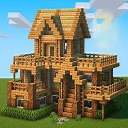
Screenshots
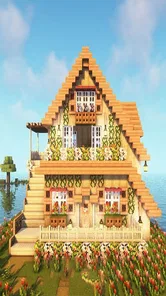
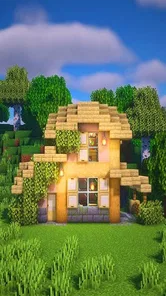
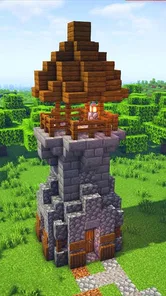
Analysis by Reviewed
I first approached Pixel Craft City as a casual building game, and its pixel-art look immediately gives it a clear identity. The blocky visuals invite me to imagine a small town taking shape one piece at a time, rather than asking me to chase realism or a complicated simulation. That makes it an easy game to pick up when I want a creative distraction, though the appeal depends on enjoying a familiar, hands-on building style.
A first look at the city
The game is a free simulation from paygame, with a 3.4 average rating from around 8,100 ratings and more than 10 million installs. It is rated Everyone 10+, and its current version is 120011-public, with Android 5.0 as the minimum OS. Those figures suggest a broad audience, but they do not tell me whether its particular mix of crafting and city building will suit you. I would approach it as a relaxed sandbox, not as a deep city-management challenge.
In an ordinary evening, I can see the appeal of opening it for a short session: choose a modest project, such as laying out a street or shaping a small cluster of buildings, and spend a little time making the space feel more like mine. That kind of self-directed goal is a better fit than expecting a long sequence of missions to dictate what comes next. If you prefer clear objectives and a tightly paced campaign, this open-ended approach may feel less satisfying.
A useful way to try it is to make the first session deliberately small. Rather than attempting a whole town, I would pick one corner and decide what it should communicate: a quiet residential patch, a busy-looking commercial strip, or a simple public space. That gives me something to judge beyond “did I place a lot of blocks?” The result can be a modest but complete-looking project, and it helps reveal whether the act of arranging the city is enjoyable enough to keep returning to.
How its pixel world plays
Upon diving into Pixel Craft City, the first thing that strikes you is the charmingly blocky world. It feels like stepping back into the golden era of gaming, but with a twist. You get to be the architect of this world, manipulating the environment to suit your creative whims. The city is your canvas, and each block is a stroke of genius waiting to happen. From towering skyscrapers to quaint little shops, the variety of structures you can build is staggering.
The interface is intuitive, making it easy for players of all ages to jump into the action. Although the graphics harken back to simpler times, the controls are anything but dated. They are responsive and smooth, allowing for a seamless building experience. Plus, the tutorials are comprehensive without being overwhelming, guiding you through the basics while leaving plenty of room for experimentation.
Building with a plan
I get more out of a sandbox when I decide on a small design rule before I start. For example, keeping one area for homes and another for shops gives a build a readable shape, even when I am improvising. It also helps me avoid placing blocks without a clear purpose. A useful trade-off is to spend a little time on the layout before adding detail: a simple plan can make a compact city feel considered, while excessive planning can take away the relaxed, playful quality that makes this sort of game inviting.
More From Our News Desk

 Gmail
Gmail in a Busy Inbox: Who Benefits Most?
From first account to crowded workday, Gmail earns its place through dependable search and flexible sorting—but its best fit depends on how much inbox maintenance you can tolerate.

 Prime Video
Switching to Prime Video: What Changes in Your Viewing Routine
Prime Video can make a compelling second home for streaming, but switching means learning a different catalog, rental layer, and route from browsing to playback.

 Universal TV Remote Control
 Works Best as a Reliable Backup
A phone remote earns its place through quick setup and reliable habits. Here is how to get more from Universal TV Remote Control—and where its limits show.

 Weather - By Xiaomi
Weather by Xiaomi Review: Clear at a Glance, Less Clear Up Close
Xiaomi’s weather app makes everyday forecasts quick to scan, but its calm surface can leave useful details and recovery paths harder to find than they should be.

 X
X Under Pressure: Can It Recover When Posting Goes Wrong?
A resilience-focused review of X, examining setup, mistaken posts, interruptions, weak connections, and the gaps that matter when recovery needs to be dependable.

 Clash of Clans
 Is Won Between the Battles
Its raids are quick; its community is a long-term project of coordination, teaching, rivalry, and shared responsibility—with all the friction that entails.
Latest News



The game’s pixel style does useful work beyond nostalgia. Since the visuals are deliberately simplified, I can focus on silhouettes and the arrangement of buildings instead of trying to make every surface look realistic. That is a strength if you enjoy making recognizable places out of basic forms. If you want intricate textures, lifelike traffic, or a highly detailed urban simulation, a more realistic city builder is likely a better match.
One practical design trick is to think about what will be seen together before filling a street with separate ideas. Repeating a small number of shapes or colors can make homes and shops feel like parts of the same neighborhood, while a deliberate change at the edge of an area can signal that the city is moving into a different zone. I find that this kind of visual consistency matters more in a block-based world than elaborate decoration does: the layout itself has to carry much of the character.
There is also a trade-off between building for a pleasing view and building for convenience. A carefully arranged skyline or street may look satisfying, but constantly revising a large plan can turn a relaxing session into a chore. I would keep a rough idea in mind, then let the details develop as I go. That approach gives the city a sense of direction without making every placement feel like a permanent decision that needs perfecting.
Crafting and creating
This game is not just about building; it’s about crafting a living, breathing city. You can populate your world with quirky characters, each with their own stories and interactions. As you delve deeper, you’ll find that each decision impacts the vibrancy of your city. Do you want a bustling metropolis or a serene village? The choice is yours!
One of the standout features here is the crafting system. It’s detailed yet accessible, allowing you to create a plethora of items that breathe life into your cityscape. From furniture to futuristic gadgets, the possibilities are endless. The crafting mechanics are straightforward, but mastering them to create complex items can be incredibly rewarding.
For a smoother session, I would treat crafting as part of a project rather than a separate checklist. Decide what a particular building or area needs, then make items with that destination in mind. This can make experimentation feel purposeful and helps keep the city visually coherent. The flip side is that players who dislike gathering ingredients or learning a crafting loop may find that building alone is not the whole experience they want.
That project-first approach is especially handy when I only have a little time. I can leave myself a clear next step—finish one room, add a detail to a storefront, or continue shaping a particular block—instead of returning to a city and having to invent a goal from scratch. It also makes it easier to stop at a natural point. For players who enjoy open-ended games but struggle to decide what to do next, a short list of one or two intended changes can keep the freedom from feeling aimless.
Crafting also changes how I would judge progress. A city does not need to grow outward every time I play; making an existing area feel more complete can be a satisfying session in itself. That is a useful distinction from management-focused simulations, where expansion and efficiency often become the main measures of success. Here, if the pleasure is in shaping a place, a small improvement can be worthwhile even when it does not make the overall city larger.
Sound, pace, and company
The pixel aesthetic sets a playful tone, while the game’s crafting and construction encourage a stop-and-start rhythm: I can make a little progress, pause to consider the layout, then return to adding detail. That suits short creative sessions better than a game built around constant pressure. I would choose it when I want to unwind and tinker, not when I am looking for fast action or a demanding strategic test.
The mood depends more on the contrast between simple visuals and unhurried building than on any single dramatic event. That makes it easy to dip in without needing to remember a complicated chain of objectives. At the same time, players who want strong sensory variety or a soundtrack that drives the action may find this quieter style less gripping. I think of the pacing as an invitation to look around and adjust, rather than a cue to rush toward the next milestone.
No city is an island, and in Pixel Craft City, community is key. The multiplayer mode opens up opportunities for collaboration with friends or players worldwide. Together, you can embark on grand projects, turning your collective visions into reality. It’s a fantastic way to bond with fellow gamers, sharing tips and showcasing your architectural masterpieces.
Playing with others changes the kind of project that makes sense. A shared build benefits from agreeing on a simple plan first—such as who is shaping which area—so that different styles feel intentional rather than crowded together. If you mostly prefer solitary play, the creative appeal can still stand on its own; if your main reason to install is dependable coordination with friends, make sure the multiplayer aspect is the part you are most interested in rather than assuming it will replace a dedicated social game.
For a casual shared session, I would choose a project with clear boundaries instead of asking everyone to build freely across the same space. One person can work on a street while another handles a nearby cluster, for example. It gives each player room to experiment and makes the final result easier to read. This is a small but useful way to avoid the common sandbox problem where collaborative freedom produces a jumble rather than a place that feels designed.
The game is also a better fit for friends who enjoy showing ideas through the build itself than for a group looking for a structured competitive activity. A shared city can be the reason to play, but the value comes from making and discussing the space together. If your group wants quick rounds, clear winners, or a steady stream of challenges, a different multiplayer genre will probably suit the occasion better.
Moreover, the game features regular updates, introducing new elements and challenges to keep things fresh. The developers are clearly passionate about their creation, and it shows in the vibrant community and the continuous stream of content that keeps players engaged.
Who will enjoy this kind of sandbox?
I would recommend it to players who like pixel art, making their own goals, and gradually turning a blank space into a place with personality. It can also work for someone new to simulation games who wants a creative starting point rather than a dense management interface. On the other hand, players who need a strong story, realistic city systems, or a clearly defined progression path may be happier with a more structured alternative in the genre.
A realistic everyday use case is a short break between other activities: I might open the game, add a few finishing touches to one block, and stop once that small piece feels settled. It suits that kind of flexible play because I do not need to commit to a long strategic session to get something out of it. The same freedom can be a drawback if I tend to abandon games without a clear next objective; setting a small personal target before I start is a simple way to make each visit feel complete.
Compared with familiar city-management games, this is the choice I would make for hands-on construction and visual experimentation rather than balancing a complicated urban system. Compared with open crafting sandboxes, its appeal is more specifically tied to making a city feel like a place, with buildings and crafted details contributing to a shared setting. Those comparisons are about the kind of play to expect, not a promise that it offers every system found in those other games. If you mainly want economic optimization, realistic infrastructure, or a campaign that steadily unlocks goals, another simulation will likely serve you better.
It can be a good first step for a younger or less experienced simulation player who is drawn to building but might find a dense interface intimidating. The Everyone 10+ age rating is a useful guide for families considering it, though I would still think about the individual player’s preferences: a child who likes creative construction may enjoy the open format, while one who needs clear tasks may find it harder to stay engaged. The game’s sandbox character makes personal goals important, so it is not automatically the right fit for every player in its age range.
The practical question is whether you need to pay to try it: the game is free, so it is accessible to test as a low-commitment creative pastime. Its rating and large install base offer a broad snapshot of player response, not a guarantee that every device or play style will feel the same. Since it runs on Android 5.0 and later, checking your device’s compatibility before installing is sensible if you use an older phone or tablet.
If you are deciding whether to keep playing after trying it, I would ask yourself whether you enjoy the process of making the city, not just the idea of having a finished one. If placing buildings, refining a layout, and finding a use for crafted details feels rewarding, there is a clear reason to return. If you mostly want the game to supply a sequence of fresh objectives, the open-ended structure may lose its pull once the novelty of the first build wears off.
A personal verdict on the mood
In conclusion, Pixel Craft City is more than just an app; it’s an invitation to a world of creativity and collaboration. Whether you’re a fan of retro games or a newcomer to the genre, it offers something for everyone. So, grab your virtual pickaxe and start building your dream city today!
My recommendation comes with one qualification: the best reason to play is the pleasure of shaping a pixel city at your own pace, not a promise of realism or a tightly scripted adventure. If that hands-on freedom sounds good, this is an approachable place to experiment with layouts and crafted details. If you would rather have the game set the agenda, a more mission-driven simulation will probably hold your attention better.
Pixel Craft City Frequently Asked Questions
Is Pixel Craft City suitable for players who enjoy creative building games?
Yes. Pixel Craft City is a simulation game centered on crafting, building, and exploring in a pixel-style city. Its open-world approach suits players who like shaping their surroundings and choosing their own activities rather than following a single fixed path. You can focus on designing structures, exploring the city, or mixing both, making it a flexible choice for creative play.
What is Pixel Craft City and what can I do in the game?
Pixel Craft City is an engaging sandbox game where players can explore a vast pixelated cityscape. The game allows users to craft and build their own structures, interact with various characters, and embark on exciting quests. With its open-world design, players can customize their experiences, from building skyscrapers to exploring hidden alleys, making it an ideal game for creativity and adventure enthusiasts.
Is Pixel Craft City free to play, or does it require any in-app purchases?
Pixel Craft City is free to download and play, offering a wide range of features at no initial cost. However, the game does include optional in-app purchases that can enhance the gaming experience. These purchases might include special items, character upgrades, or exclusive building materials. Players can enjoy the game fully without spending money, though purchases can expedite progress and customization.
What are the system requirements for installing Pixel Craft City on Android and iOS devices?
For Android devices, Pixel Craft City requires a minimum of Android 5.0 and at least 2GB of RAM to run smoothly. For iOS users, the game is compatible with devices running iOS 11.0 or later. It is recommended to have at least 500MB of free storage space for optimal performance. Ensuring your device meets these requirements will provide a seamless gaming experience without lag or crashes.
Does Pixel Craft City offer multiplayer features or is it solely a single-player game?
Pixel Craft City offers both single-player and multiplayer modes, allowing users to enjoy the game in their preferred style. In multiplayer mode, players can connect with friends or other gamers online to collaborate on building projects, explore the city together, or compete in various challenges. This flexibility enhances the game's appeal, offering both a solitary and social gaming experience.
Pros
- Intuitive user interface for easy navigation.
- Wide variety of crafting options and tools.
- Engaging graphics enhance user experience.
- Regular updates with new features.
- Supports offline play.
Cons
- Can be resource-heavy on older devices.
- In-app purchases can be expensive.
- Occasional lag in multiplayer mode.
- Limited character customization options.
- Some features require constant internet.